Monthly Budget Pro
Full-year personal budget management with 12-month dashboard, budget vs actual variance tracking, year-over-year comparison, and savings trend analysis.
Free vs Pro
- Set income and expense budgets for a single month with category totals
- Dashboard with income, expenses, and net balance KPIs
- Budget vs actual comparison for the current month
- Works in Excel and Google Sheets
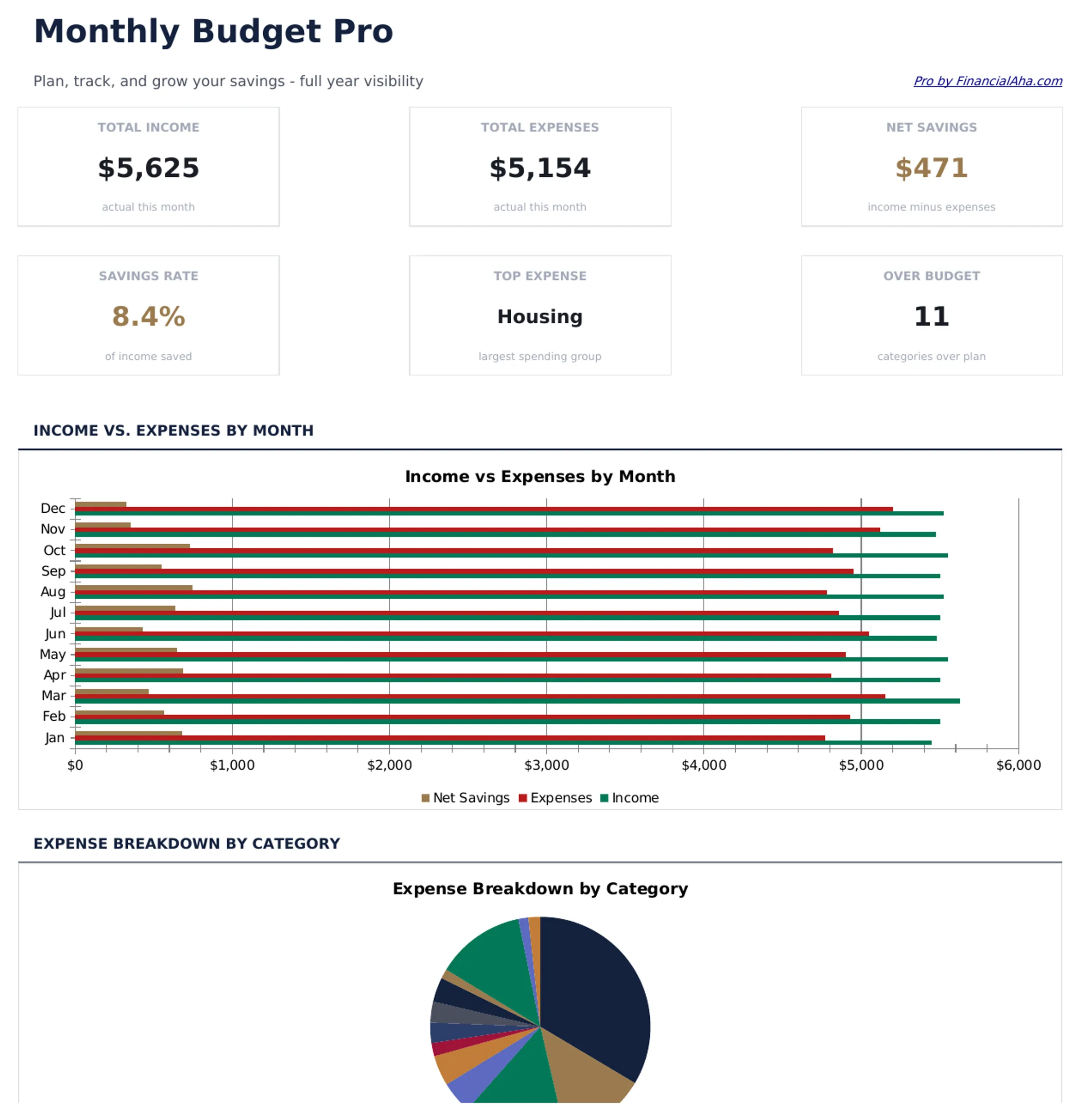
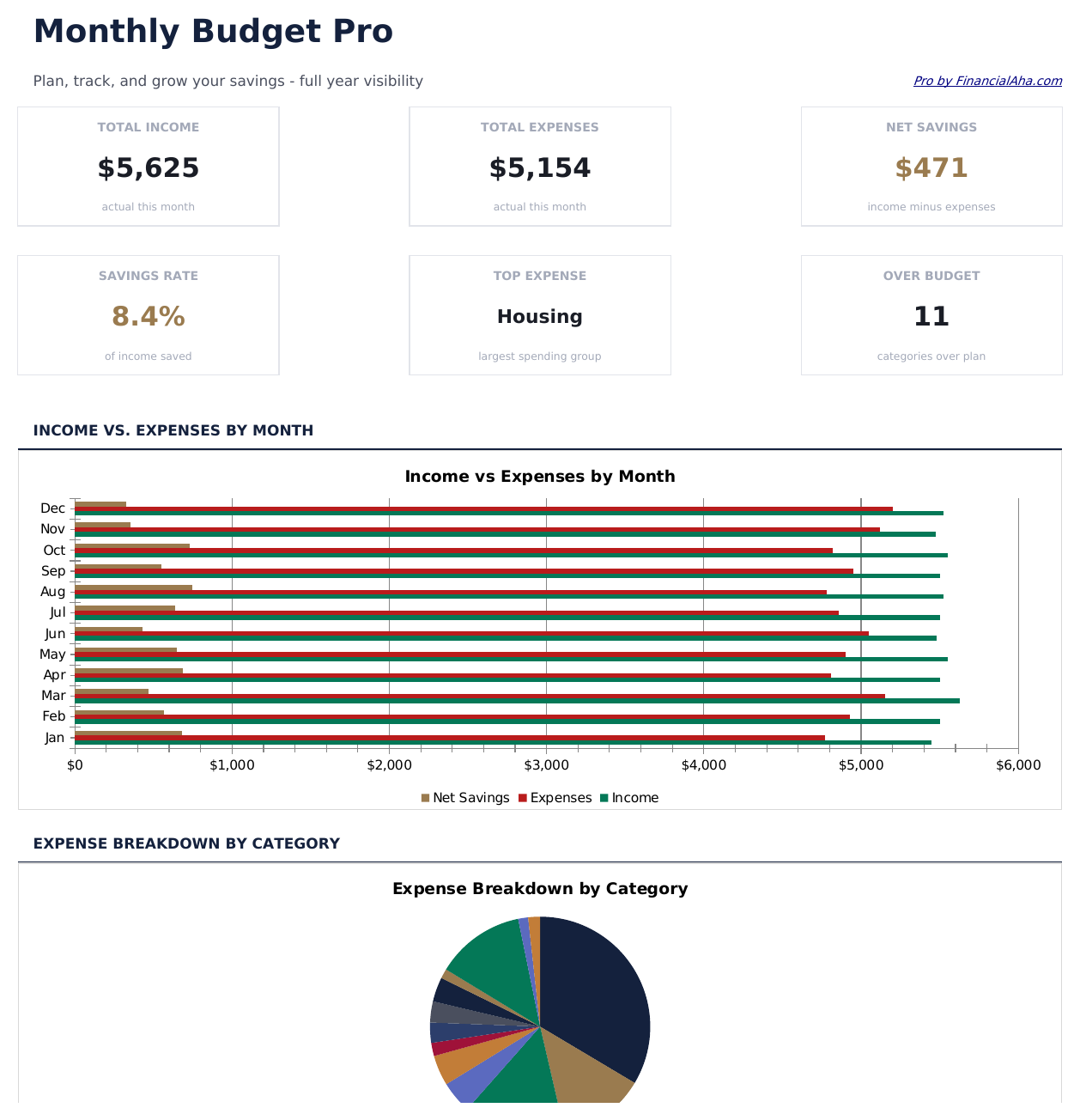
- Dashboard with 6 KPI cards: total income, total expenses, net savings, savings rate, budget variance, and months tracked
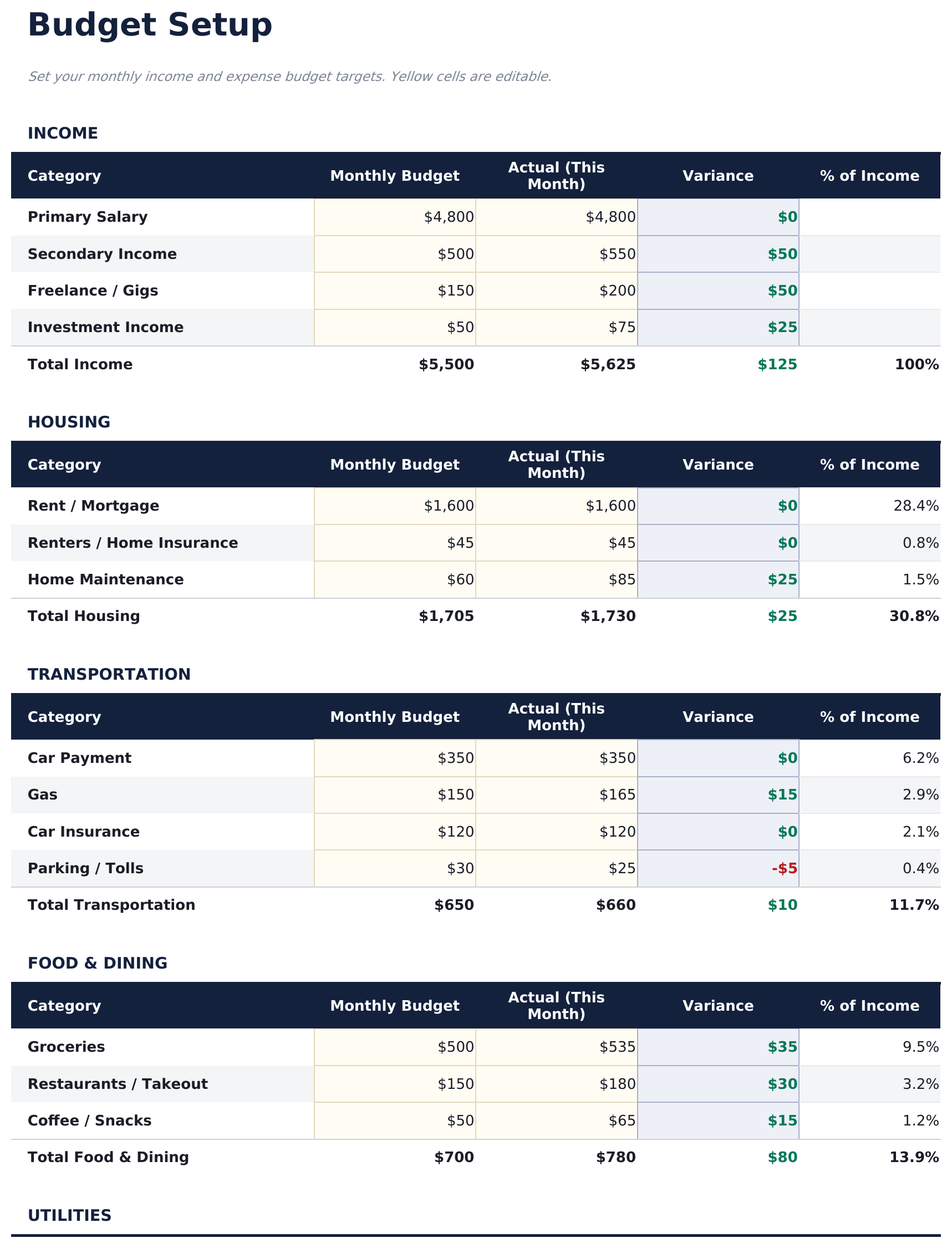
- Budget Setup sheet with income and expense categories, monthly targets, and annual budget totals
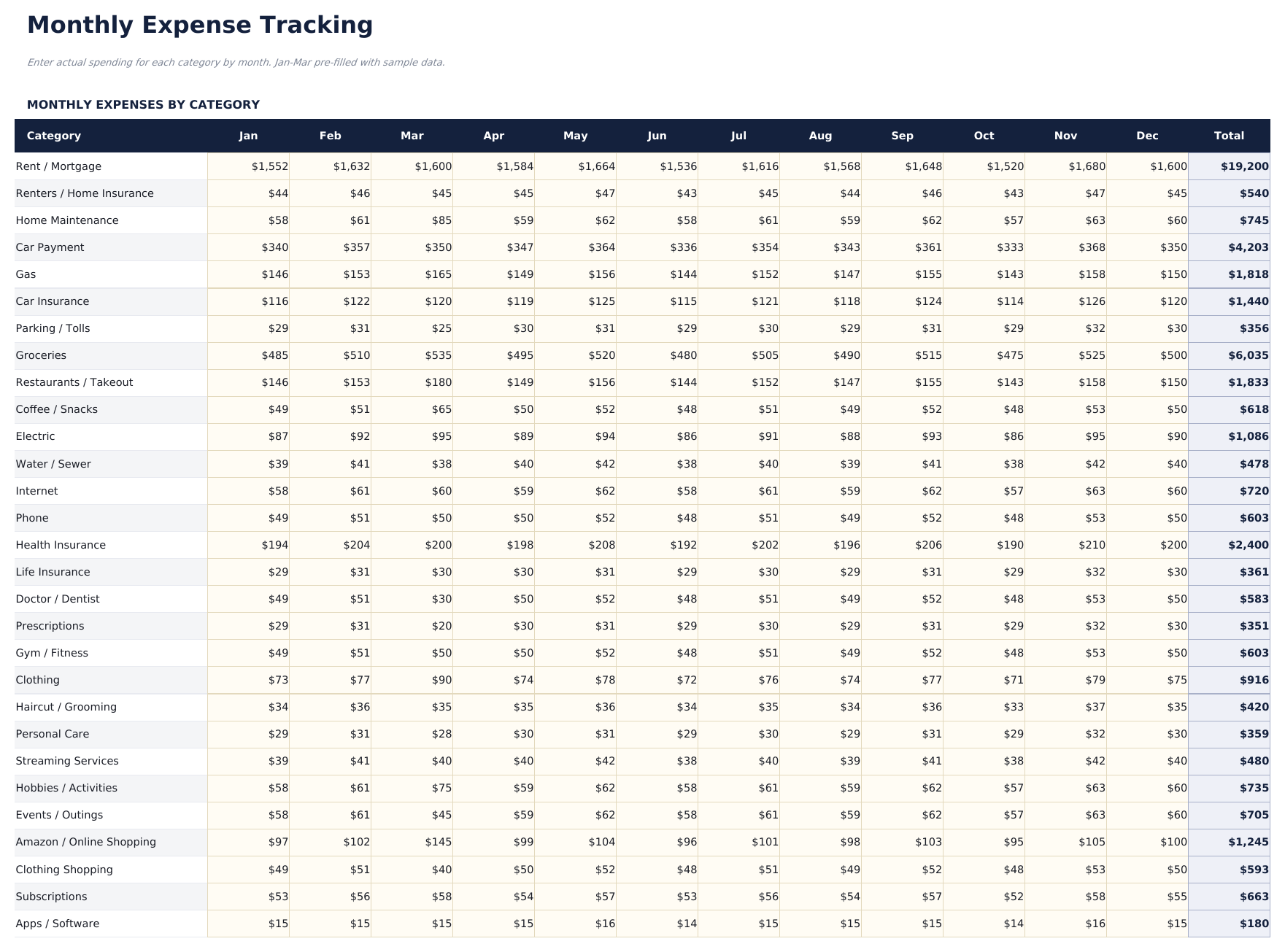
- Monthly Tracking sheet for logging actual income and spending across all categories for any given month
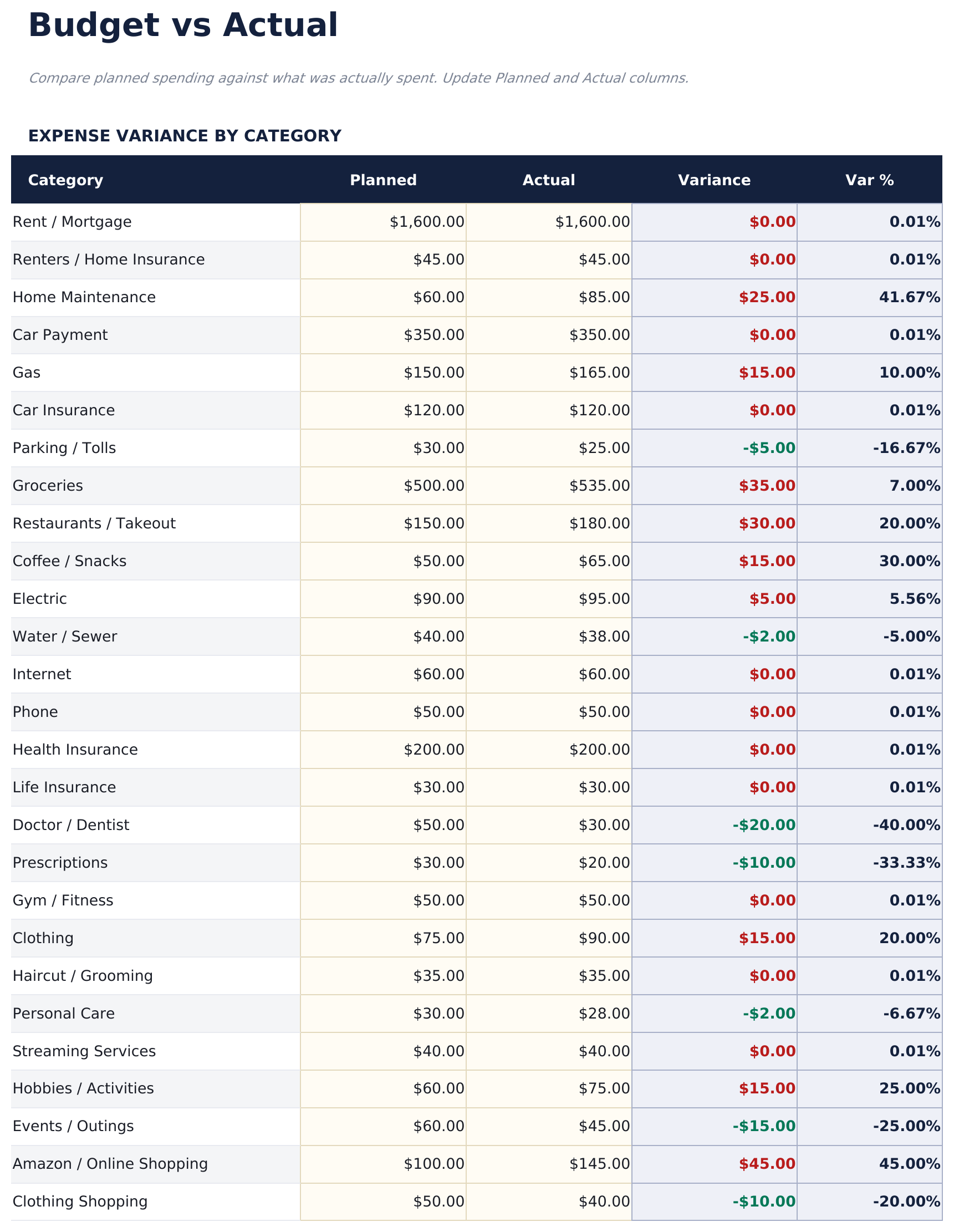
- Budget vs Actual sheet comparing targets to real spending for each category with over/under variance and color coding
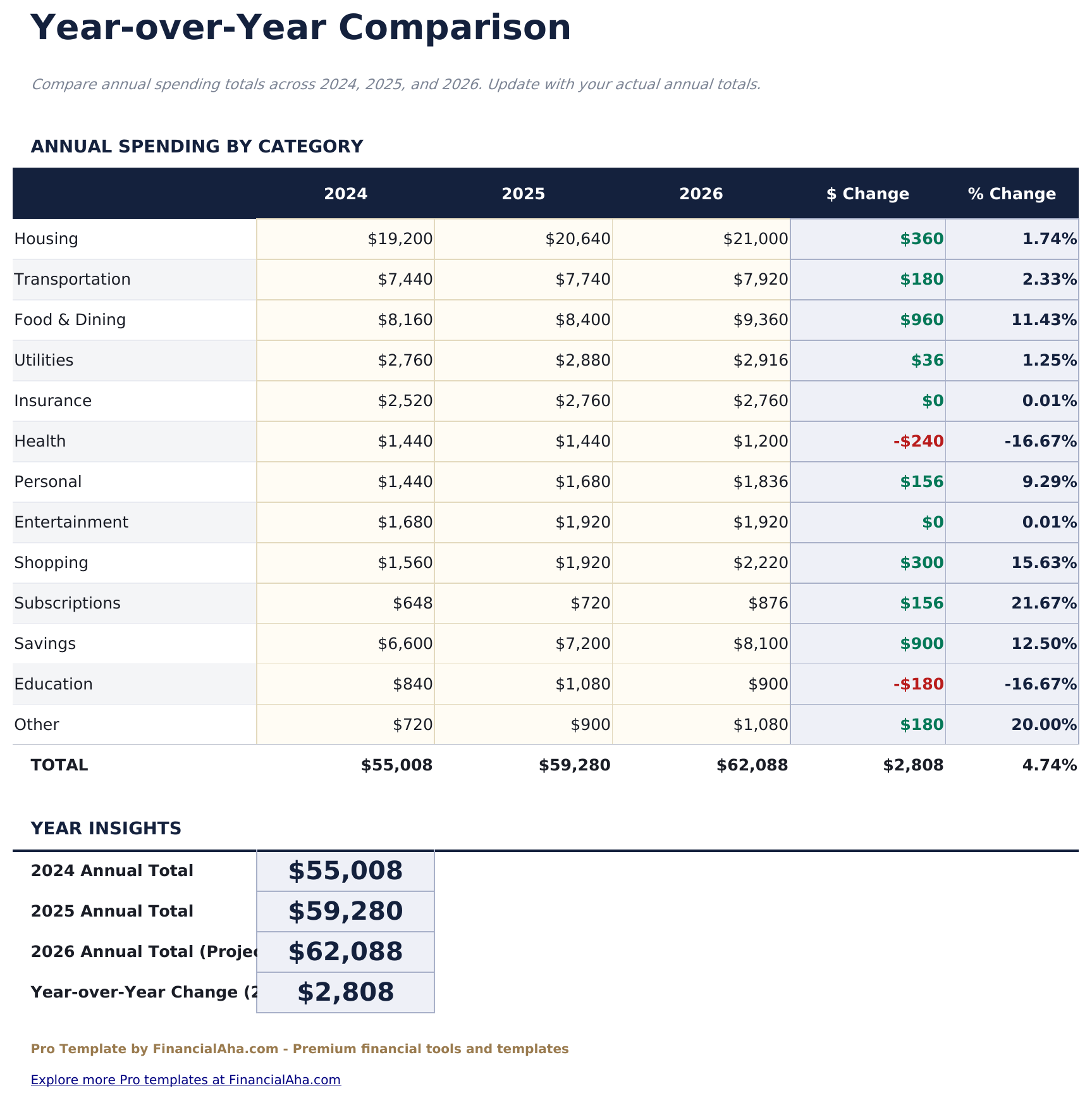
- Year-Over-Year sheet showing income, expenses, and savings by month across 2 years with percent change calculations
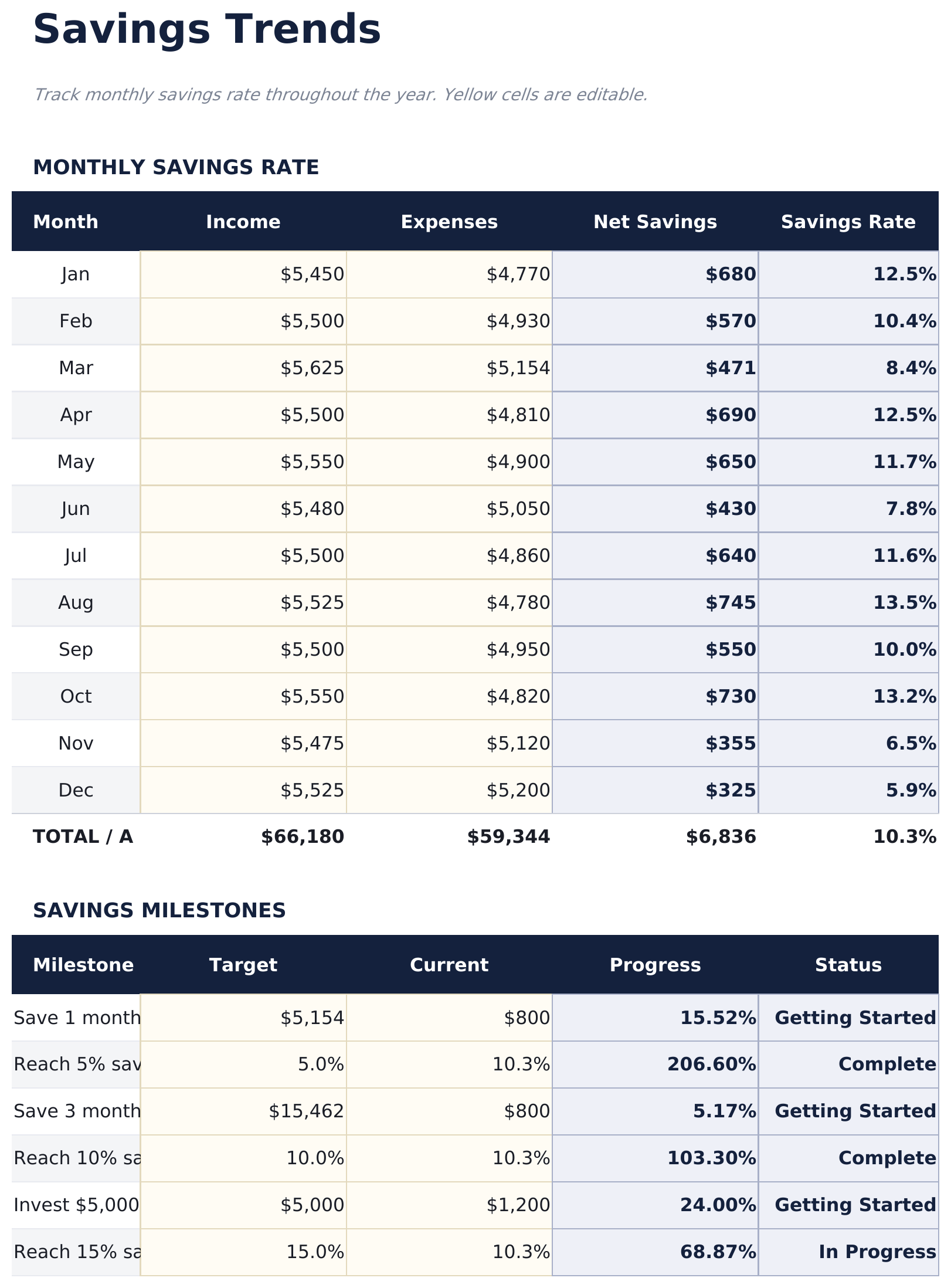
- Savings Trends sheet tracking monthly savings rate, cumulative savings, and rolling 3-month average over 12 months
- Conditional formatting highlights over-budget categories in red and under-budget in green across all comparison sheets
- Works in Microsoft Excel, Google Sheets, and LibreOffice Calc with no macros required
Preview
See what's inside this template
How to Use This Template
Set up your budget
Go to Budget Setup and enter your income sources and monthly spending targets for each category. These become your baseline for the full year.
Log actual spending each month
In Monthly Tracking, enter your real income and expenses for each month as the year progresses.
Review budget vs actual
Check the Budget vs Actual sheet to see which categories are over or under target. Color coding highlights where to pay attention.
Track trends over time
The Dashboard, Year-Over-Year, and Savings Trends sheets show how your finances evolve across the full year.
Built by Claude AI. Perfected by us.
We use Claude AI to draft each Pro template after deep research. Then our team steps in - refining the layout, stress-testing every formula, fixing edge cases, and polishing the design. The AI gets us 80% there. The last 20% is all human judgment.
One-time purchase. No subscription. Works in Excel & Google Sheets.
Frequently Asked Questions
Can I track the full year in one file?
Yes. The Monthly Tracking sheet is designed for month-by-month entry. The 12-month dashboard and Savings Trends sheet pull from all 12 months automatically.
How does the budget vs actual comparison work?
Enter your monthly targets in Budget Setup. As you log actual spending in Monthly Tracking, the Budget vs Actual sheet calculates the difference per category and color codes over/under results.
What does the Year-Over-Year sheet show?
It compares income, expenses, and savings month by month between two years. Percent change columns make it easy to spot where spending has shifted.
How is the savings rate calculated?
Savings rate is net savings divided by total income for each month. The Savings Trends sheet tracks this over 12 months alongside cumulative savings and a 3-month rolling average.
Can I add my own categories?
The Budget Setup sheet has labeled rows for common income and expense categories. You can relabel any row to match your own spending categories.
What do I get after purchase?
You receive an Excel file (.xlsx) that works in Microsoft Excel, Google Sheets, and LibreOffice Calc. Download it immediately after purchase - no signup or account required.
Is there a free version?
Yes. The free version of this template is available with basic features. The Pro version adds advanced analysis, more capacity, and additional sheets.
What if it does not work for me?
Contact us and we will help troubleshoot. The template works in Microsoft Excel, Google Sheets, and LibreOffice Calc with no macros required.
Looking for more Pro templates?
We offer Pro versions of our most popular spreadsheet templates with advanced features, more capacity, and deeper analysis.