Household Budget Pro
Multi-income household budgeting with shared and individual expense tracking, customizable split ratios, and monthly budget vs actual comparison.
Free vs Pro
- Track income and expenses for a two-person household
- Shared expense tracking with basic 50/50 split
- Dashboard with combined income and expense totals
- Works in Excel and Google Sheets
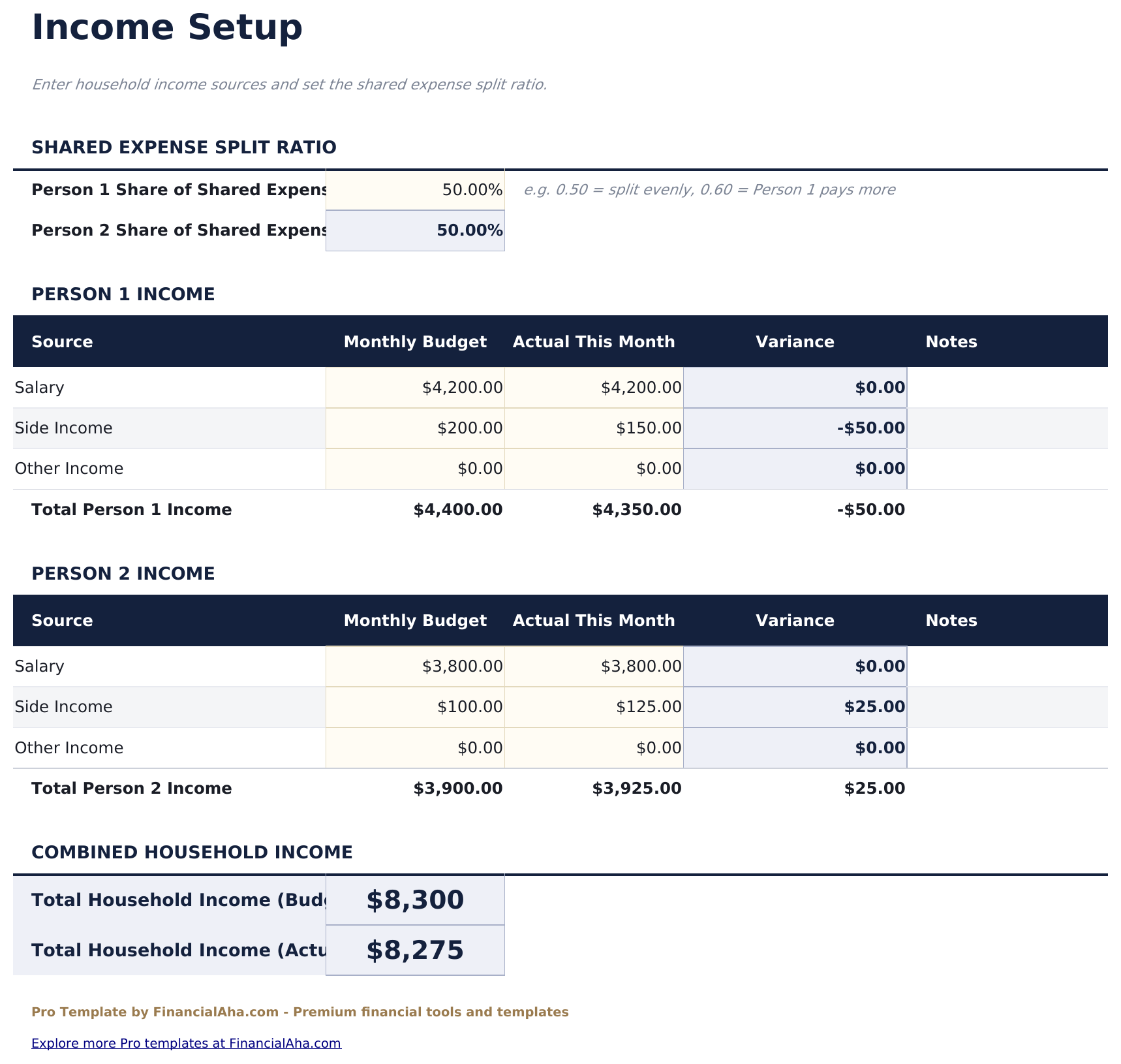
- Income Setup sheet supporting up to 4 household members with salary, side income, and other income sources per person
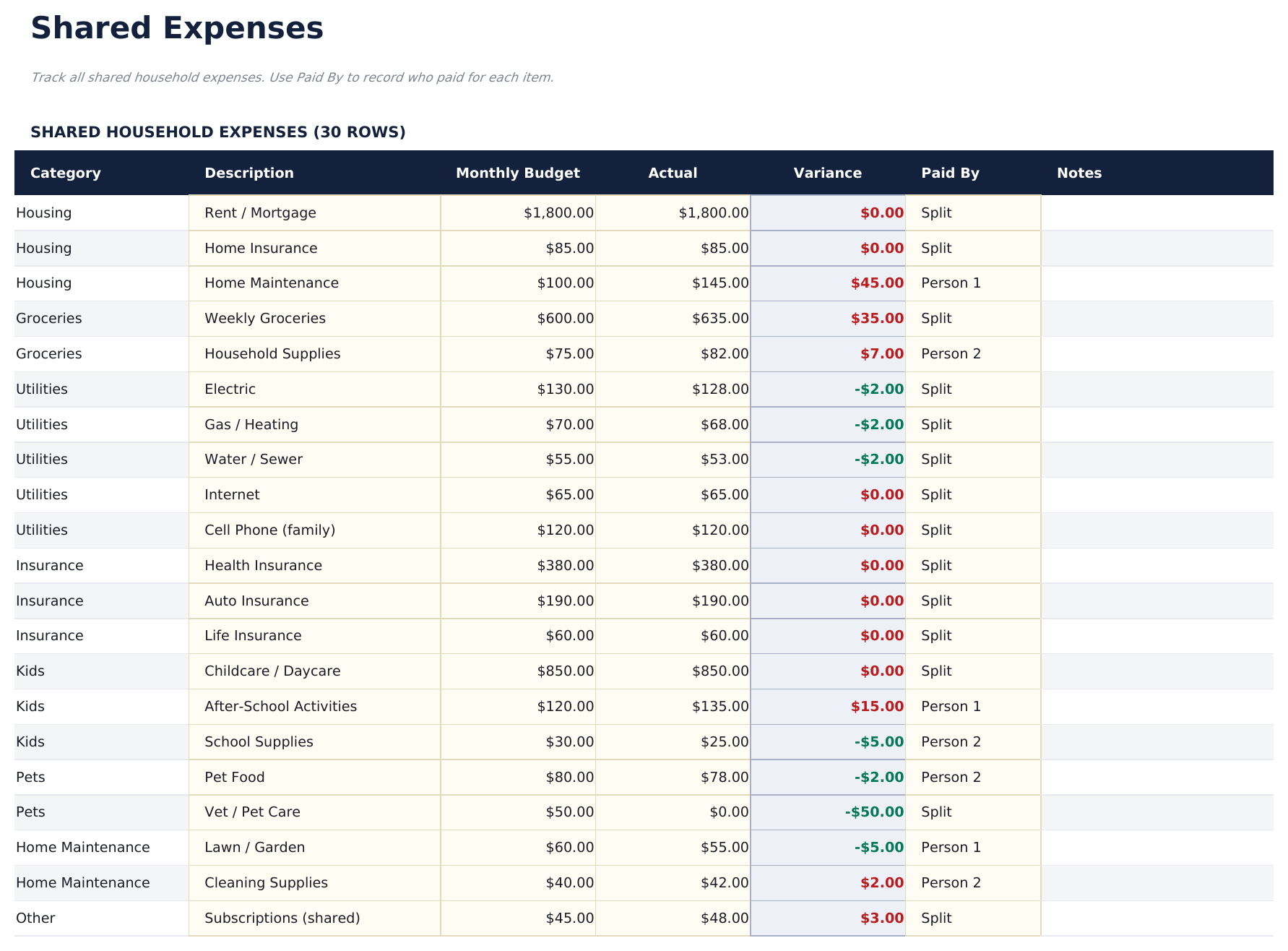
- Shared Expenses sheet for household bills split between members - each row shows total cost and each person's share based on split ratio
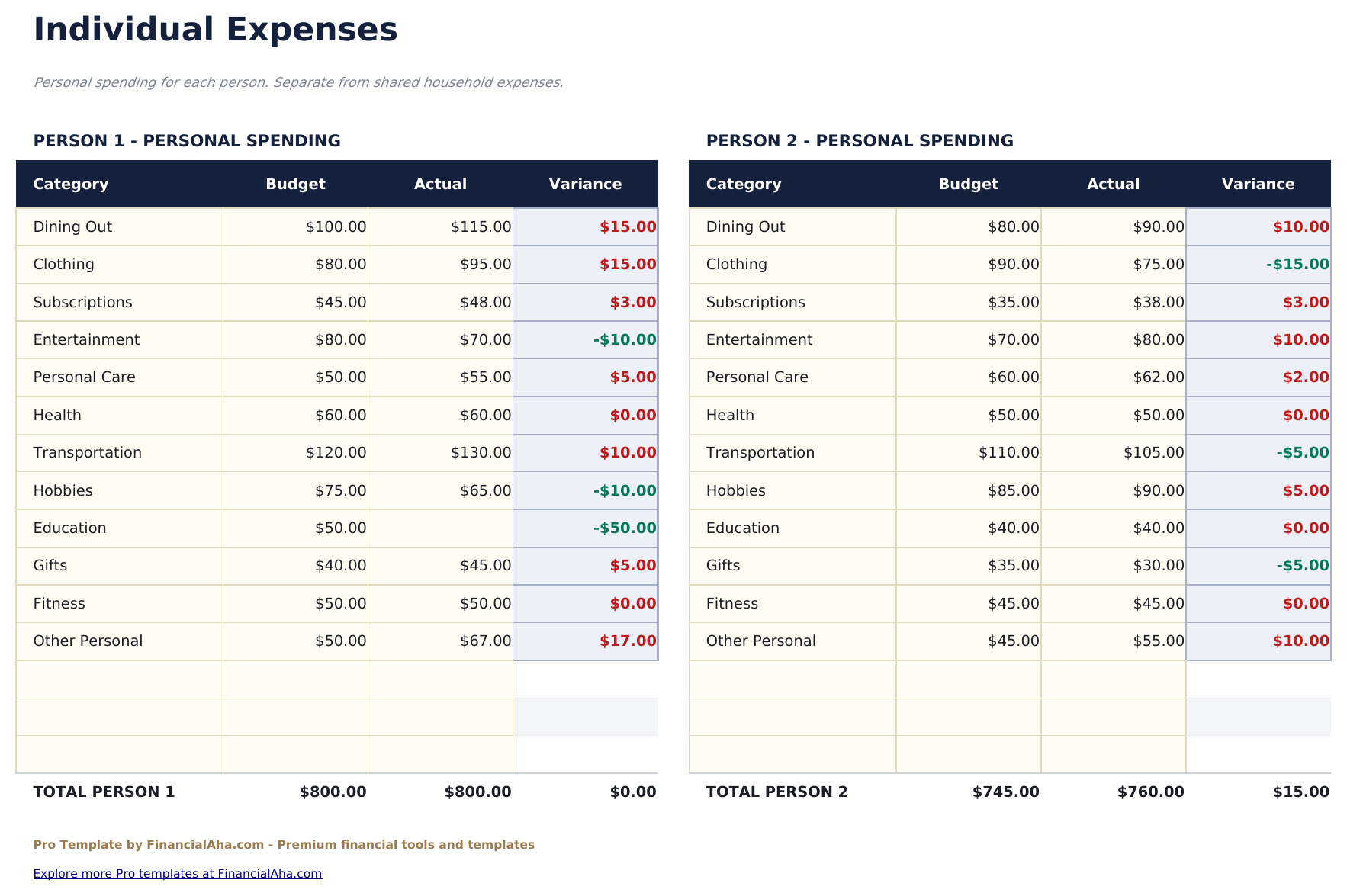
- Individual Expenses sheet for personal spending per household member tracked separately from shared costs
- Split ratio input per expense category - set 50/50, 60/40, or any custom split and the template calculates each person's share automatically
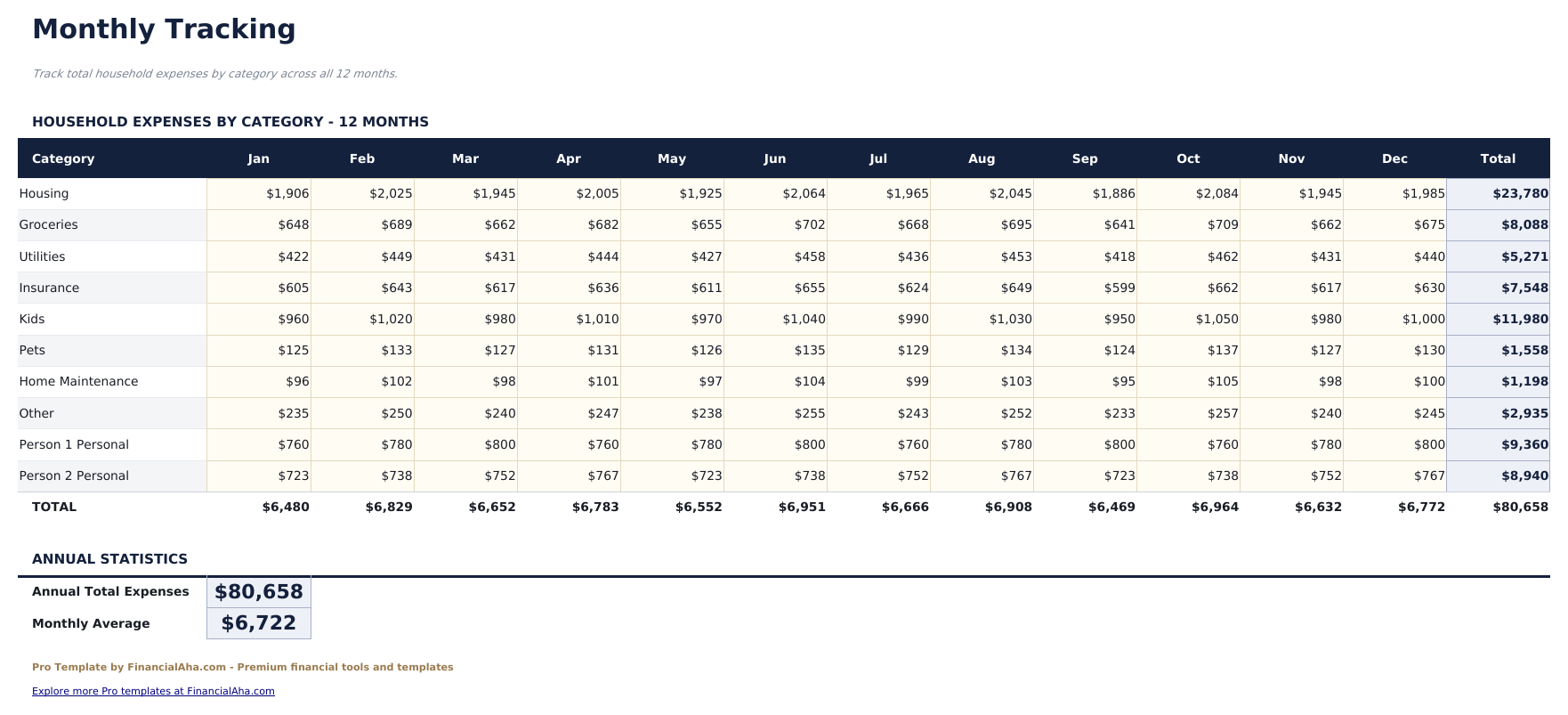
- Monthly Tracking sheet consolidating shared and individual expenses by category for each month
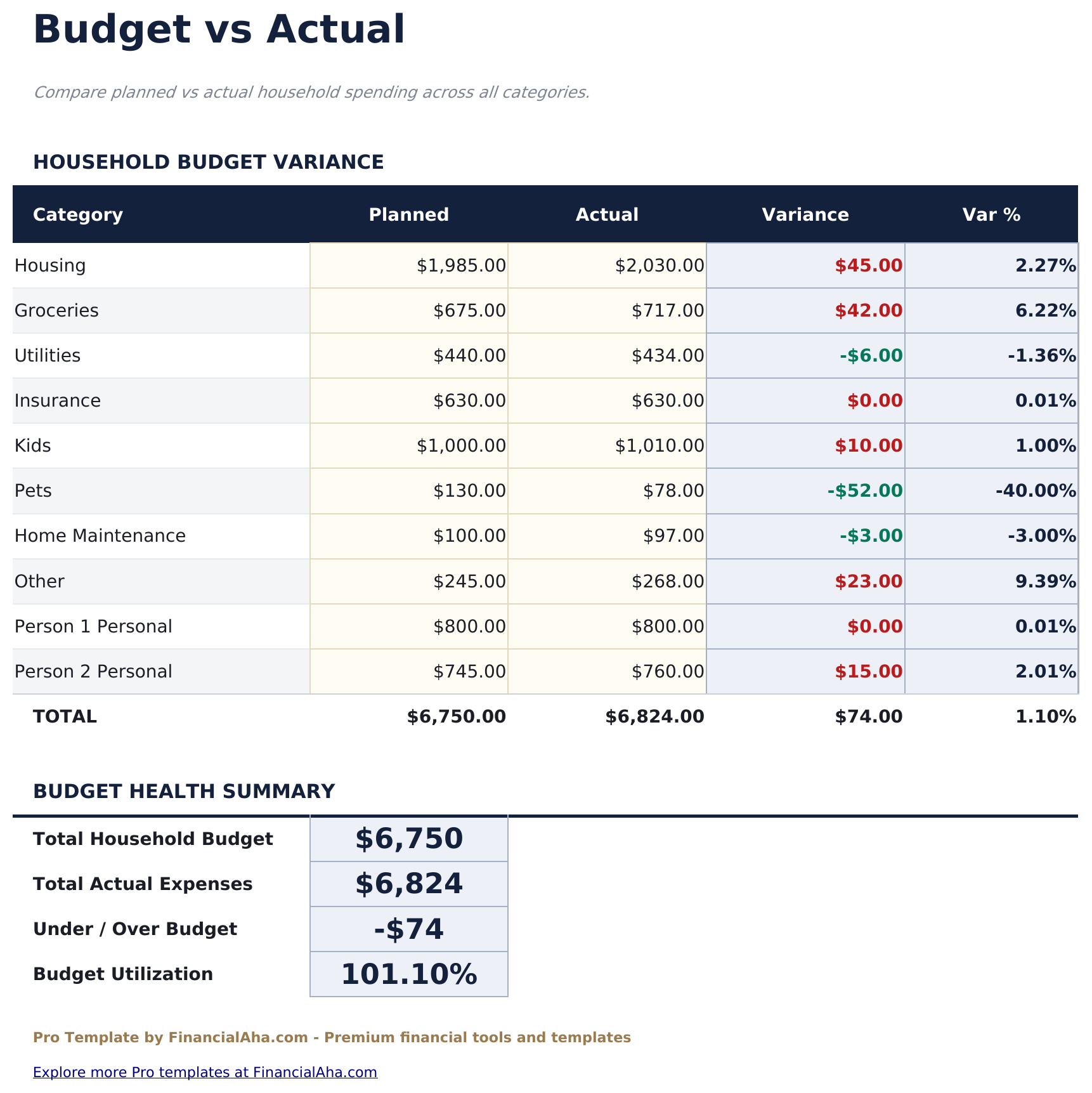
- Budget vs Actual sheet comparing targets to actual spending for shared and individual categories with variance
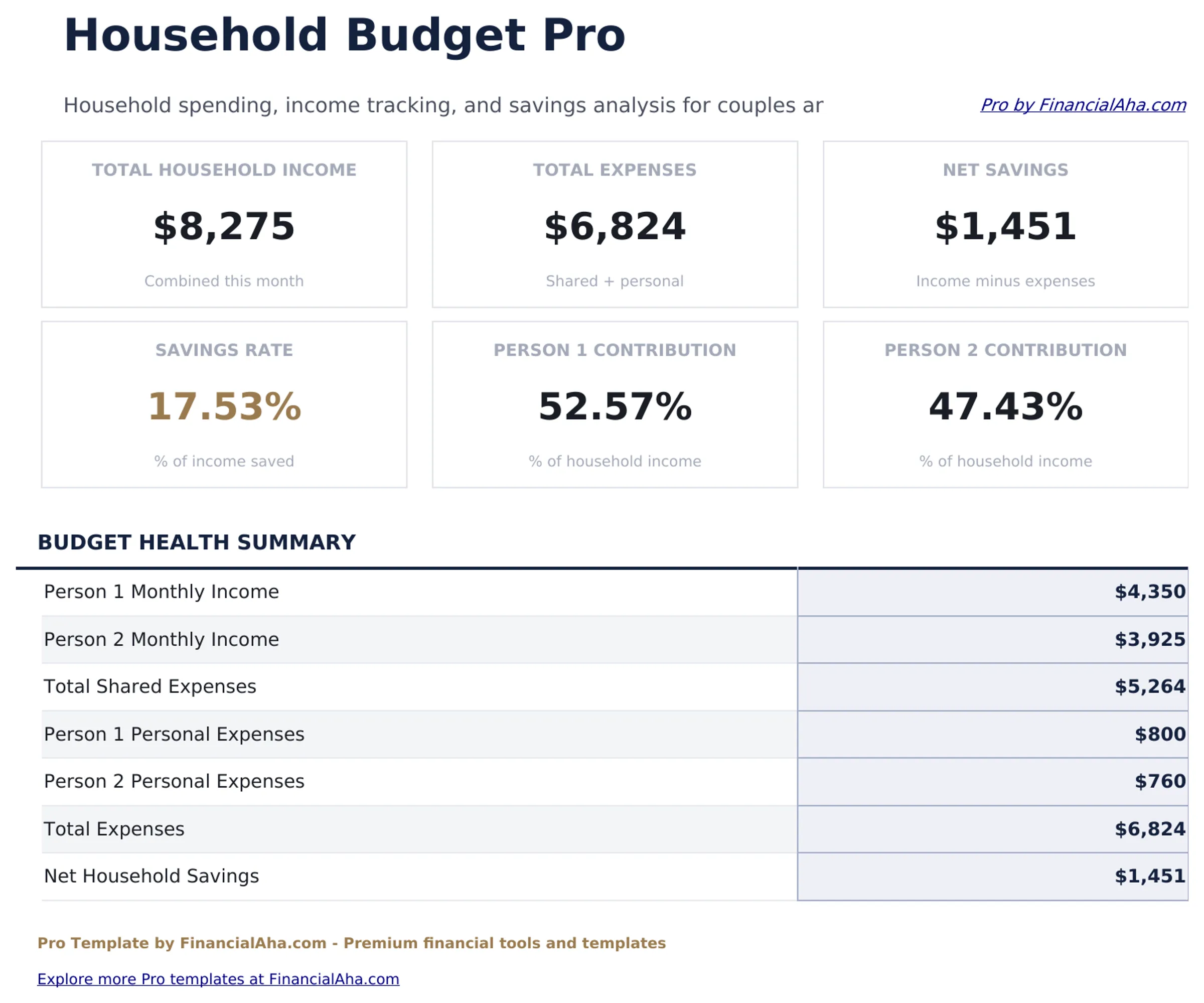
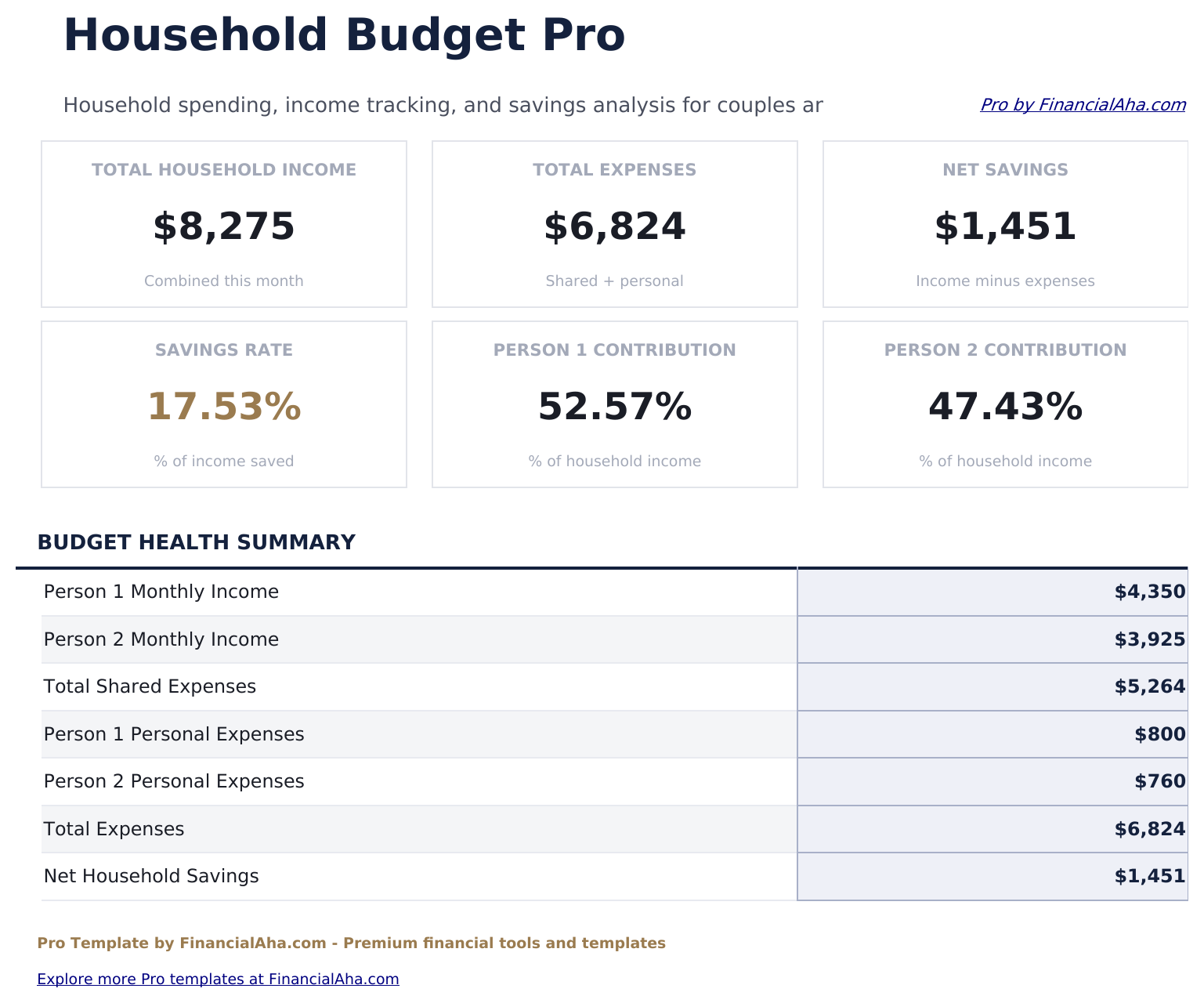
- Dashboard with 6 KPI cards: combined income, shared expenses, individual totals, net household balance, savings rate, and member count
- Works in Microsoft Excel, Google Sheets, and LibreOffice Calc with no macros required
Preview
See what's inside this template
How to Use This Template
Set up household members and income
Go to Income Setup and enter each person's name and income sources. The dashboard pulls combined household income from this sheet.
Enter shared expenses and split ratios
In the Shared Expenses sheet, list bills and household costs. Set the split ratio for each category so the template can calculate each person's contribution.
Track individual spending separately
Use the Individual Expenses sheet for personal spending that belongs to one member. These feed into each person's monthly total separately from shared costs.
Review monthly performance
The Budget vs Actual sheet shows how shared and individual spending compares to targets. The Dashboard summarizes the full household picture.
Built by Claude AI. Perfected by us.
We use Claude AI to draft each Pro template after deep research. Then our team steps in - refining the layout, stress-testing every formula, fixing edge cases, and polishing the design. The AI gets us 80% there. The last 20% is all human judgment.
One-time purchase. No subscription. Works in Excel & Google Sheets.
Frequently Asked Questions
How many people can use this template?
The Income Setup and Individual Expenses sheets support up to 4 household members. Each person has their own income rows and individual expense columns.
How do split ratios work?
Each shared expense category has an editable split ratio. Enter the percentage each person contributes - for example, 60 and 40 - and the template calculates each person's dollar share automatically.
Can I track expenses that only one person pays?
Yes. Use the Individual Expenses sheet for spending that belongs to one person only - gym memberships, personal subscriptions, clothing, and similar costs are tracked separately from shared bills.
What does the budget vs actual sheet cover?
It compares your monthly targets against actual spending for both shared and individual categories. Each category shows the target, actual, and variance with color coding.
Is this suitable for roommates rather than couples?
Yes. The template works for any household arrangement. Label the member columns with any names and set split ratios to reflect your actual cost-sharing agreement.
What do I get after purchase?
You receive an Excel file (.xlsx) that works in Microsoft Excel, Google Sheets, and LibreOffice Calc. Download it immediately after purchase - no signup or account required.
Is there a free version?
Yes. The free version of this template is available with basic features. The Pro version adds advanced analysis, more capacity, and additional sheets.
What if it does not work for me?
Contact us and we will help troubleshoot. The template works in Microsoft Excel, Google Sheets, and LibreOffice Calc with no macros required.
Looking for more Pro templates?
We offer Pro versions of our most popular spreadsheet templates with advanced features, more capacity, and deeper analysis.