Vacation and PTO Tracker Pro
Full PTO management for up to 20 employees with leave request logging, balance tracking, monthly calendar view, and accrual calculations.
Free vs Pro
- Track PTO for up to 5 employees with days used and remaining
- Dashboard with total days used and average balance
- PTO log with date and leave type entries
- Works in Excel and Google Sheets
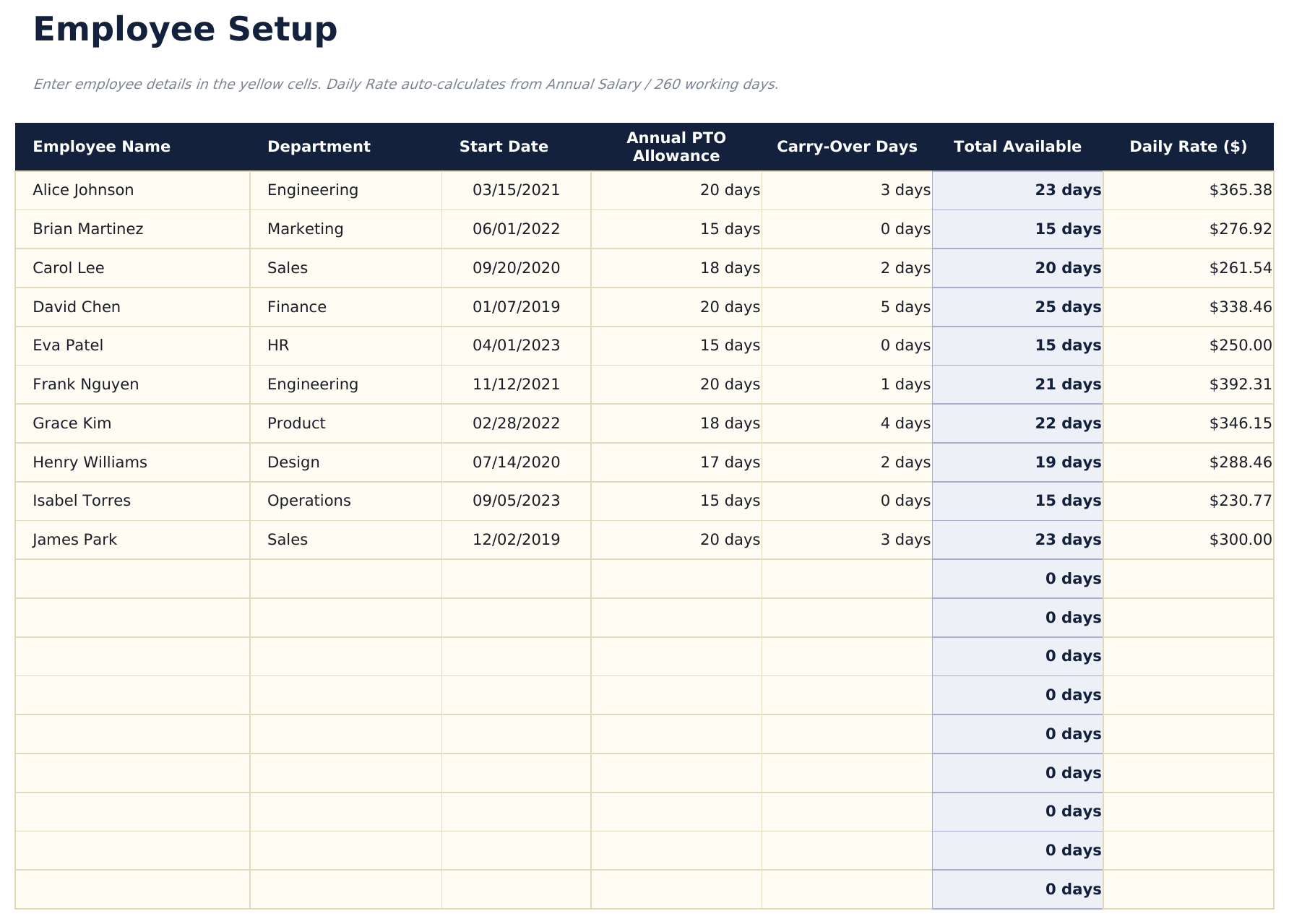
- Employee Setup for up to 20 employees with PTO policy type, annual PTO allotment, sick days, personal days, and carry-over balance
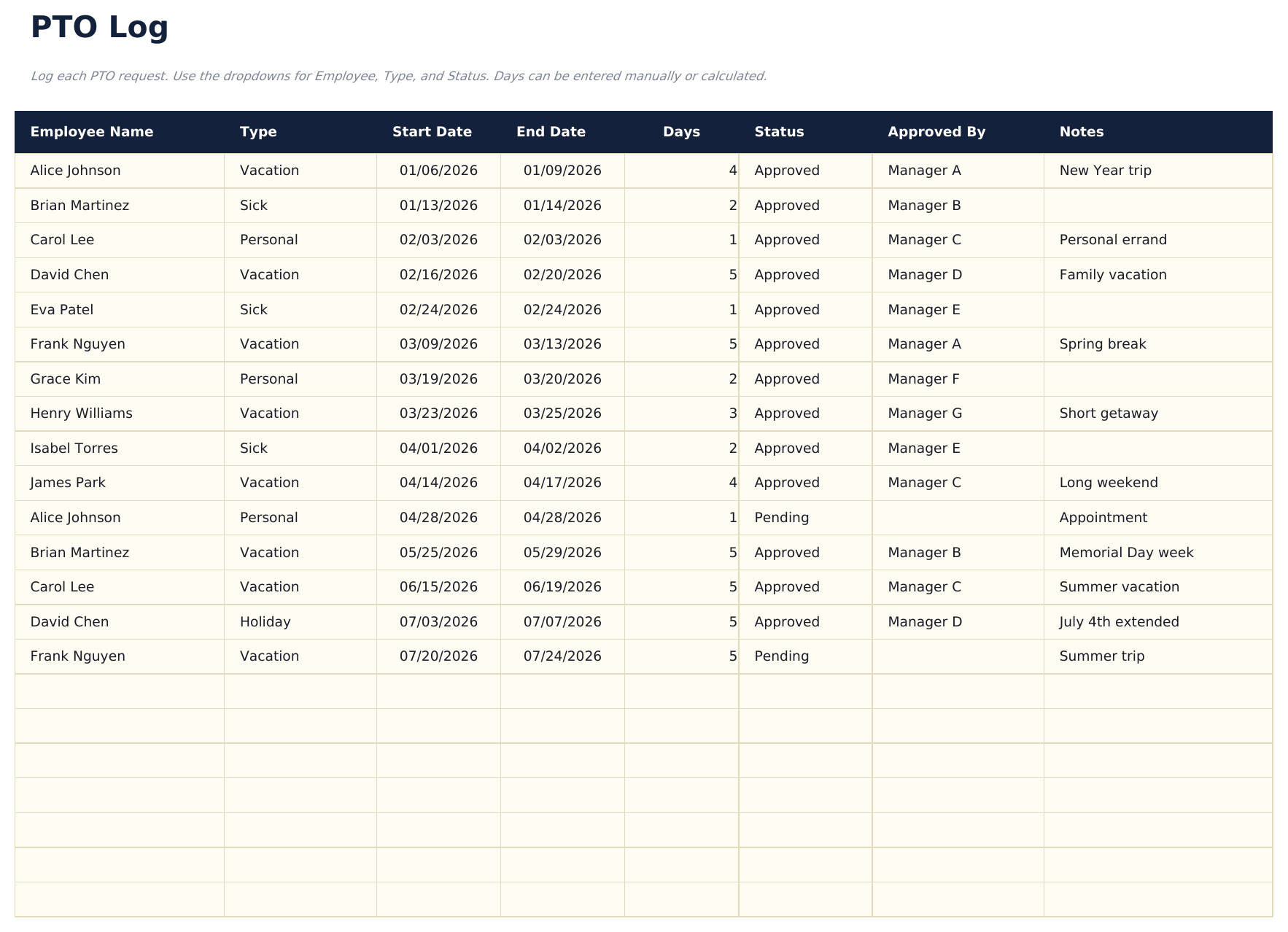
- PTO Log recording each leave request with employee, leave type, start date, end date, days used, approval status, and notes
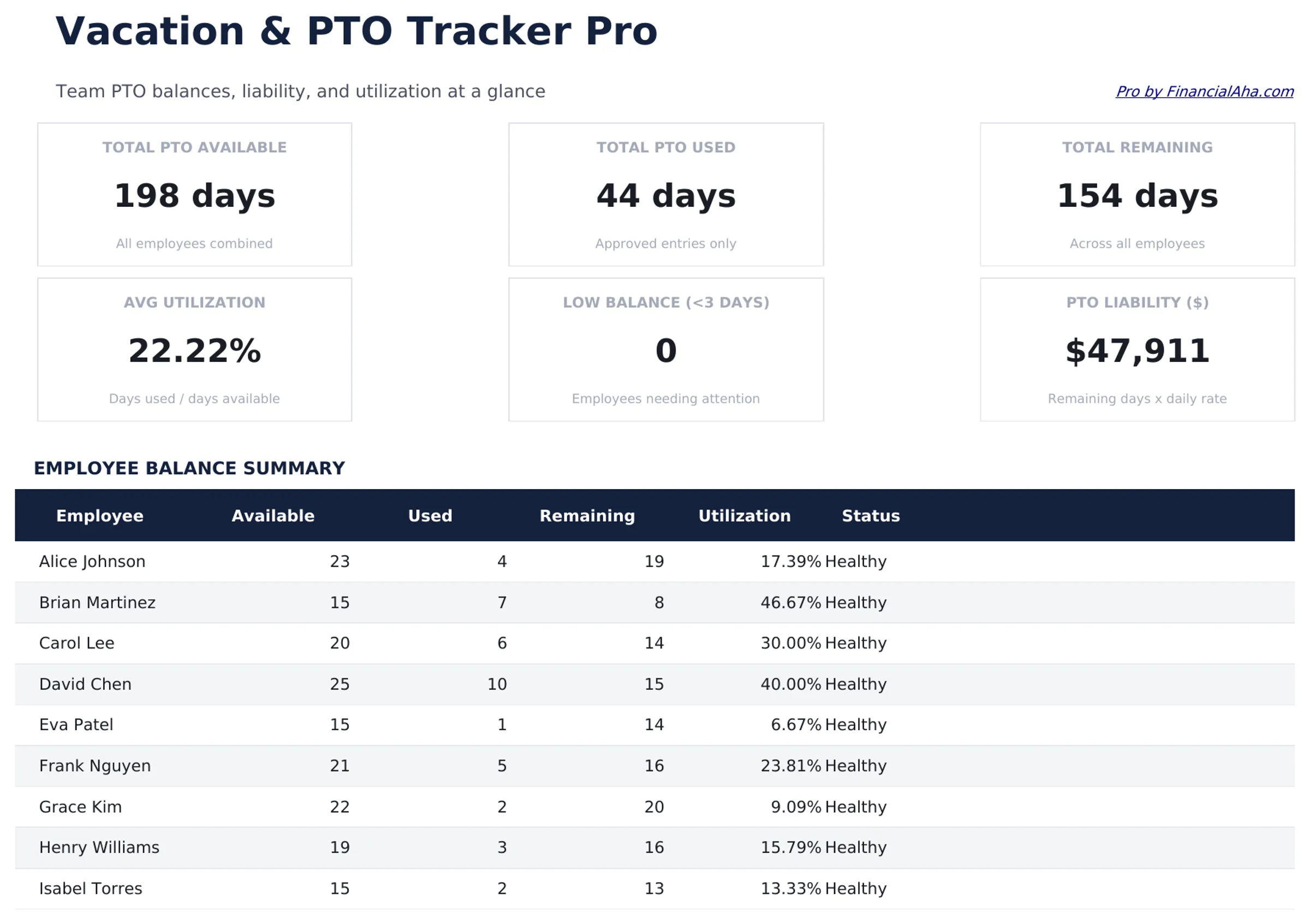
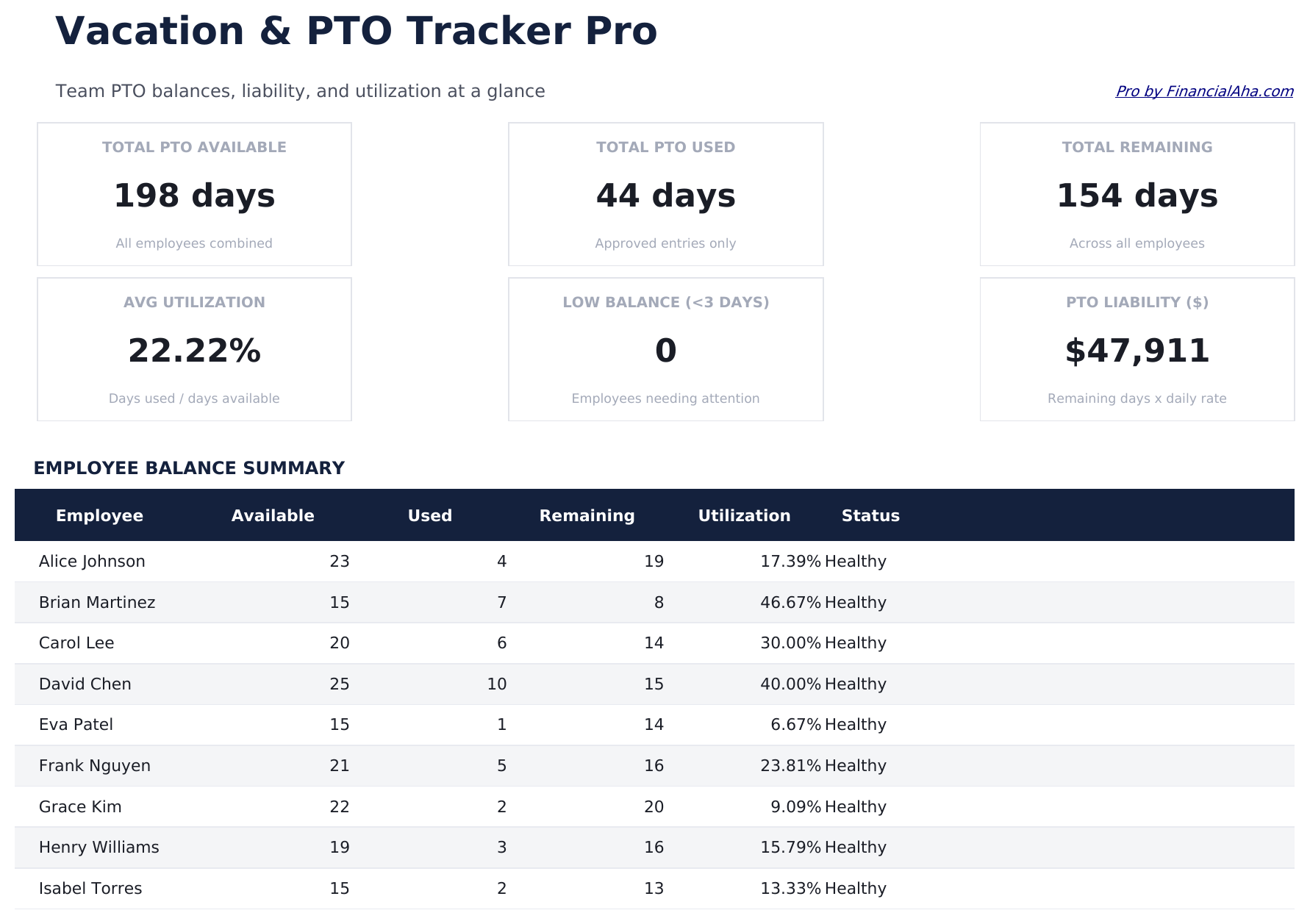
- Dashboard with 6 KPI cards: total employees, total PTO days used, average days remaining, pending requests, most active leave month, and total sick days used
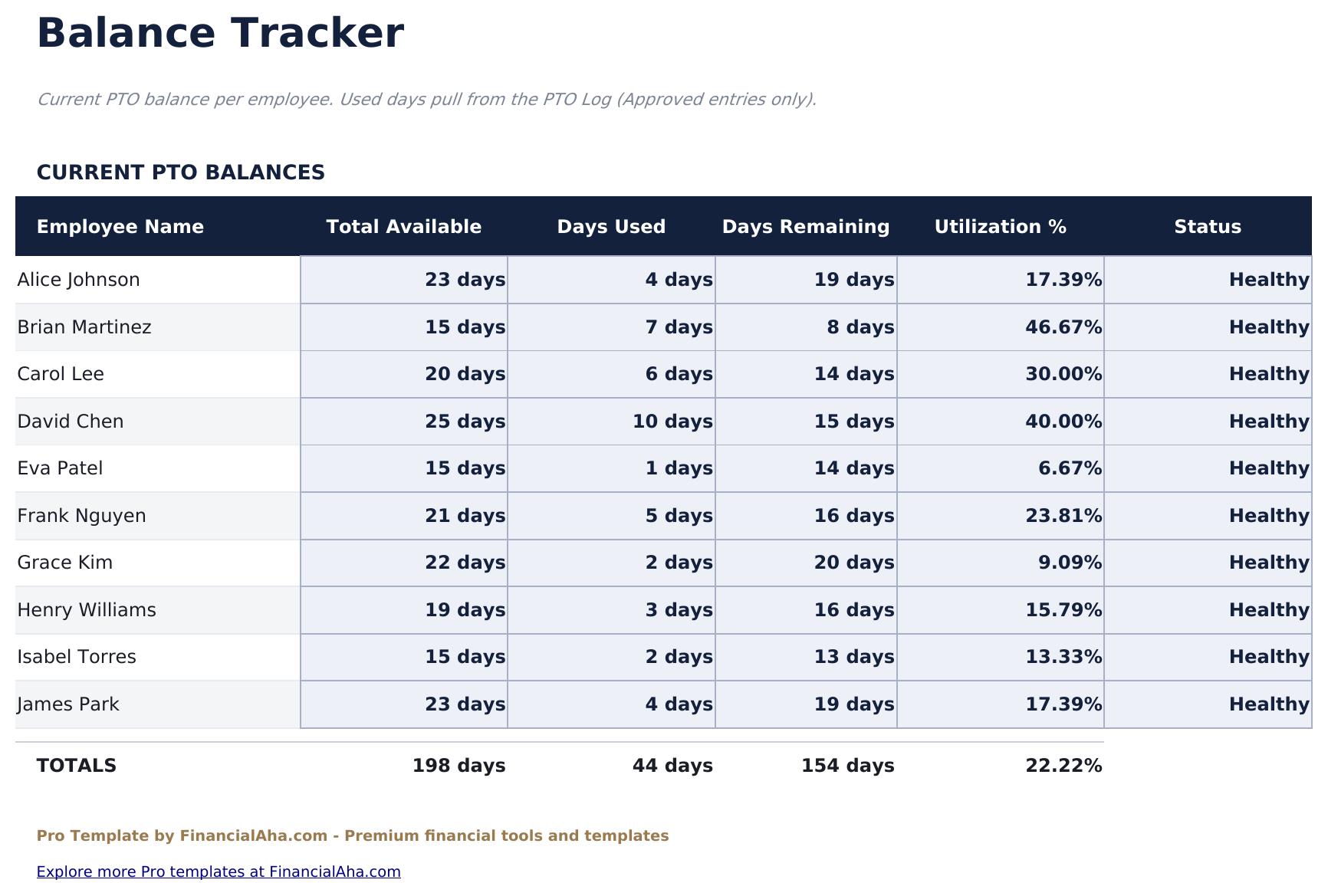
- Balance Tracker showing each employee's total allotment, days used by leave type, and remaining balance with color-coded low-balance warnings
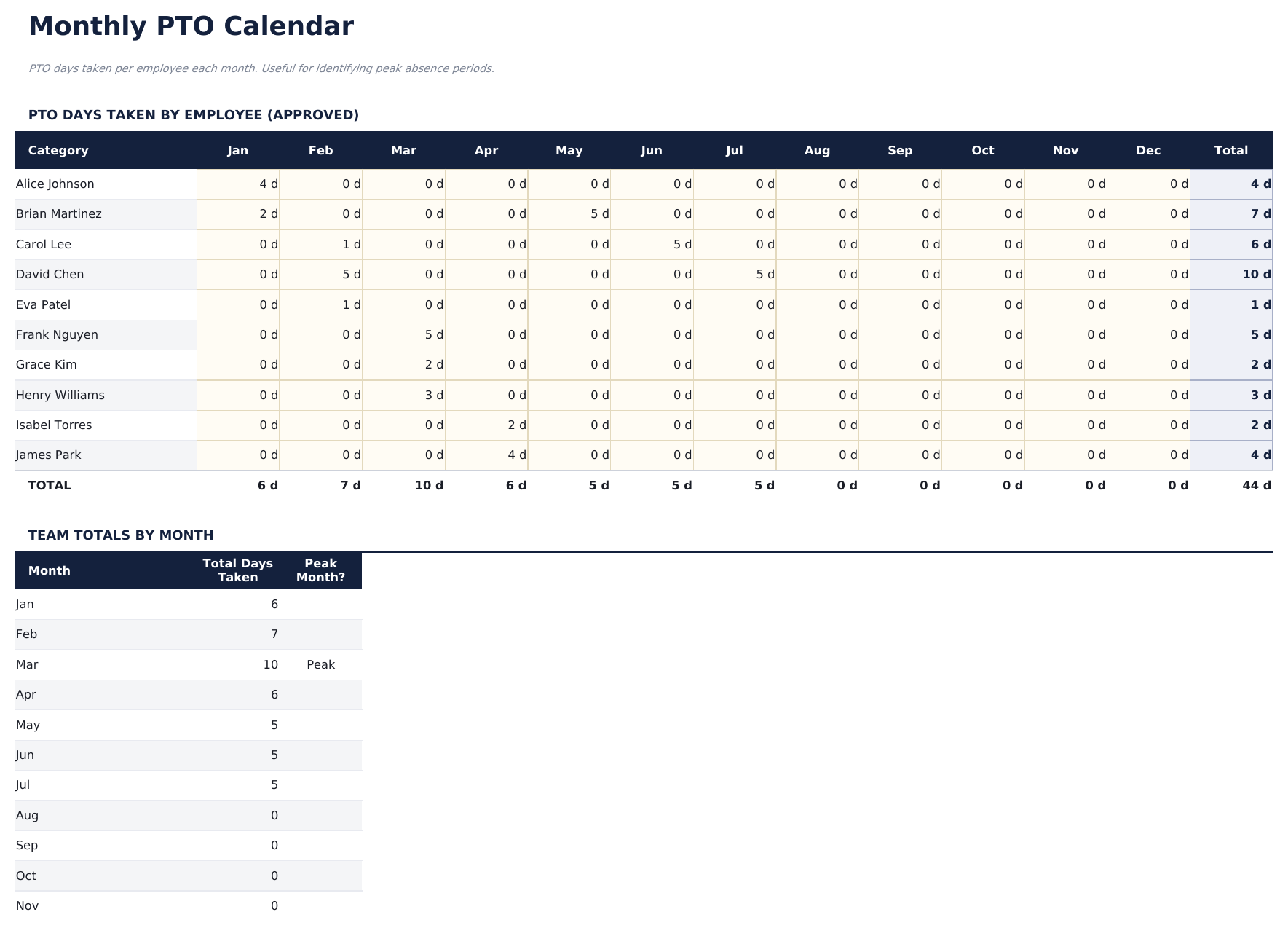
- Monthly Calendar showing leave days by employee across the month - useful for identifying coverage gaps
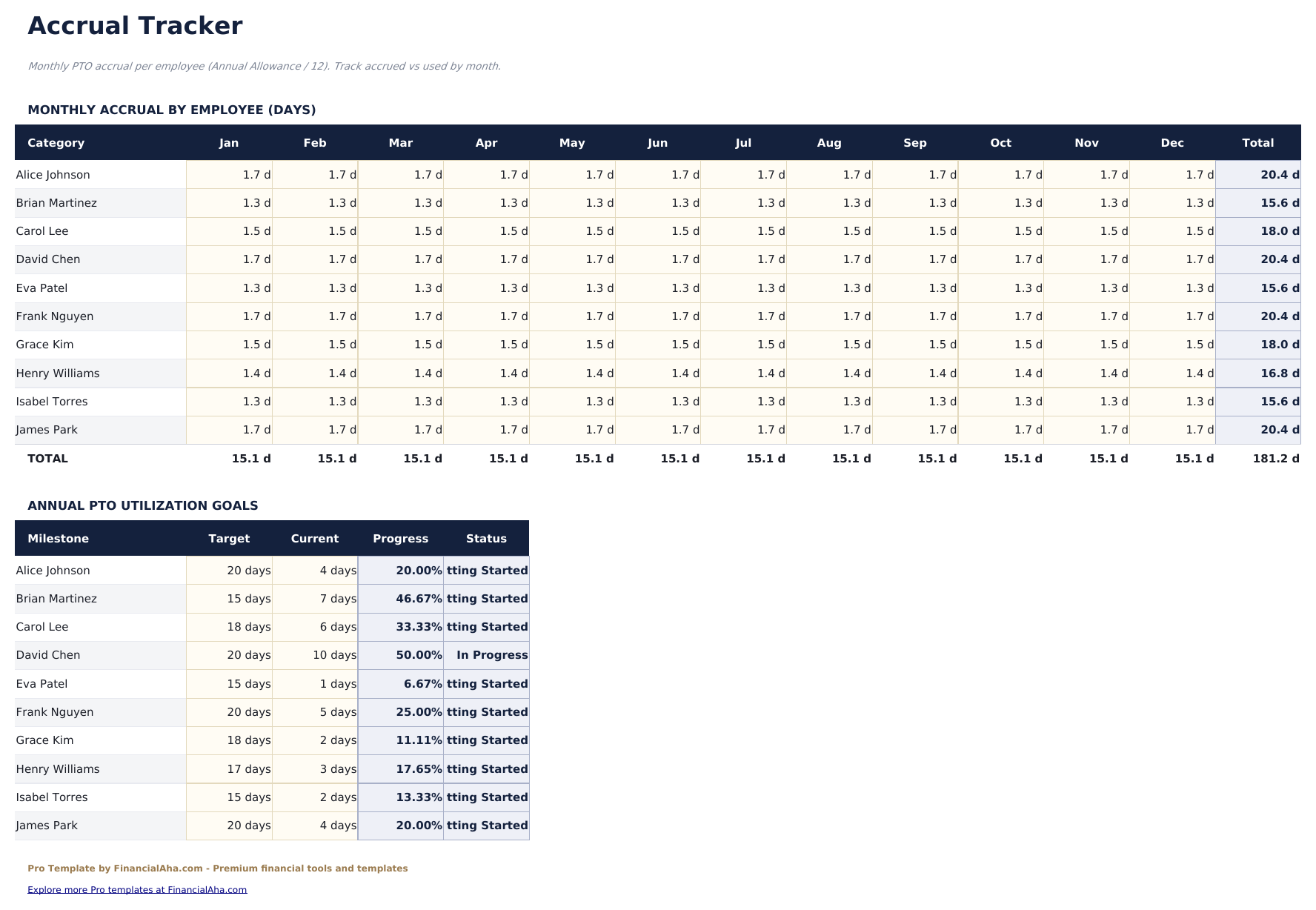
- Accrual Tracker calculating how much PTO each employee has earned based on their accrual rate and months worked in the year
- Leave type dropdown includes Vacation, Sick, Personal, Bereavement, Jury Duty, and Unpaid categories
- Works in Microsoft Excel, Google Sheets, and LibreOffice Calc with no macros required
Preview
See what's inside this template
How to Use This Template
Set up employees
Go to the Employee Setup sheet and add each employee with their PTO policy type, annual vacation days, sick days, personal days, and any carry-over balance from the prior year.
Log leave requests
In the PTO Log, record each request with the employee name, leave type (dropdown), start and end dates, days requested, and approval status.
Monitor balances
The Balance Tracker updates automatically as requests are approved. Color-coded warnings flag employees approaching a low balance threshold.
Check the calendar
Use the Monthly Calendar to see all approved leave in a visual format. Switch months to check coverage for upcoming periods.
Built by Claude AI. Perfected by us.
We use Claude AI to draft each Pro template after deep research. Then our team steps in - refining the layout, stress-testing every formula, fixing edge cases, and polishing the design. The AI gets us 80% there. The last 20% is all human judgment.
One-time purchase. No subscription. Works in Excel & Google Sheets.
Frequently Asked Questions
How many employees can I track?
Up to 20 employees - four times the free version. Each employee is configured once in the Employee Setup sheet with their PTO policy, allotments, and carry-over balance.
How does the accrual tracker work?
Enter each employee's annual accrual rate (days per year) and the accrual tracker calculates how many days they have earned based on months worked in the current year. Useful for mid-year hires.
How does the monthly calendar work?
Select a month and the calendar view shows each employee's leave days highlighted across the month. This makes it easy to spot periods when multiple employees are away at the same time.
Can I track different types of leave separately?
Yes. The PTO Log and Balance Tracker separate vacation, sick, personal, bereavement, jury duty, and unpaid leave. Each type has its own balance column so they do not mix.
How does approval status work?
Each PTO log entry has a Status dropdown: Pending, Approved, or Denied. Only Approved entries count toward the balance deduction in the Balance Tracker.
What do I get after purchase?
You receive an Excel file (.xlsx) that works in Microsoft Excel, Google Sheets, and LibreOffice Calc. Download it immediately after purchase - no signup or account required.
Is there a free version?
Yes. The free version of this template is available with basic features. The Pro version adds advanced analysis, more capacity, and additional sheets.
What if it does not work for me?
Contact us and we will help troubleshoot. The template works in Microsoft Excel, Google Sheets, and LibreOffice Calc with no macros required.
Looking for more Pro templates?
We offer Pro versions of our most popular spreadsheet templates with advanced features, more capacity, and deeper analysis.