Employee Payroll Pro
Complete payroll management for up to 20 employees with tax withholding calculations, benefits tracking, and annual payroll summary.
Free vs Pro
- Process payroll for up to 5 employees with gross to net calculation
- Dashboard with total payroll and tax withholding
- Basic withholding for federal tax, Social Security, and Medicare
- Works in Excel and Google Sheets
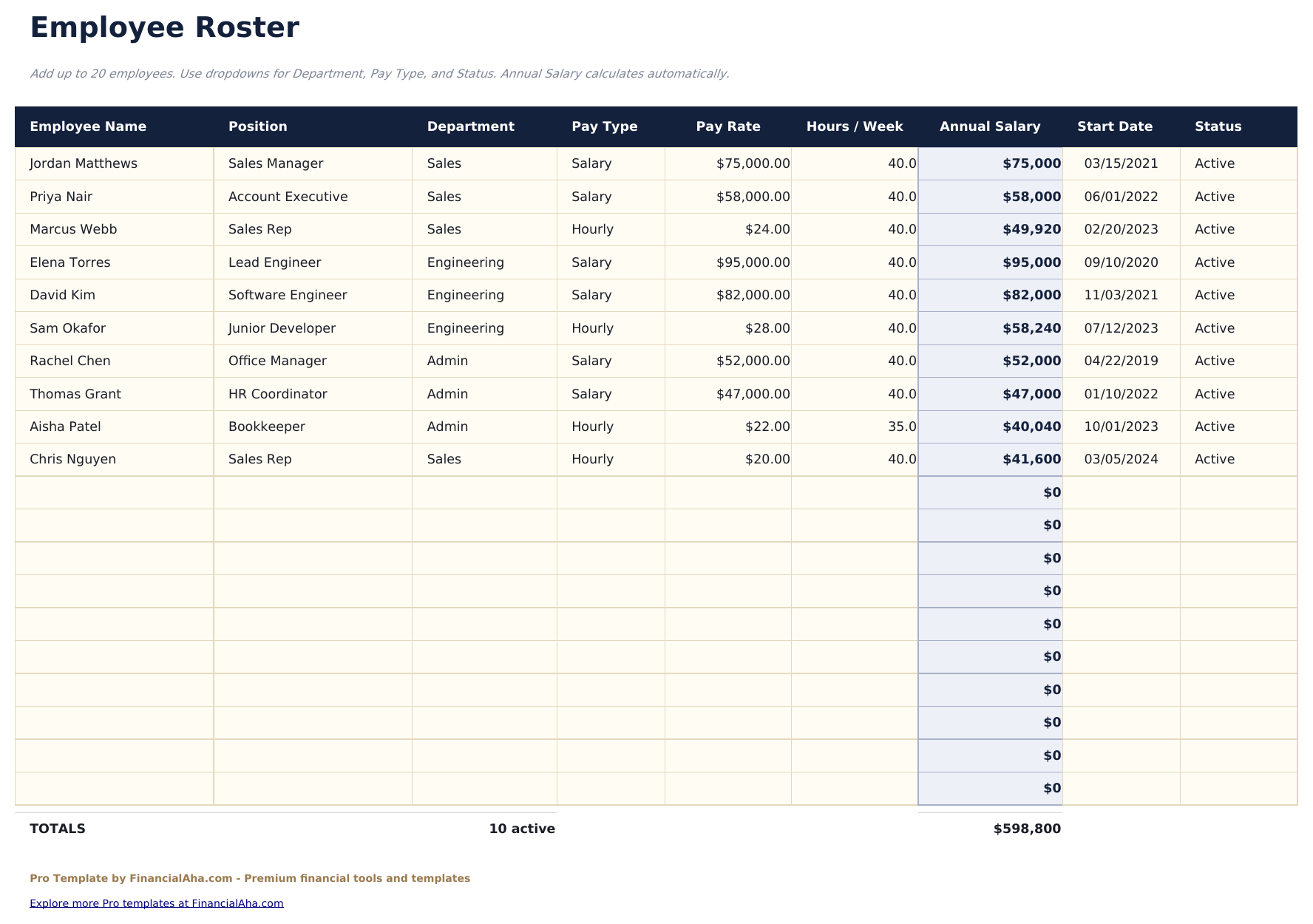
- Employee Roster for up to 20 employees with name, department, pay type, pay rate, filing status, allowances, and benefit elections
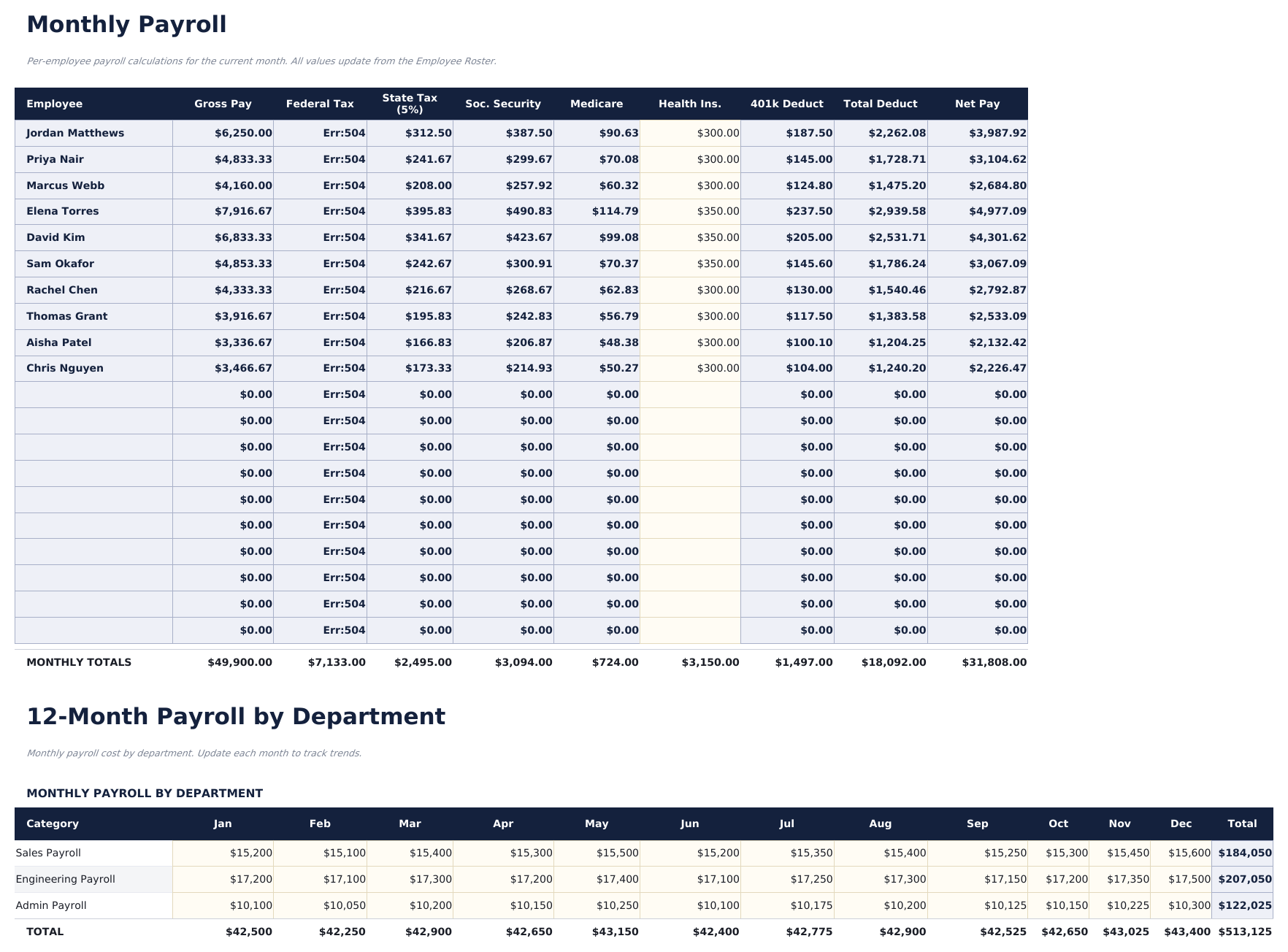
- Monthly Payroll sheet calculating gross pay, federal and state withholding, Social Security, Medicare, and net pay per employee
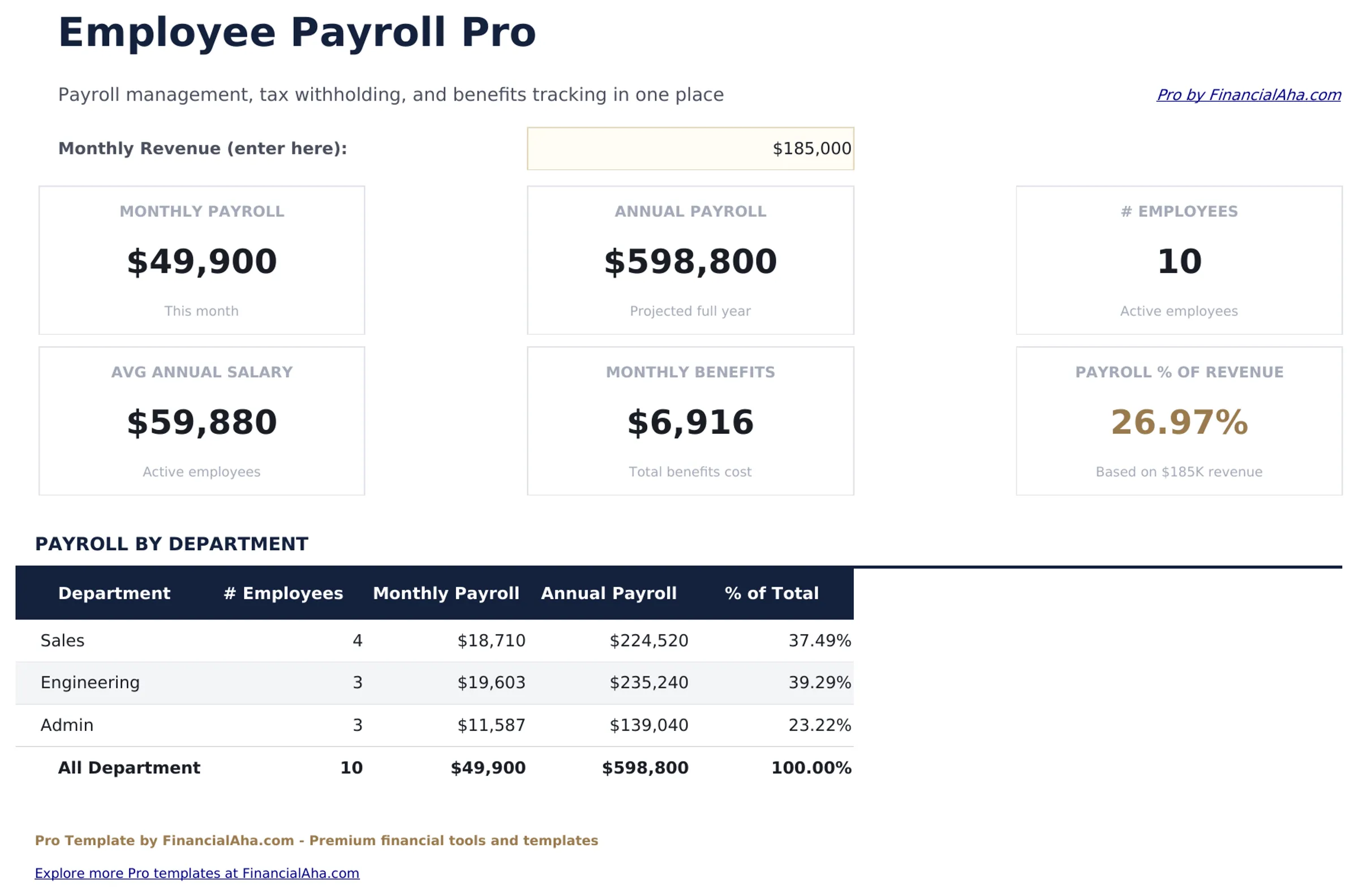
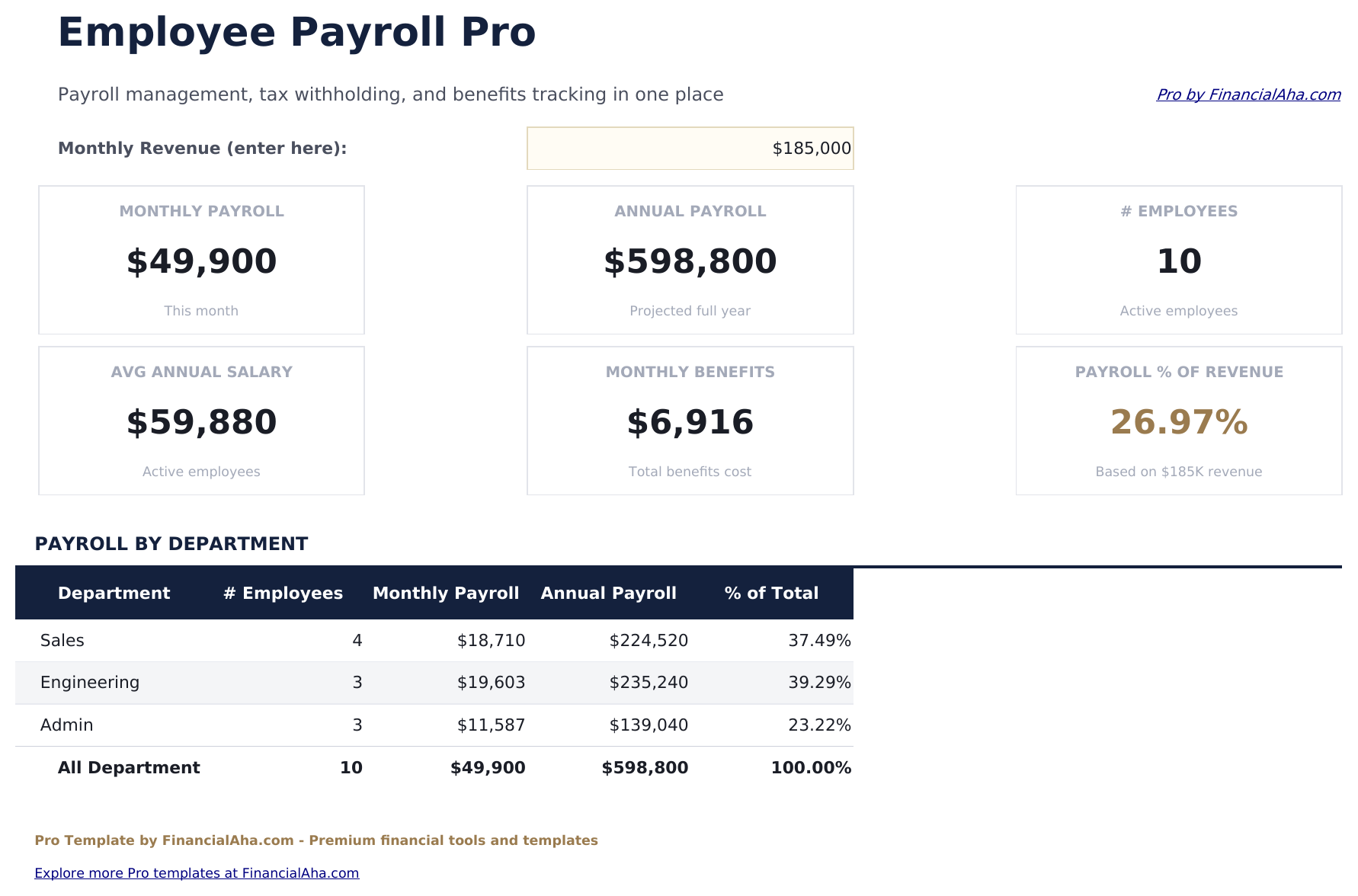
- Dashboard with 6 KPI cards: total gross payroll, total net payroll, total tax withholding, total benefits cost, employee count, and average salary
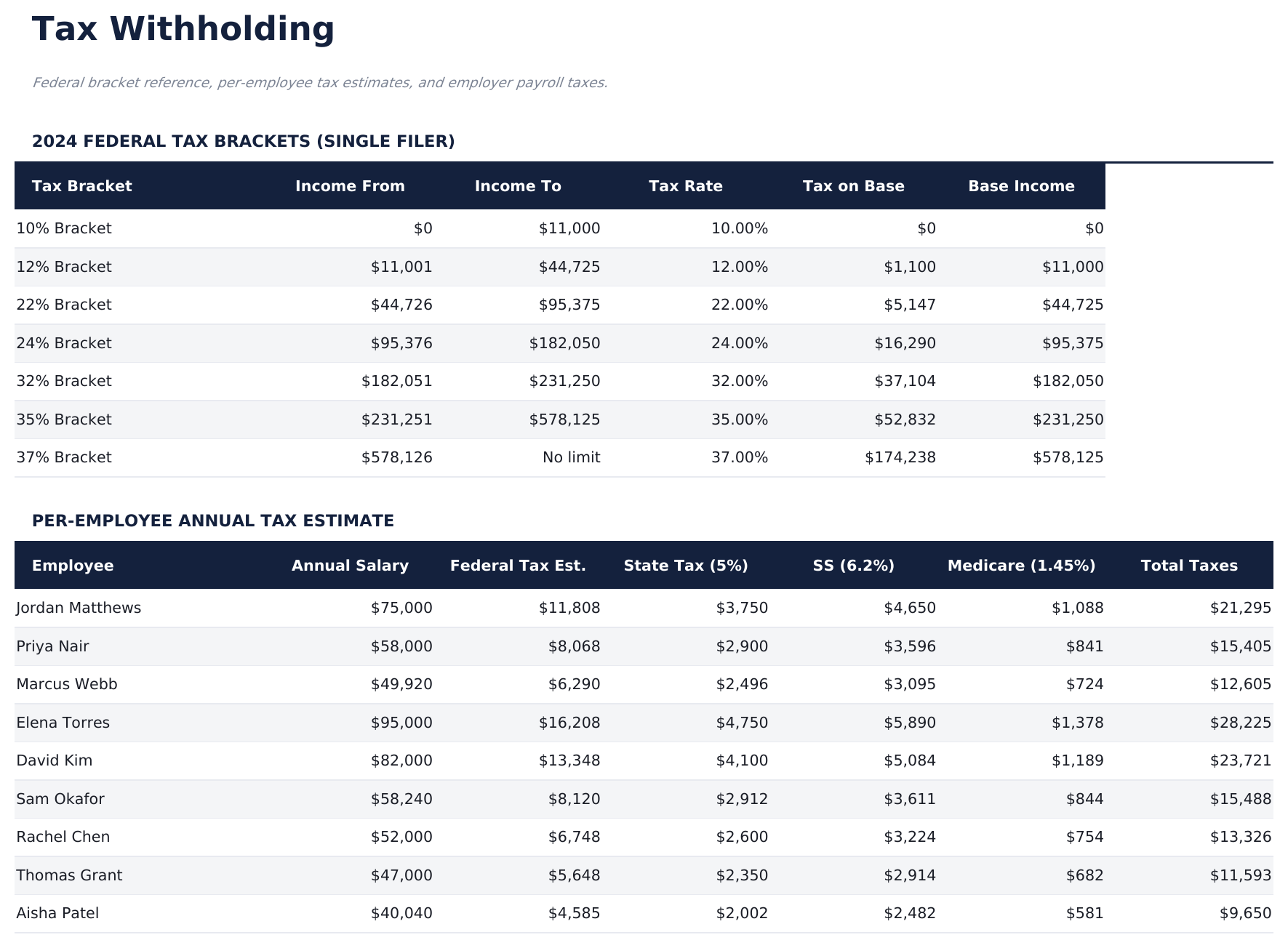
- Tax Withholding sheet with editable federal and state tax rates, Social Security and Medicare rates, and employer contribution percentages
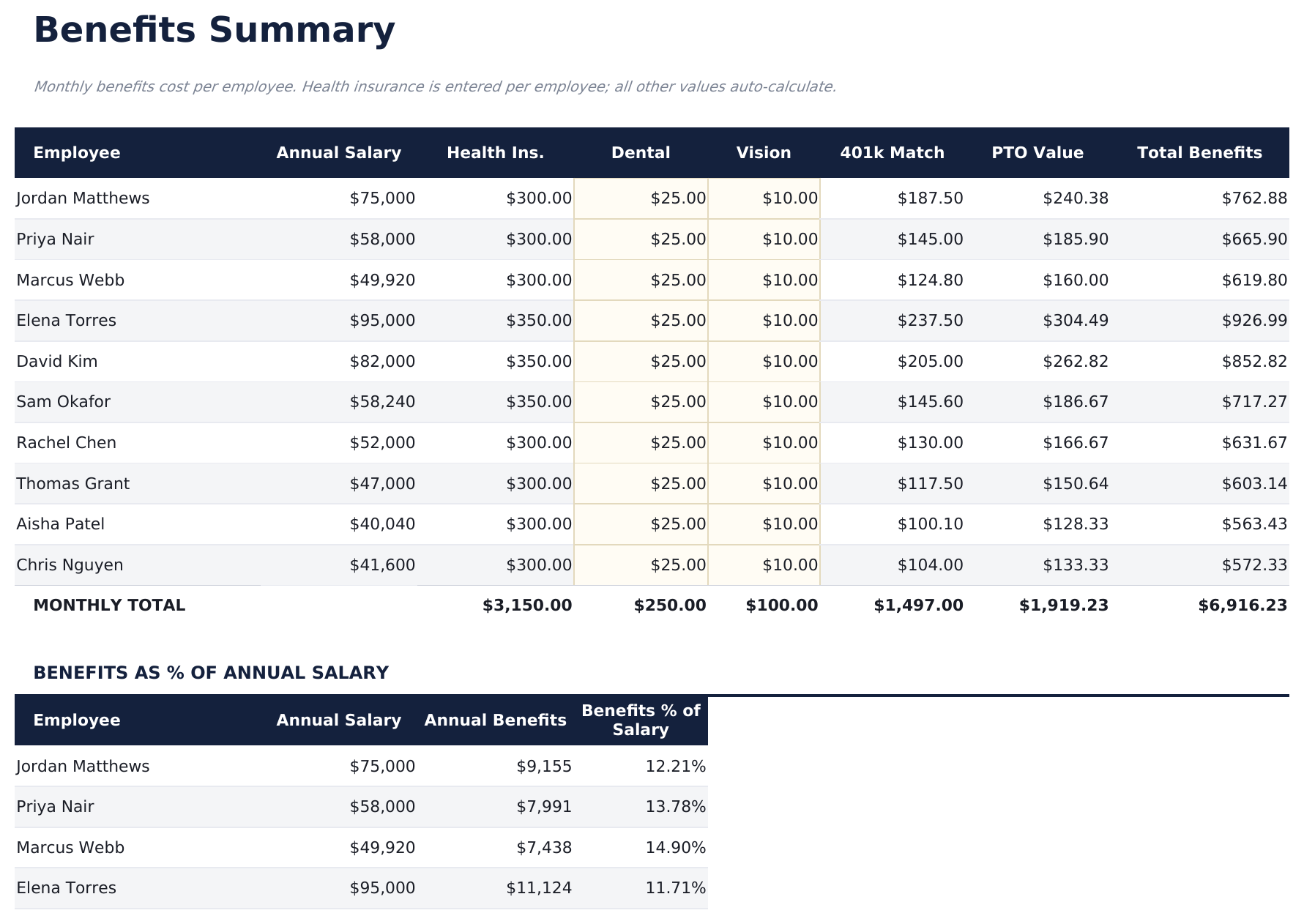
- Benefits Summary sheet tracking health, dental, vision, and retirement plan contributions per employee with employer and employee splits
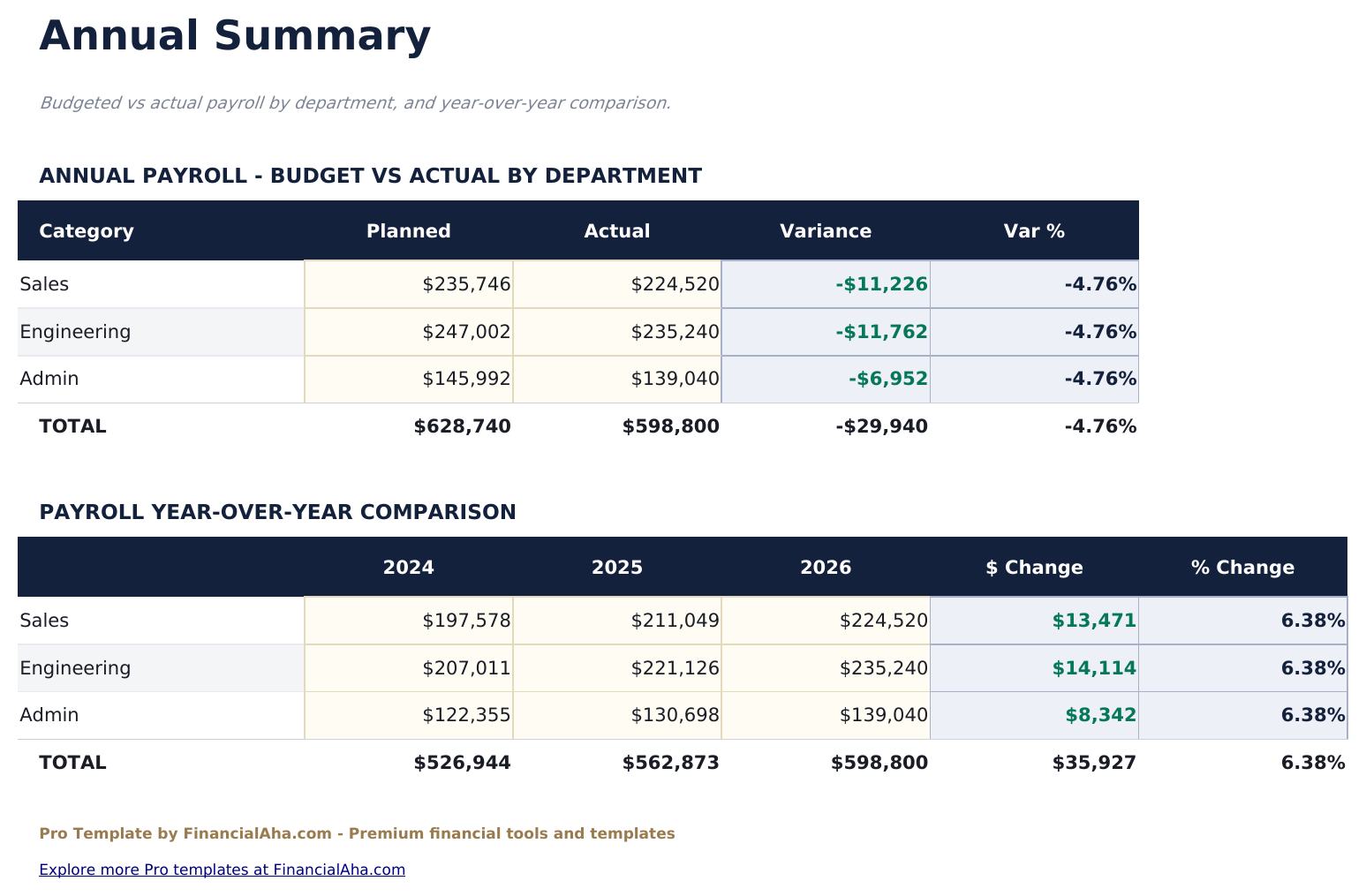
- Annual Payroll Summary showing total compensation, taxes withheld, benefits, and net pay per employee for the full year
- Supports hourly and salaried employees with automatic overtime calculation for hourly workers at 1.5x rate
- Works in Microsoft Excel, Google Sheets, and LibreOffice Calc with no macros required
Preview
See what's inside this template
How to Use This Template
Set up employees
Go to the Employee Roster and enter each employee with their name, department, pay type, pay rate, filing status, allowances, and benefit elections.
Configure tax rates
In the Tax Withholding sheet, review and update the federal, state, Social Security, and Medicare rates to match current rates for your location.
Run monthly payroll
The Monthly Payroll sheet calculates gross pay, each tax withholding, benefits deductions, and net pay per employee. For hourly workers, enter regular and overtime hours.
Review annual summary
The Annual Summary shows year-to-date totals for each employee: gross pay, taxes withheld, benefits, and net pay - useful for W-2 preparation and compensation analysis.
Built by Claude AI. Perfected by us.
We use Claude AI to draft each Pro template after deep research. Then our team steps in - refining the layout, stress-testing every formula, fixing edge cases, and polishing the design. The AI gets us 80% there. The last 20% is all human judgment.
One-time purchase. No subscription. Works in Excel & Google Sheets.
Frequently Asked Questions
How many employees does Pro support?
Up to 20 employees - four times the free version. Each employee is set up once in the Employee Roster and automatically appears in monthly payroll, benefits, and annual summary sheets.
How does tax withholding work?
The Tax Withholding sheet has editable rates for federal income tax, state income tax, Social Security (6.2%), and Medicare (1.45%). Withholding calculates automatically per employee based on their filing status and gross pay.
Can I track both hourly and salaried employees?
Yes. The Employee Roster has a pay type field. Salaried employees show a fixed monthly gross. Hourly employees enter regular and overtime hours in the monthly payroll sheet, and gross pay calculates automatically.
How does the benefits summary work?
For each employee, enter the health, dental, vision, and 401(k) elections. The Benefits Summary sheet shows both employee and employer cost per benefit type, with totals per employee and per benefit category.
Is this a substitute for payroll software?
This template handles payroll calculations and records. For official tax filing, direct deposit, and regulatory compliance, dedicated payroll services or software may be needed depending on your jurisdiction.
What do I get after purchase?
You receive an Excel file (.xlsx) that works in Microsoft Excel, Google Sheets, and LibreOffice Calc. Download it immediately after purchase - no signup or account required.
Is there a free version?
Yes. The free version of this template is available with basic features. The Pro version adds advanced analysis, more capacity, and additional sheets.
What if it does not work for me?
Contact us and we will help troubleshoot. The template works in Microsoft Excel, Google Sheets, and LibreOffice Calc with no macros required.
Looking for more Pro templates?
We offer Pro versions of our most popular spreadsheet templates with advanced features, more capacity, and deeper analysis.