Personal Financial Statement Pro
Lender-ready financial statement with financial ratios, multi-period comparison, and a printable summary - structured for loan applications and financial reviews.
Free vs Pro
- Assets and liabilities sheet with net worth calculation
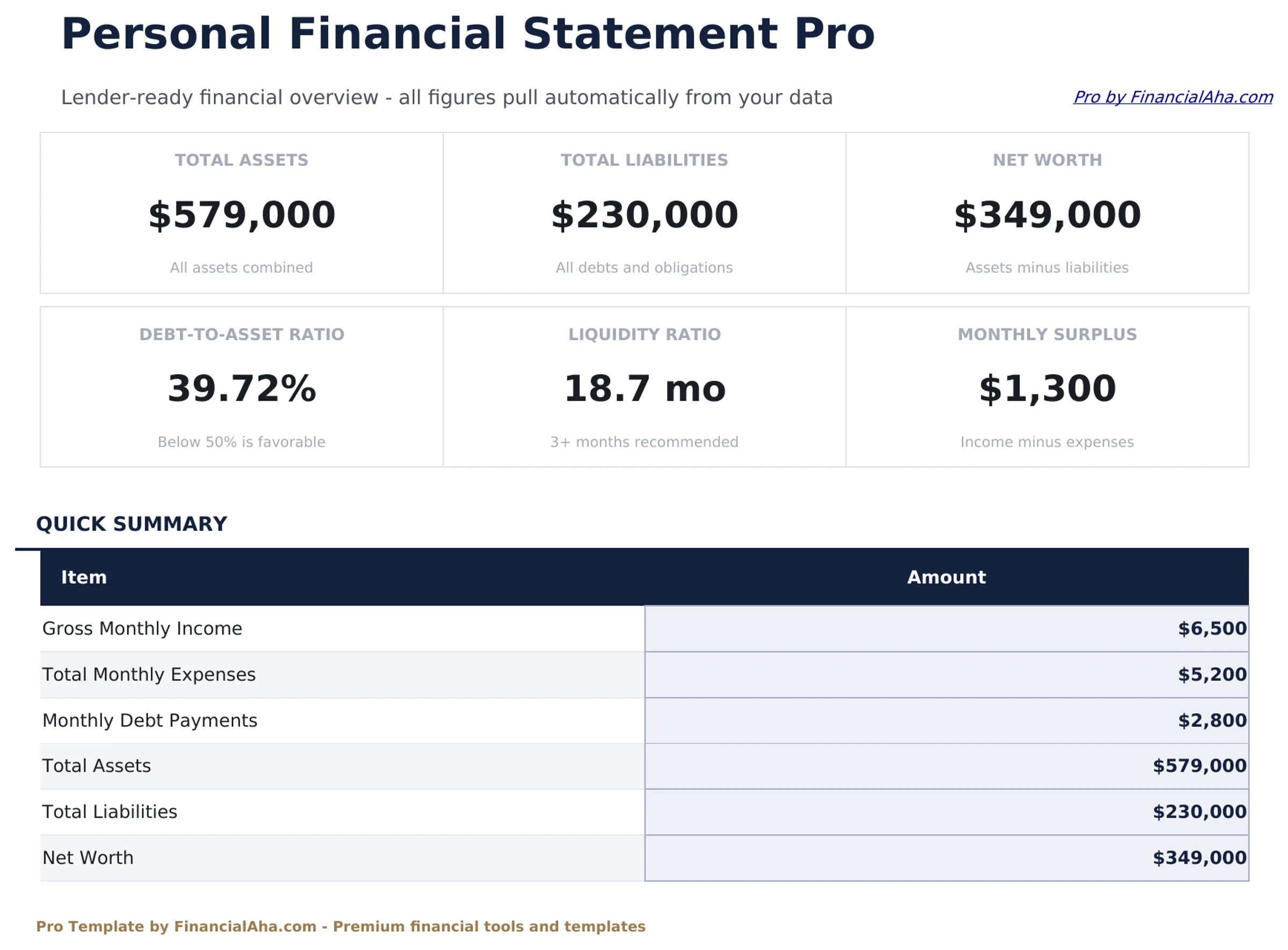
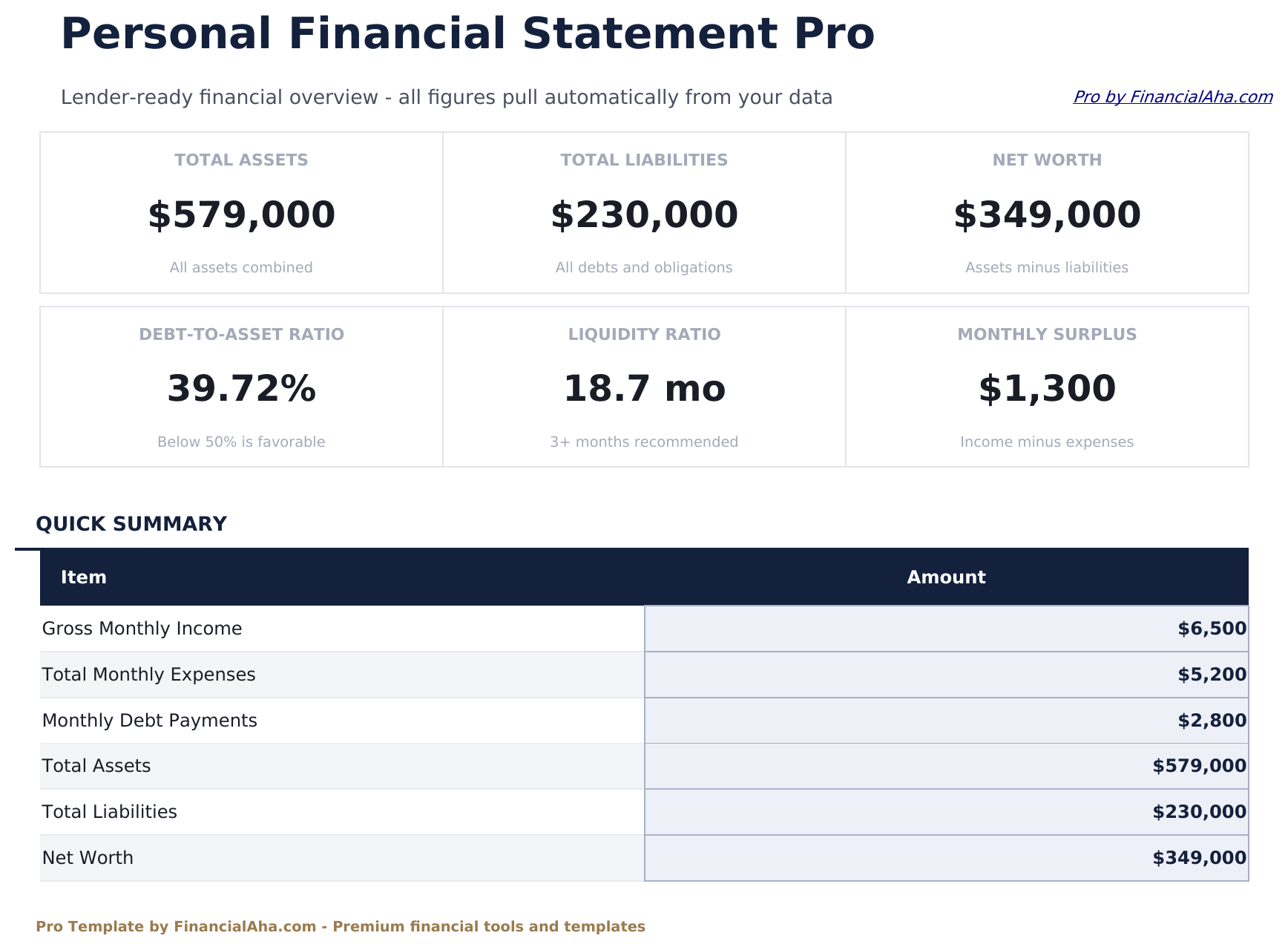
- Dashboard with net worth, total assets, and total liabilities
- Basic income and expense summary
- Works in Excel and Google Sheets
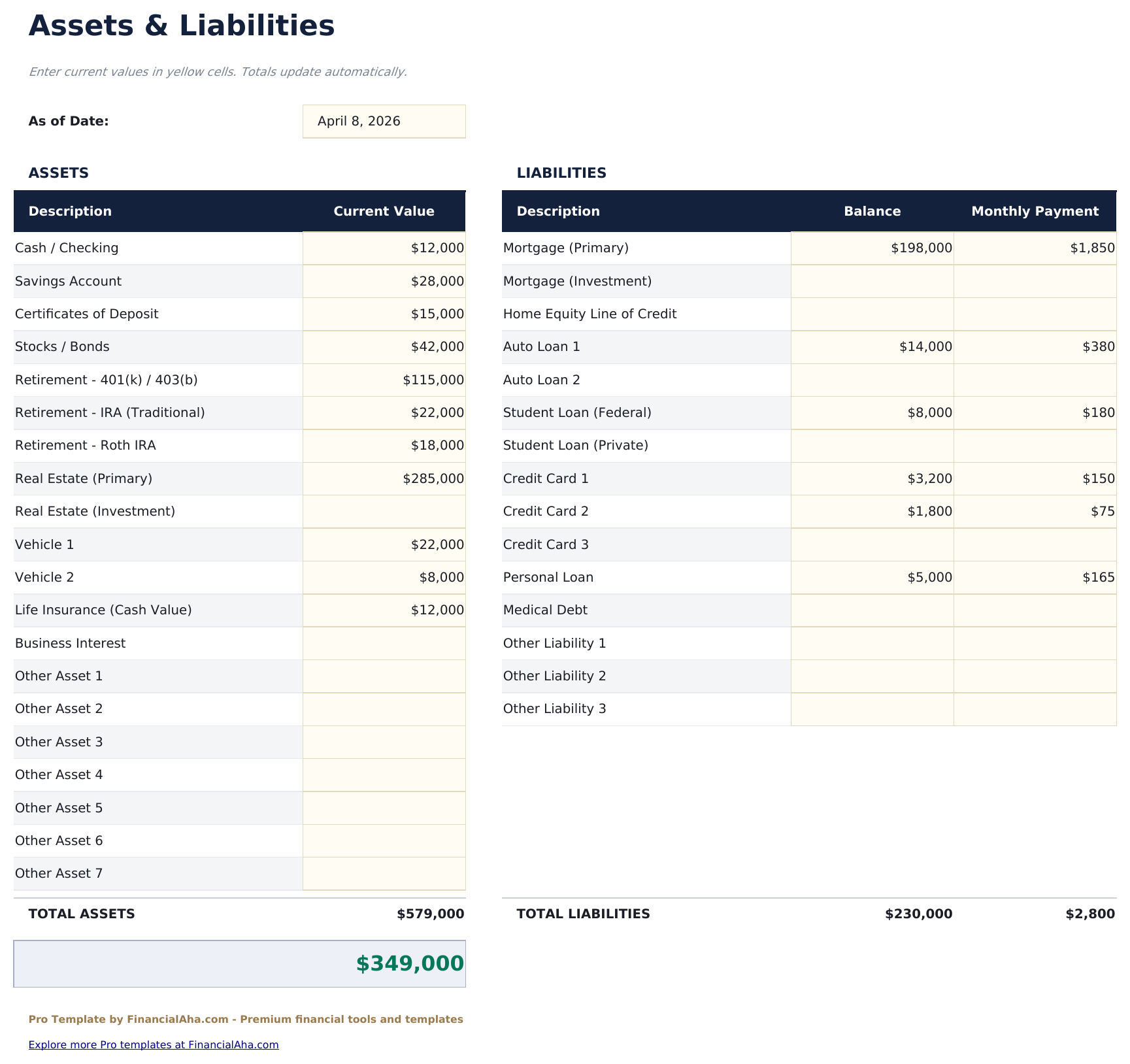
- Assets and liabilities sheet structured to match standard lender and SBA financial statement formats
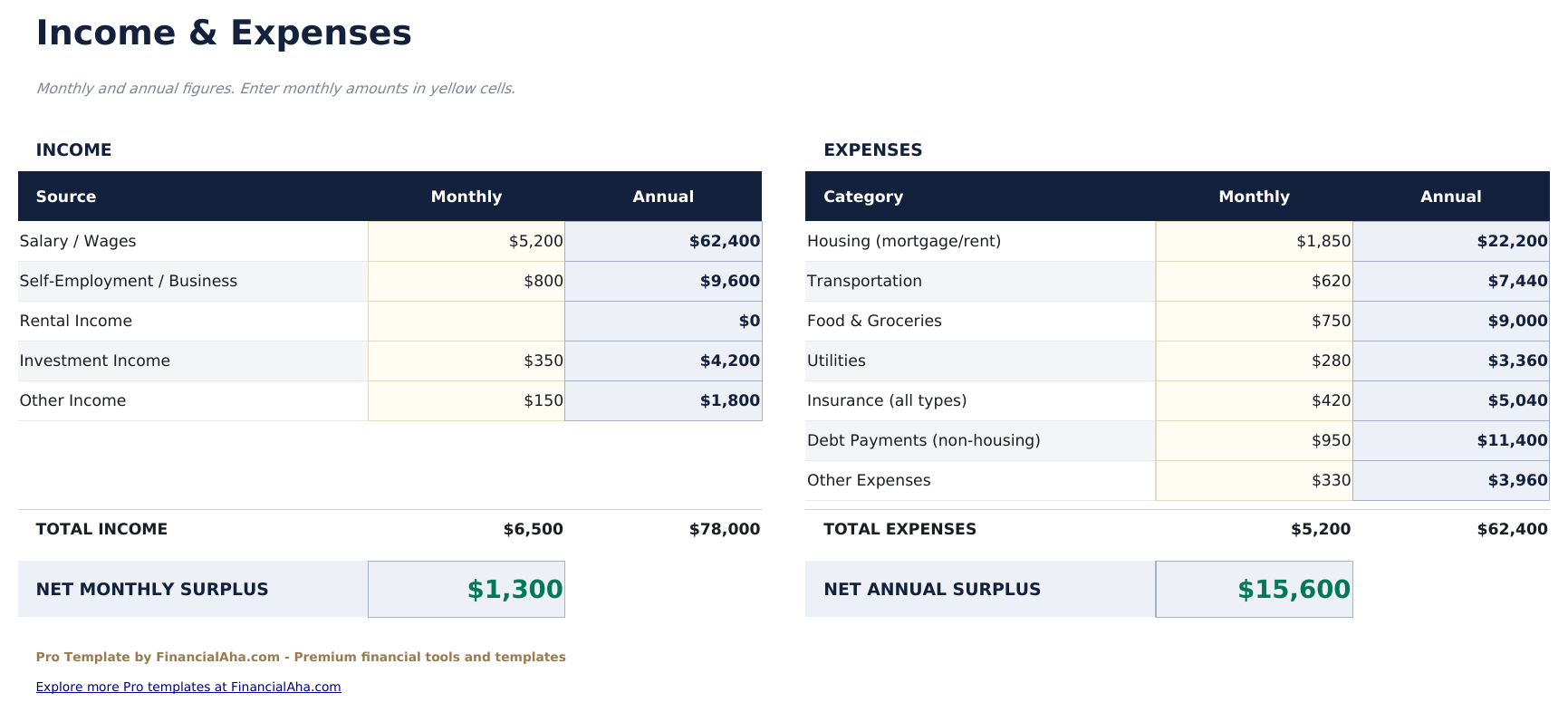
- Income and expenses sheet capturing all income sources and monthly expenses with net income calculation
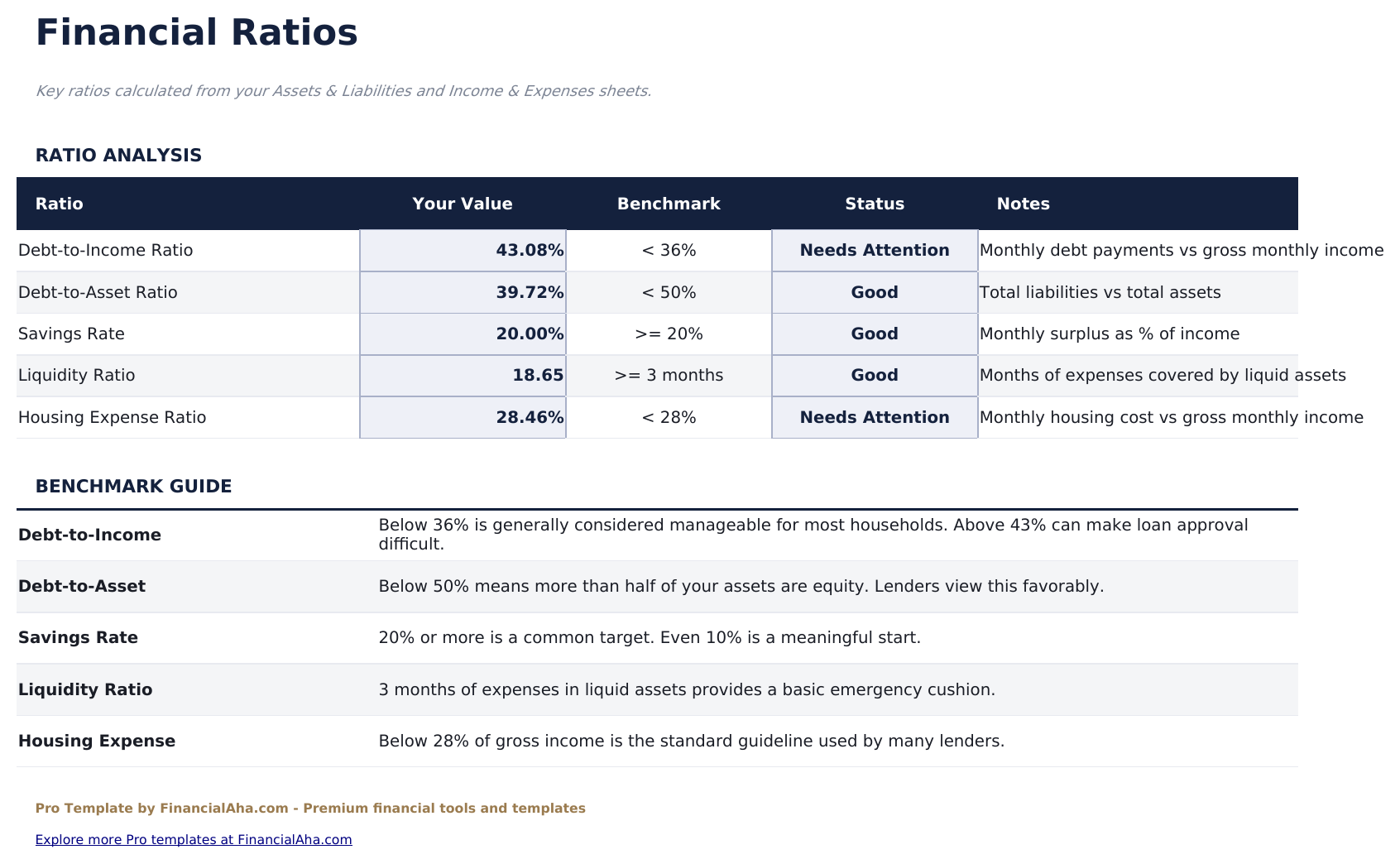
- Financial ratios sheet with debt-to-income ratio, current ratio, liquidity ratio, solvency ratio, and savings rate
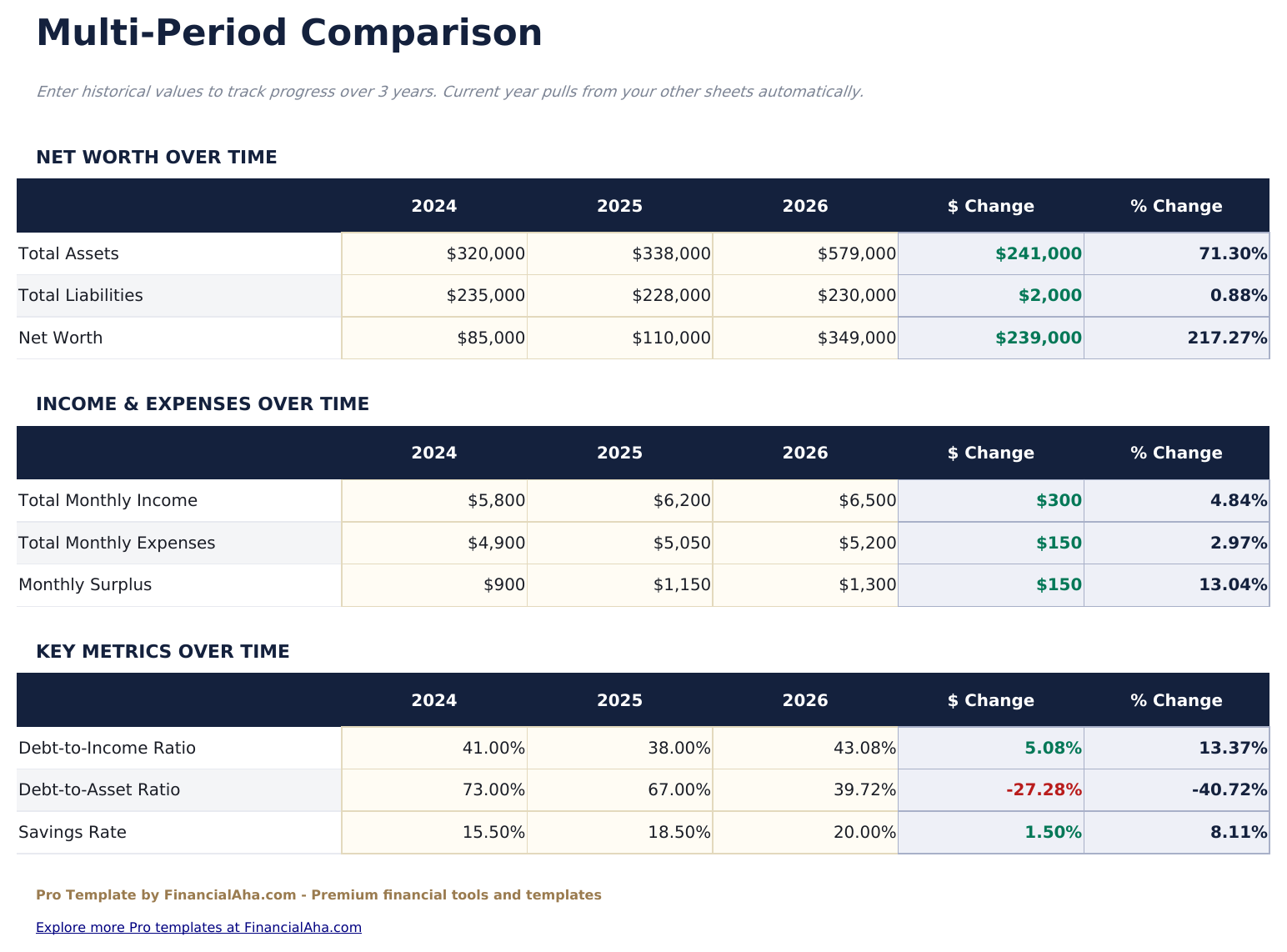
- Multi-period comparison showing up to 3 periods side by side - track how your financial position changes over time
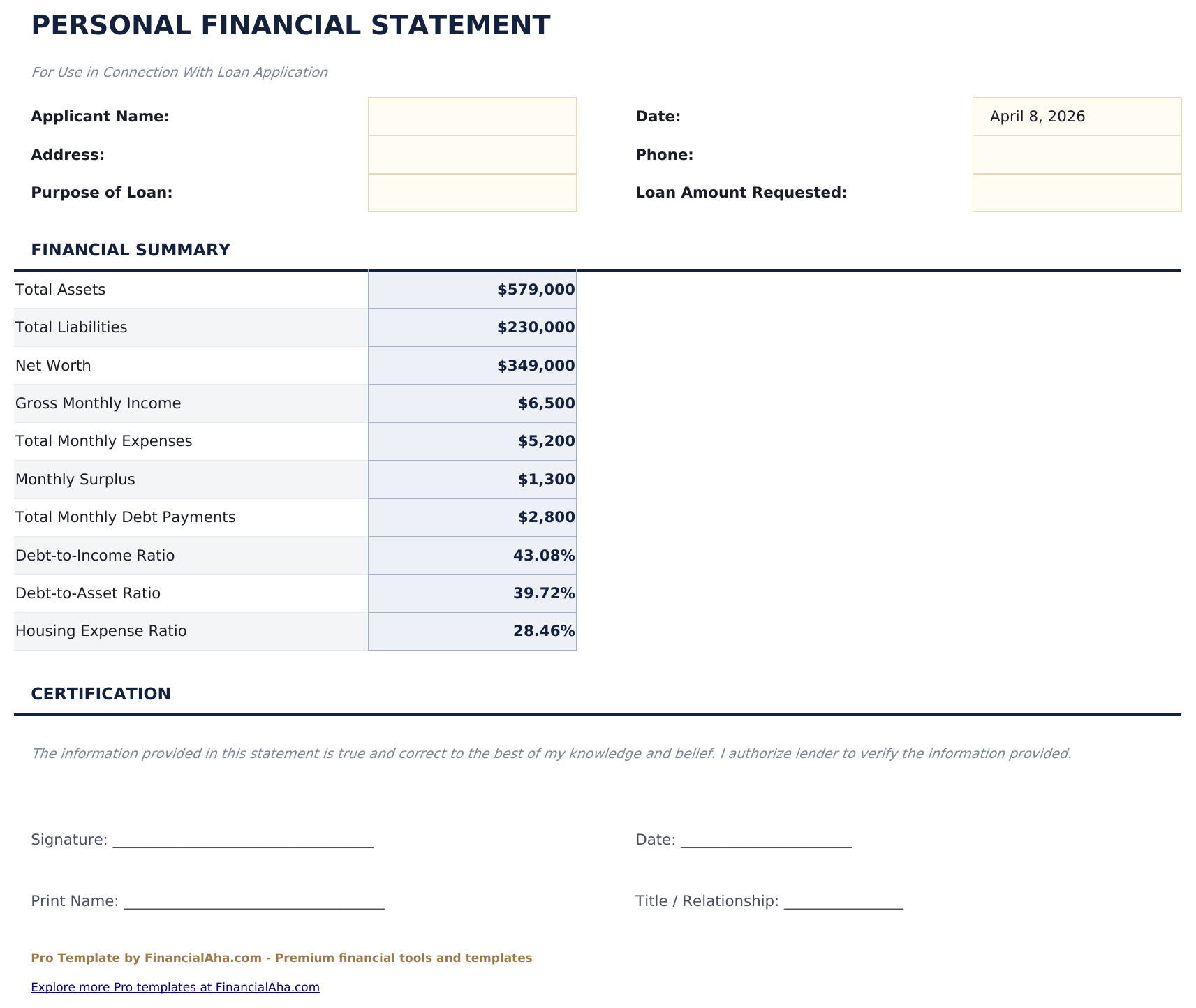
- Lender summary sheet formatted for clean printing with key figures, ratios, and a signature block
- Dashboard with 6 KPI cards: net worth, monthly net income, debt-to-income ratio, liquidity ratio, savings rate, and solvency ratio
- Conditional formatting highlights ratio values that fall outside typical healthy ranges
- Works in Microsoft Excel, Google Sheets, and LibreOffice Calc with no macros required
Preview
See what's inside this template
How to Use This Template
Enter assets and liabilities
Fill in the Assets and Liabilities sheet with current values for all accounts, properties, investments, loans, and debts. Net worth calculates automatically.
Complete income and expenses
In the Income and Expenses sheet, enter all income sources and monthly expenses. Net monthly income and annual figures calculate automatically.
Review your financial ratios
The Financial Ratios sheet calculates key ratios from your data automatically. Reference ranges are included for context.
Print the lender summary
The Lender Summary sheet compiles your key figures onto a clean, printable layout ready for a loan application or financial review.
Built by Claude AI. Perfected by us.
We use Claude AI to draft each Pro template after deep research. Then our team steps in - refining the layout, stress-testing every formula, fixing edge cases, and polishing the design. The AI gets us 80% there. The last 20% is all human judgment.
One-time purchase. No subscription. Works in Excel & Google Sheets.
Frequently Asked Questions
Is this suitable for a loan application?
The Lender Summary sheet is formatted to present your financial position clearly with assets, liabilities, net worth, income, and key ratios on a single printable page. Requirements vary by lender, so check with your lender on what they need.
What financial ratios does it calculate?
The Financial Ratios sheet calculates debt-to-income ratio, current ratio, liquidity ratio, solvency ratio, and savings rate. Each ratio includes a reference range so you can see how your figures compare.
How does the multi-period comparison work?
Enter your financial data for up to 3 different periods - for example, year-end snapshots across 3 years. The template shows each period side by side with the change between them.
Can I print the lender summary?
Yes. The Lender Summary sheet is formatted to fit on one or two printed pages with your key financial figures, ratios, and a signature block at the bottom.
What income sources can I include?
The Income and Expenses sheet has rows for salary, self-employment income, rental income, investment income, business income, and other sources.
What do I get after purchase?
You receive an Excel file (.xlsx) that works in Microsoft Excel, Google Sheets, and LibreOffice Calc. Download it immediately after purchase - no signup or account required.
Is there a free version?
Yes. The free version of this template is available with basic features. The Pro version adds advanced analysis, more capacity, and additional sheets.
What if it does not work for me?
Contact us and we will help troubleshoot. The template works in Microsoft Excel, Google Sheets, and LibreOffice Calc with no macros required.
Looking for more Pro templates?
We offer Pro versions of our most popular spreadsheet templates with advanced features, more capacity, and deeper analysis.