Net Worth Tracker Pro
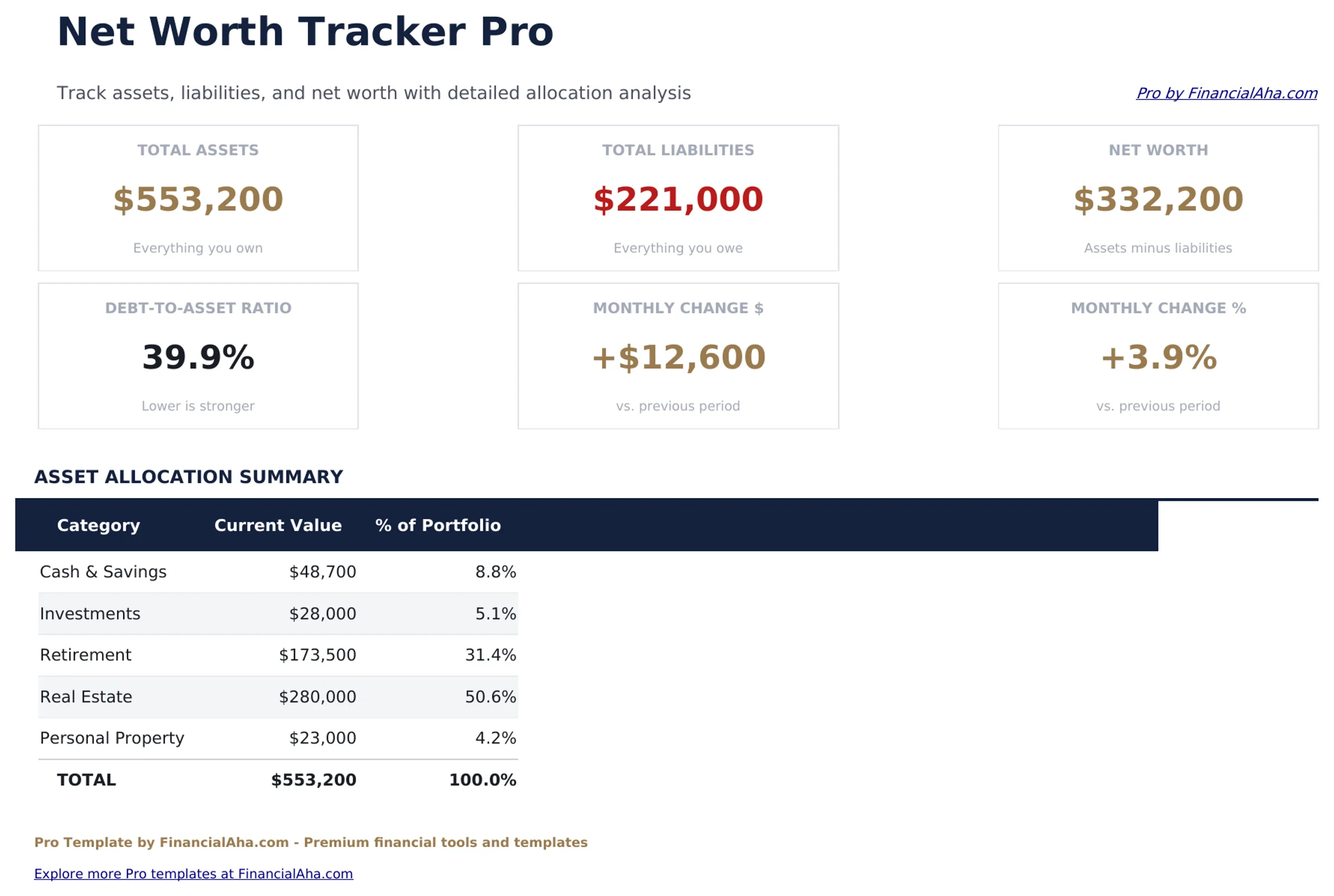
Comprehensive net worth tracking with 30 assets, 20 liabilities, monthly snapshots, asset allocation targets, and year-over-year growth analysis.
Free vs Pro
- Track up to 15 assets and 10 liabilities with current values
- Dashboard with total assets, liabilities, and net worth
- Asset and liability category breakdowns
- Works in Excel and Google Sheets
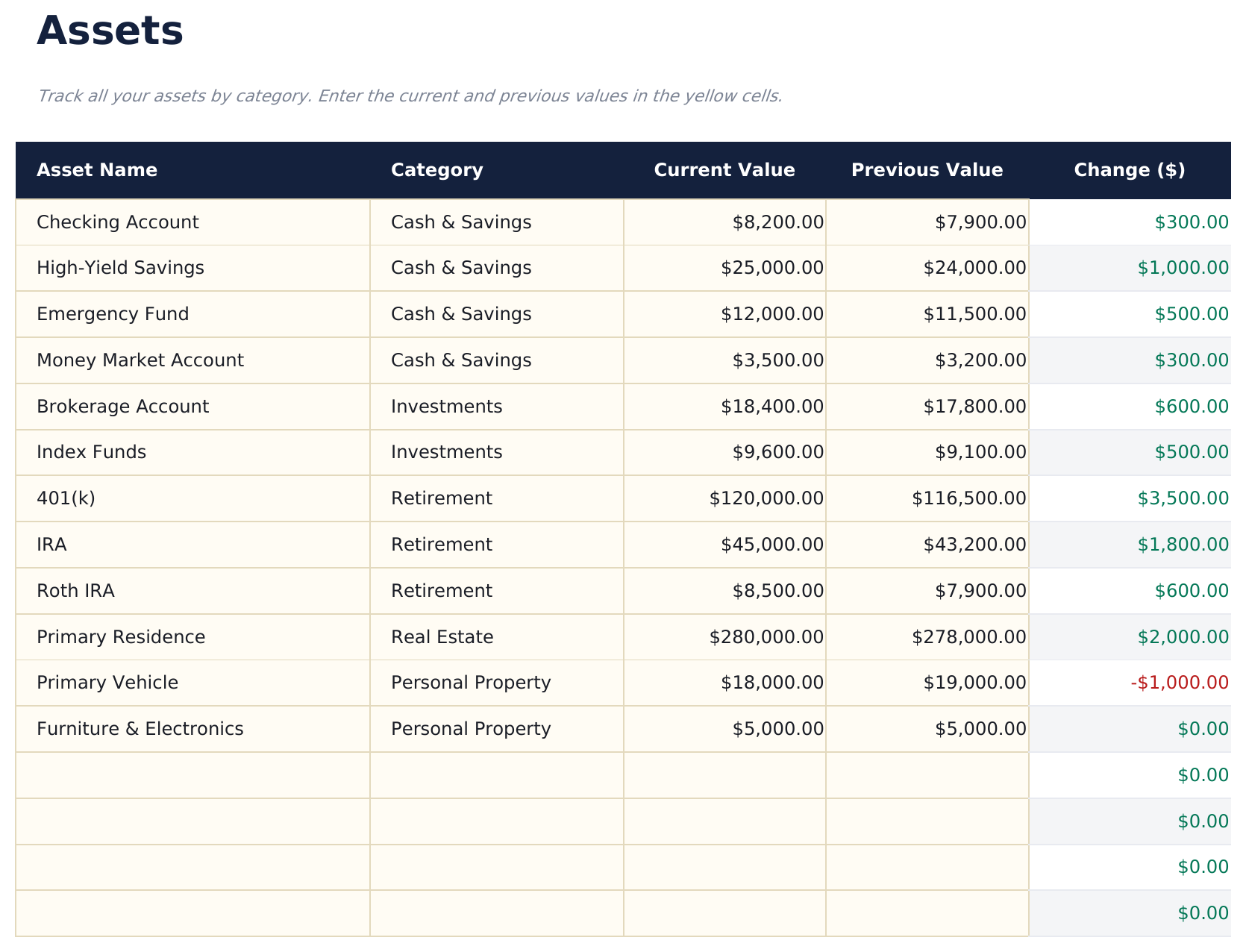
- Track up to 30 assets across cash, investments, real estate, retirement, and other categories with current values
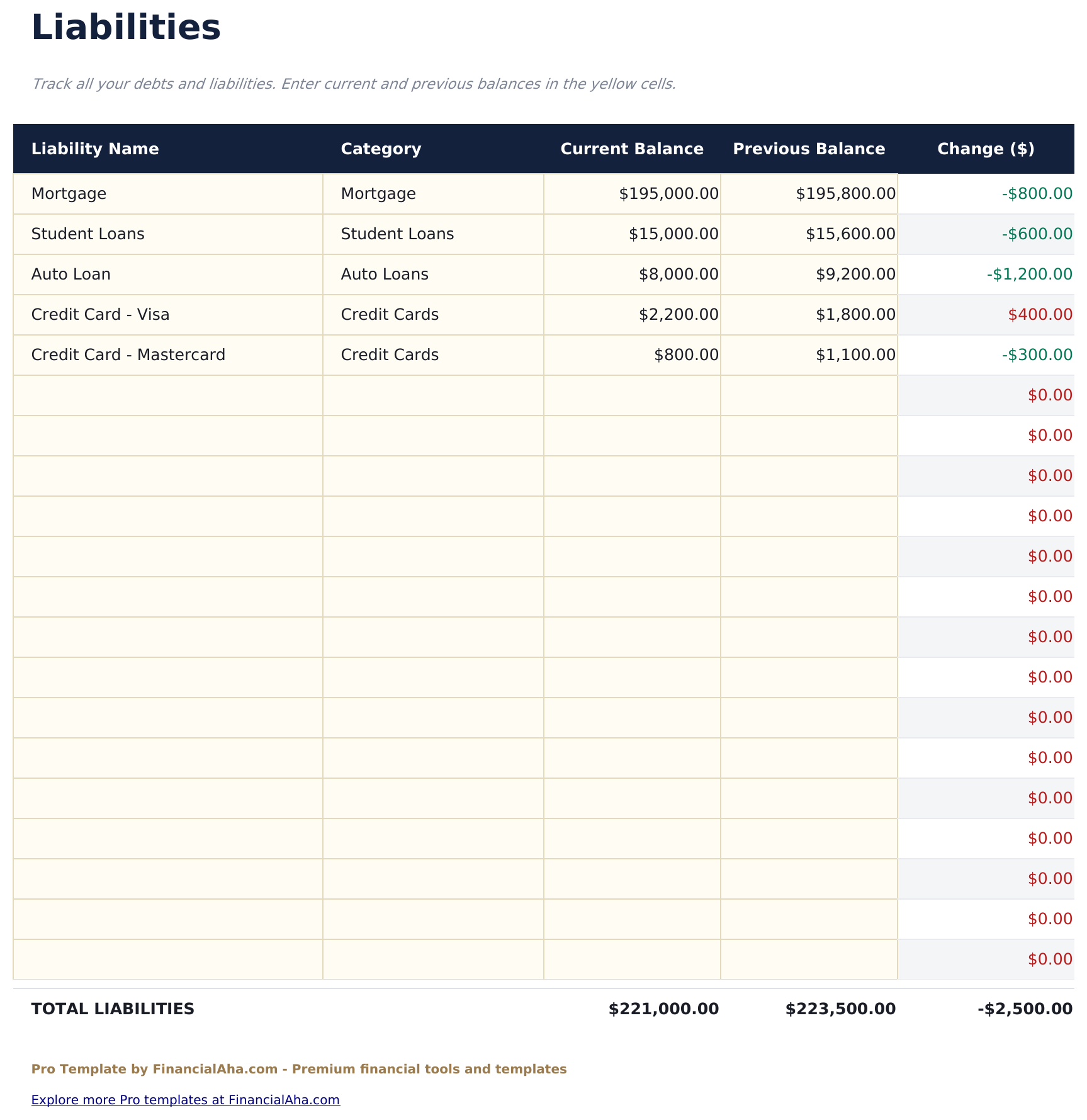
- Track up to 20 liabilities including mortgages, auto loans, student loans, credit cards, and other debts
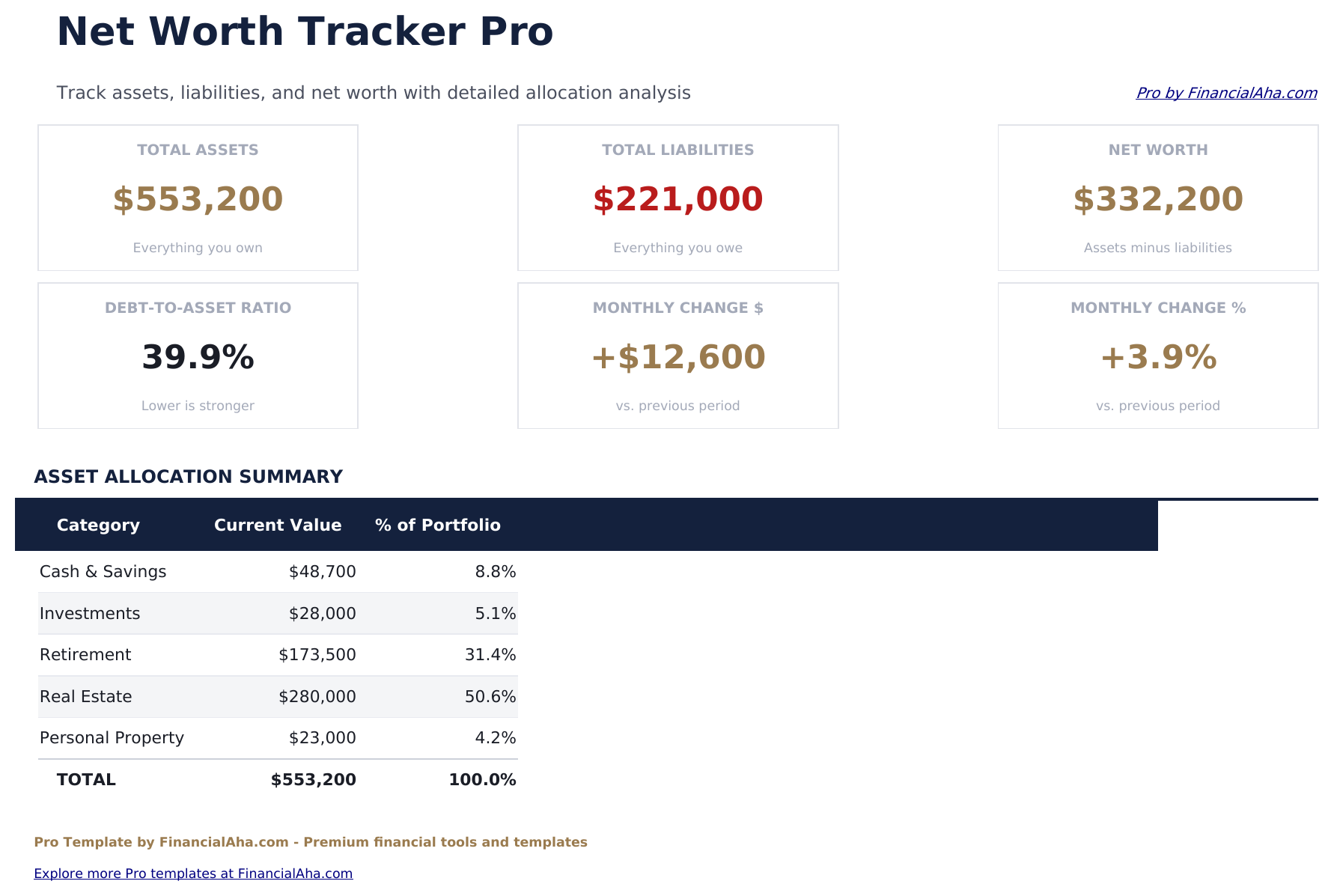
- Dashboard with 6 KPI cards: total assets, total liabilities, net worth, debt-to-asset ratio, largest asset, and largest liability
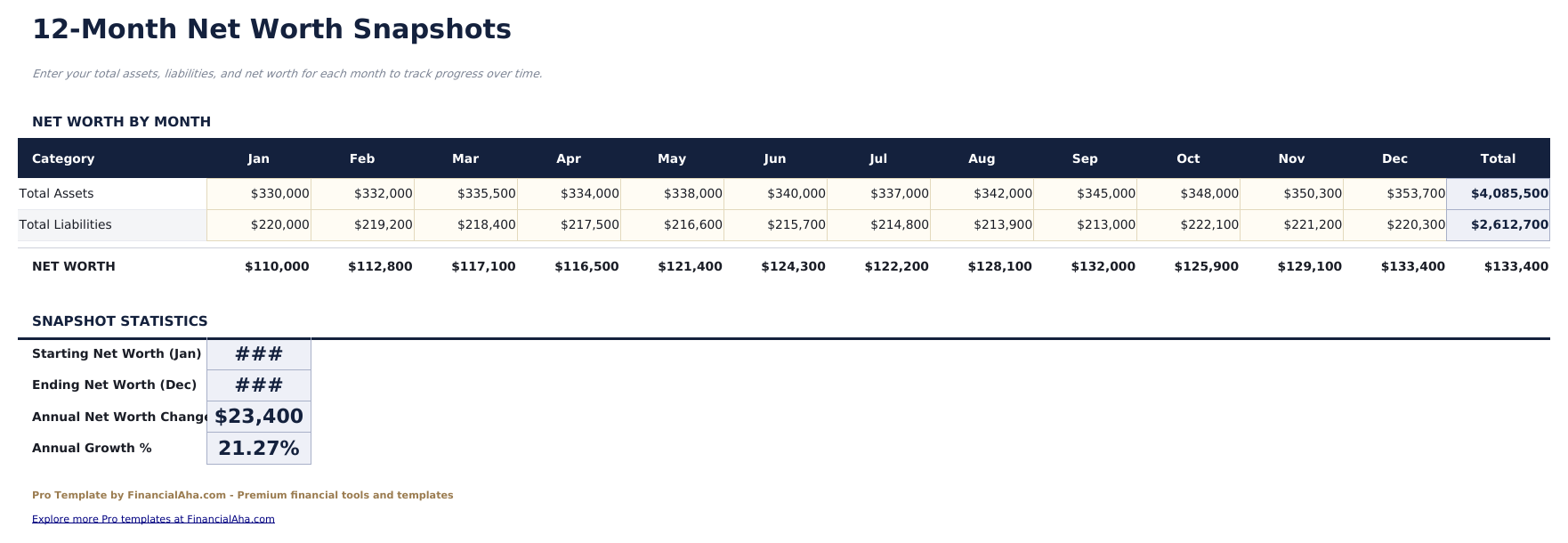
- Monthly snapshots sheet to record net worth over time with month-over-month change and running totals
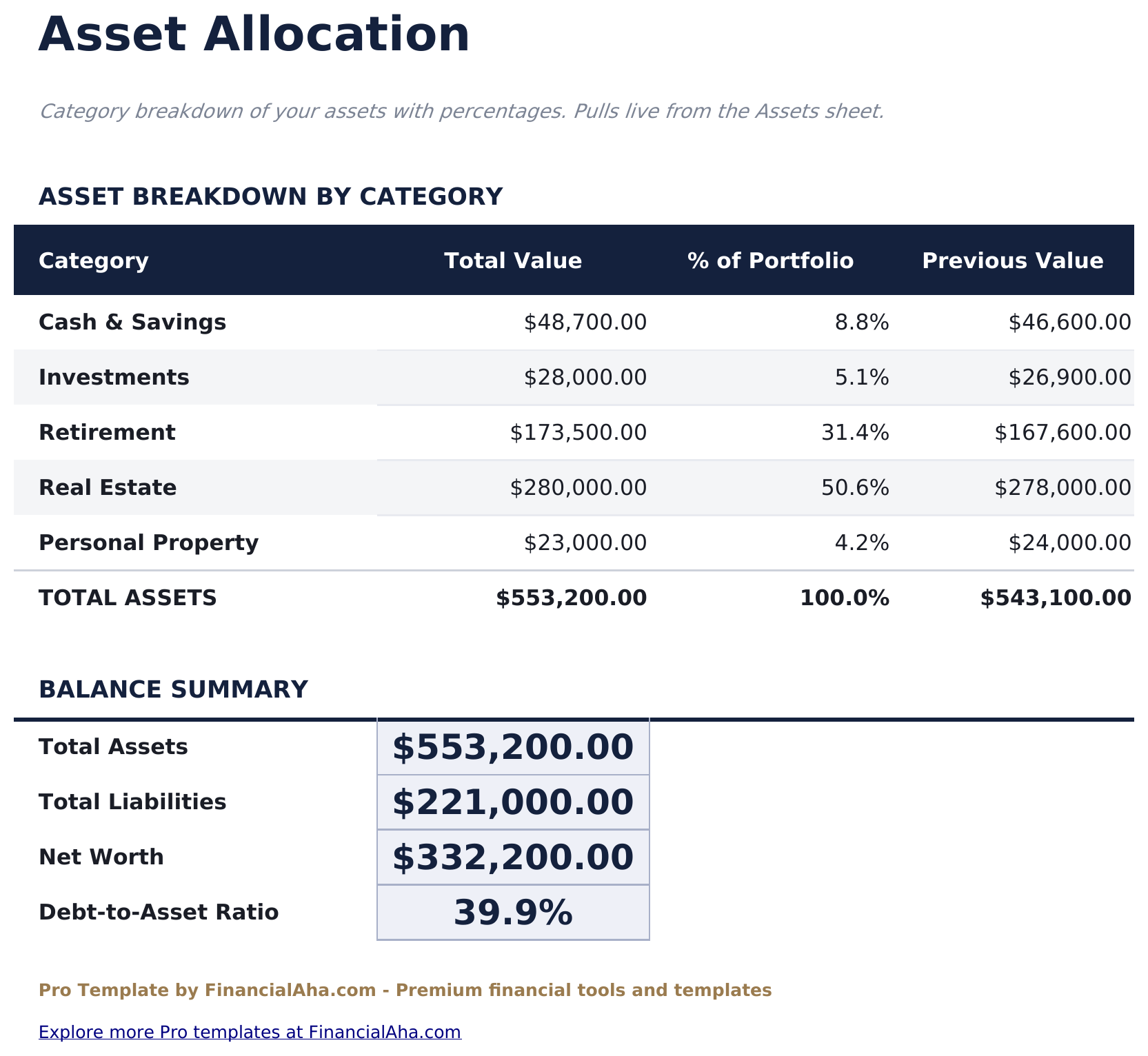
- Asset allocation sheet comparing actual vs target percentages across asset categories with variance analysis
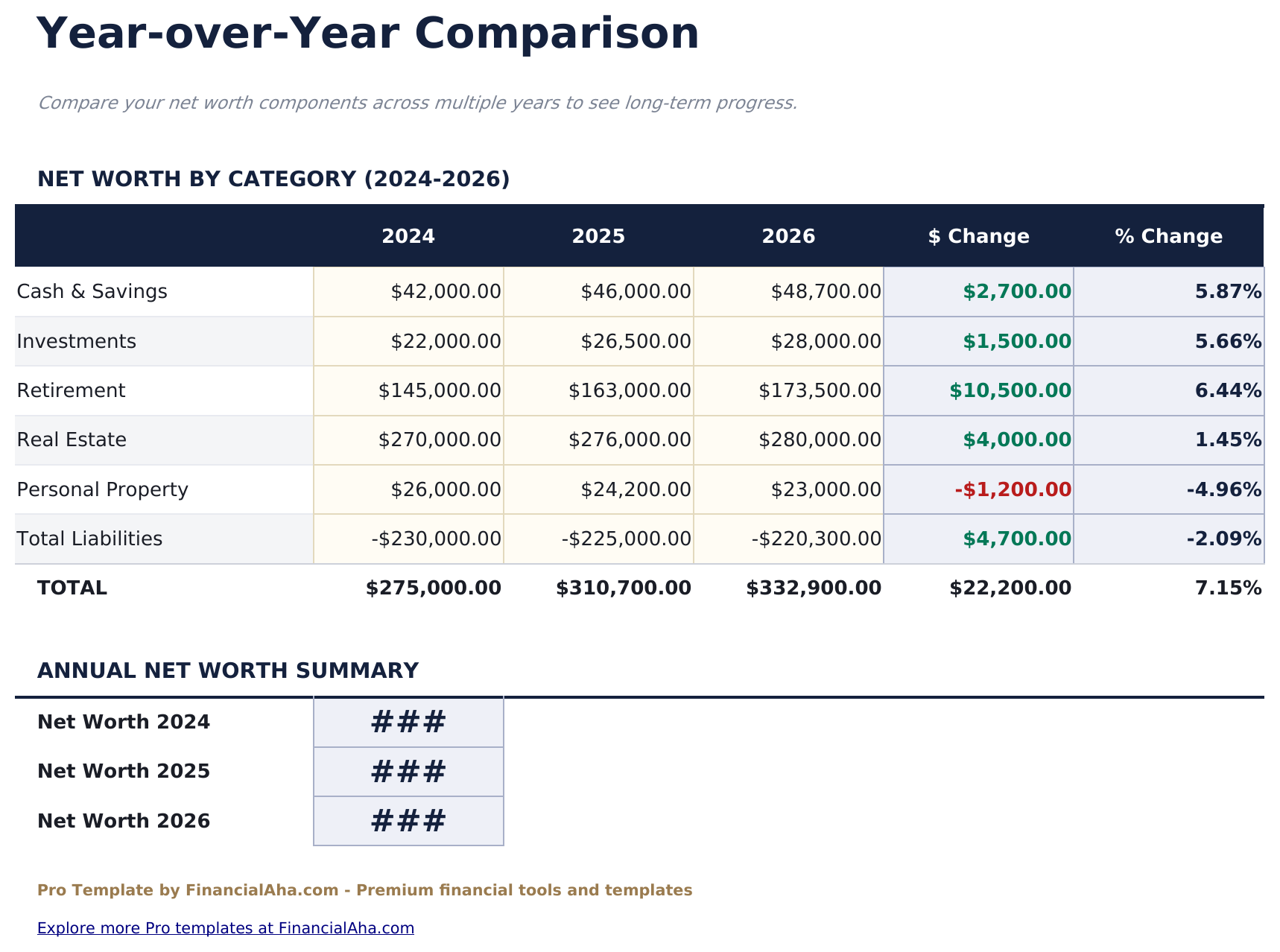
- Year-over-year comparison showing net worth, total assets, and total liabilities across multiple years with growth rates
- Conditional formatting highlights positive net worth changes in green and negative changes in red
- Works in Microsoft Excel, Google Sheets, and LibreOffice Calc with no macros required
Preview
See what's inside this template
How to Use This Template
Enter your assets
Go to the Assets sheet and list each asset with its name, category, and current value. Include bank accounts, investments, retirement accounts, real estate, and any other valuables.
Enter your liabilities
In the Liabilities sheet, enter each debt with name, category, and current balance. Include mortgages, loans, credit cards, and any other obligations.
Set allocation targets
In the Asset Allocation sheet, enter your target percentage for each asset category. The template compares your actual allocation against these targets.
Record monthly snapshots
At the end of each month, record your totals in the Monthly Snapshots sheet to build a running history of your net worth over time.
Built by Claude AI. Perfected by us.
We use Claude AI to draft each Pro template after deep research. Then our team steps in - refining the layout, stress-testing every formula, fixing edge cases, and polishing the design. The AI gets us 80% there. The last 20% is all human judgment.
One-time purchase. No subscription. Works in Excel & Google Sheets.
Frequently Asked Questions
How many assets and liabilities can I track?
The Pro version supports up to 30 assets and 20 liabilities - double the free version. Each entry includes name, category, and current value.
How do monthly snapshots work?
The Monthly Snapshots sheet lets you record your net worth at the end of each month. It tracks total assets, total liabilities, net worth, and the month-over-month change so you can see your trajectory over time.
What does the asset allocation sheet show?
It compares your actual allocation percentage across asset categories against your target percentages. The variance column shows where you are over or under your targets.
What does the year-over-year sheet cover?
It shows your total assets, total liabilities, and net worth across multiple years with dollar change and growth rate between each year.
Can I track retirement accounts separately?
Yes. Retirement is one of the asset categories available in the Assets sheet. Separate tracking lets you see how much of your net worth is in liquid vs illiquid assets.
What do I get after purchase?
You receive an Excel file (.xlsx) that works in Microsoft Excel, Google Sheets, and LibreOffice Calc. Download it immediately after purchase - no signup or account required.
Is there a free version?
Yes. The free version of this template is available with basic features. The Pro version adds advanced analysis, more capacity, and additional sheets.
What if it does not work for me?
Contact us and we will help troubleshoot. The template works in Microsoft Excel, Google Sheets, and LibreOffice Calc with no macros required.
Looking for more Pro templates?
We offer Pro versions of our most popular spreadsheet templates with advanced features, more capacity, and deeper analysis.