Financial Goal Planner Pro
Plan and track up to 12 financial goals with action plans, monthly progress logging, priority matrix, and year-over-year results.
Free vs Pro
- Track up to 5 financial goals with target and current amounts
- Dashboard with overall progress and goal status
- Target date and priority tracking per goal
- Works in Excel and Google Sheets
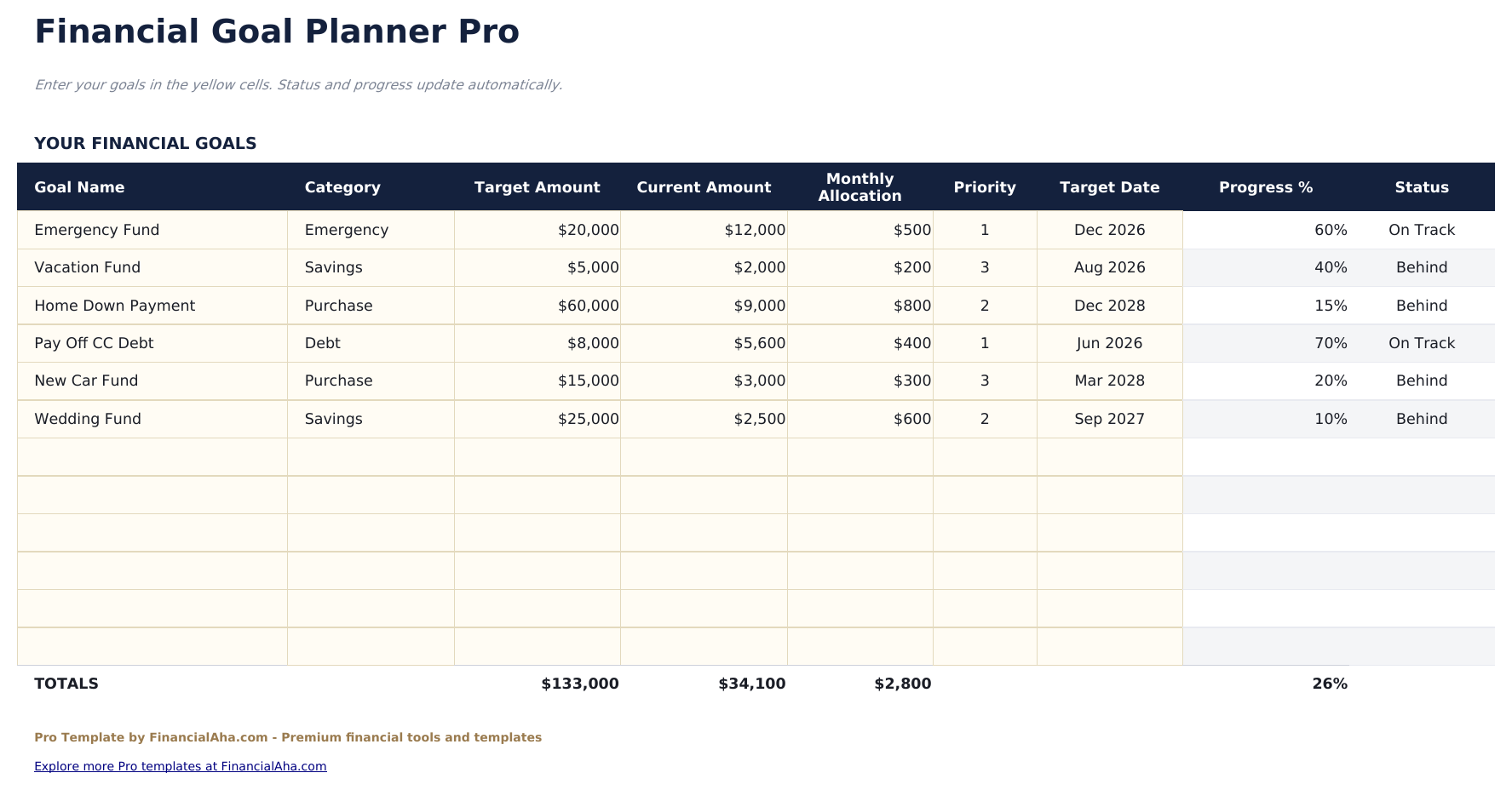
- Track up to 12 financial goals with name, category, target amount, current amount, target date, and priority level
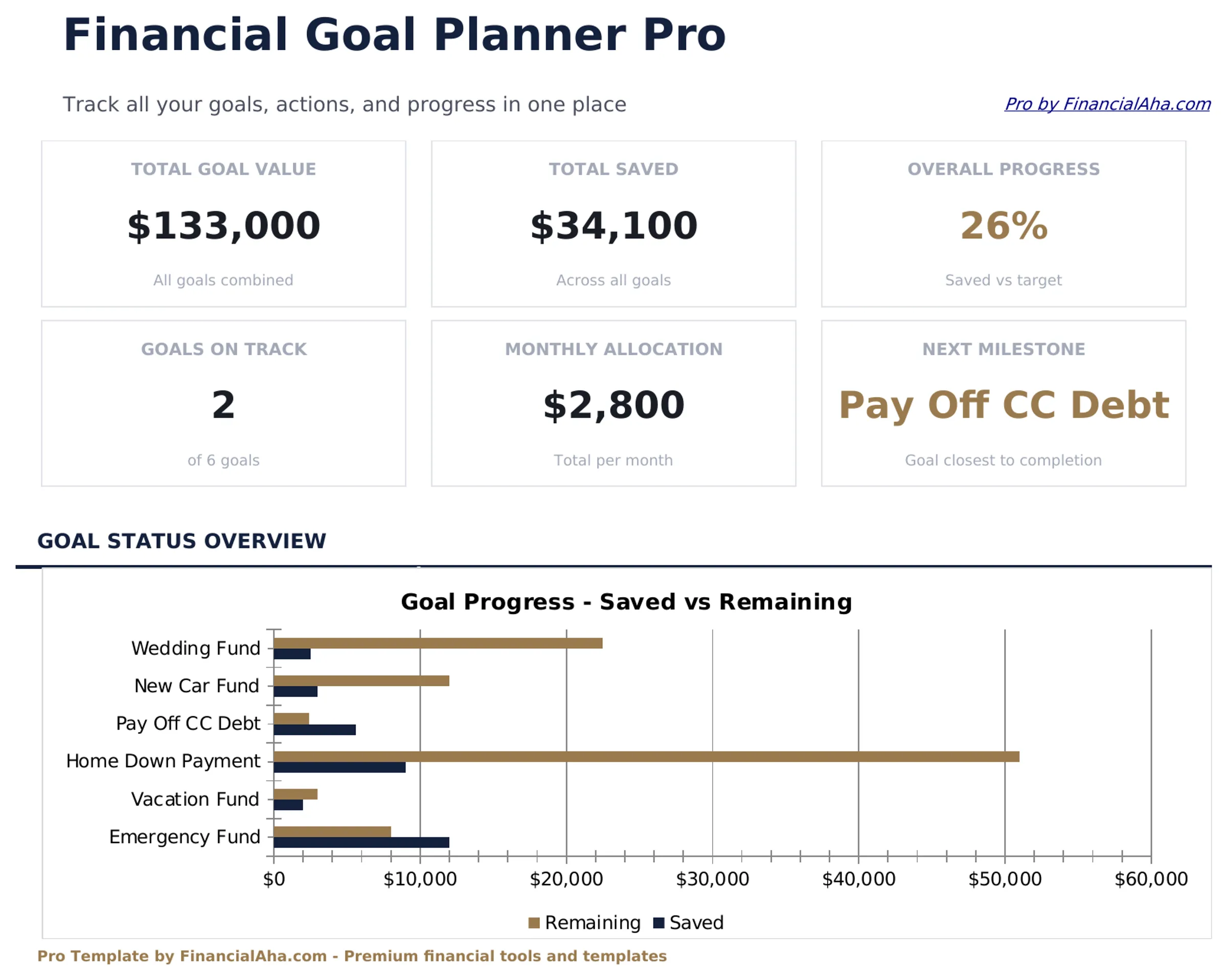
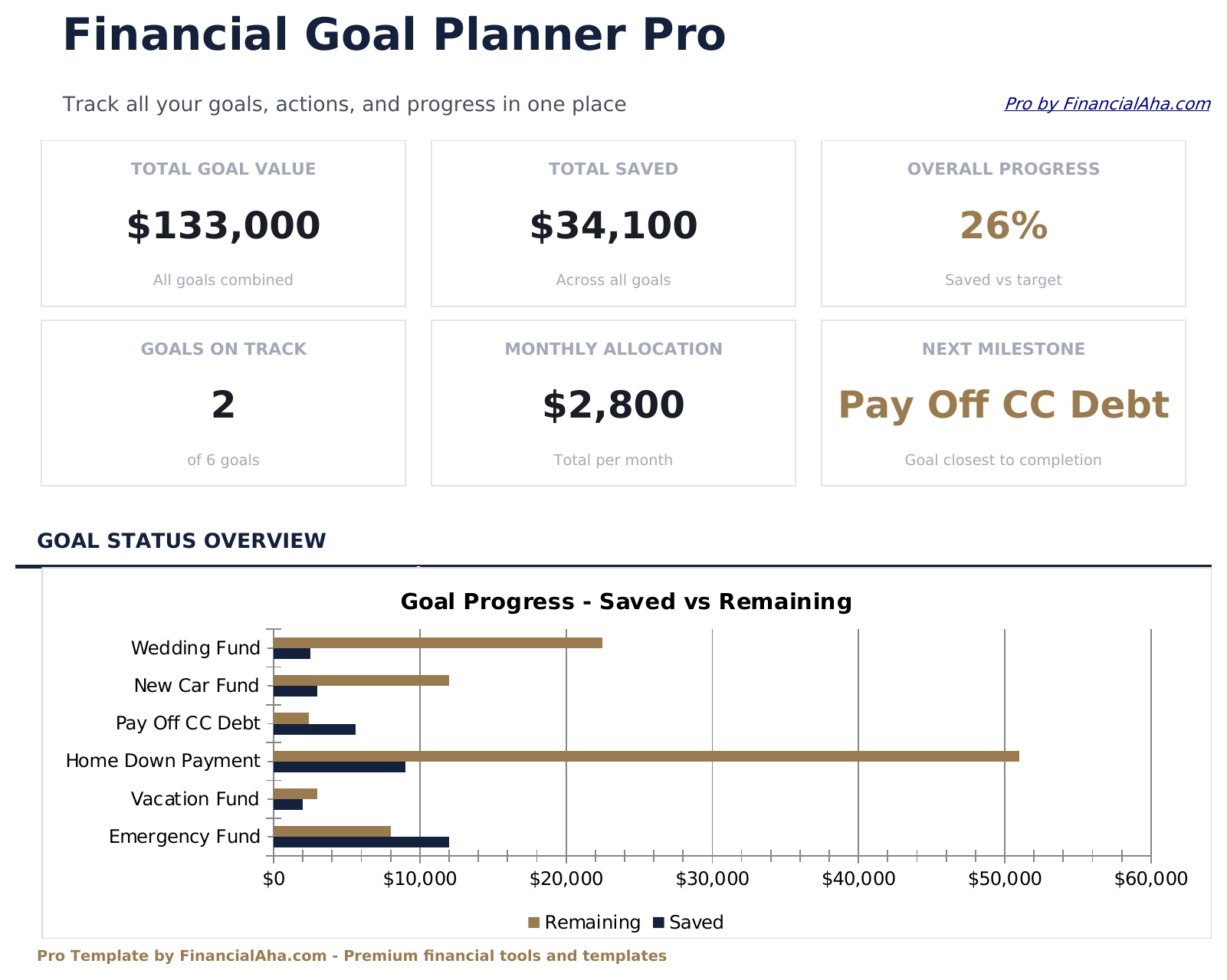
- Dashboard with 6 KPI cards: goals on track, total target, total saved, overall progress, nearest deadline, and highest priority goal
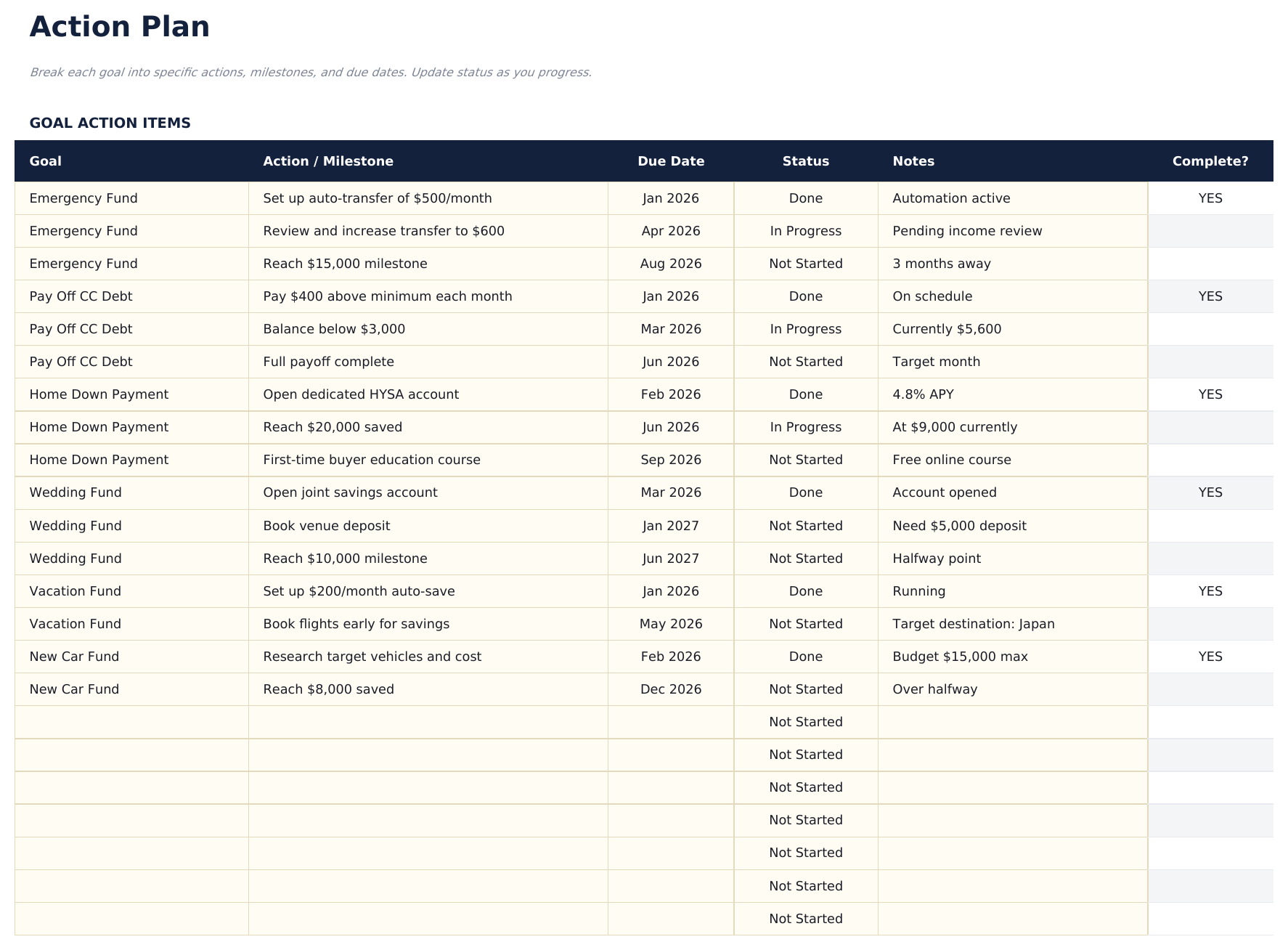
- Action plan sheet with space for up to 5 concrete steps per goal, assigned owner, due date, and completion status
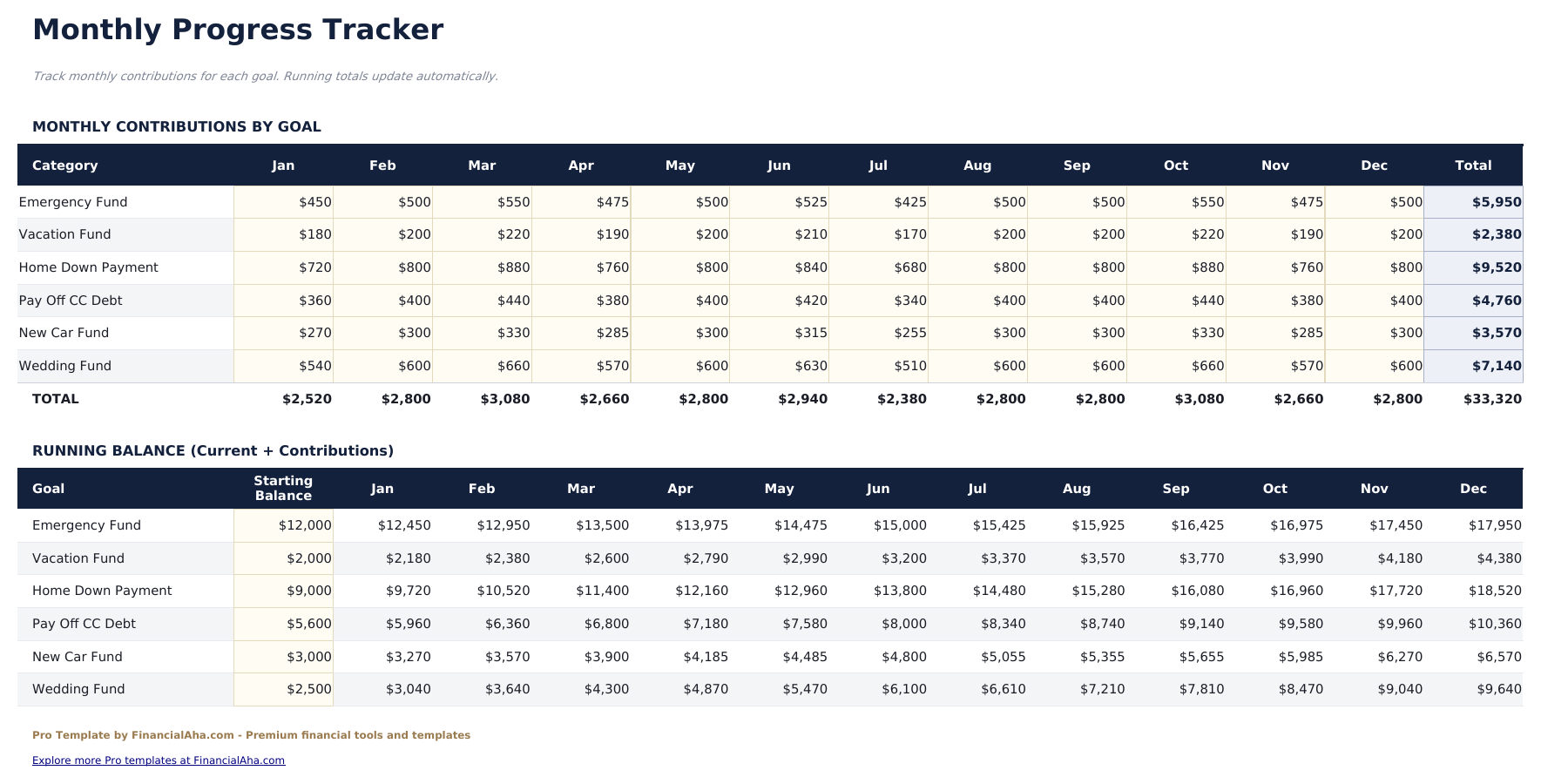
- Monthly progress sheet to log saved amounts per goal each month with running totals and month-over-month change
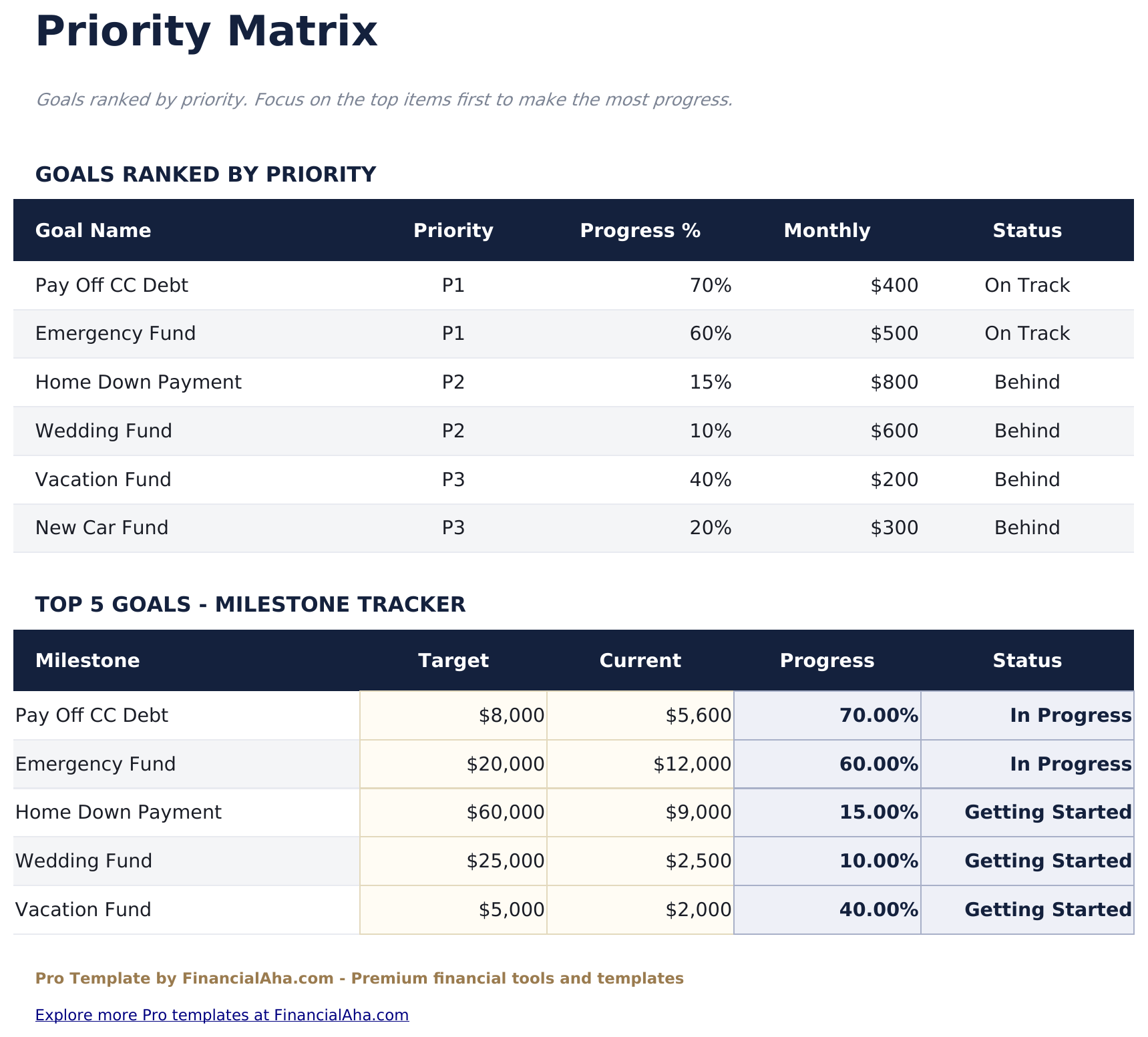
- Priority matrix plotting each goal by urgency and importance with quadrant labels to guide focus
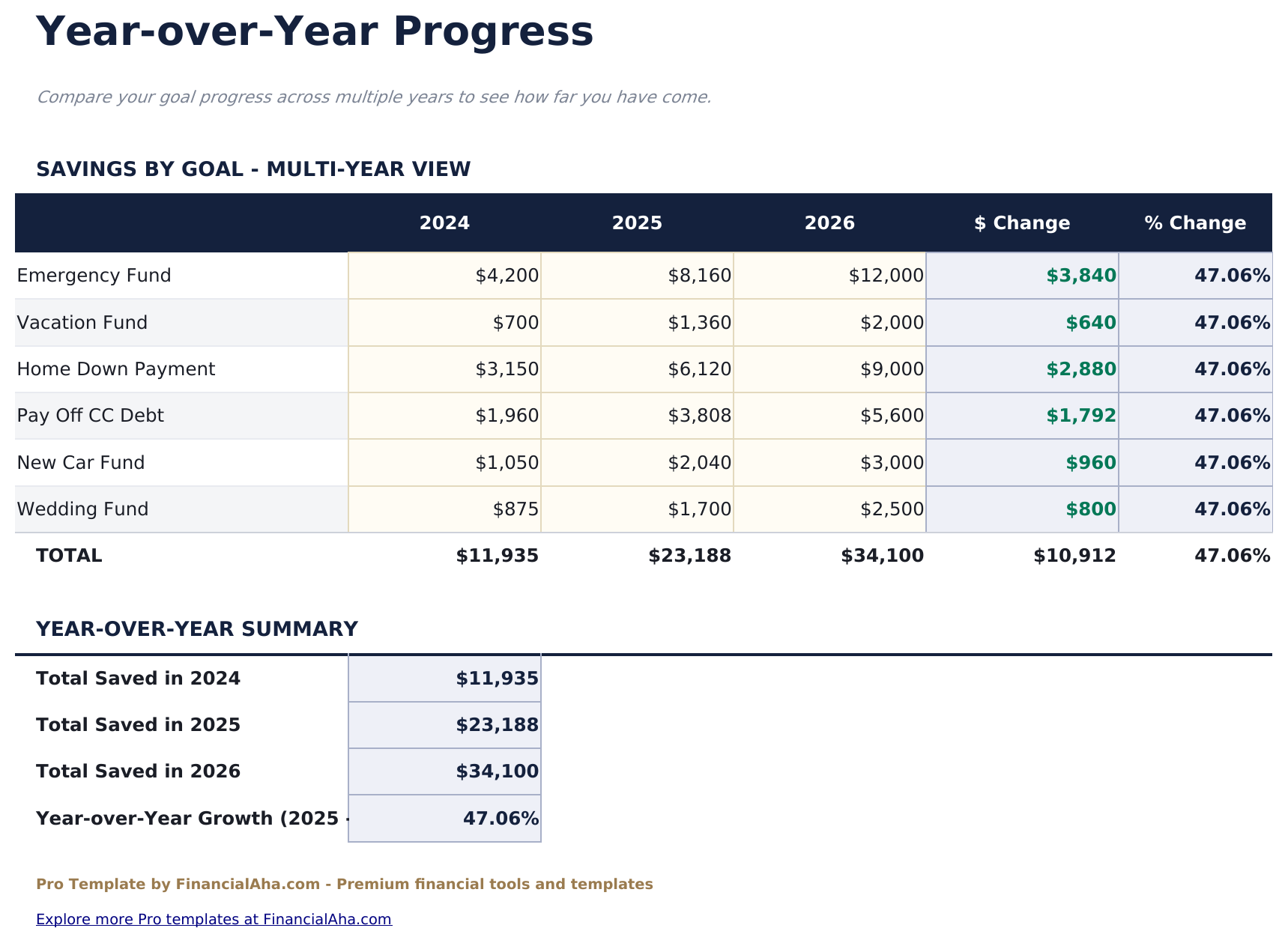
- Year-over-year sheet comparing progress across multiple years with completion rate and amount saved per year
- Progress bars and conditional formatting show goal status at a glance across all sheets
- Works in Microsoft Excel, Google Sheets, and LibreOffice Calc with no macros required
Preview
See what's inside this template
How to Use This Template
Set up your goals
Go to the Goals sheet and enter each goal with name, category, target amount, current savings, target date, and priority level.
Build your action plan
In the Action Plan sheet, list up to 5 specific steps for each goal with an owner and due date. Mark steps complete as you go.
Log monthly progress
At the end of each month, record the amount saved toward each goal in the Monthly Progress sheet. Totals and changes calculate automatically.
Review priority and trends
Check the Priority Matrix to decide where to focus next, and the Year-Over-Year sheet to see how your savings are building over time.
Built by Claude AI. Perfected by us.
We use Claude AI to draft each Pro template after deep research. Then our team steps in - refining the layout, stress-testing every formula, fixing edge cases, and polishing the design. The AI gets us 80% there. The last 20% is all human judgment.
One-time purchase. No subscription. Works in Excel & Google Sheets.
Frequently Asked Questions
How many goals can I track?
The Pro version supports up to 12 goals - more than double the free version. Each goal has its own row with category, target amount, current amount, target date, and priority.
How does the action plan work?
The Action Plan sheet lets you define up to 5 specific steps for each goal. Each step has an owner, due date, and completion checkbox. This keeps goals actionable rather than just aspirational.
What is the priority matrix?
It plots each goal on a 2x2 grid by urgency and importance. The four quadrants - Do First, Schedule, Delegate, and Consider Later - help identify which goals to focus on.
How does monthly progress tracking work?
In the Monthly Progress sheet, log the amount saved toward each goal at the end of each month. Running totals and month-over-month changes calculate automatically.
What categories are available for goals?
Common categories include Emergency Fund, Home Purchase, Retirement, Debt Payoff, Education, Travel, Vehicle, and Other. Categories help group goals on the dashboard.
What do I get after purchase?
You receive an Excel file (.xlsx) that works in Microsoft Excel, Google Sheets, and LibreOffice Calc. Download it immediately after purchase - no signup or account required.
Is there a free version?
Yes. The free version of this template is available with basic features. The Pro version adds advanced analysis, more capacity, and additional sheets.
What if it does not work for me?
Contact us and we will help troubleshoot. The template works in Microsoft Excel, Google Sheets, and LibreOffice Calc with no macros required.
Looking for more Pro templates?
We offer Pro versions of our most popular spreadsheet templates with advanced features, more capacity, and deeper analysis.