Rent vs Buy Calculator Pro
10-year rent vs buy comparison with break-even analysis, sensitivity testing, and 3-scenario modeling to explore different market and financial assumptions.
Free vs Pro
- Basic rent vs buy comparison with key assumptions
- Dashboard with monthly cost comparison and 5-year summary
- Home equity and net cost calculation
- Works in Excel and Google Sheets
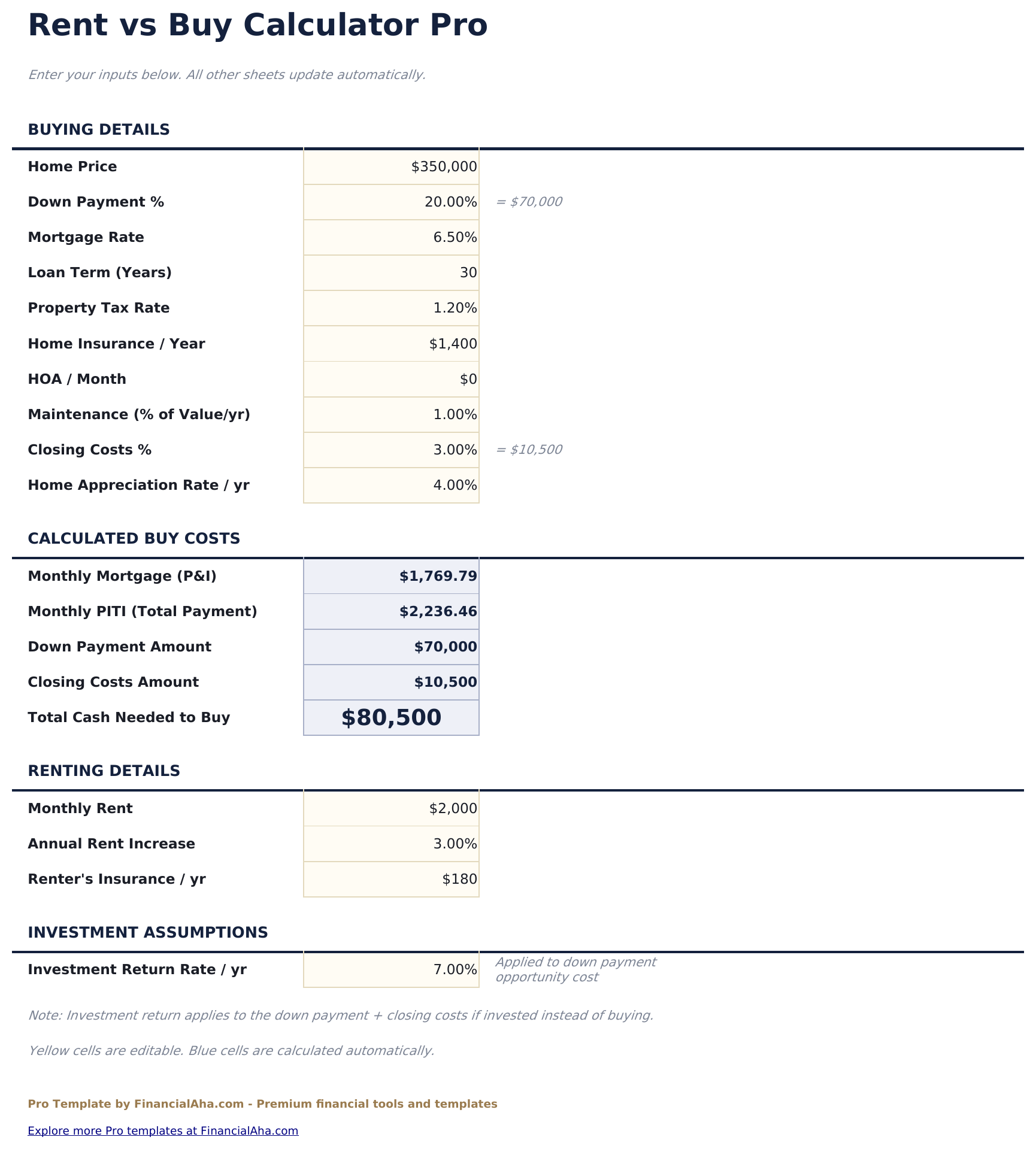
- Comprehensive assumptions sheet covering purchase price, down payment, mortgage rate, property tax rate, HOA, maintenance, home appreciation, rent, rent growth, and investment return
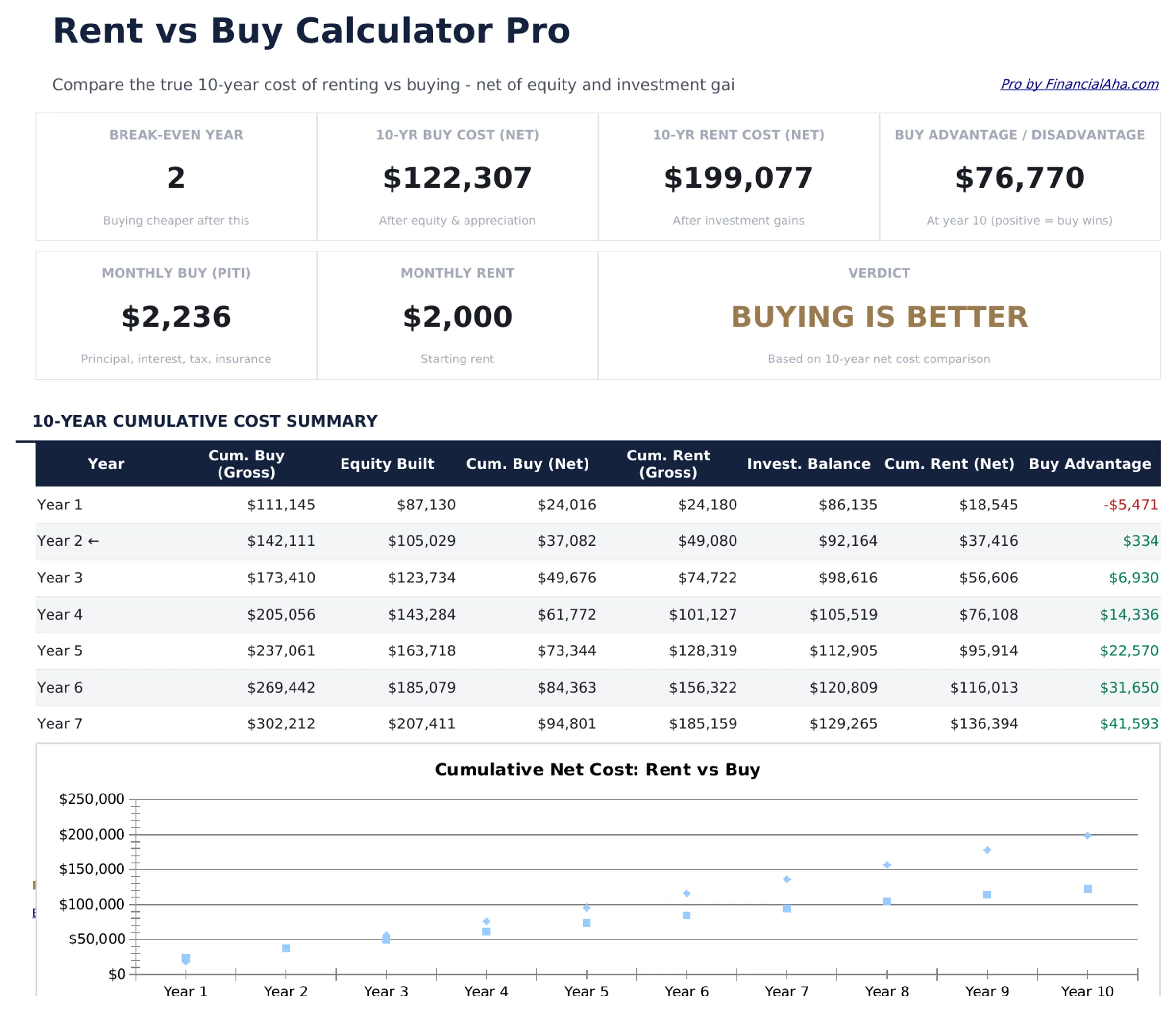
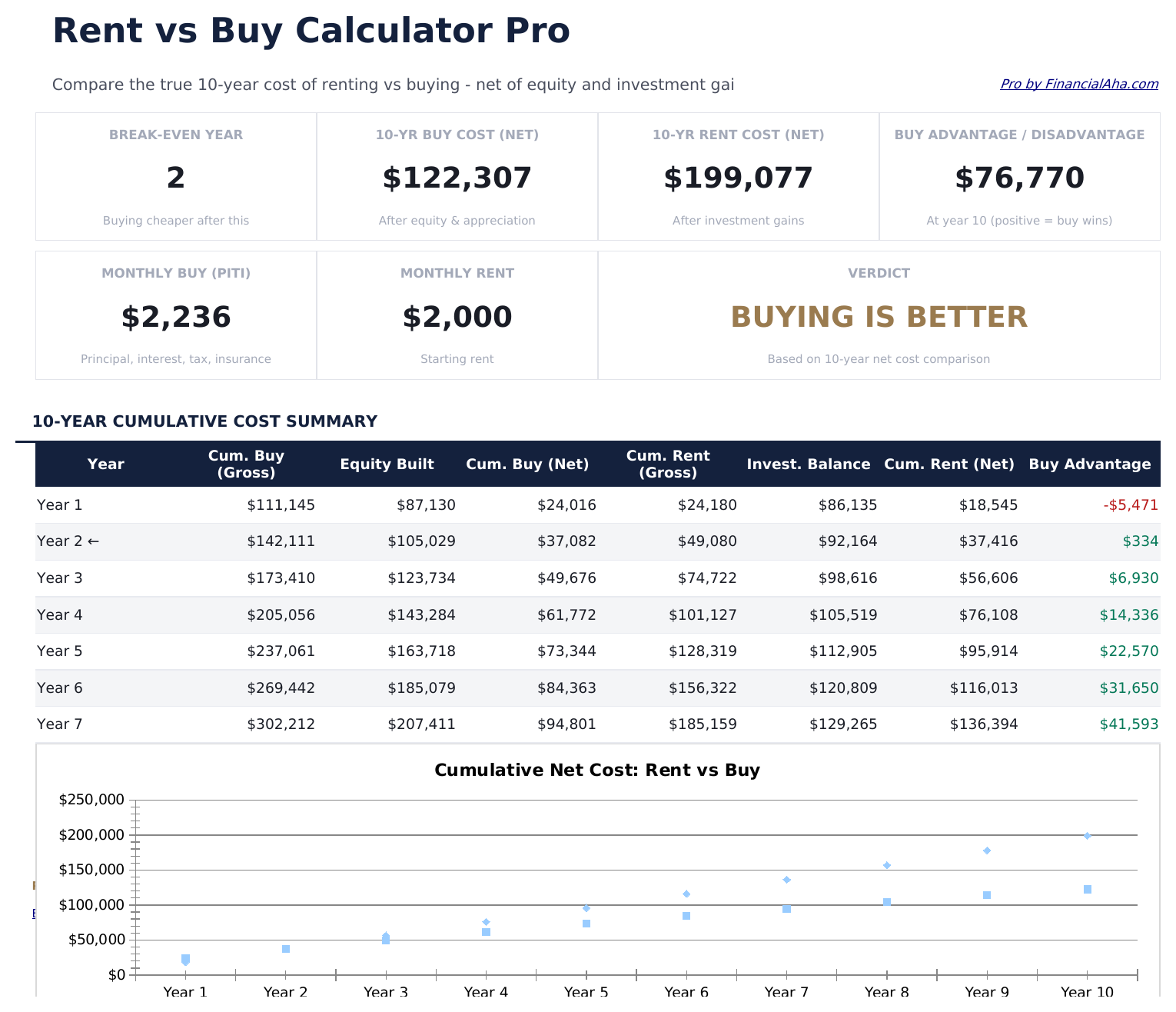
- Dashboard with 6 KPI cards: break-even year, 10-year buying cost, 10-year renting cost, net buying advantage, monthly payment vs rent, and down payment required
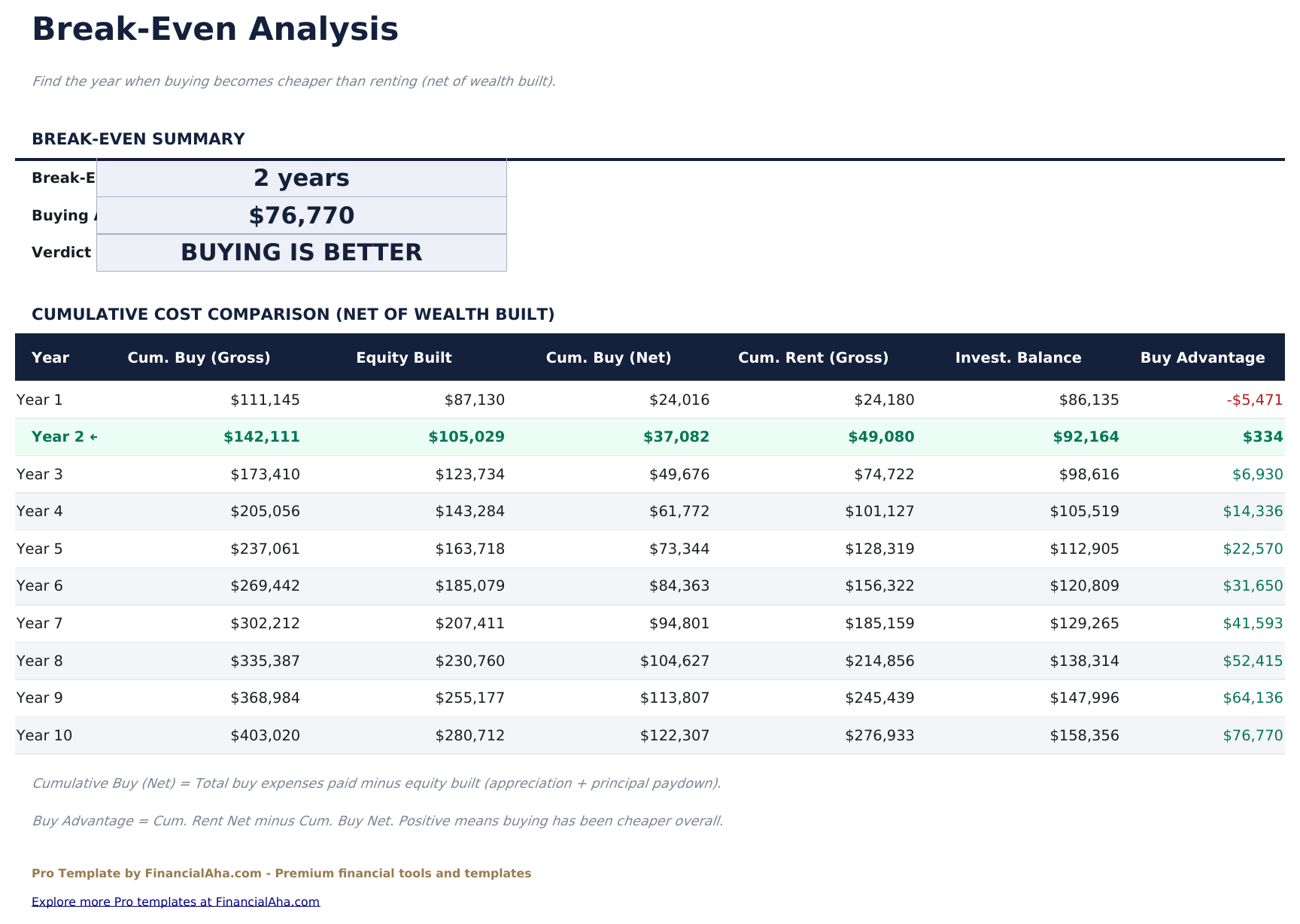
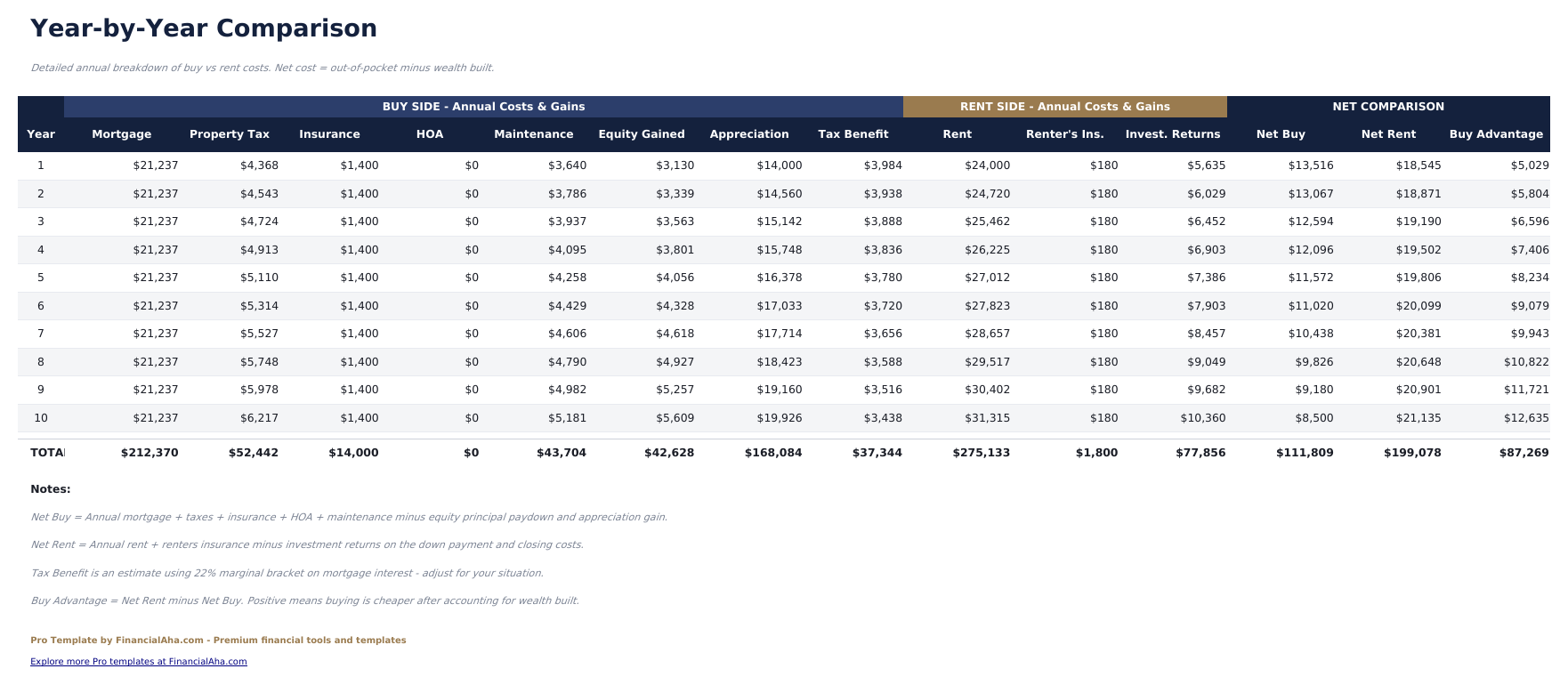
- Year-by-year comparison table showing cumulative costs for buying vs renting over 10 years with net difference each year
- Break-even analysis identifying the exact year when buying becomes cheaper than renting on a cumulative basis
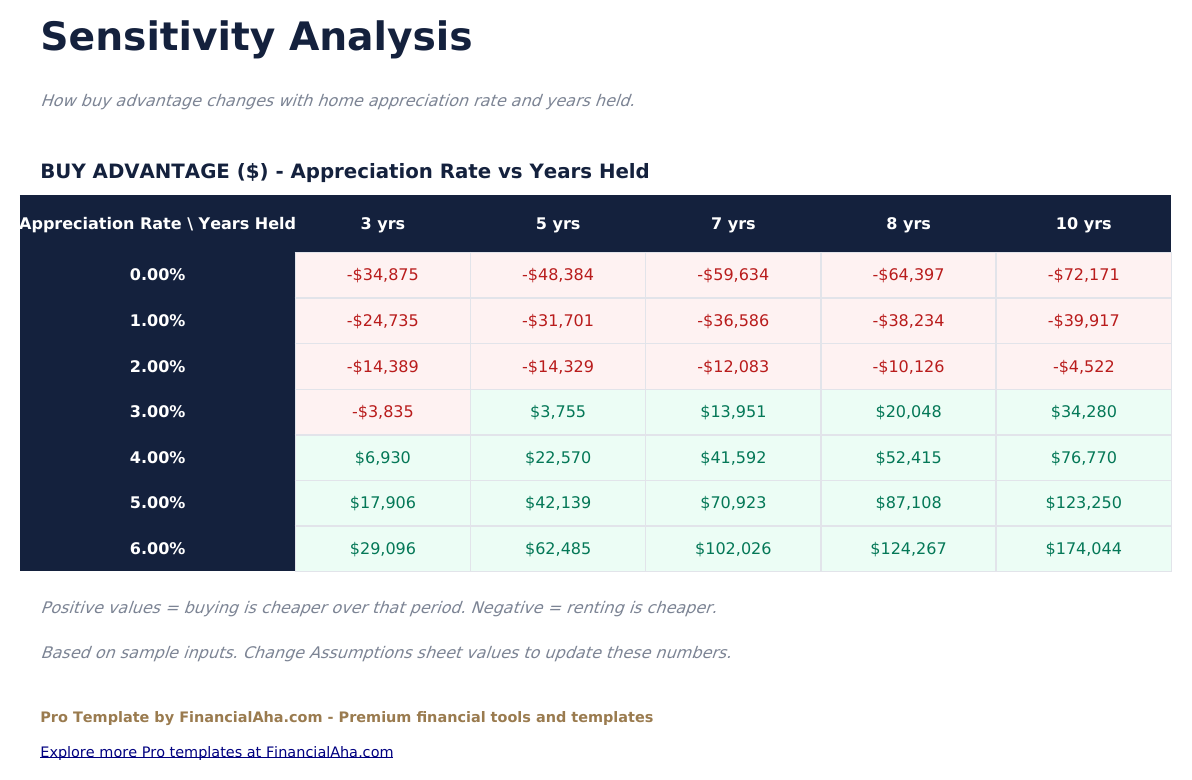
- Sensitivity analysis grid showing break-even year across 5 home appreciation rates crossed with 5 mortgage rates (25 combinations)
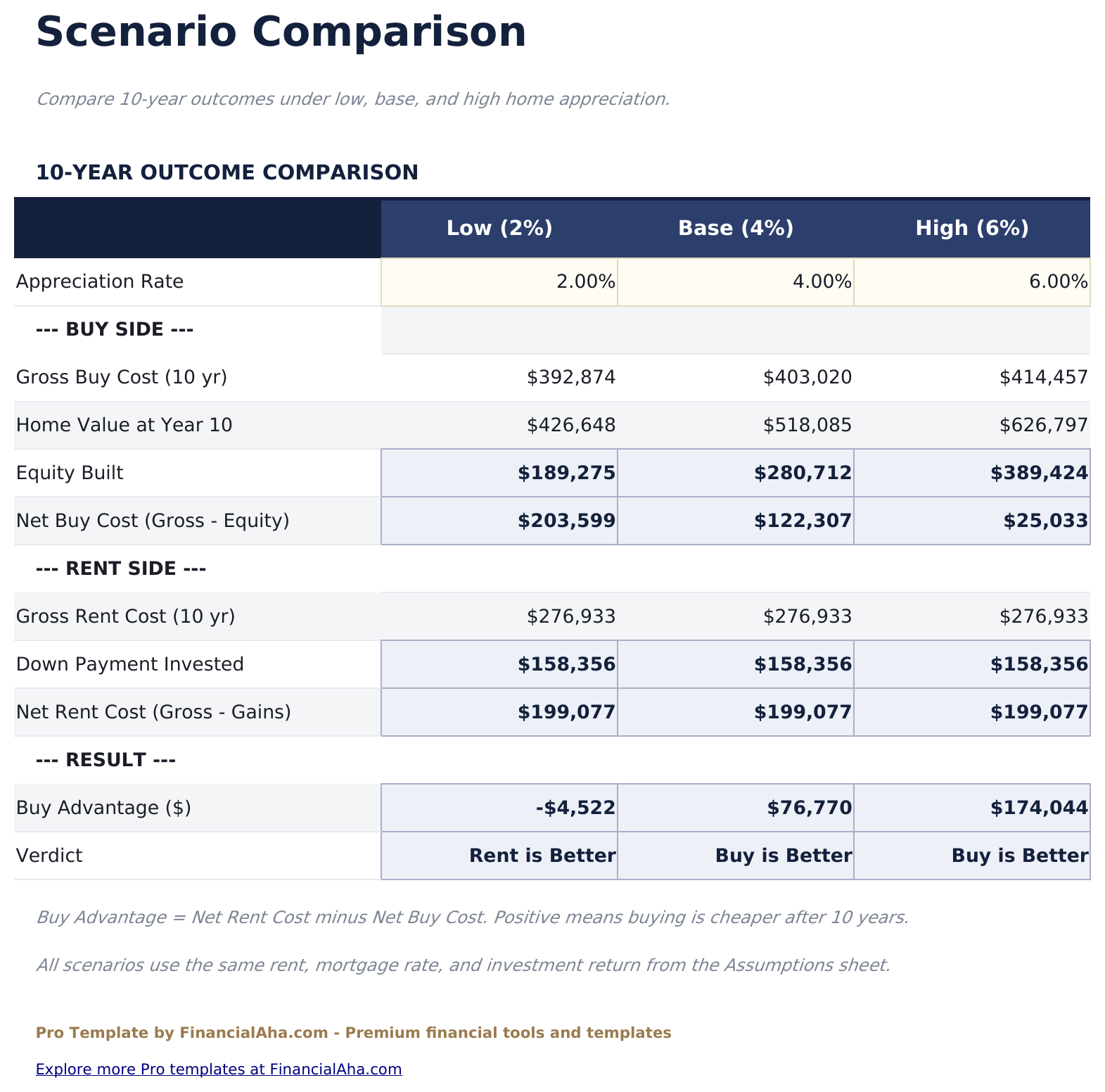
- Scenario comparison sheet with 3 preset scenarios - Conservative, Base Case, and Optimistic - showing full 10-year outcomes side by side
- All calculations update automatically when any assumption changes
- Works in Microsoft Excel, Google Sheets, and LibreOffice Calc with no macros required
Preview
See what's inside this template
How to Use This Template
Set your assumptions
Fill in the Assumptions sheet with purchase price, down payment, mortgage rate, property costs, rent, and expected growth rates.
Review the year-by-year comparison
The Year-by-Year sheet shows cumulative buying and renting costs for each of the 10 years with the net difference.
Find the break-even point
The Break-Even sheet identifies the year when buying becomes cheaper than renting on a cumulative cost basis.
Test different scenarios
Use the Sensitivity Analysis to see how break-even changes with different appreciation and rate combinations, and the Scenario Comparison for Conservative vs Base vs Optimistic outcomes.
Built by Claude AI. Perfected by us.
We use Claude AI to draft each Pro template after deep research. Then our team steps in - refining the layout, stress-testing every formula, fixing edge cases, and polishing the design. The AI gets us 80% there. The last 20% is all human judgment.
One-time purchase. No subscription. Works in Excel & Google Sheets.
Frequently Asked Questions
How does the break-even analysis work?
The break-even sheet tracks cumulative costs for renting and buying year by year. The break-even year is where buying becomes less expensive on a total-cost basis - factoring in equity built, opportunity cost of down payment, and all associated costs.
What does the sensitivity analysis show?
It shows the break-even year at every combination of 5 home appreciation rates and 5 mortgage rates - 25 scenarios total. This helps show how sensitive the decision is to market conditions.
What costs are included in the buying side?
Mortgage payments (principal and interest), property tax, homeowners insurance, HOA fees, maintenance costs, closing costs, and opportunity cost of the down payment.
What is included in the renting side?
Monthly rent growing at the assumed annual rate, plus the investment return on the down payment if it remained invested instead of used for a home purchase.
What are the 3 scenarios?
Conservative assumes low appreciation and higher rates. Base Case uses your main assumptions. Optimistic assumes stronger appreciation and lower rates. All three show 10-year cumulative costs side by side.
What do I get after purchase?
You receive an Excel file (.xlsx) that works in Microsoft Excel, Google Sheets, and LibreOffice Calc. Download it immediately after purchase - no signup or account required.
Is there a free version?
Yes. The free version of this template is available with basic features. The Pro version adds advanced analysis, more capacity, and additional sheets.
What if it does not work for me?
Contact us and we will help troubleshoot. The template works in Microsoft Excel, Google Sheets, and LibreOffice Calc with no macros required.
Looking for more Pro templates?
We offer Pro versions of our most popular spreadsheet templates with advanced features, more capacity, and deeper analysis.