Home Expense Calculator Pro
Monthly home expense tracking with a maintenance log, repair reserve planner, and budget vs actual variance analysis.
Free vs Pro
- Monthly home expense log with category breakdowns
- Dashboard with total monthly costs and category summary
- Mortgage and non-mortgage cost separation
- Works in Excel and Google Sheets
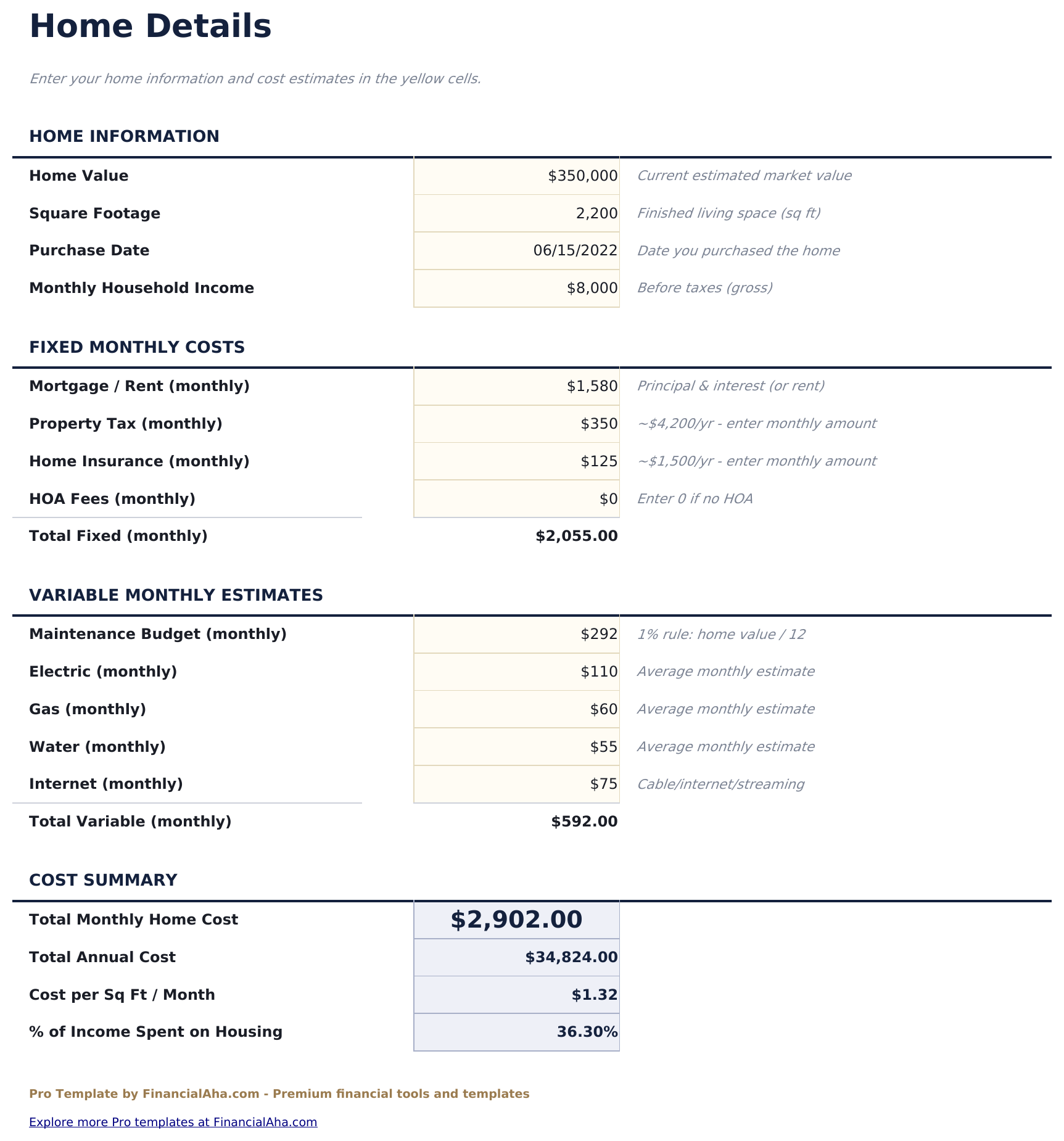
- Home details sheet capturing purchase price, mortgage balance, interest rate, property tax, insurance, and HOA for full cost context
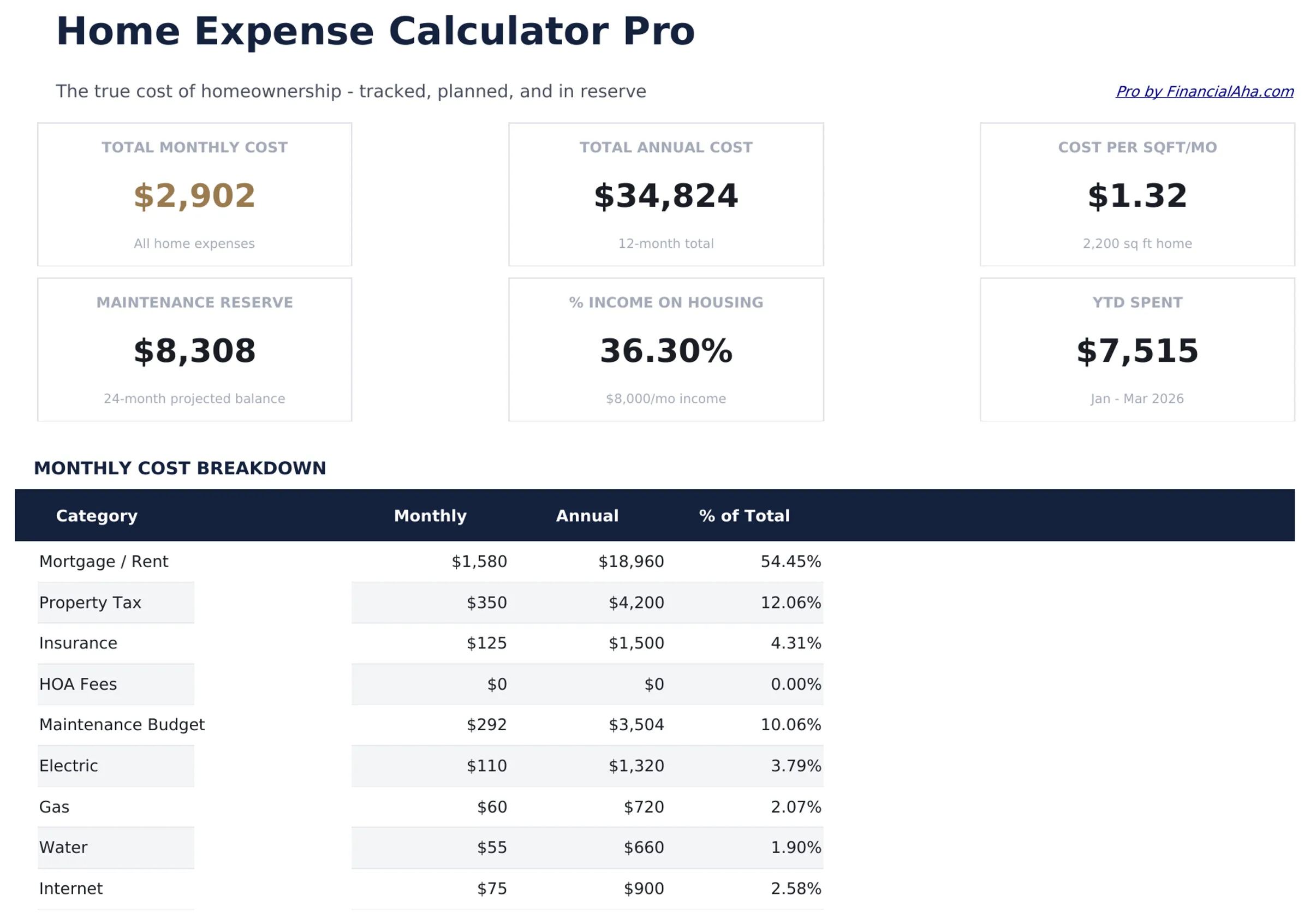
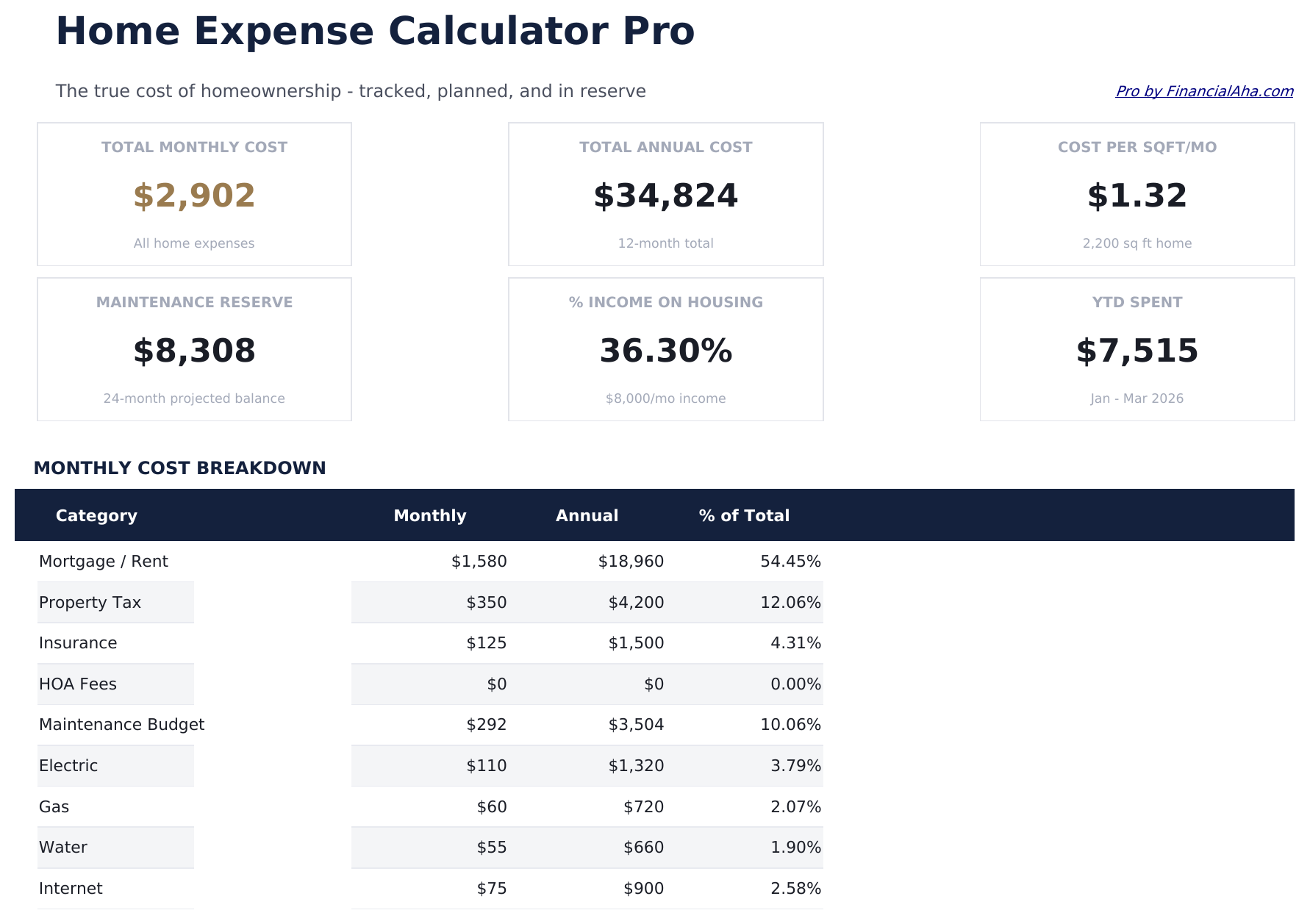
- Dashboard with 6 KPI cards: total monthly home costs, mortgage payment, non-mortgage monthly costs, annual total, budget vs actual variance, and repair reserve balance
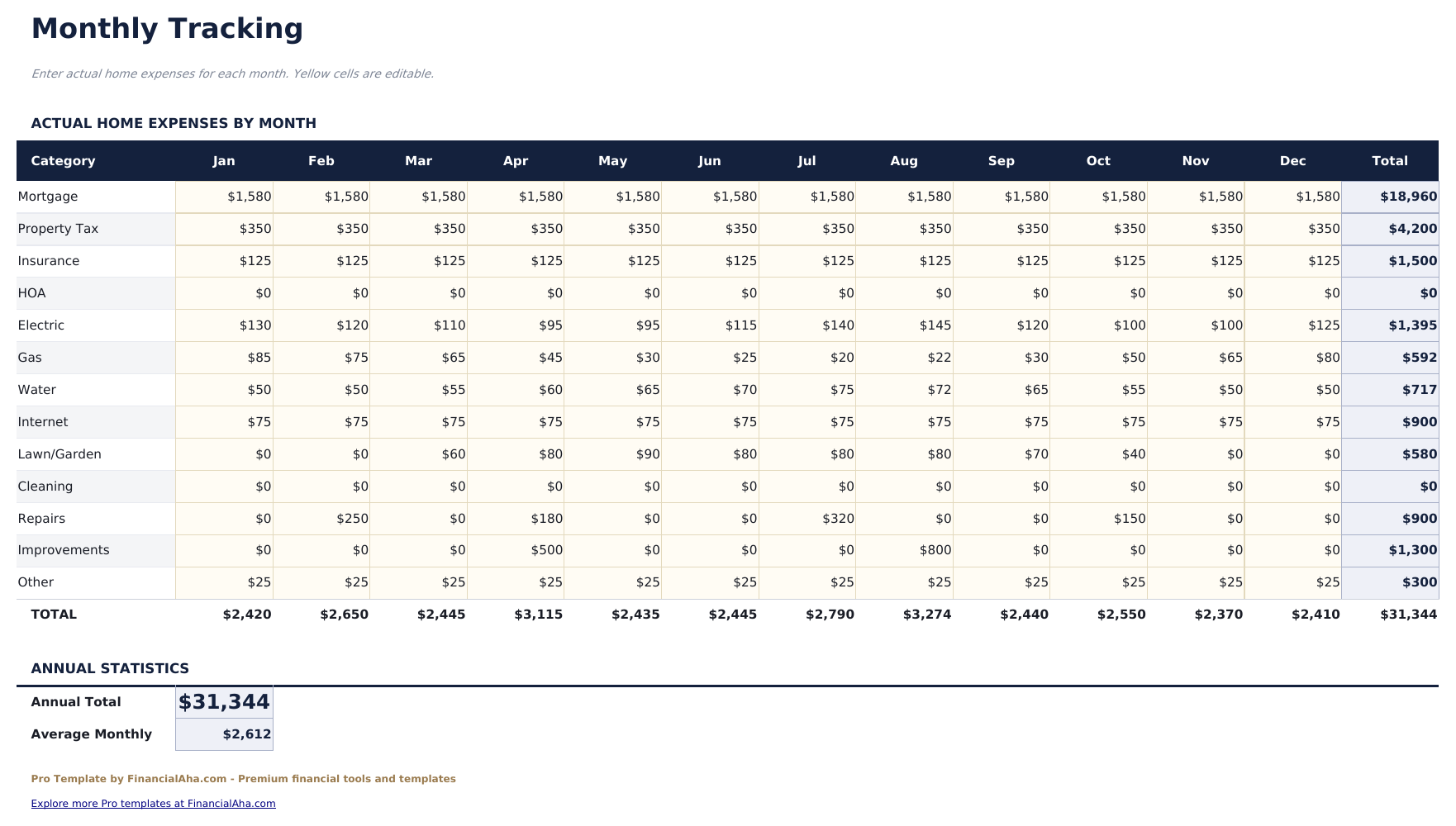
- Monthly tracking sheet logging all home expenses by category with month, amount, and notes - covers 12 months
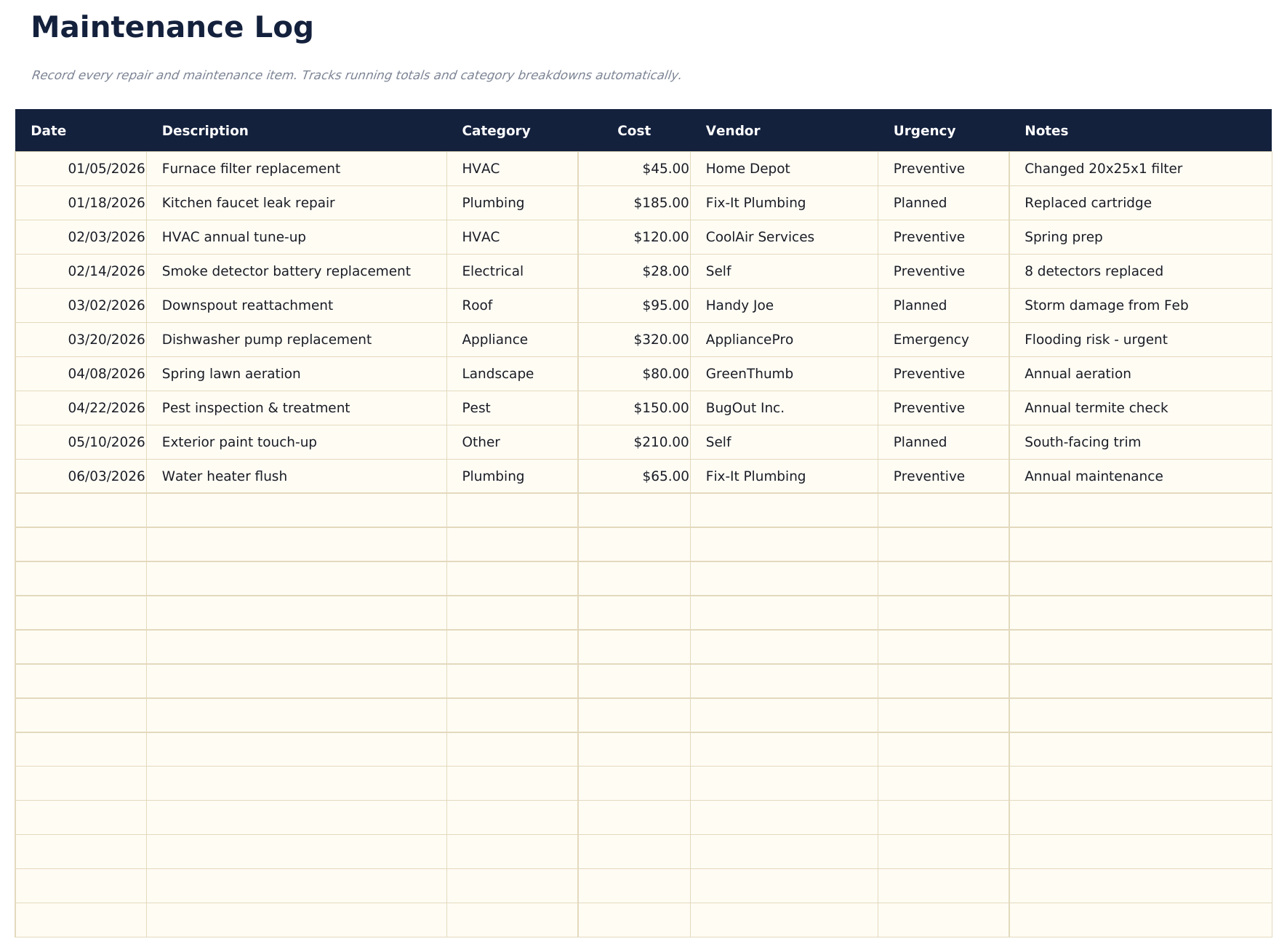
- Maintenance log for recording completed maintenance tasks with date, description, cost, contractor, and next service date
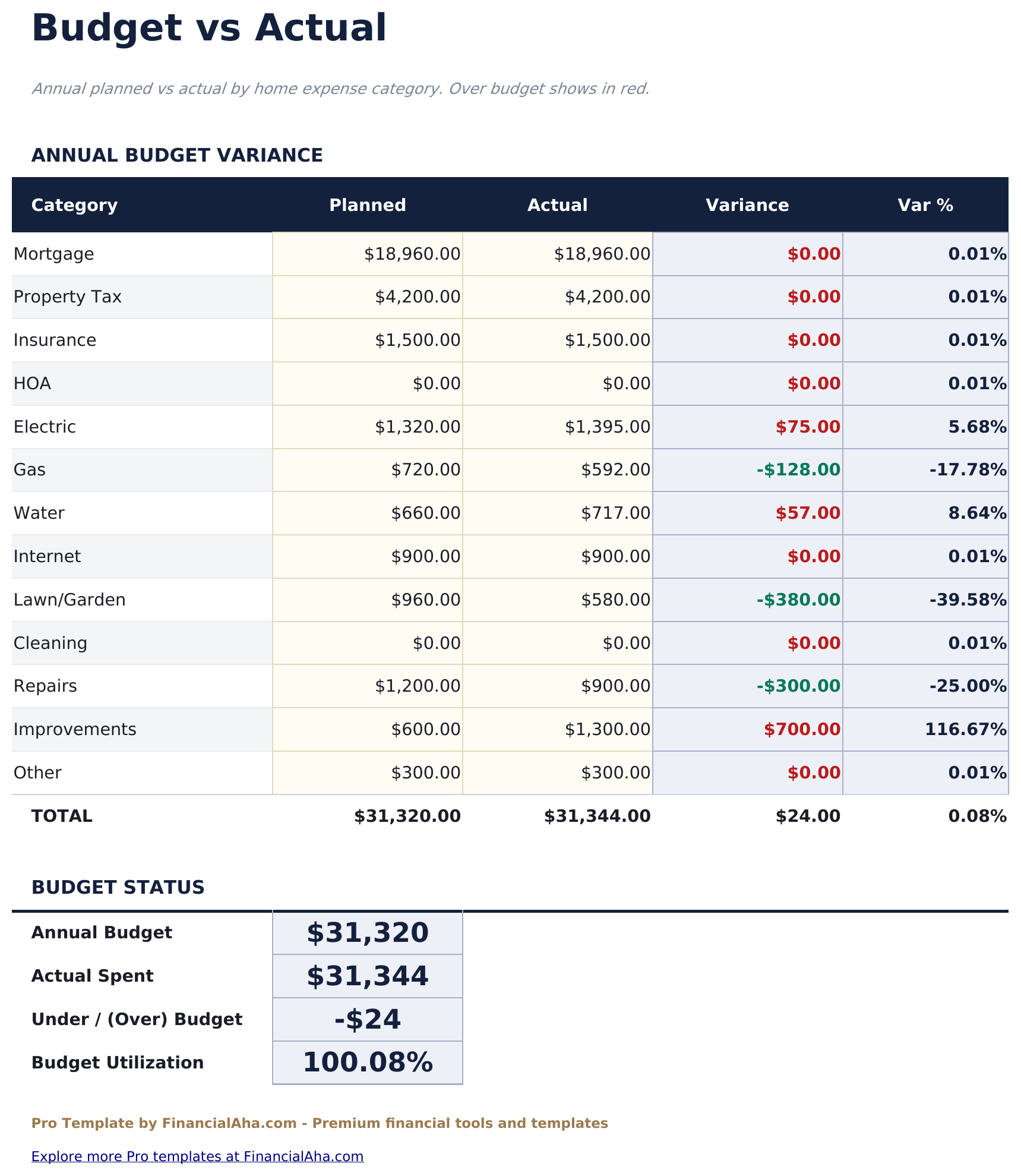
- Budget vs actual sheet comparing monthly budgeted amounts vs actual spending per expense category with over/under variance
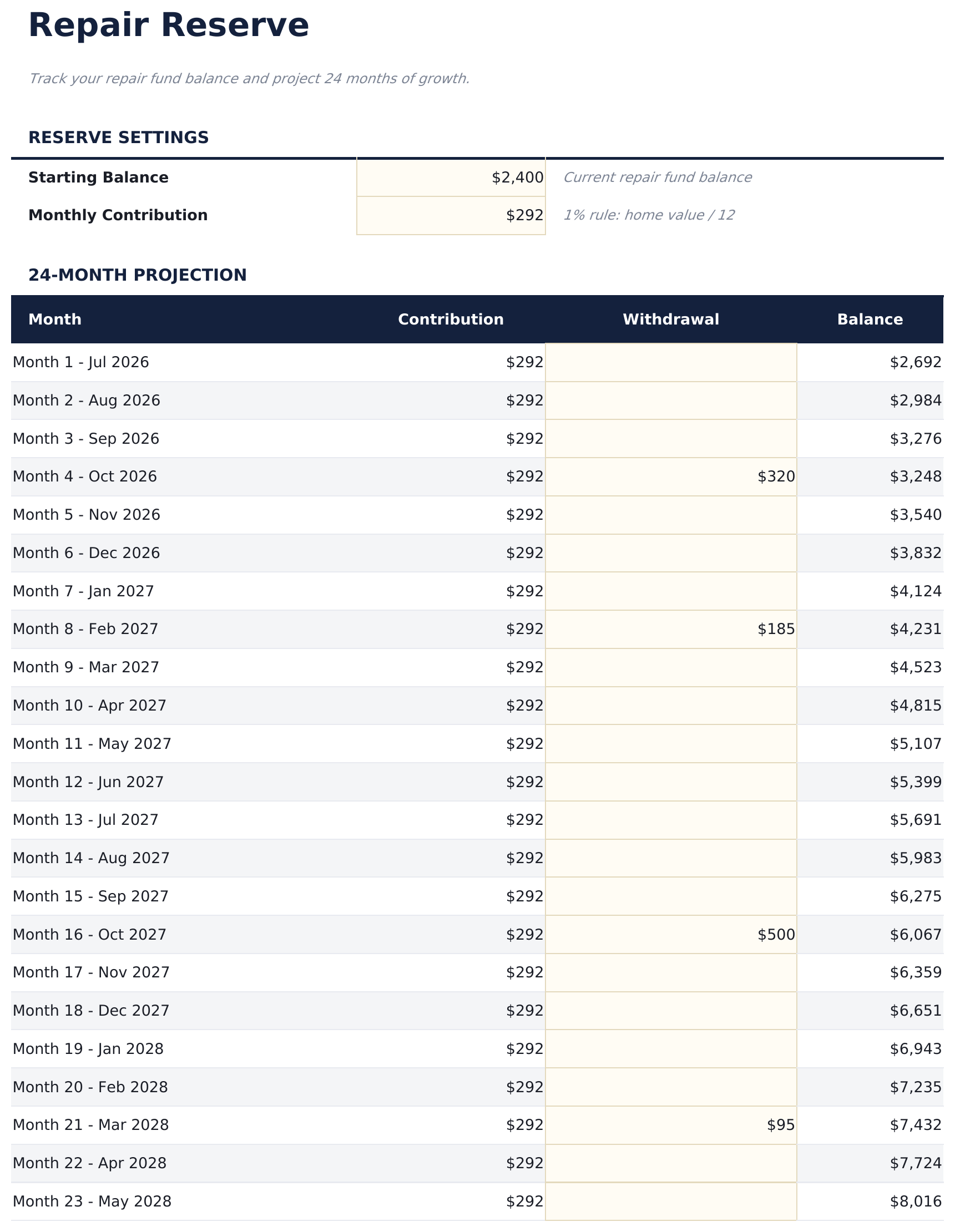
- Repair reserve sheet tracking a dedicated fund for future repairs - contributions, withdrawals, and running balance
- Expense categories cover mortgage, property tax, insurance, HOA, utilities, maintenance, repairs, lawn, cleaning, and other
- Works in Microsoft Excel, Google Sheets, and LibreOffice Calc with no macros required
Preview
See what's inside this template
How to Use This Template
Enter home details
Fill in the Home Details sheet with your property information: purchase price, mortgage balance, interest rate, property tax, insurance, and HOA amounts.
Set budget targets
In the Budget vs Actual sheet, enter your monthly budget for each expense category to establish your spending benchmarks.
Log monthly expenses
Throughout the month, record each home expense in the Monthly Tracking sheet with the date, category, amount, and any notes.
Track maintenance and reserves
Log completed maintenance in the Maintenance Log and update your Repair Reserve balance with any contributions or withdrawals.
Built by Claude AI. Perfected by us.
We use Claude AI to draft each Pro template after deep research. Then our team steps in - refining the layout, stress-testing every formula, fixing edge cases, and polishing the design. The AI gets us 80% there. The last 20% is all human judgment.
One-time purchase. No subscription. Works in Excel & Google Sheets.
Frequently Asked Questions
What expense categories are included?
Mortgage principal and interest, property tax, homeowners insurance, HOA, electricity, gas, water, internet, lawn and landscaping, cleaning, maintenance, repairs, and other. Categories have dropdown menus in the tracking sheet.
How does the repair reserve work?
The Repair Reserve sheet tracks a savings fund set aside for future home repairs. Enter monthly contributions and log withdrawals when repairs occur. The running balance shows what is available for upcoming needs.
What does the maintenance log track?
Each row records a completed maintenance task with the date, description (e.g., HVAC filter change), cost, contractor name, and next scheduled service date. Useful for resale documentation and warranty tracking.
How does budget vs actual work?
Set monthly budget targets for each expense category. The Actual column pulls from the Monthly Tracking sheet. The variance column shows over/under with color coding.
Can I track multiple years?
The Monthly Tracking sheet covers a full 12-month year. For multi-year tracking, duplicate the sheet and update the year label at the top.
What do I get after purchase?
You receive an Excel file (.xlsx) that works in Microsoft Excel, Google Sheets, and LibreOffice Calc. Download it immediately after purchase - no signup or account required.
Is there a free version?
Yes. The free version of this template is available with basic features. The Pro version adds advanced analysis, more capacity, and additional sheets.
What if it does not work for me?
Contact us and we will help troubleshoot. The template works in Microsoft Excel, Google Sheets, and LibreOffice Calc with no macros required.
Looking for more Pro templates?
We offer Pro versions of our most popular spreadsheet templates with advanced features, more capacity, and deeper analysis.