Invoice Tracker Pro
Track up to 100 invoices with client summaries, aging reports, monthly revenue analysis, and full payment history.
Free vs Pro
- Track up to 25 invoices with status and due date
- Dashboard with total invoiced, collected, and outstanding
- Basic overdue flagging by due date
- Works in Excel and Google Sheets
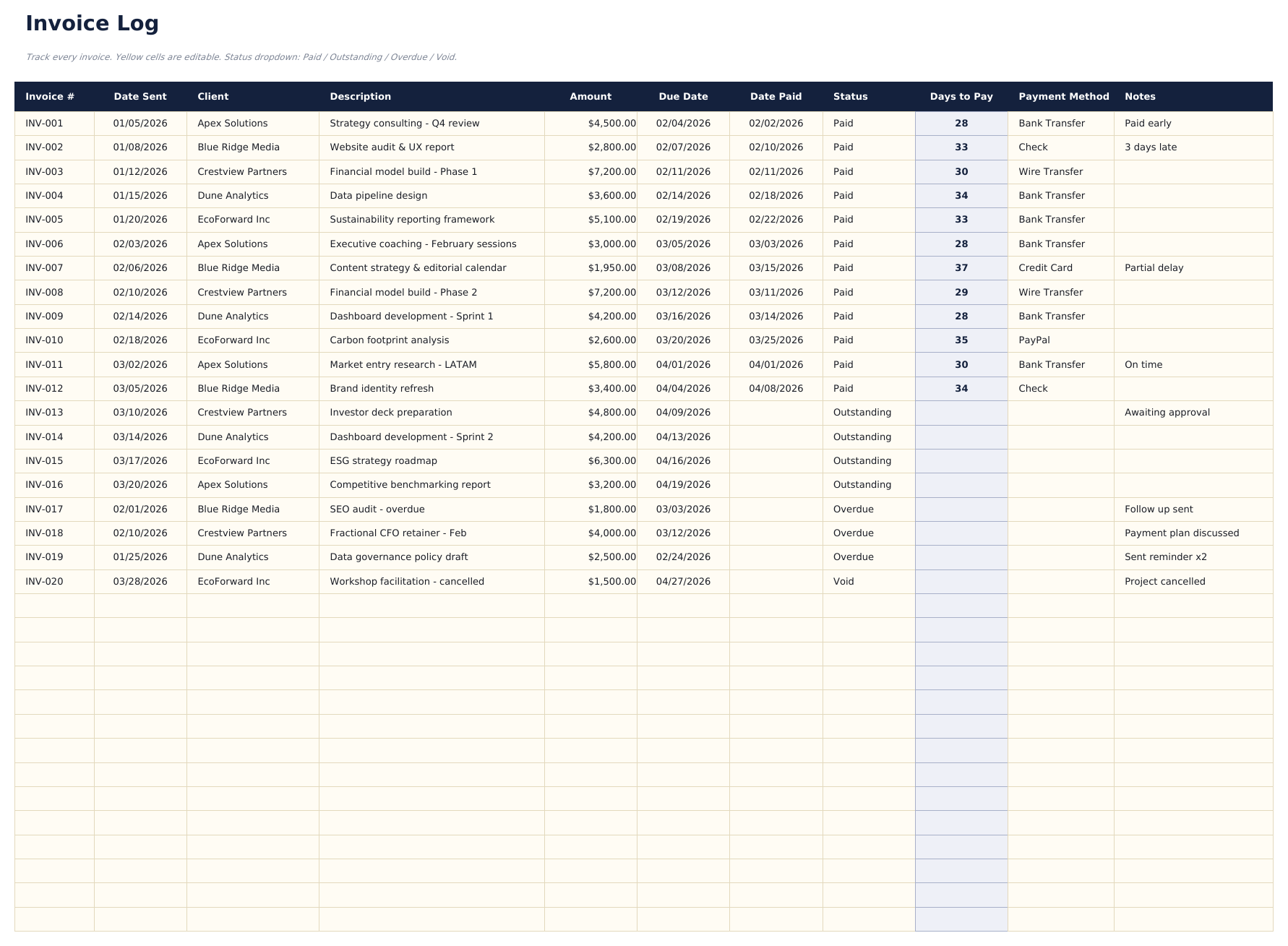
- Log up to 100 invoices with invoice number, client name, issue date, due date, amount, status (dropdown), and payment date
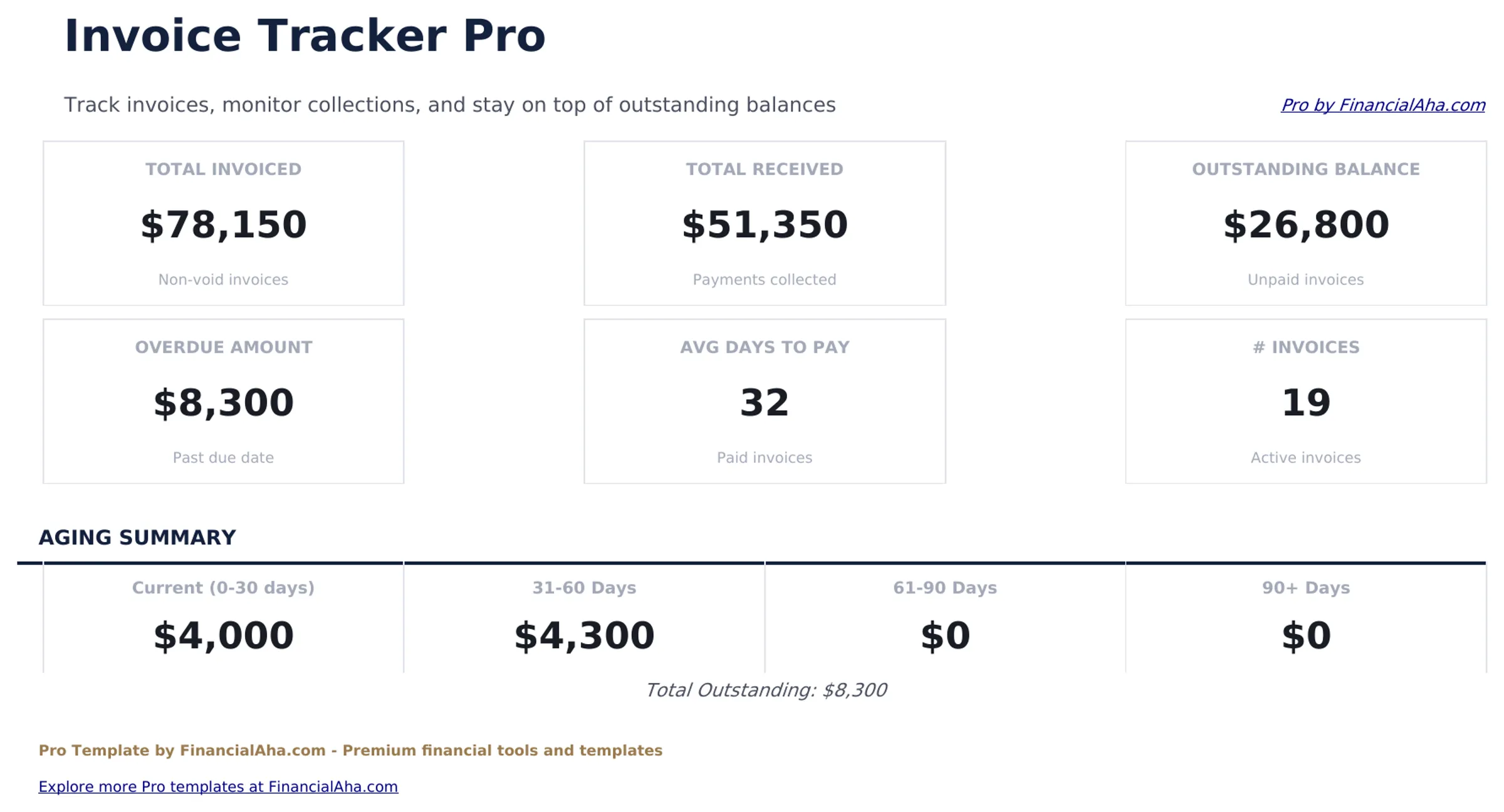
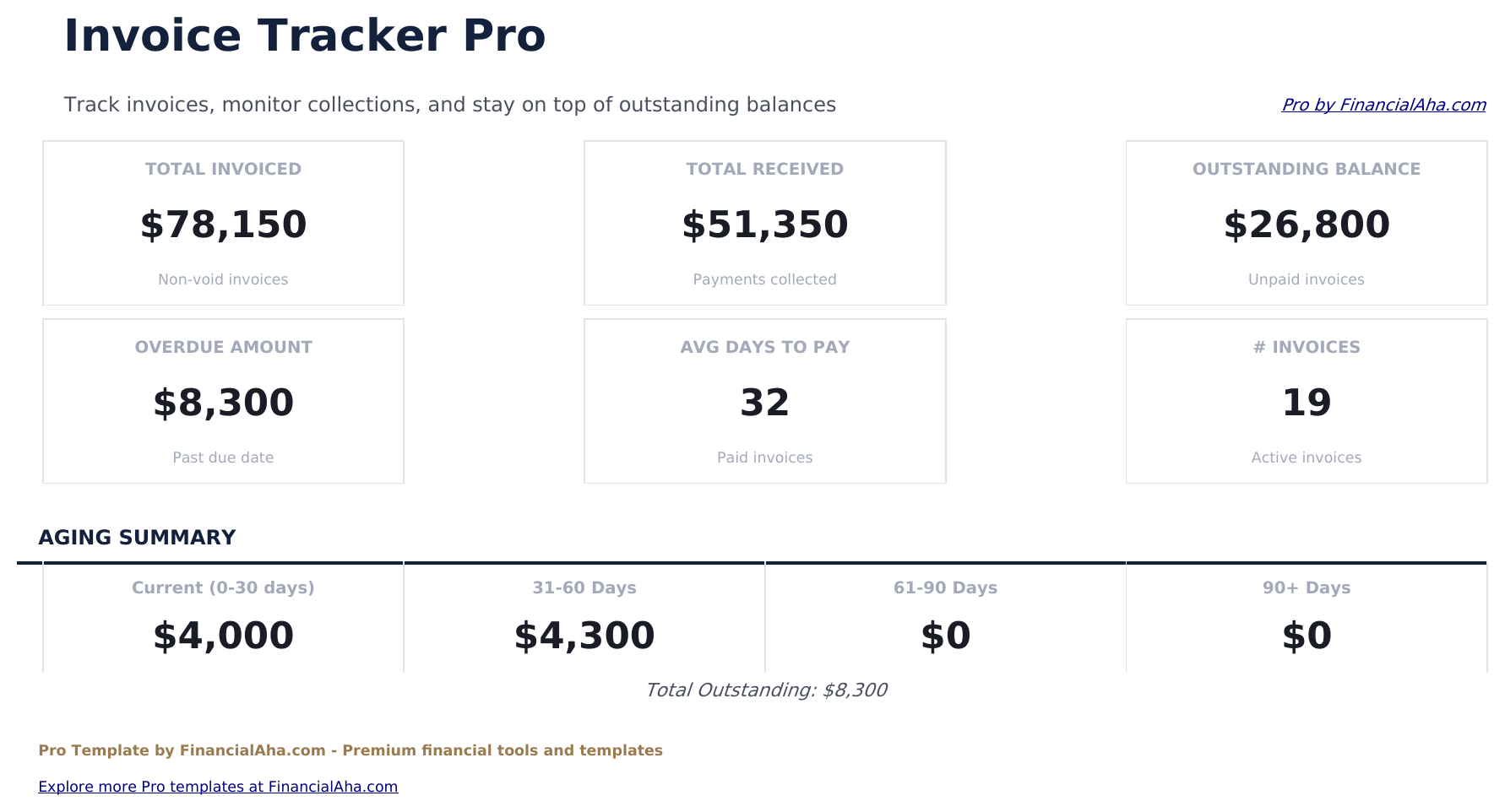
- Dashboard with 6 KPI cards: total invoiced, total collected, total outstanding, overdue amount, invoice count, and average days to pay
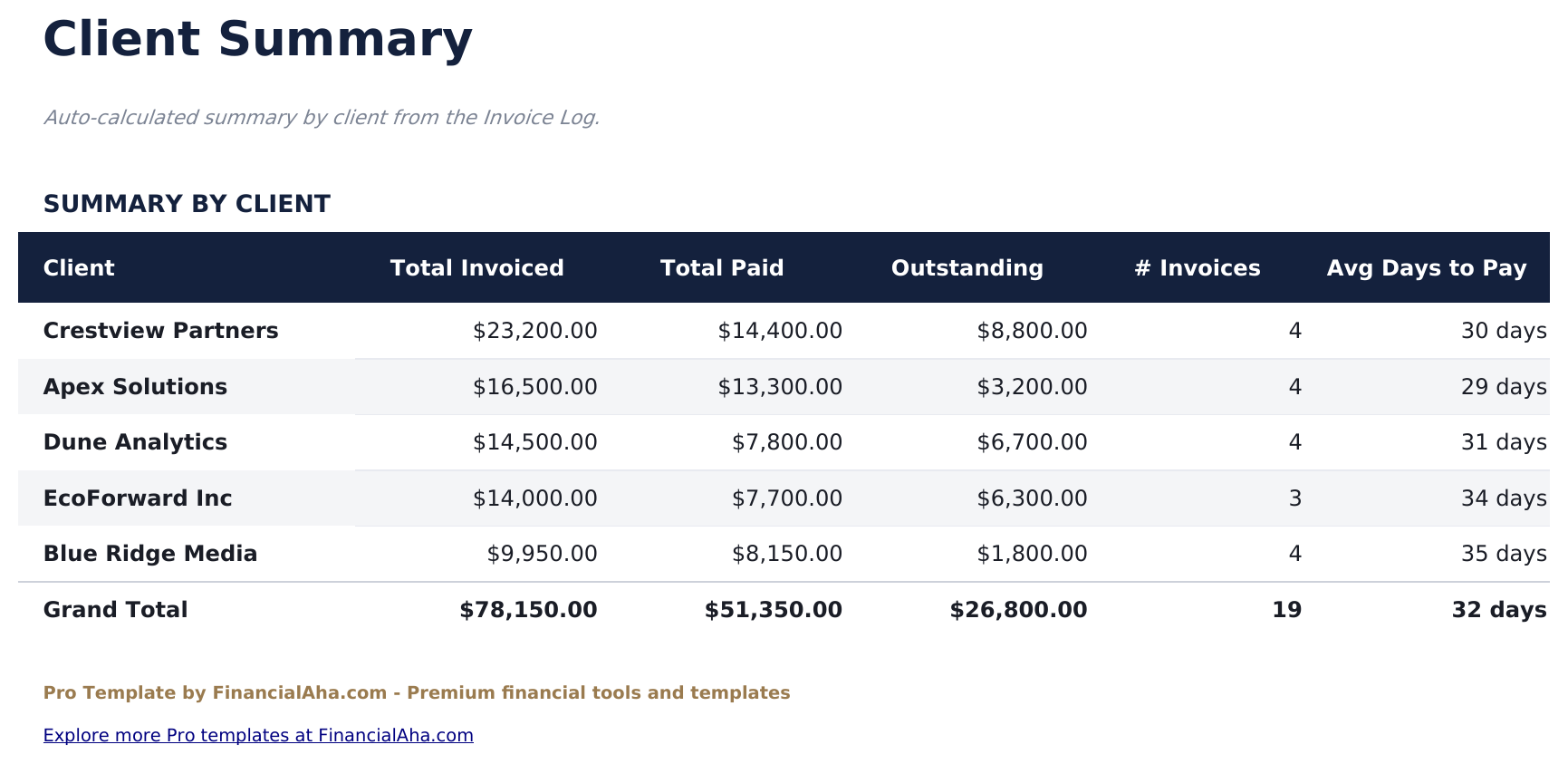
- Client summary sheet showing total invoiced, total paid, total outstanding, invoice count, and average invoice value per client
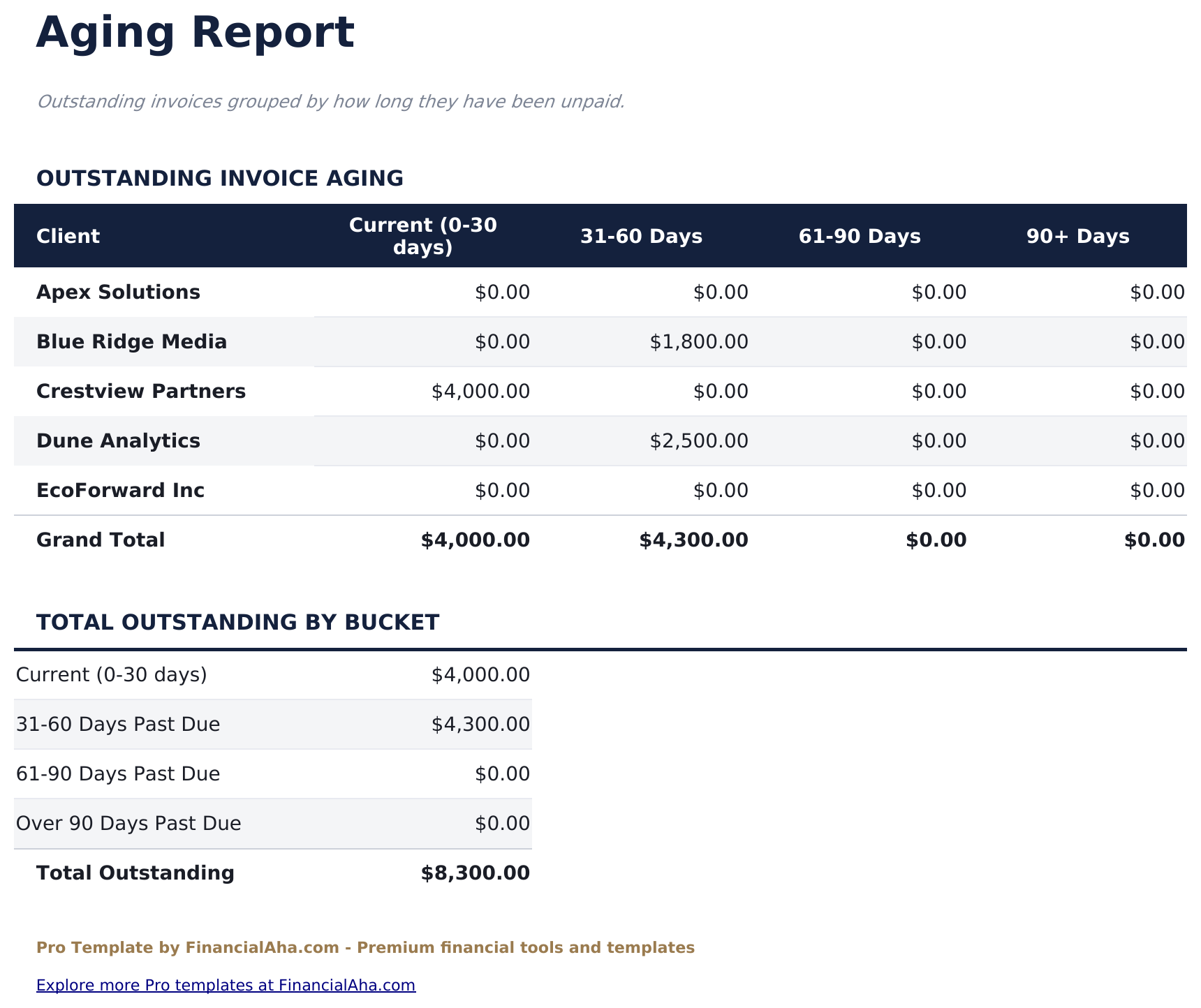
- Aging report bucketing outstanding invoices into Current, 1-30 days, 31-60 days, 61-90 days, and Over 90 days columns
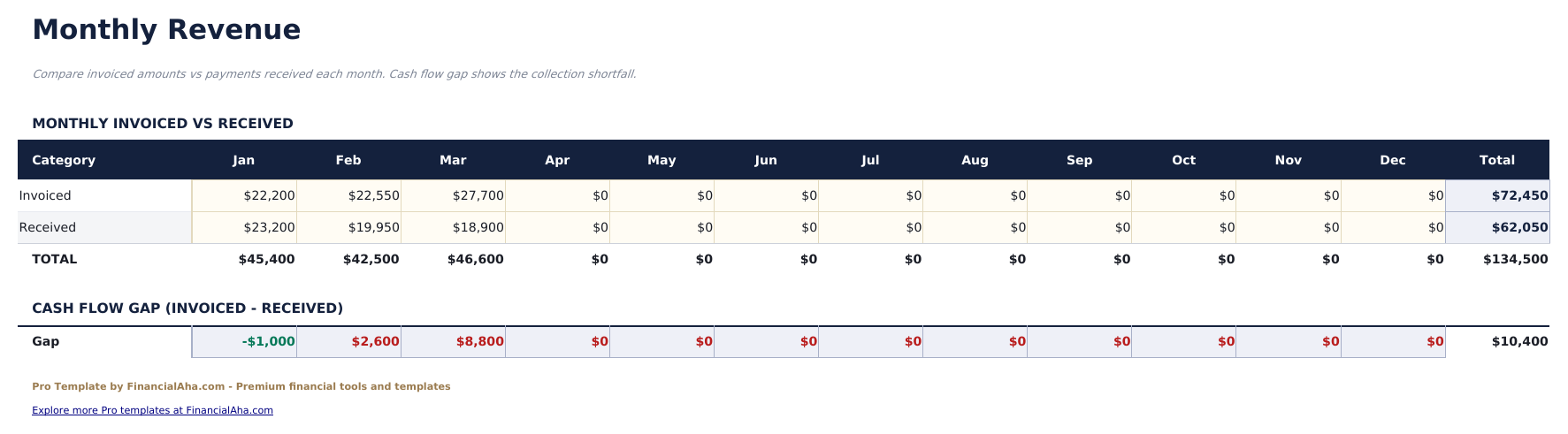
- Monthly revenue sheet showing invoiced and collected amounts by month across 12 months with running totals
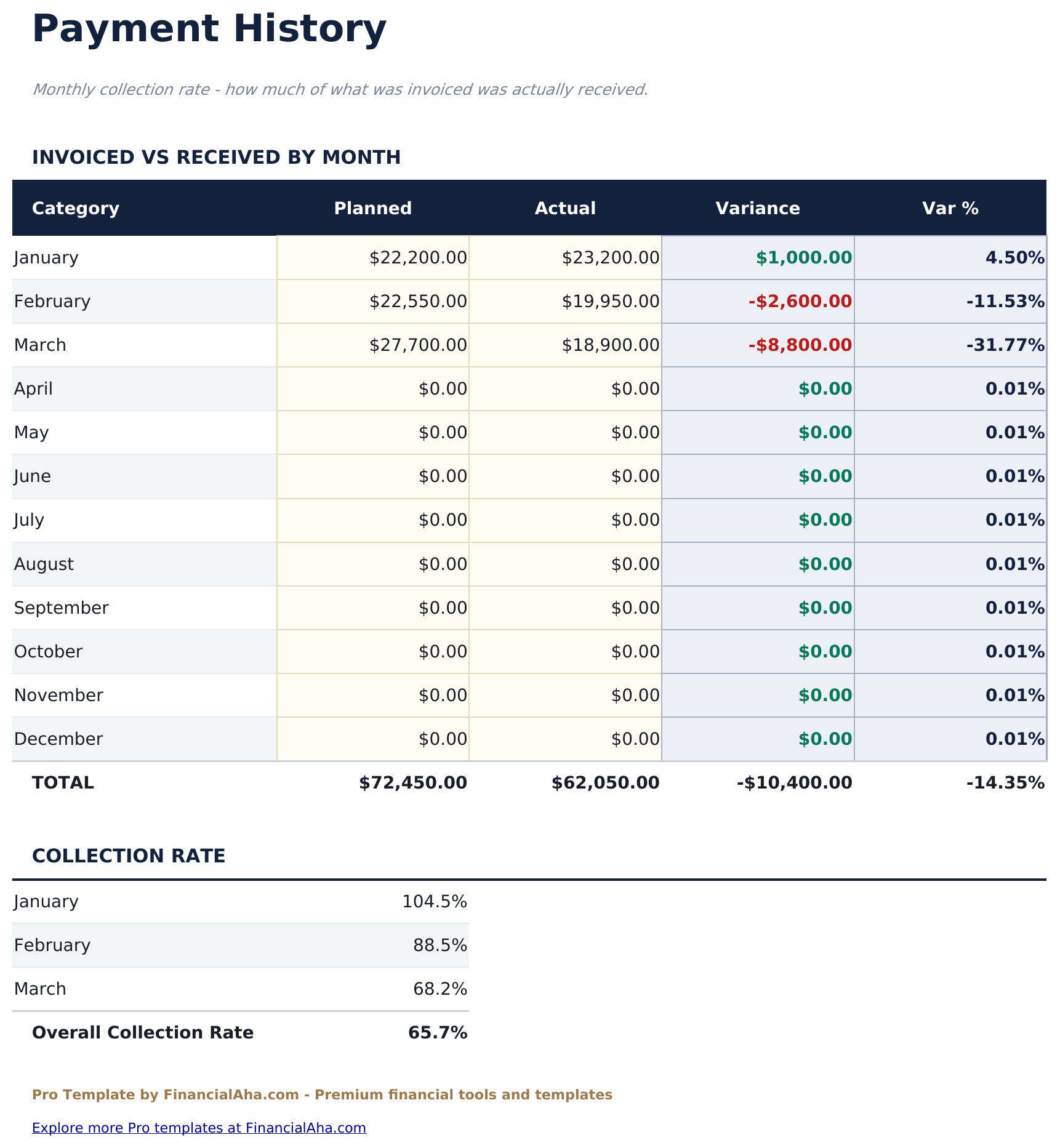
- Payment history log capturing each payment with date received, invoice number, client, amount, and payment method
- Status dropdown options: Draft, Sent, Paid, Overdue, and Cancelled - with conditional formatting by status
- Works in Microsoft Excel, Google Sheets, and LibreOffice Calc with no macros required
Preview
See what's inside this template
How to Use This Template
Log your invoices
Go to the Invoice Log and enter each invoice with number, client name, issue date, due date, and amount. Set the status using the dropdown.
Record payments
When an invoice is paid, update the status to Paid, enter the payment date, and log it in the Payment History sheet with amount and payment method.
Review client balances
The Client Summary sheet shows outstanding balances and totals per client - useful for following up on overdue accounts.
Track aging and monthly revenue
Check the Aging Report for overdue invoices by bucket, and the Monthly Revenue sheet for month-by-month invoiced vs collected amounts.
Built by Claude AI. Perfected by us.
We use Claude AI to draft each Pro template after deep research. Then our team steps in - refining the layout, stress-testing every formula, fixing edge cases, and polishing the design. The AI gets us 80% there. The last 20% is all human judgment.
One-time purchase. No subscription. Works in Excel & Google Sheets.
Frequently Asked Questions
How many invoices can I track?
The Pro version supports up to 100 invoices - 4 times the free version. Each row has dropdown menus for status and can capture payment date when an invoice is marked Paid.
How does the aging report work?
It automatically buckets all outstanding invoices by how many days past due they are: Current (not yet due), 1-30 days, 31-60 days, 61-90 days, and Over 90 days. Totals and counts appear for each bucket.
What does the client summary show?
For each client, it shows total invoiced, total paid, outstanding balance, number of invoices, and average invoice value. Useful for identifying your largest clients and any with consistently late payments.
How does the monthly revenue sheet work?
It shows total invoiced and total collected for each month of the year. The difference between invoiced and collected shows cash flow timing - useful when income is billed in advance of payment.
Can I track partial payments?
Log partial payments in the Payment History sheet. The invoice log works best with full-payment tracking; for partial payments, add a note in the Notes column and update status accordingly.
What do I get after purchase?
You receive an Excel file (.xlsx) that works in Microsoft Excel, Google Sheets, and LibreOffice Calc. Download it immediately after purchase - no signup or account required.
Is there a free version?
Yes. The free version of this template is available with basic features. The Pro version adds advanced analysis, more capacity, and additional sheets.
What if it does not work for me?
Contact us and we will help troubleshoot. The template works in Microsoft Excel, Google Sheets, and LibreOffice Calc with no macros required.
Looking for more Pro templates?
We offer Pro versions of our most popular spreadsheet templates with advanced features, more capacity, and deeper analysis.