Billing Statement Pro
Manage up to 20 clients and 150 billing entries with client balance tracking, aging analysis, and monthly billing summaries.
Free vs Pro
- Track billing for up to 5 clients with basic charge and payment log
- Dashboard with total billed and total outstanding
- Client balance calculation
- Works in Excel and Google Sheets
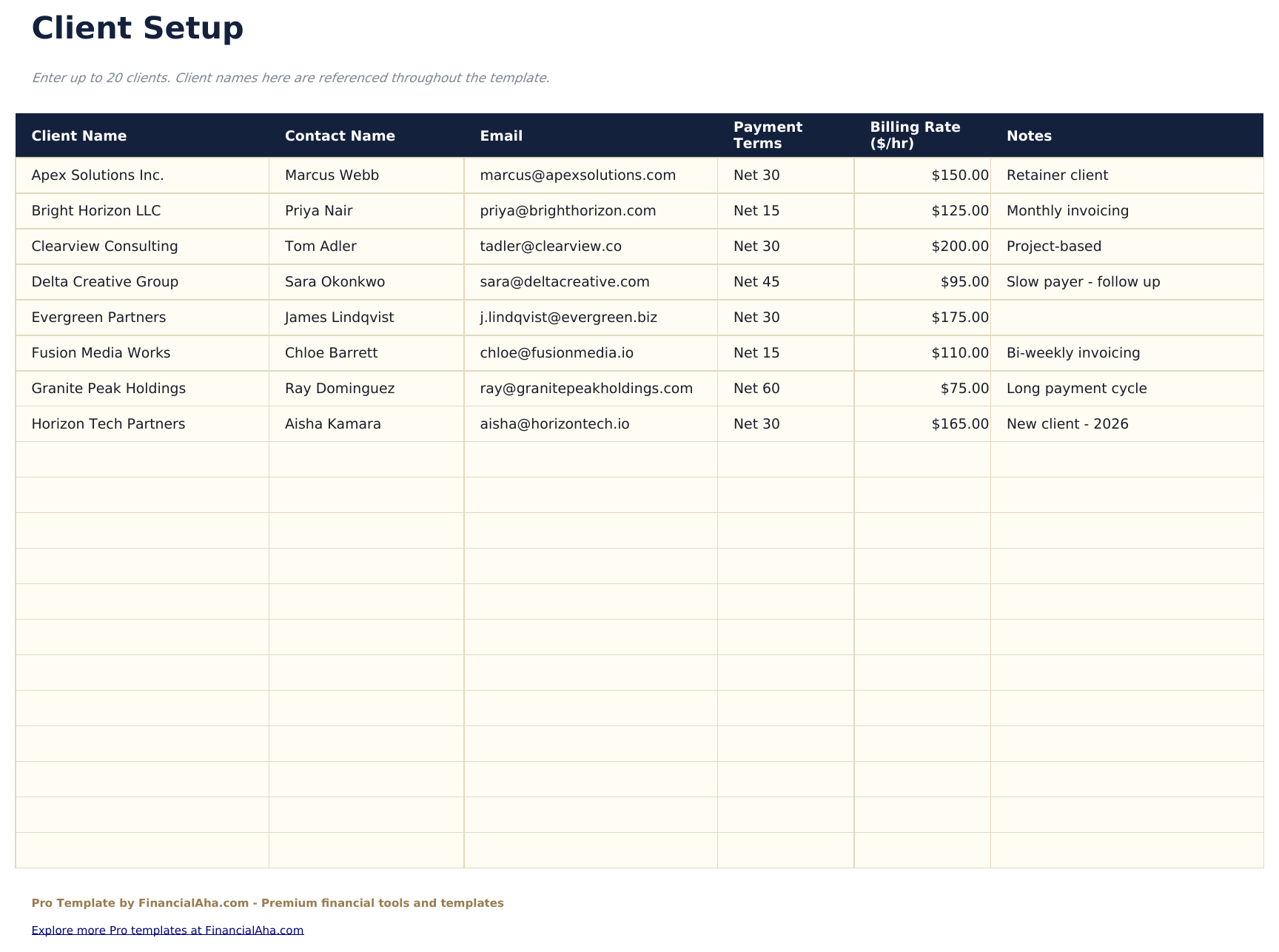
- Client setup sheet for up to 20 clients with name, contact, billing address, payment terms, and credit limit
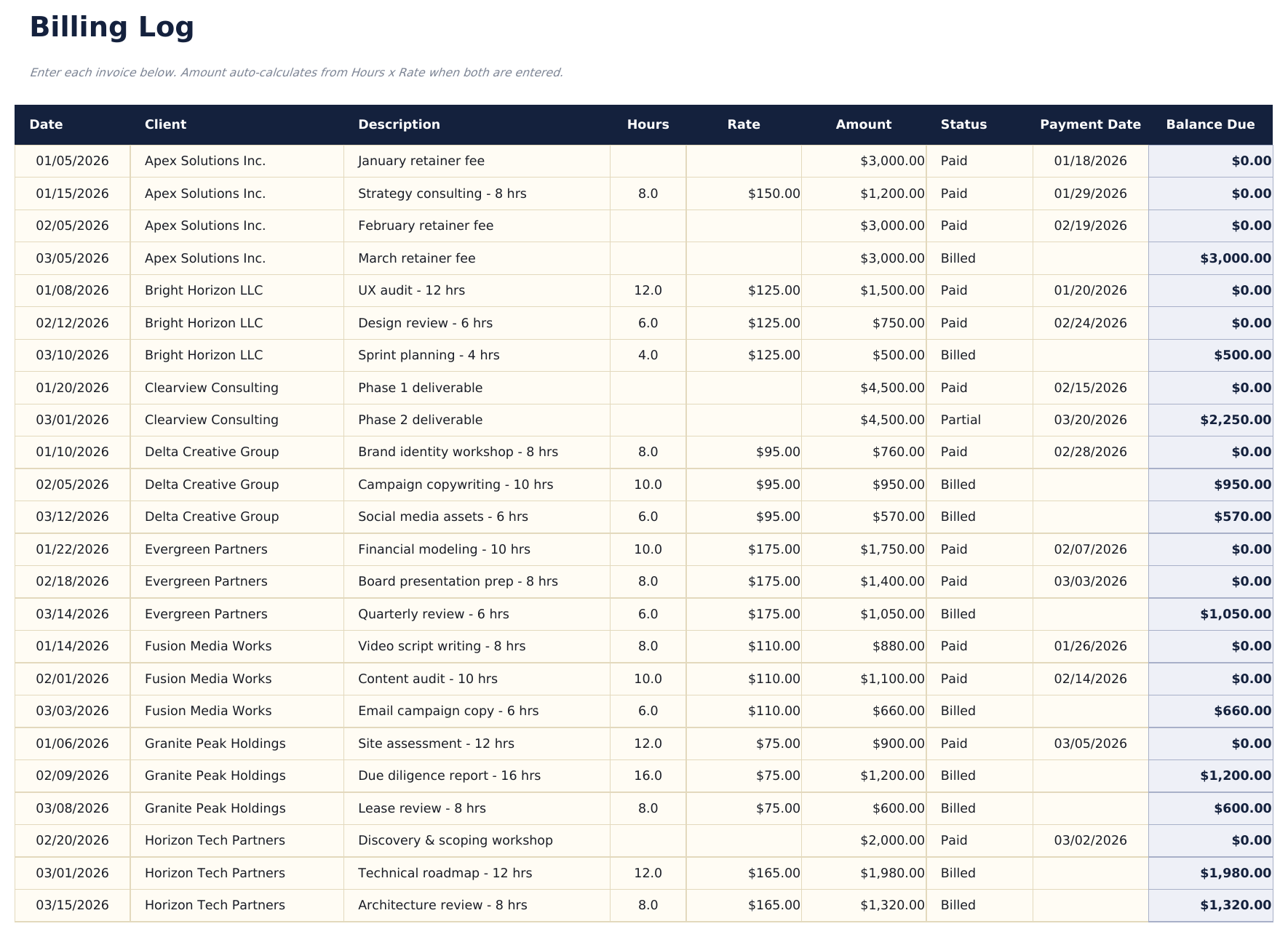
- Billing log with up to 150 entries covering charges, credits, and payments with date, client, description, type, and amount
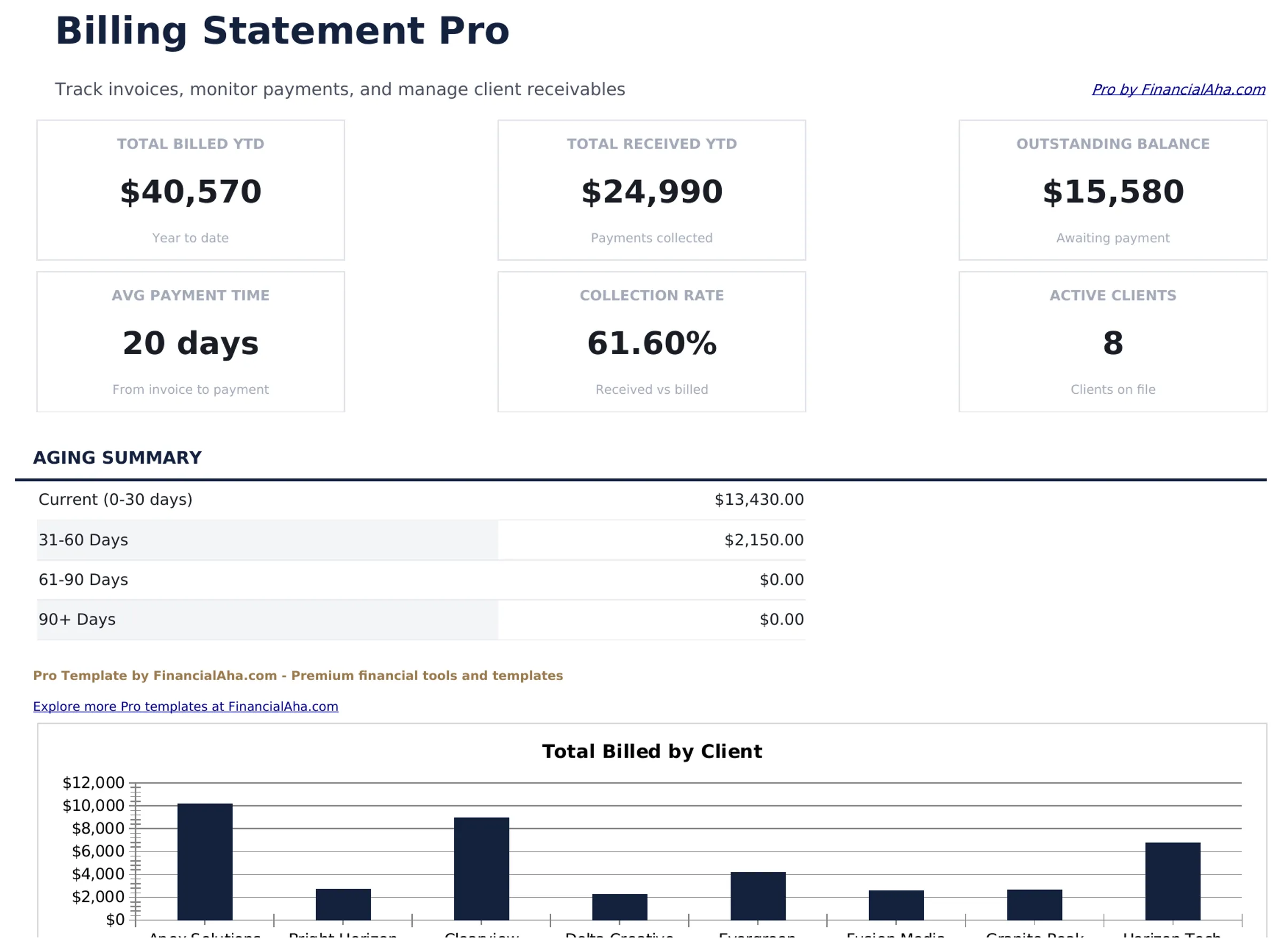
- Dashboard with 6 KPI cards: total billed, total collected, total outstanding, client count, average balance, and largest outstanding account
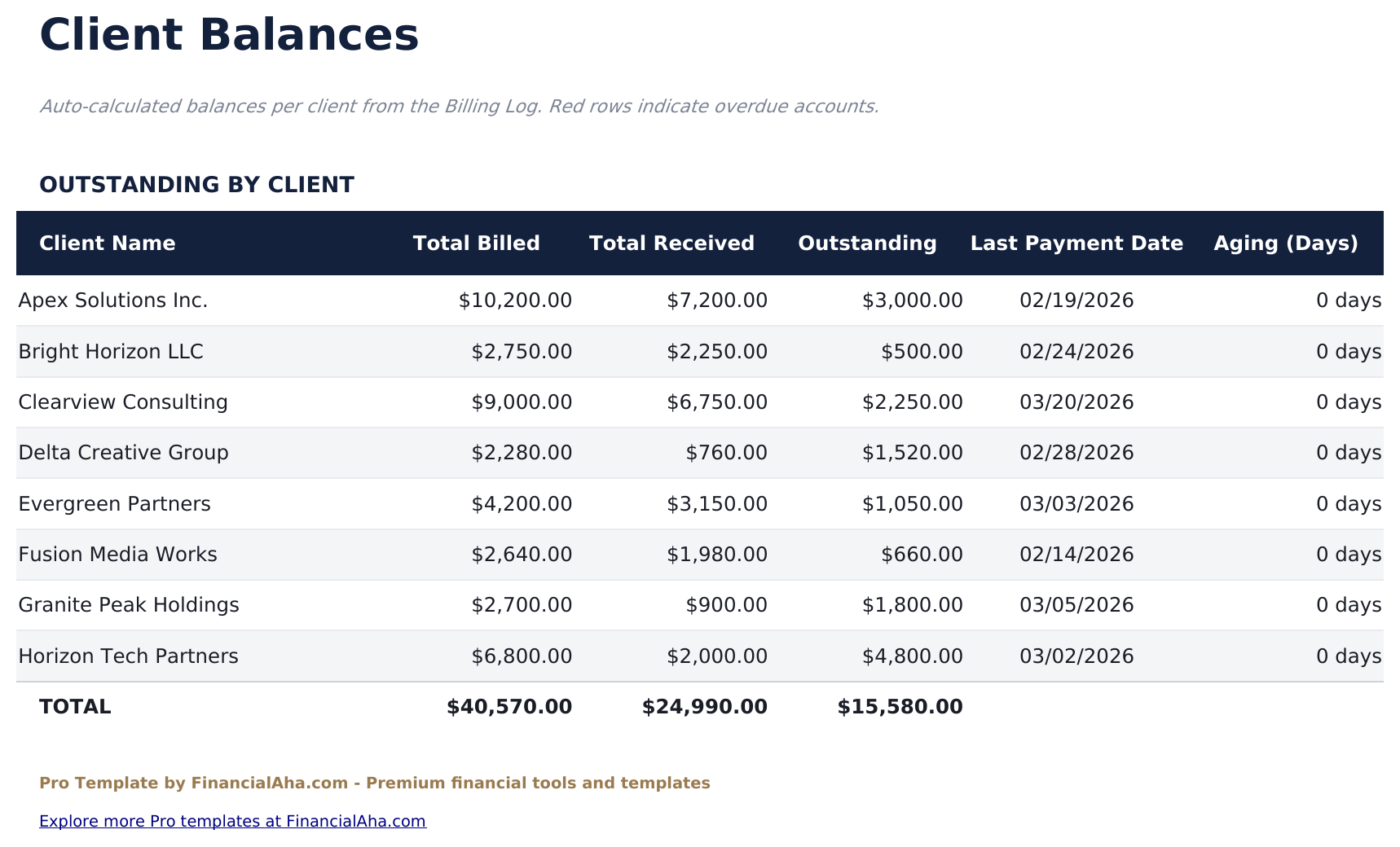
- Client balances sheet showing each client's total charges, total payments, current balance, credit limit, and available credit
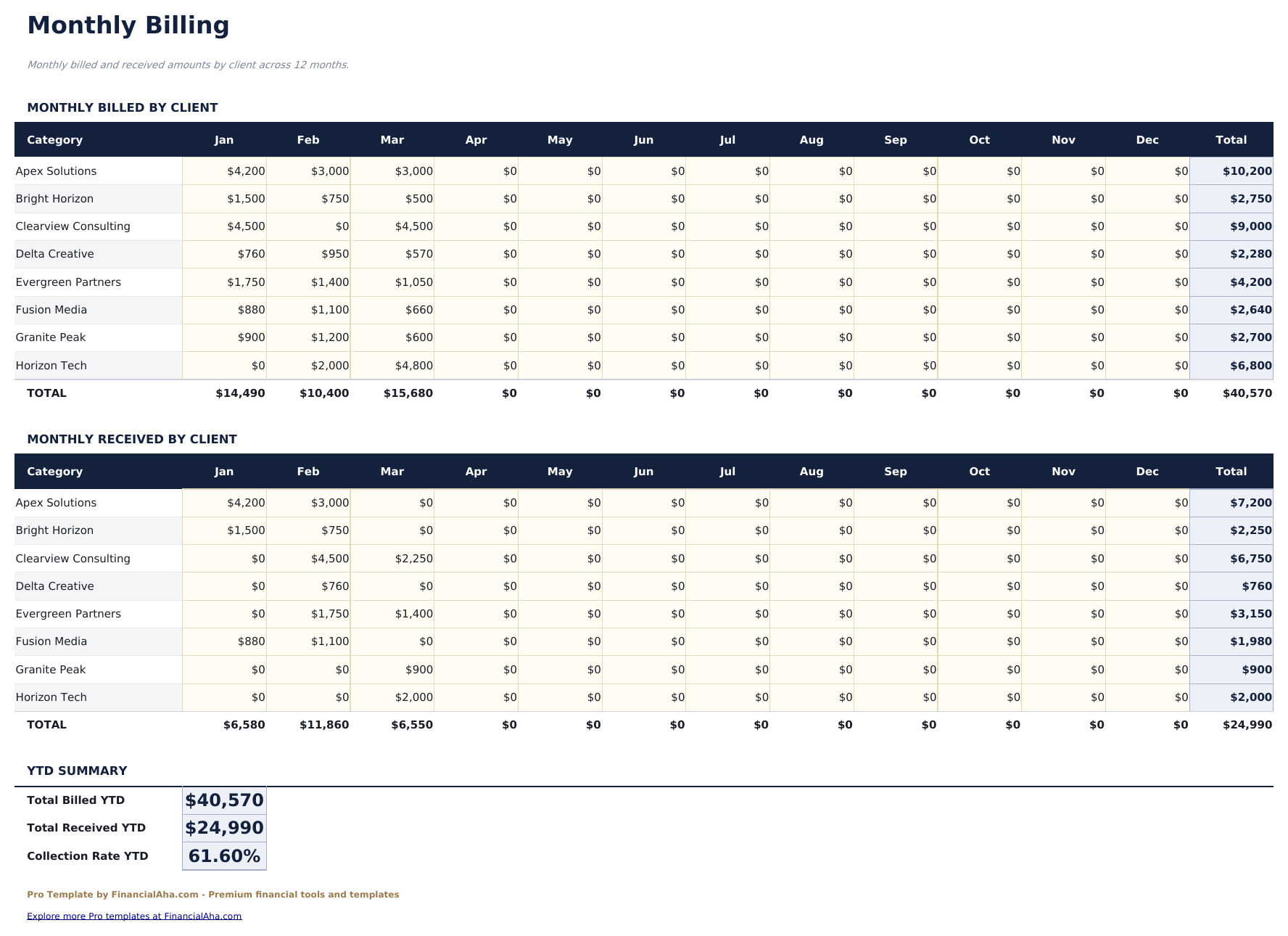
- Monthly billing sheet summarizing charges, credits, payments, and net change by client across 12 months
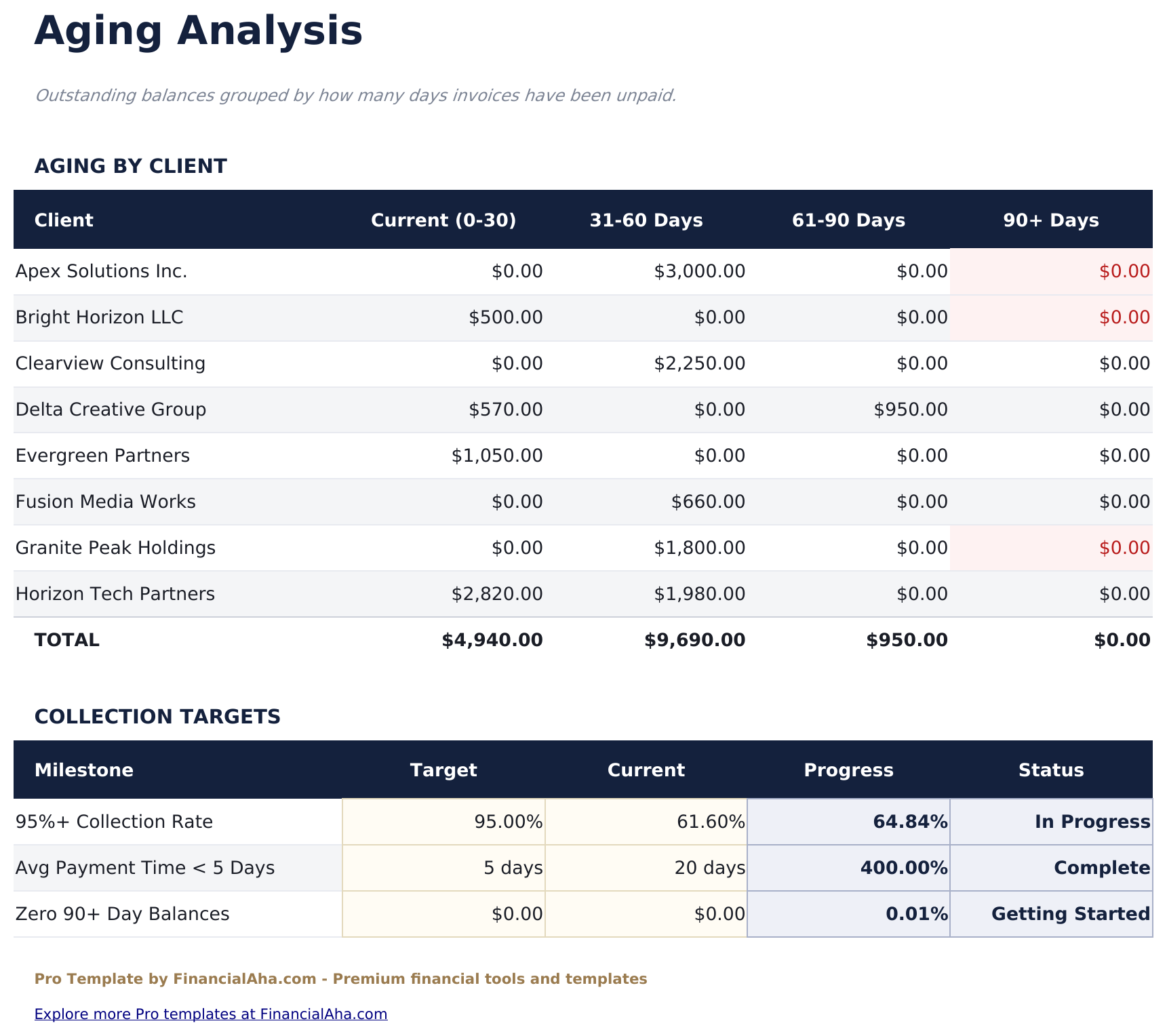
- Aging analysis bucketing each client's outstanding balance into Current, 31-60 days, 61-90 days, and Over 90 days
- Entry type dropdown: Charge, Credit, Payment - with conditional formatting to distinguish each type in the billing log
- Works in Microsoft Excel, Google Sheets, and LibreOffice Calc with no macros required
Preview
See what's inside this template
How to Use This Template
Set up your clients
Go to the Client Setup sheet and add each client with name, contact details, billing address, payment terms, and credit limit.
Log charges and payments
In the Billing Log, enter each transaction with date, client name, description, type (Charge, Payment, or Credit), and amount.
Review client balances
The Client Balances sheet shows current balance, total charges, total payments, and available credit for each client.
Monitor aging and monthly activity
Check the Aging Analysis for overdue balances by client, and the Monthly Billing sheet for activity summaries across the year.
Built by Claude AI. Perfected by us.
We use Claude AI to draft each Pro template after deep research. Then our team steps in - refining the layout, stress-testing every formula, fixing edge cases, and polishing the design. The AI gets us 80% there. The last 20% is all human judgment.
One-time purchase. No subscription. Works in Excel & Google Sheets.
Frequently Asked Questions
How many clients and entries can I track?
The Pro version supports up to 20 clients and 150 billing entries - significantly more than the free version. Clients are set up once in the Client Setup sheet and referenced by name in the billing log.
What types of entries can I log?
Three types: Charge (amounts billed to a client), Payment (amounts received), and Credit (adjustments or refunds). Each type has a dropdown in the billing log and is color-coded for quick scanning.
How does the aging analysis work?
It calculates each client's outstanding balance and splits it into age buckets based on the original charge date: Current, 31-60 days, 61-90 days, and Over 90 days.
What does the client balances sheet show?
For each client: total charges, total payments, total credits, current balance, credit limit (from setup), and available credit. Balances update automatically as you add entries to the billing log.
Can I track payment terms per client?
Yes. The Client Setup sheet includes a payment terms field (for example, Net 30 or Due on Receipt). This is a reference field - it does not affect the aging calculation, which is based on charge date.
What do I get after purchase?
You receive an Excel file (.xlsx) that works in Microsoft Excel, Google Sheets, and LibreOffice Calc. Download it immediately after purchase - no signup or account required.
Is there a free version?
Yes. The free version of this template is available with basic features. The Pro version adds advanced analysis, more capacity, and additional sheets.
What if it does not work for me?
Contact us and we will help troubleshoot. The template works in Microsoft Excel, Google Sheets, and LibreOffice Calc with no macros required.
Looking for more Pro templates?
We offer Pro versions of our most popular spreadsheet templates with advanced features, more capacity, and deeper analysis.