Options Trading Journal Pro
Specialized options trading journal for up to 150 trades with strategy analysis, Greeks tracking, monthly P&L, and expiration calendar.
Free vs Pro
- Log up to 40 options trades with strategy, premium, and P&L
- Dashboard with total P&L and win rate
- Basic strategy breakdown by trade type
- Works in Excel and Google Sheets
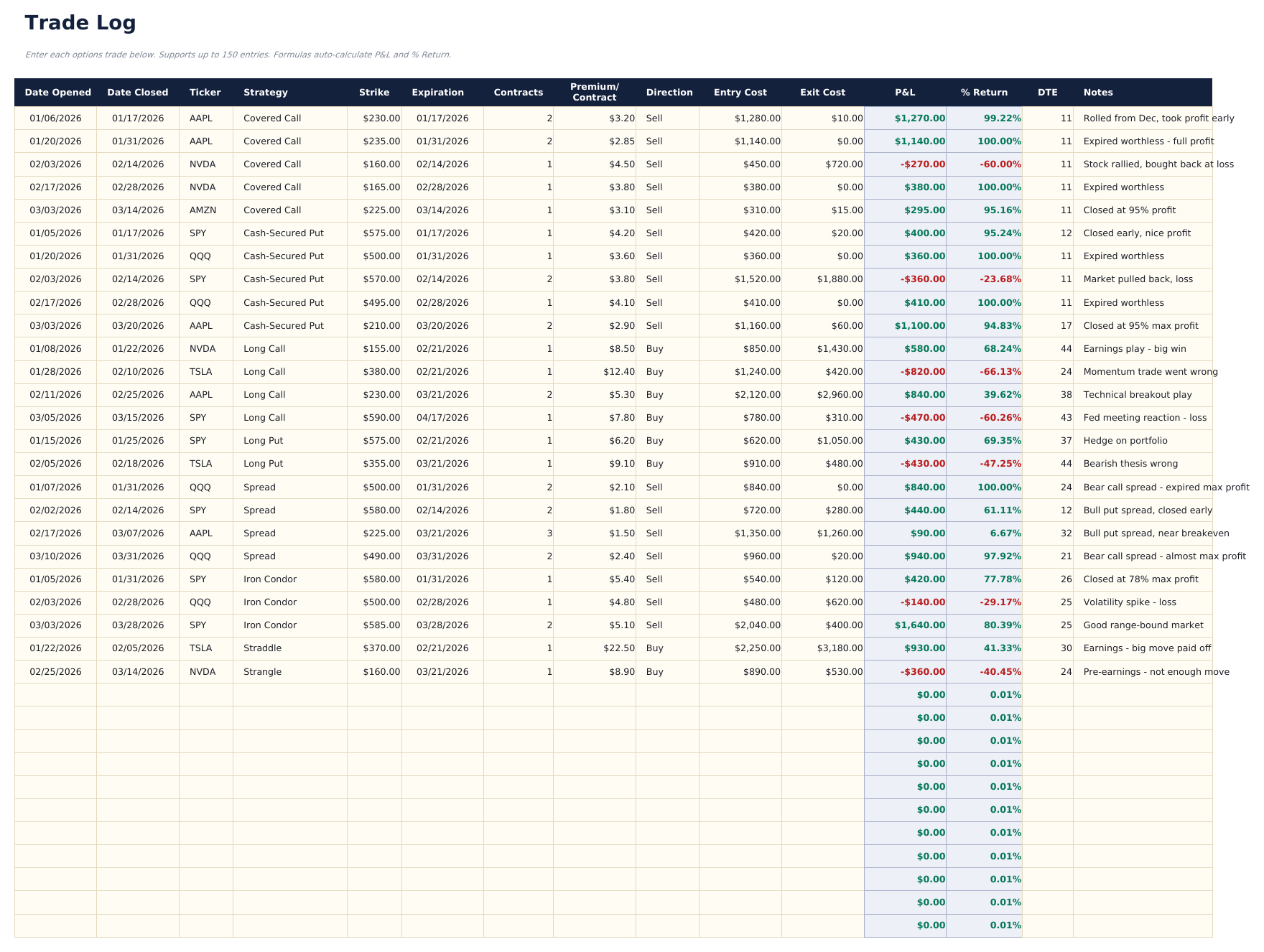
- Log up to 150 options trades with ticker, strategy, direction, expiration date, strike, premium, contracts, open and close dates, and P&L
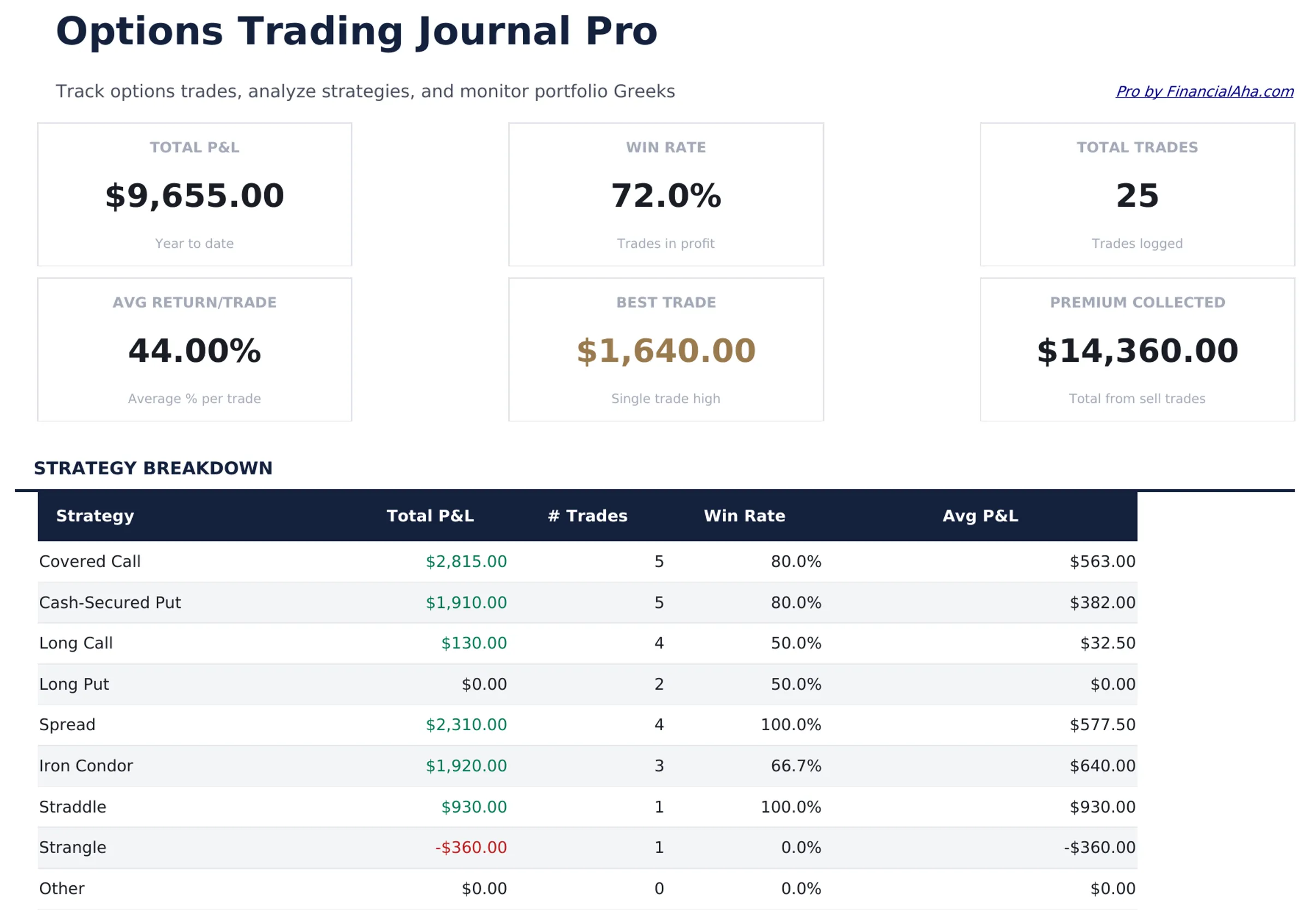
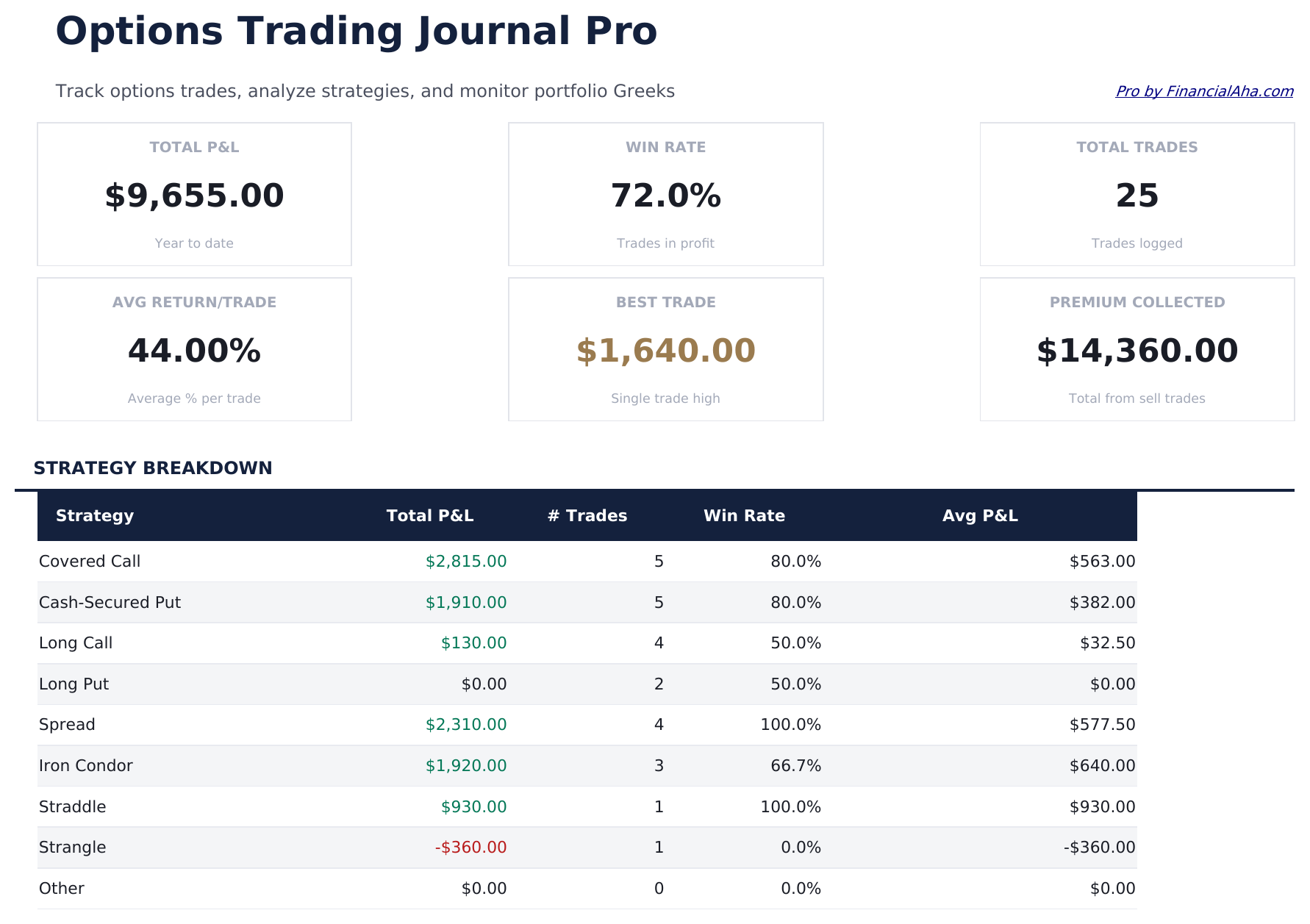
- Dashboard with 6 KPI cards: total P&L, win rate, average win, average loss, premium collected, and open positions count
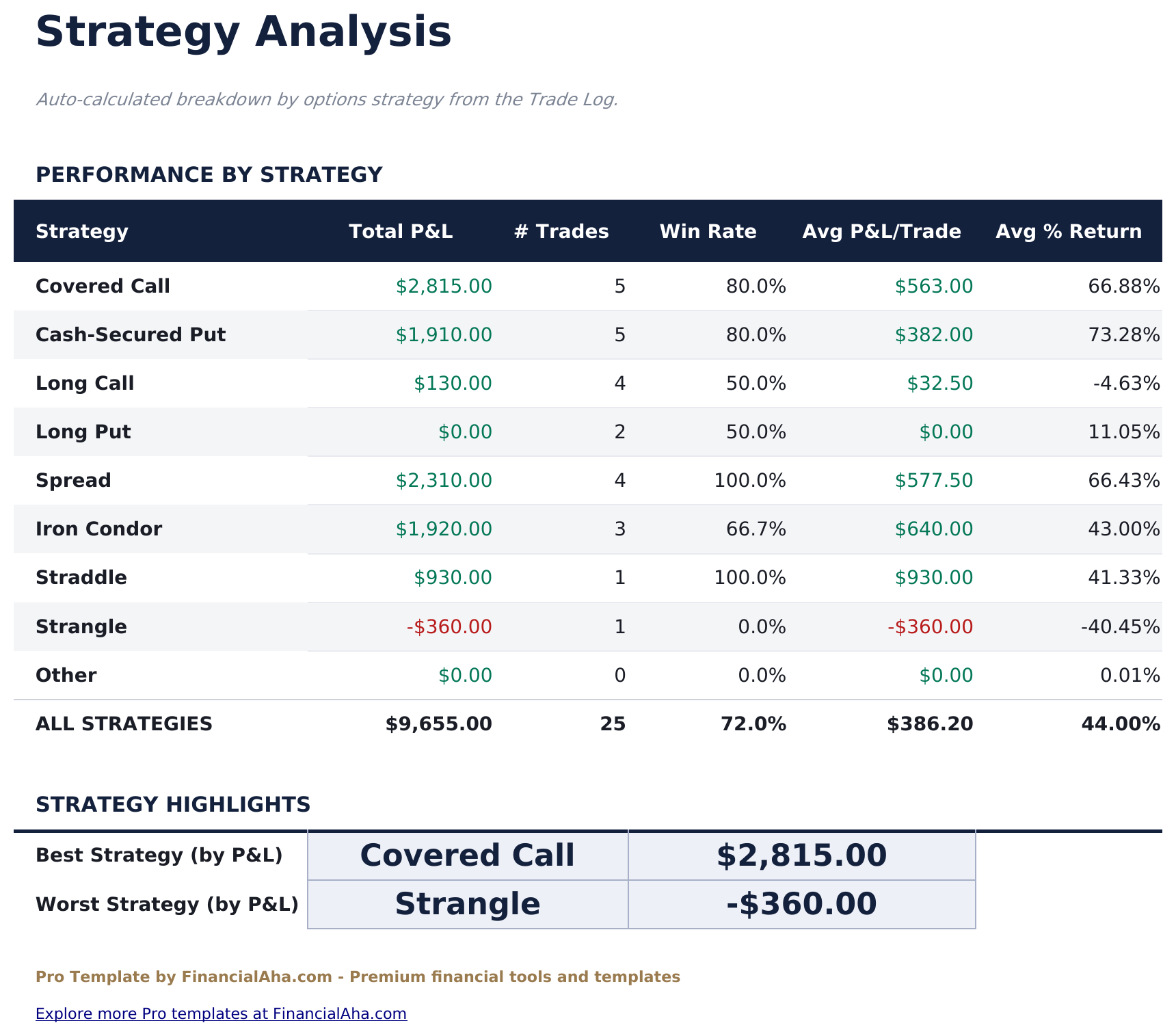
- Strategy Analysis showing win rate, average P&L, total P&L, and trade count per options strategy (Covered Call, CSP, Iron Condor, etc.)
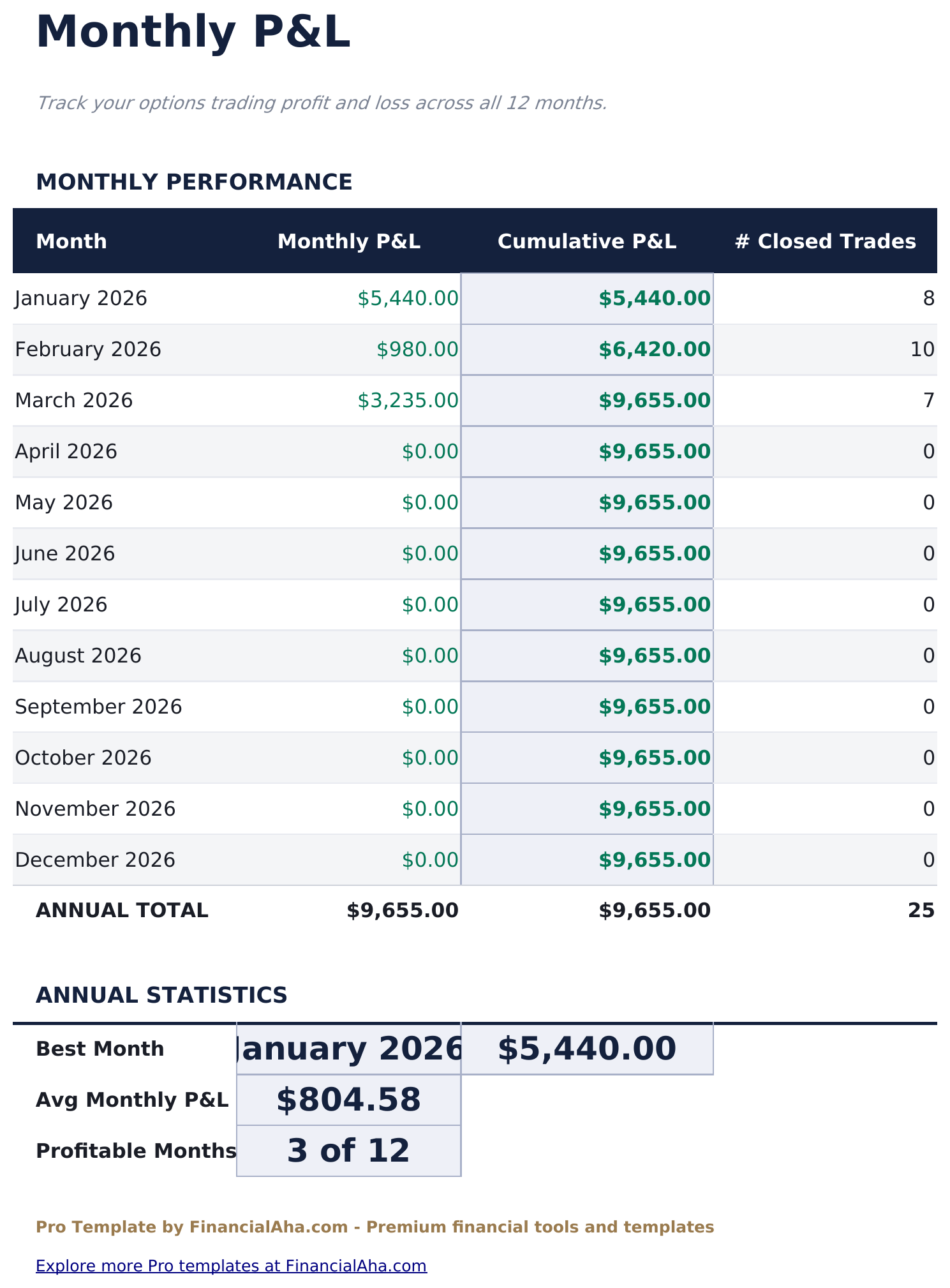
- Monthly P&L sheet showing premium collected, premium paid, realized P&L, and win rate by month
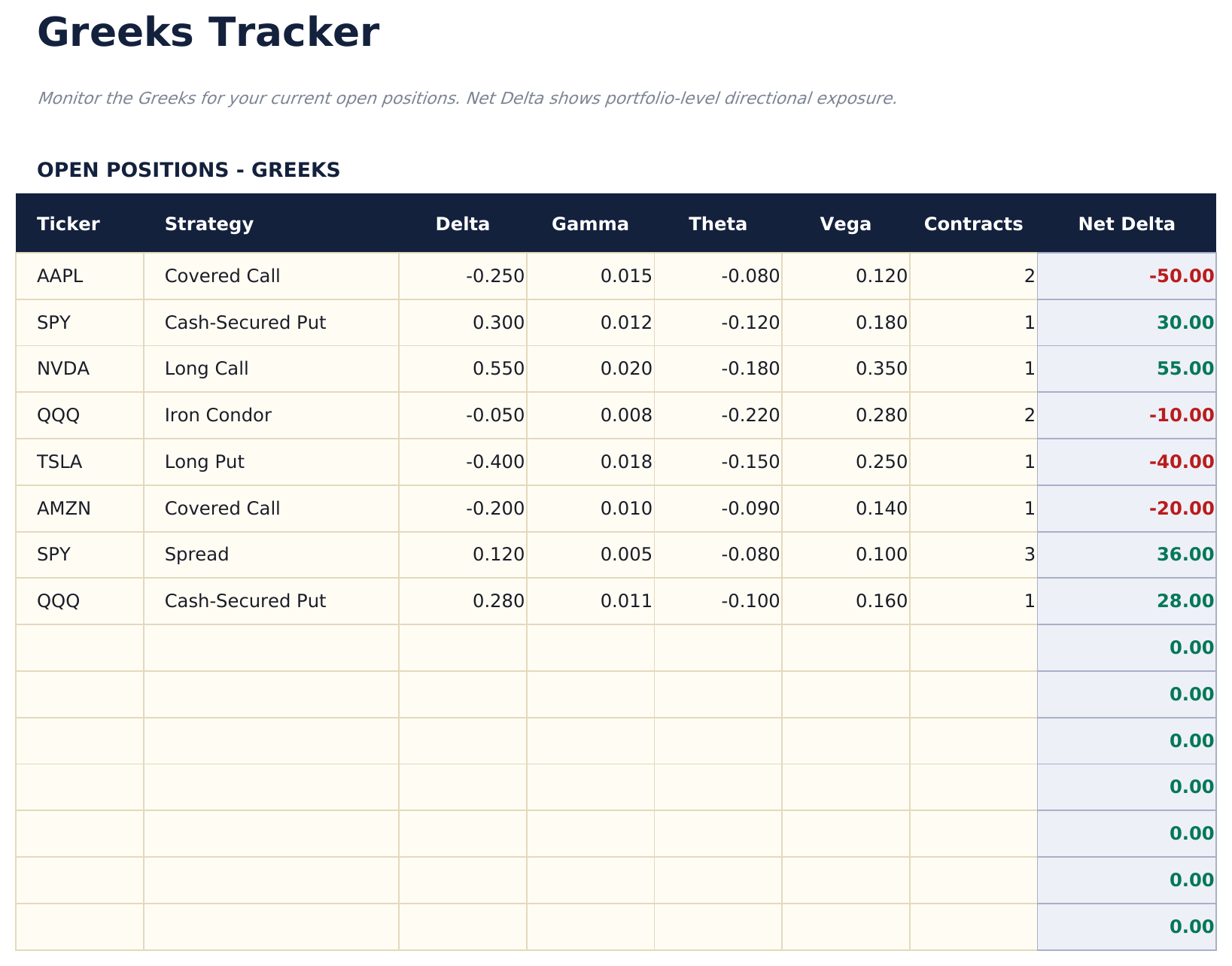
- Greeks Tracker for open positions with Delta, Theta, Vega, and Gamma inputs and a portfolio-level Greeks summary
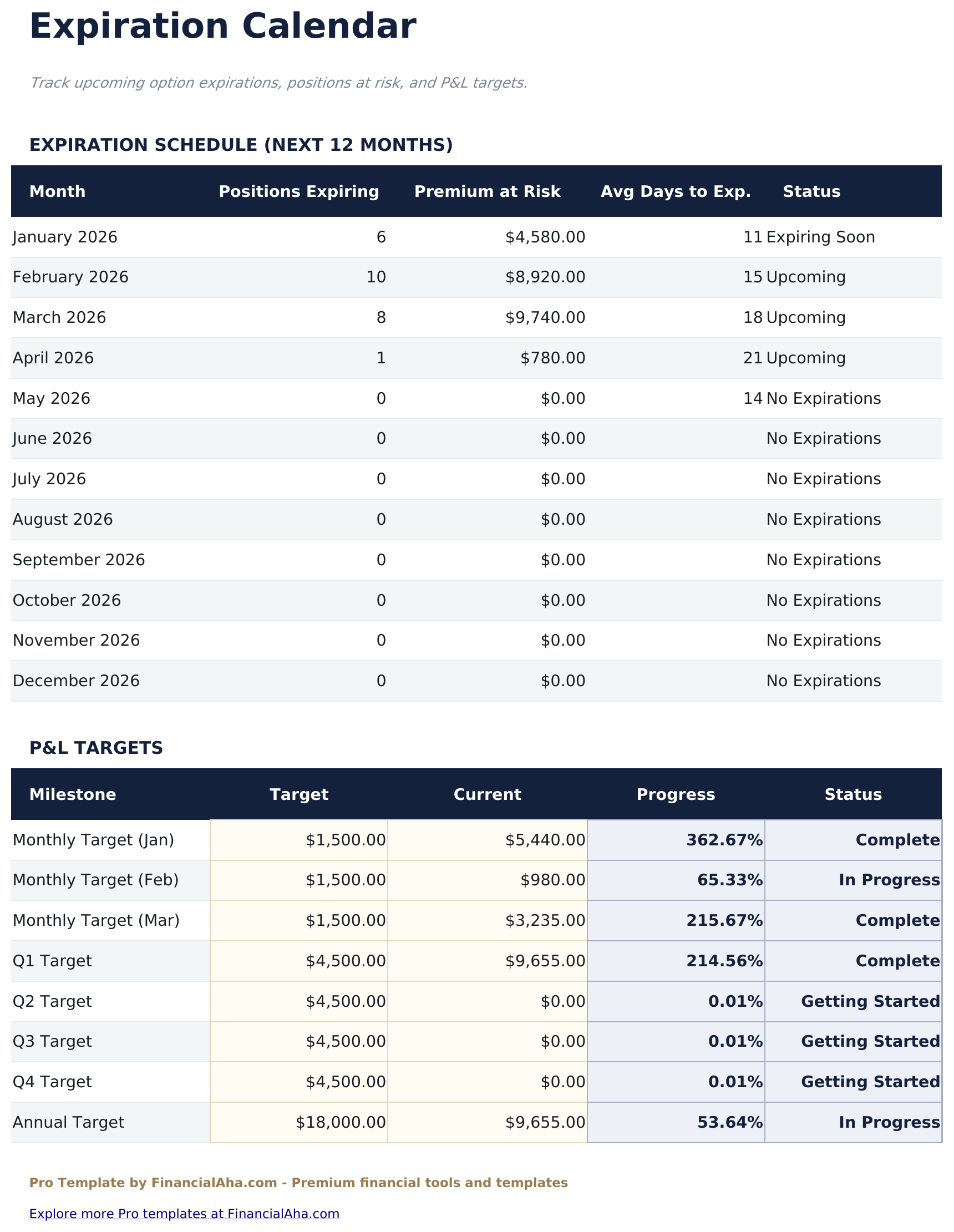
- Expiration Calendar showing all open positions by expiration date to track upcoming expirations at a glance
- Direction dropdown includes Buy to Open, Sell to Open, Buy to Close, and Sell to Close for complete trade lifecycle tracking
- Works in Microsoft Excel, Google Sheets, and LibreOffice Calc with no macros required
Preview
See what's inside this template
How to Use This Template
Log each trade
Go to the Trade Log and enter each options trade with ticker, strategy (dropdown), direction, expiration date, strike price, premium per contract, number of contracts, and open date.
Close trades
When a position closes, enter the close date and close premium. P&L calculates automatically based on the difference between open and close premium multiplied by contracts.
Track open positions
Use the Greeks Tracker to enter current Delta, Theta, Vega, and Gamma for open positions. The portfolio totals show aggregate exposure.
Monitor expirations
Check the Expiration Calendar regularly to see upcoming expiration dates, days remaining, and P&L status for all open positions.
Built by Claude AI. Perfected by us.
We use Claude AI to draft each template, after a deep research. Then our team steps in. We refine the layout, stress-test every formula, fix edge cases, and polish the design until it feels like something we would actually use ourselves. The AI gets us 80% there. The last 20% is all human judgment.
One-time purchase. No subscription. Works in Excel & Google Sheets.
Frequently Asked Questions
How many trades can I log?
Up to 150 options trades - nearly four times the free version. Each row tracks the full trade lifecycle from open to close including strategy, expiration, strike, premium, and realized P&L.
What strategies does it track?
The strategy dropdown includes Covered Call, Cash-Secured Put, Long Call, Long Put, Iron Condor, Iron Butterfly, Vertical Spread, Calendar Spread, Straddle, Strangle, and Other. The Strategy Analysis sheet groups performance by each strategy type.
How does the Greeks tracker work?
For each open position, enter the current Delta, Theta, Vega, and Gamma from your broker. The Greeks Tracker sums them to show portfolio-level exposure for each Greek - useful for assessing overall risk and income generation.
How does the expiration calendar work?
It lists all open positions grouped by expiration date in chronological order. A days-to-expiration column counts down automatically so upcoming expirations are easy to see at a glance.
Can I track multi-leg strategies as a single trade?
Yes. Log each leg of a spread or condor separately with the same strategy tag and expiration. The Strategy Analysis sheet groups them by tag so you can see the combined P&L.
What do I get after purchase?
You receive an Excel file (.xlsx) that works in Microsoft Excel, Google Sheets, and LibreOffice Calc. Download it immediately after purchase - no signup or account required.
Is there a free version?
Yes. The free version of this template is available with basic features. The Pro version adds advanced analysis, more capacity, and additional sheets.
What if it does not work for me?
Contact us and we will help troubleshoot. The template works in Microsoft Excel, Google Sheets, and LibreOffice Calc with no macros required.
Looking for more Pro templates?
We offer Pro versions of our most popular spreadsheet templates with advanced features, more capacity, and deeper analysis.