Investment Portfolio Tracker Pro
Comprehensive portfolio management with 50 holdings, dividend tracking, sector allocation targets, year-over-year performance, and rebalancing analysis.
Free vs Pro
- Track up to 20 holdings with ticker, shares, cost, and current price
- Dashboard with 4 KPI cards and allocation pie chart
- Market value, gain/loss, and percent return per holding
- Works in Excel and Google Sheets
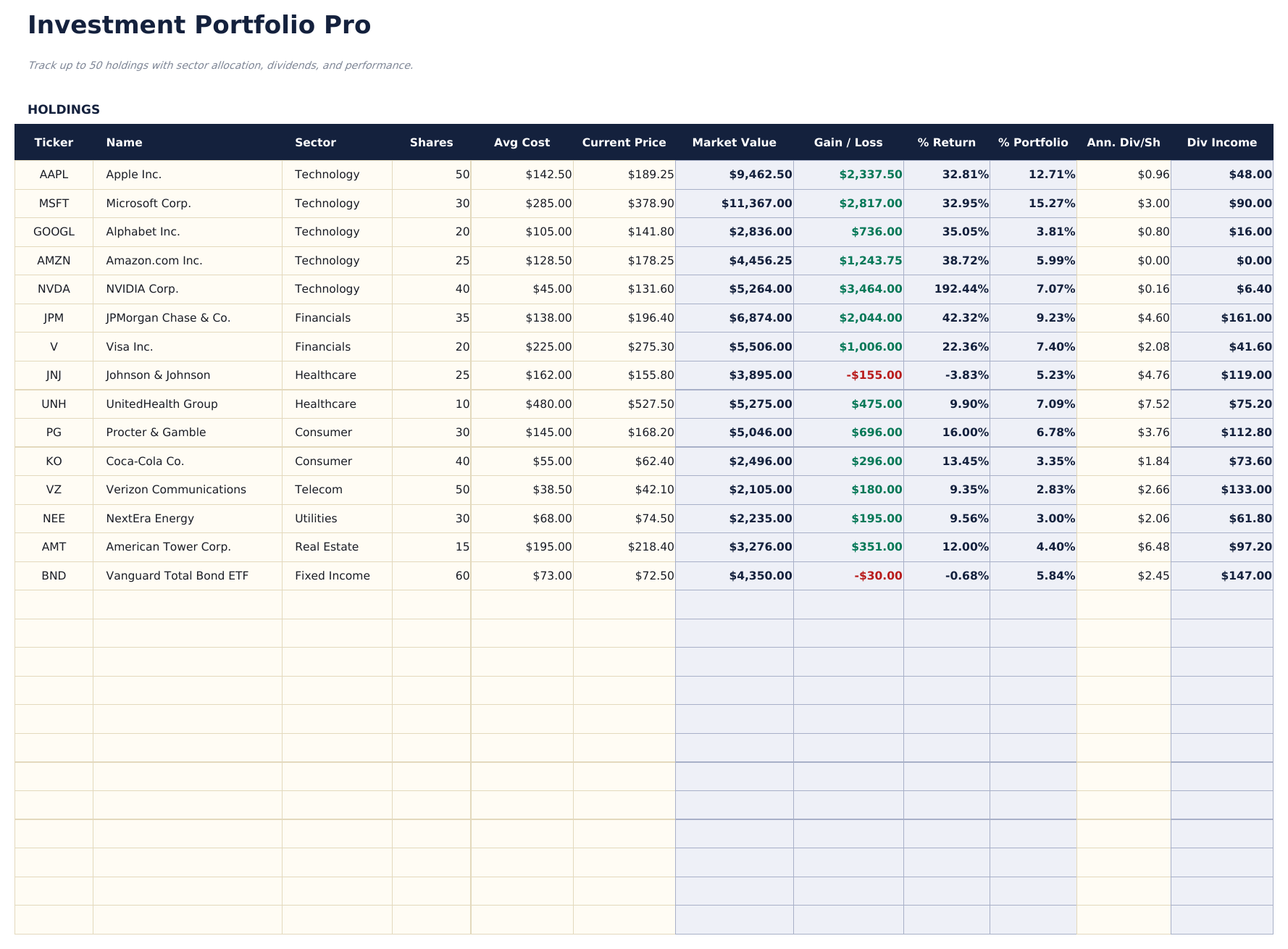
- Track up to 50 holdings with ticker, sector, shares, cost basis, current price, and annual dividend per share
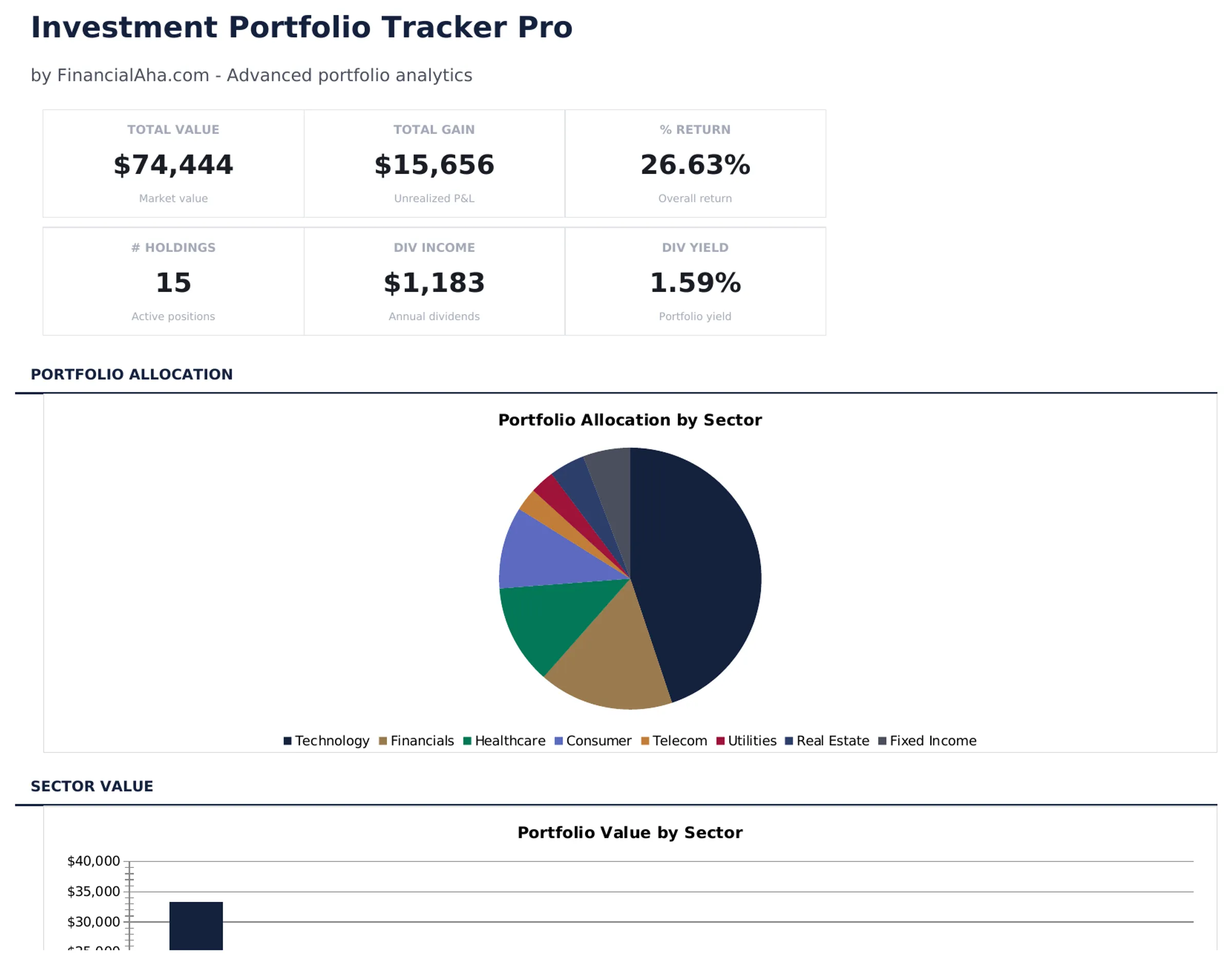
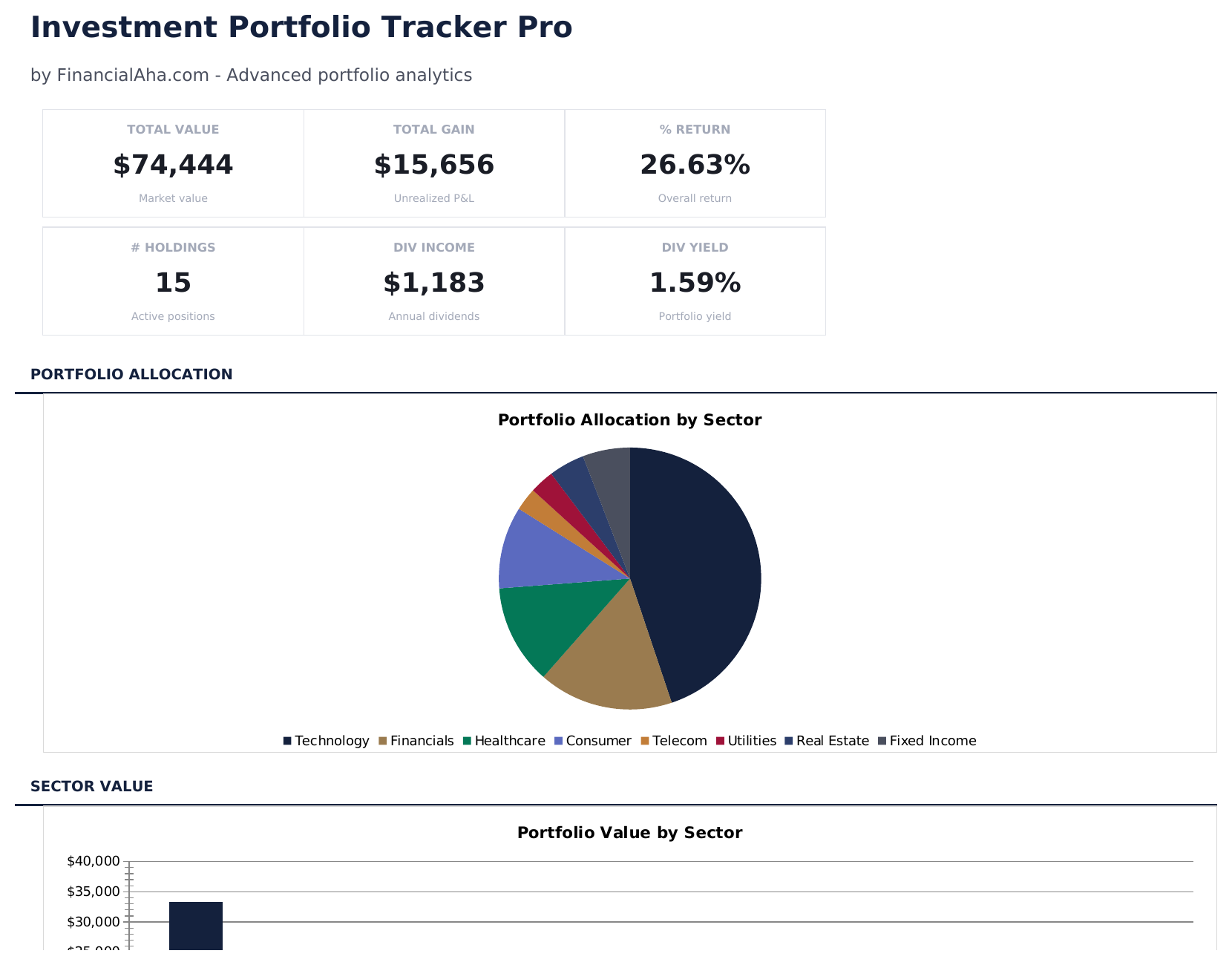
- Dashboard with 6 KPI cards: total value, total gain, percent return, number of holdings, dividend income, and portfolio yield
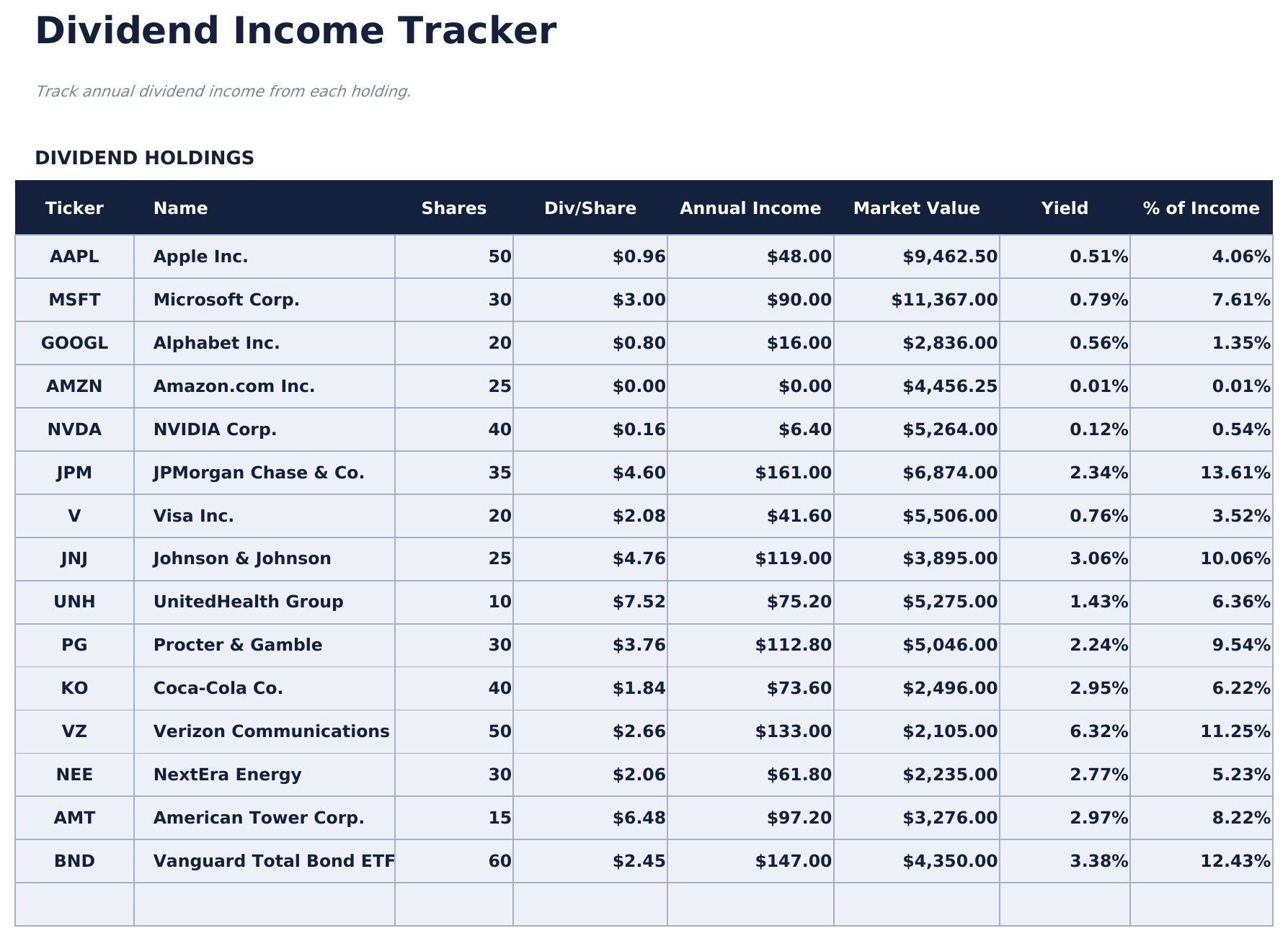
- Dividend income tracker pulling automatically from Holdings - shows annual income, yield, and income weight per holding
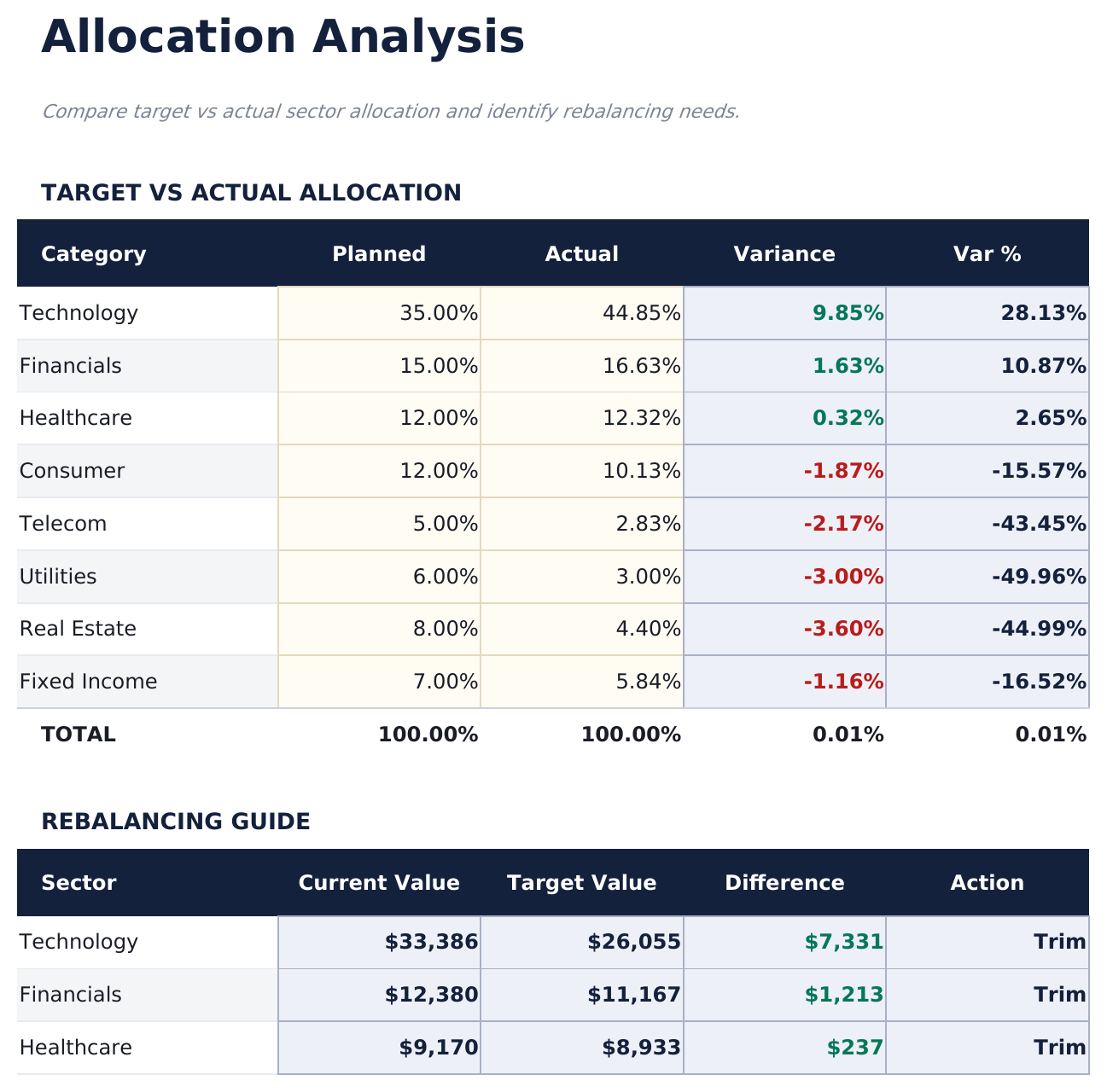
- Allocation analysis comparing target vs actual sector weights with variance and rebalancing recommendations (Add, Trim, Hold)
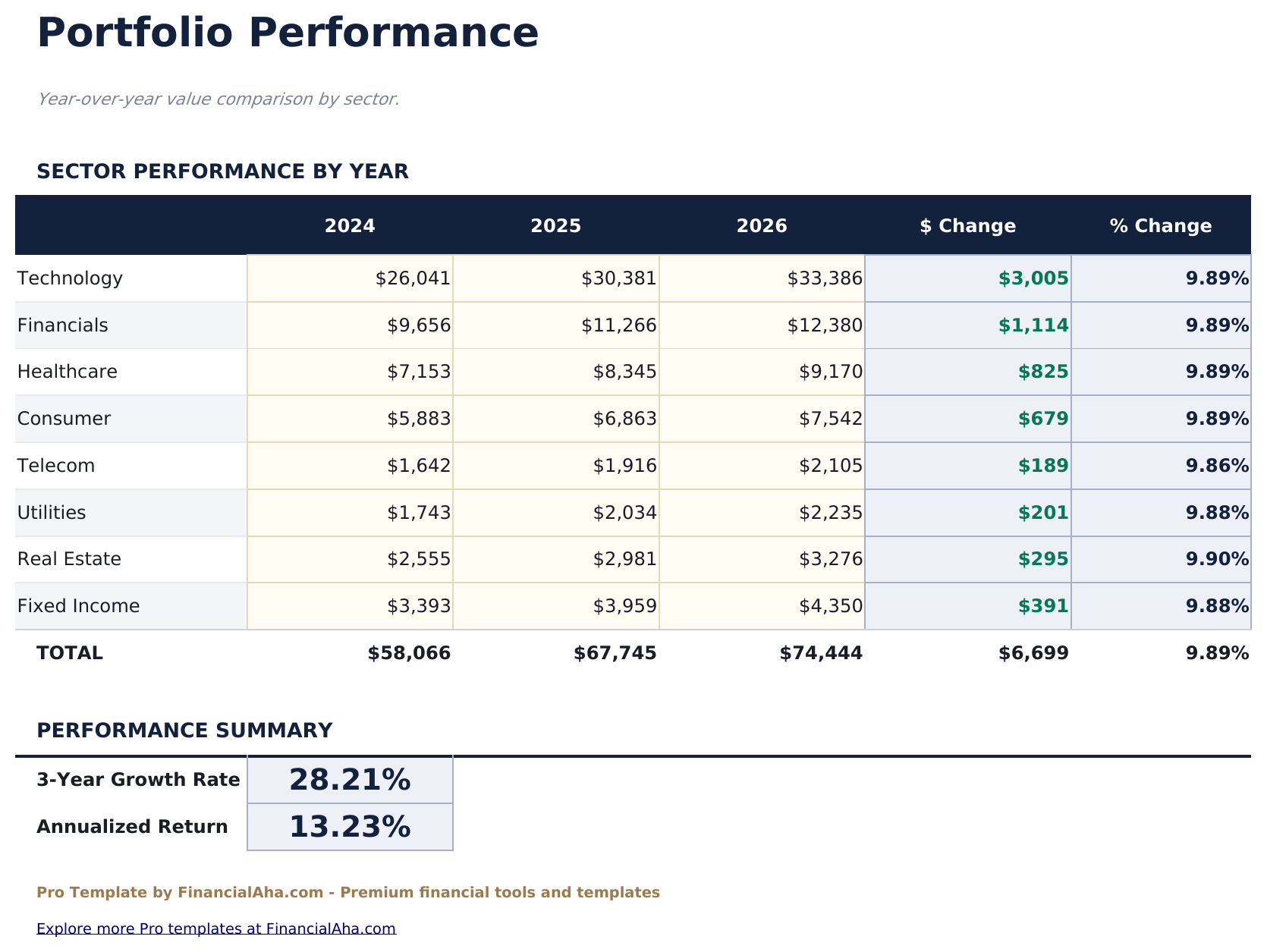
- Year-over-year performance by sector across 3 years with dollar change, percent change, growth rate, and annualized return
- Portfolio allocation pie chart and sector value column chart on the dashboard - native Excel charts
- Conditional formatting highlights gains in green and losses in red across all sheets
- Works in Microsoft Excel, Google Sheets, and LibreOffice Calc with no macros required
Preview
See what's inside this template
How to Use This Template
Enter your holdings
Go to the Holdings sheet and enter each position with ticker, name, sector, shares, average cost, current price, and annual dividend per share.
Set allocation targets
In the Allocation sheet, set your target percentage for each sector. The template compares actual vs target and shows rebalancing suggestions.
Track performance over time
Enter portfolio values by sector for each year in the Performance sheet to see year-over-year growth and annualized returns.
Review the dashboard
The Dashboard shows 6 KPIs, allocation pie chart, and sector value chart - all updating automatically from your data.
Built by Claude AI. Perfected by us.
We use Claude AI to draft each Pro template after deep research. Then our team steps in - refining the layout, stress-testing every formula, fixing edge cases, and polishing the design. The AI gets us 80% there. The last 20% is all human judgment.
One-time purchase. No subscription. Works in Excel & Google Sheets.
Frequently Asked Questions
How many holdings can I track?
The Pro version supports up to 50 holdings, compared to 20 in the free version. All formulas and charts update automatically as you add positions.
Does it track dividends?
Yes. Enter the annual dividend per share for each holding in the Holdings sheet. The Dividends sheet automatically calculates annual income, yield, and income weight for every position.
How does the allocation analysis work?
Set your target allocation by sector in the Allocation sheet. The template compares your actual allocation (calculated from holdings) against targets and shows variance. The Rebalancing Guide suggests whether to Add, Trim, or Hold each sector.
What does the Performance sheet show?
Enter your portfolio value by sector for each of 3 years. The template calculates year-over-year change, growth rate, and annualized return automatically.
Can I use this for retirement accounts?
Yes. The template works for any investment account type - brokerage, IRA, 401(k), or Roth. Add a sector or account label to organize holdings however you prefer.
What do I get after purchase?
You receive an Excel file (.xlsx) that works in Microsoft Excel, Google Sheets, and LibreOffice Calc. Download it immediately after purchase - no signup or account required.
Is there a free version?
Yes. The free version of this template is available with basic features. The Pro version adds advanced analysis, more capacity, and additional sheets.
What if it does not work for me?
Contact us and we will help troubleshoot. The template works in Microsoft Excel, Google Sheets, and LibreOffice Calc with no macros required.
Looking for more Pro templates?
We offer Pro versions of our most popular spreadsheet templates with advanced features, more capacity, and deeper analysis.