Crypto Portfolio Tracker Pro
Complete cryptocurrency portfolio management for up to 50 holdings with transaction log, DCA tracking, tax lot tracking, and allocation analysis.
Free vs Pro
- Track up to 15 holdings with quantity, cost, and current price
- Dashboard with total value, gain/loss, and top holdings
- Basic portfolio allocation by coin
- Works in Excel and Google Sheets
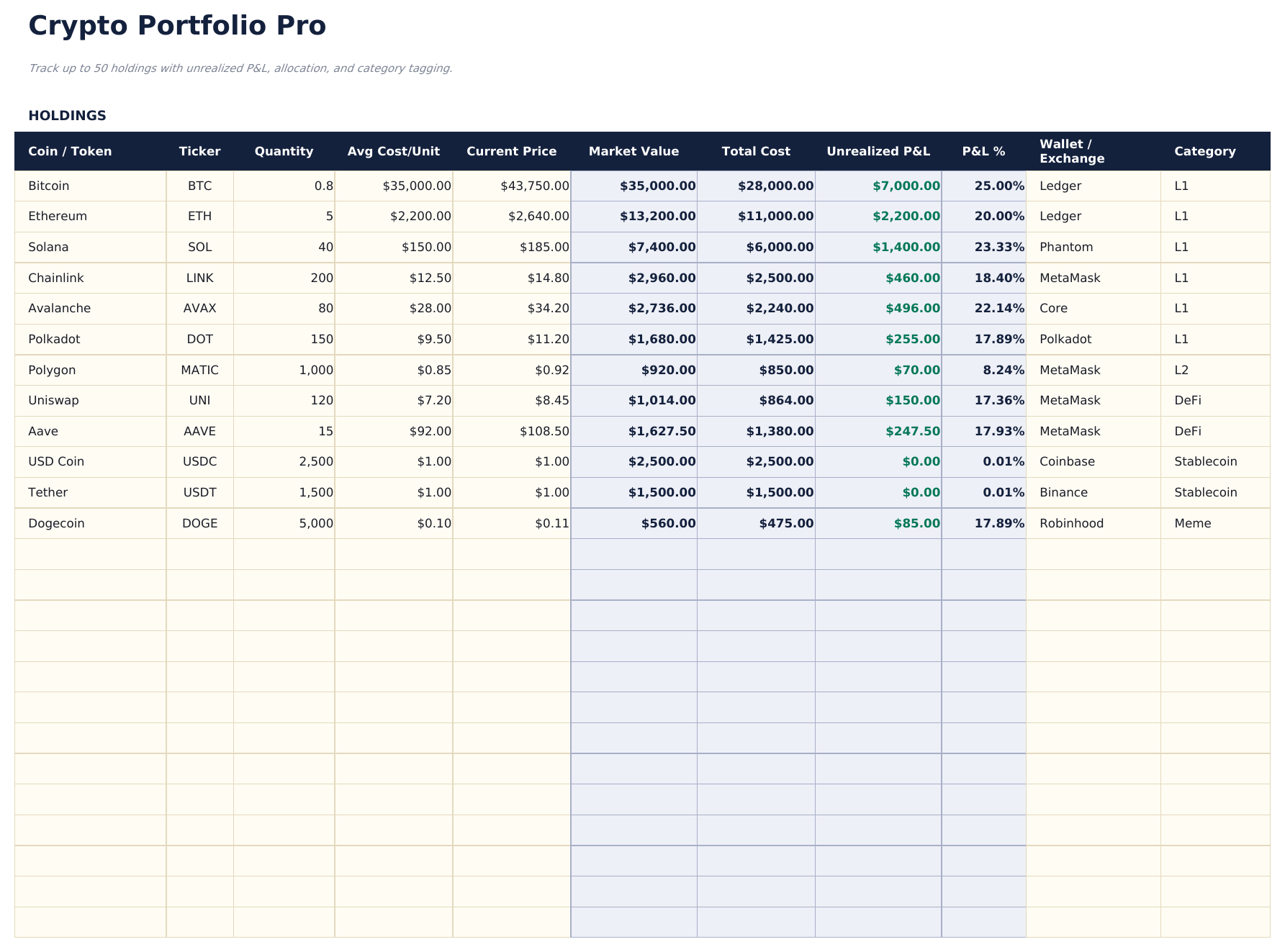
- Track up to 50 cryptocurrency holdings with coin, network, wallet, quantity, average cost basis, current price, and current value
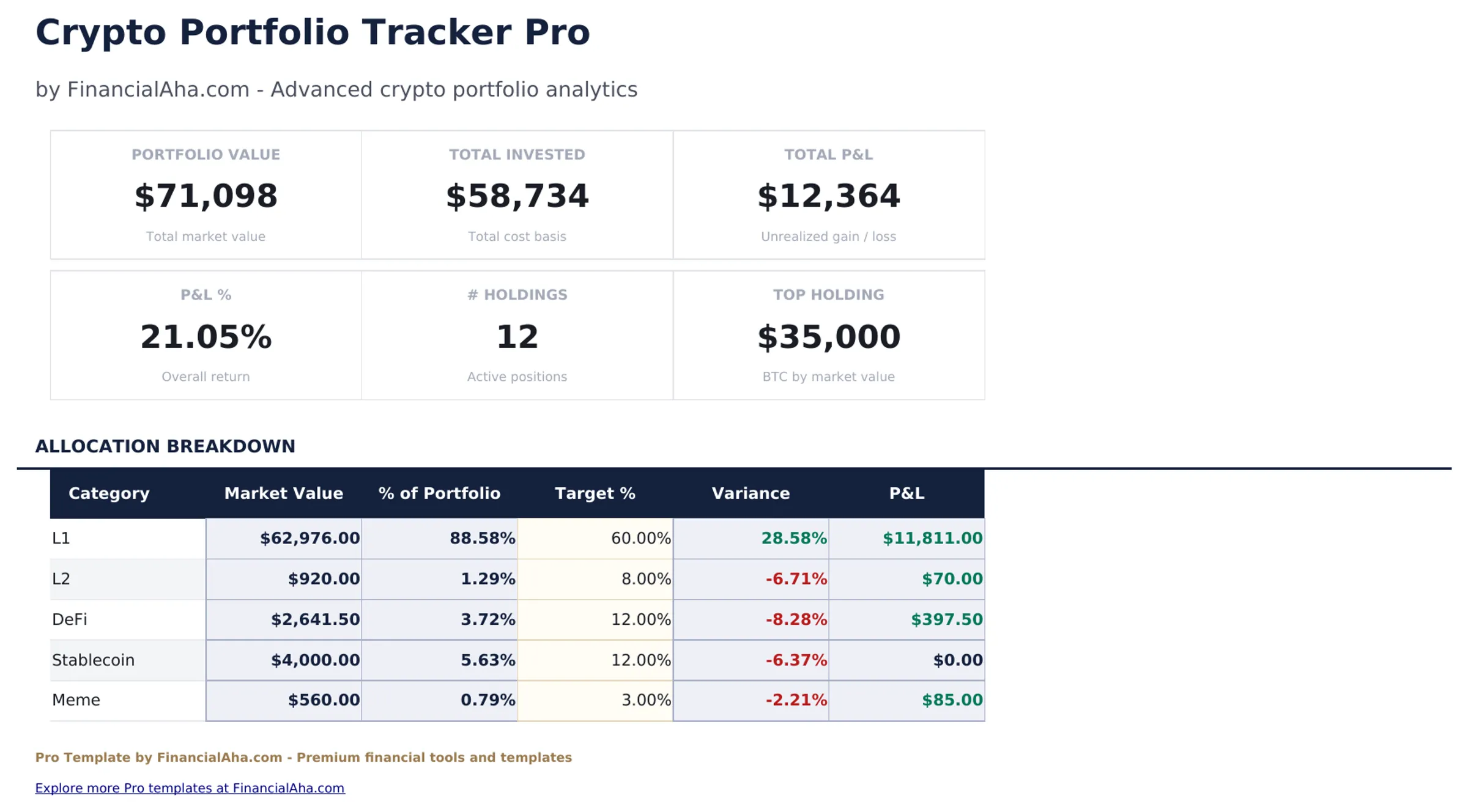
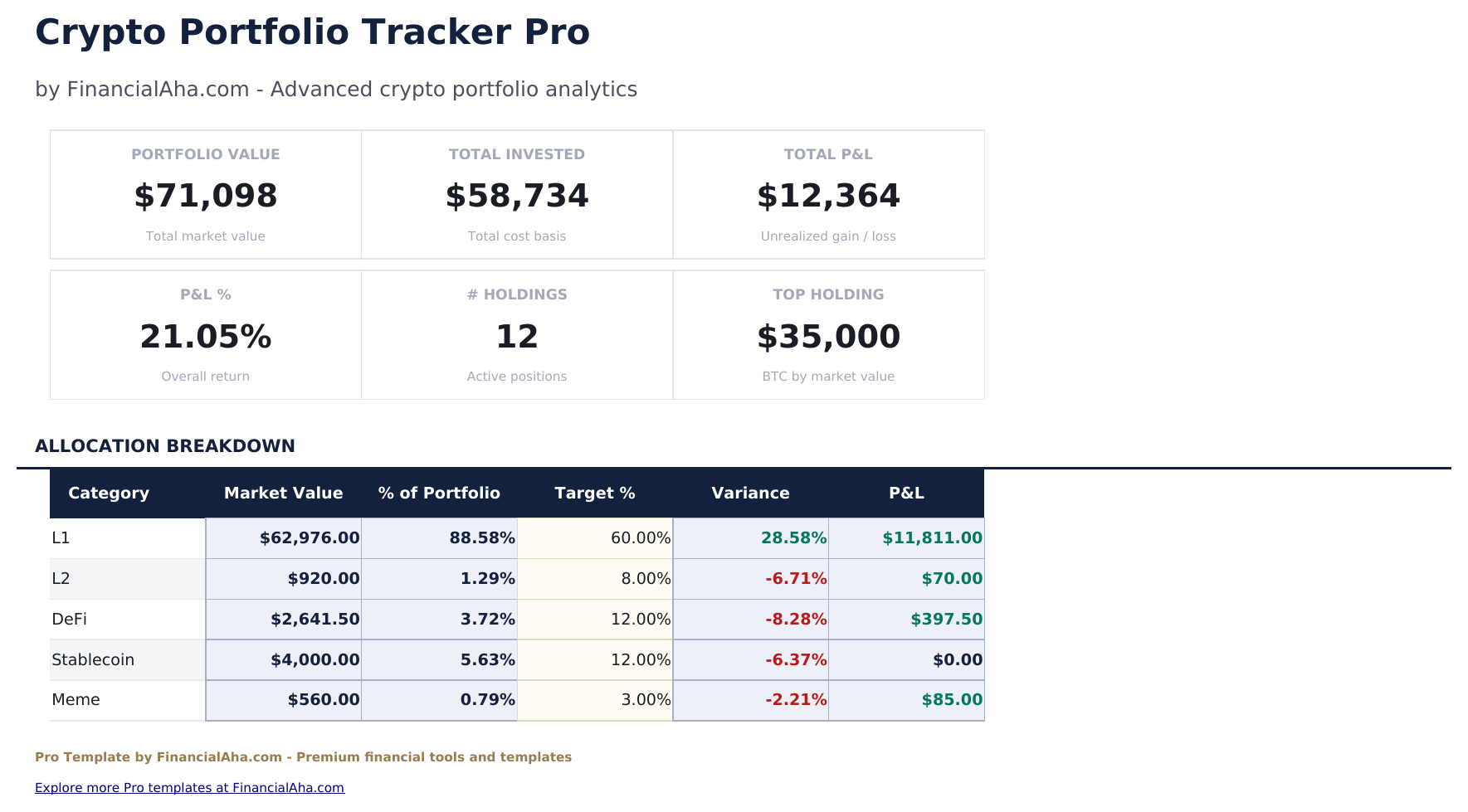
- Dashboard with 6 KPI cards: total portfolio value, total cost basis, total gain/loss, percent return, number of holdings, and largest position
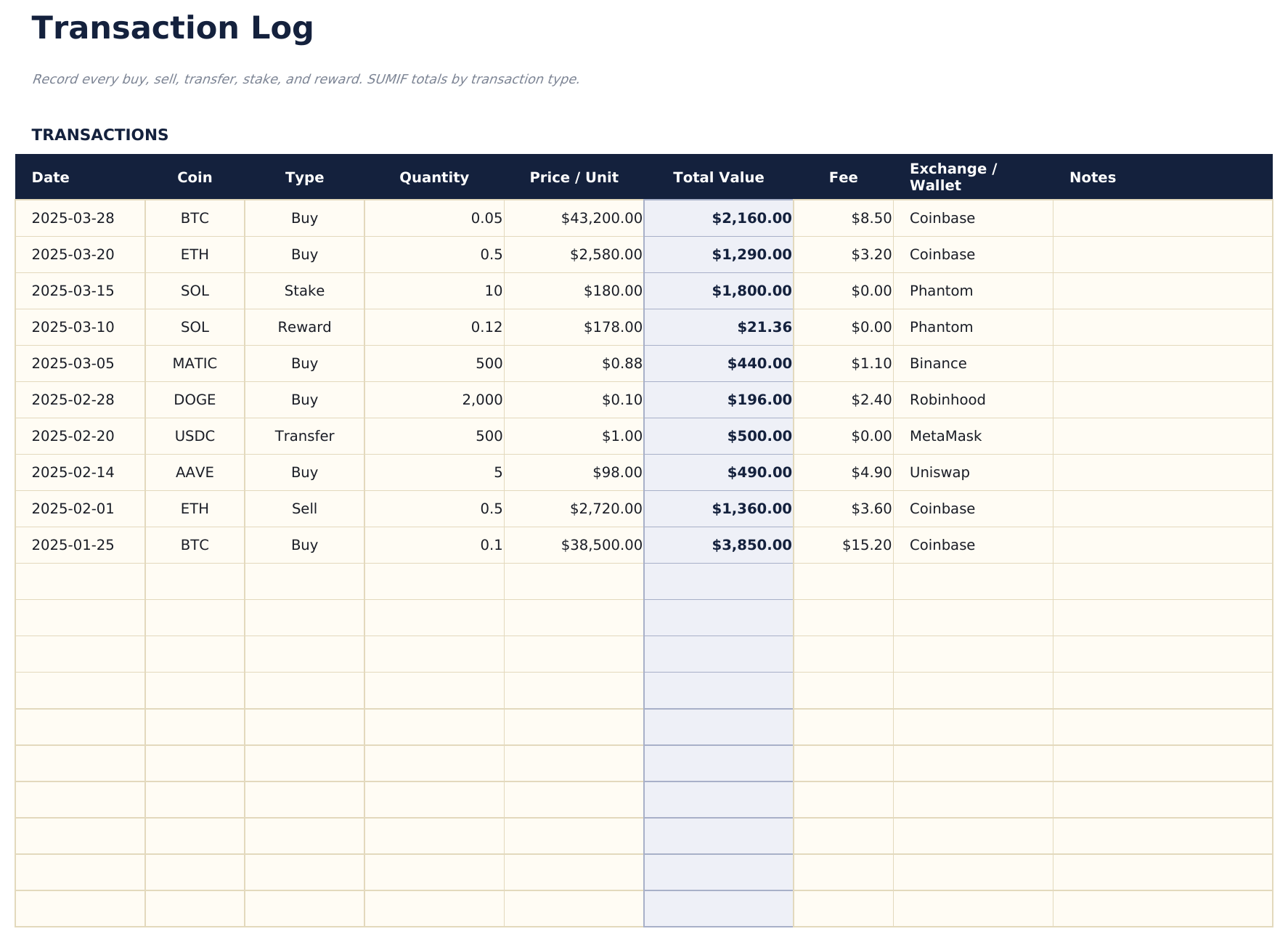
- Transaction Log recording every buy, sell, transfer, and earning event with date, coin, type, quantity, price, and notes
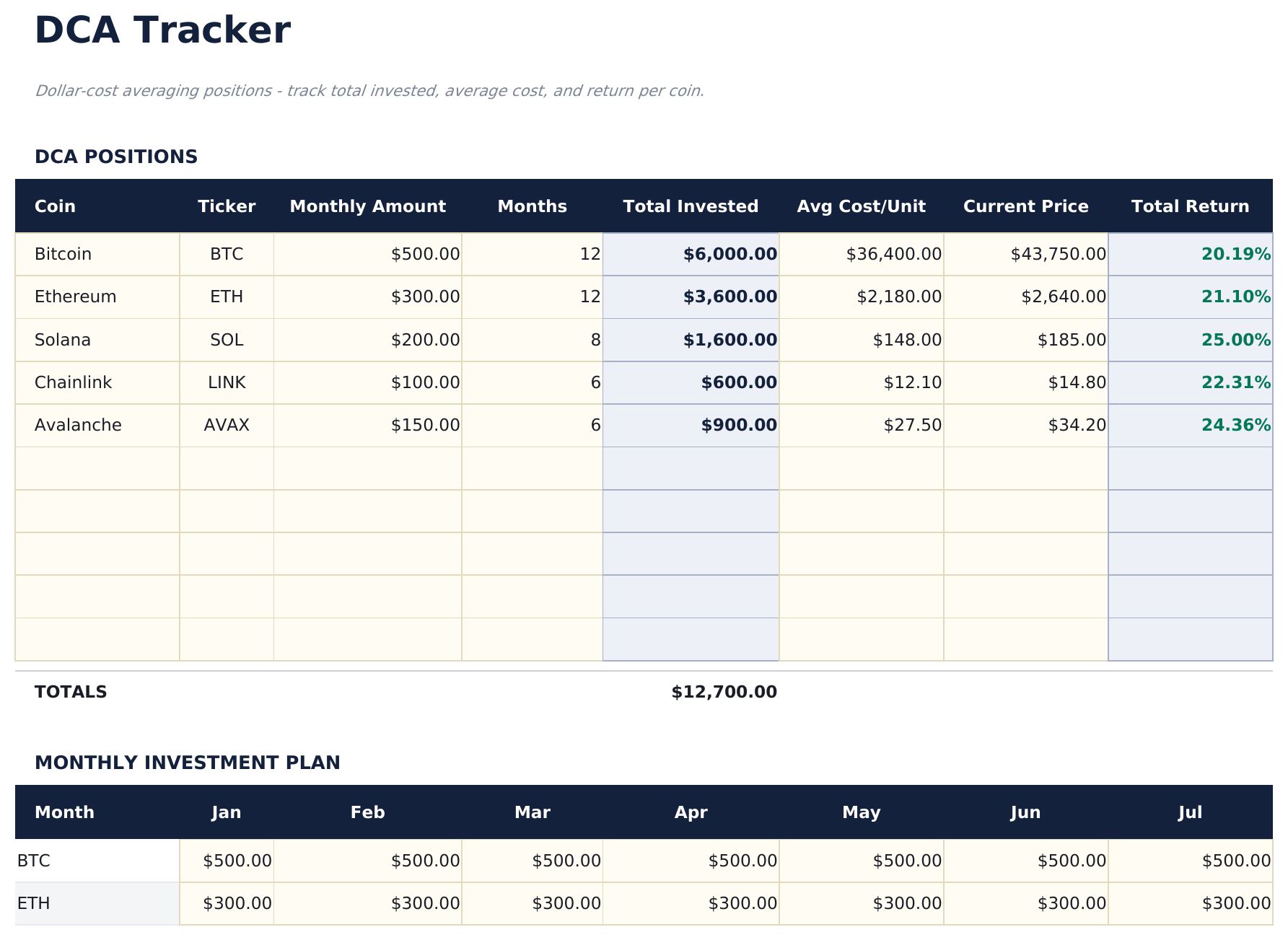
- DCA Tracker calculating average cost basis over time as new purchases are added at different prices
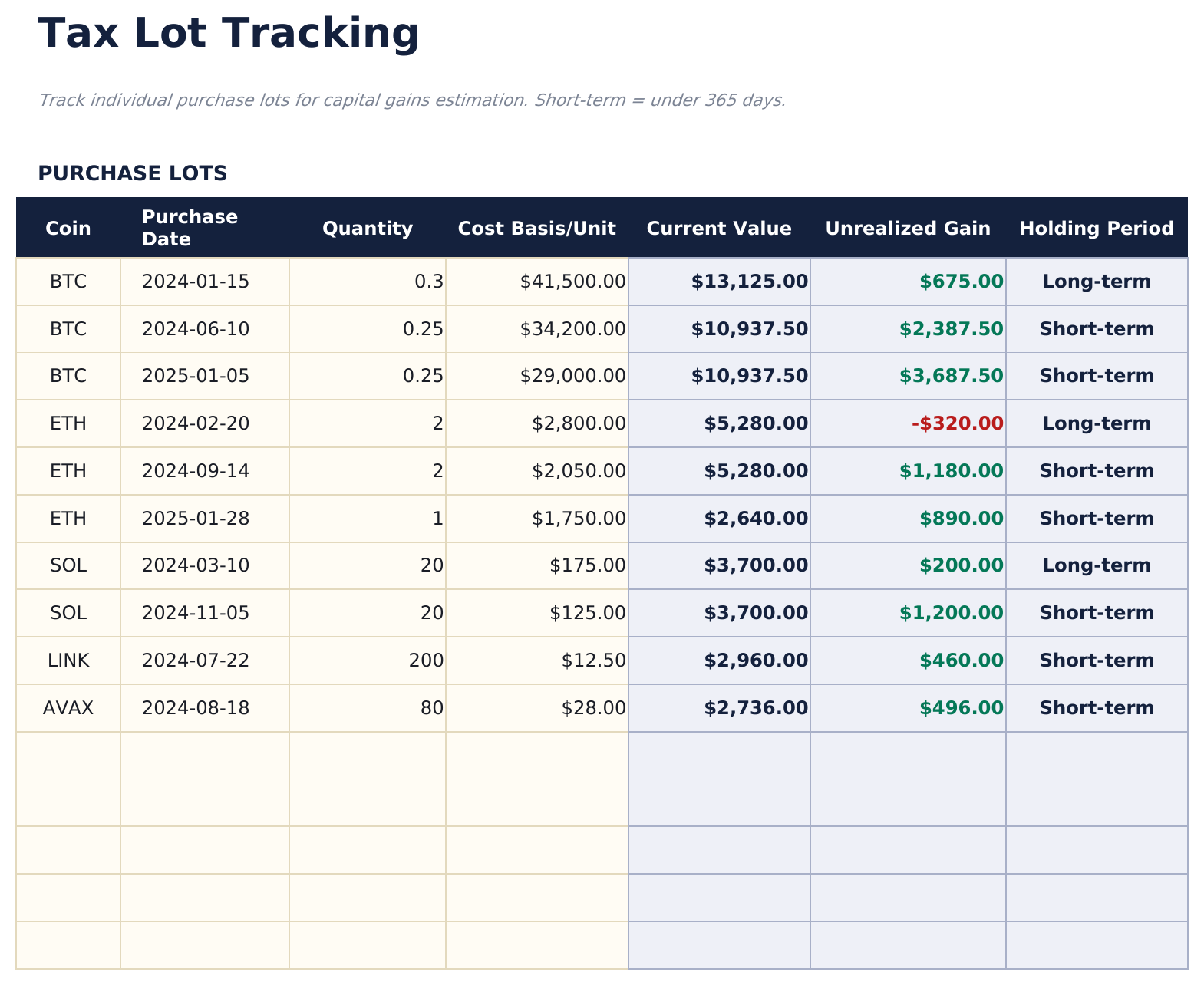
- Tax Lot Tracking applying FIFO (first in, first out) cost basis methodology to realized transactions for tax reporting
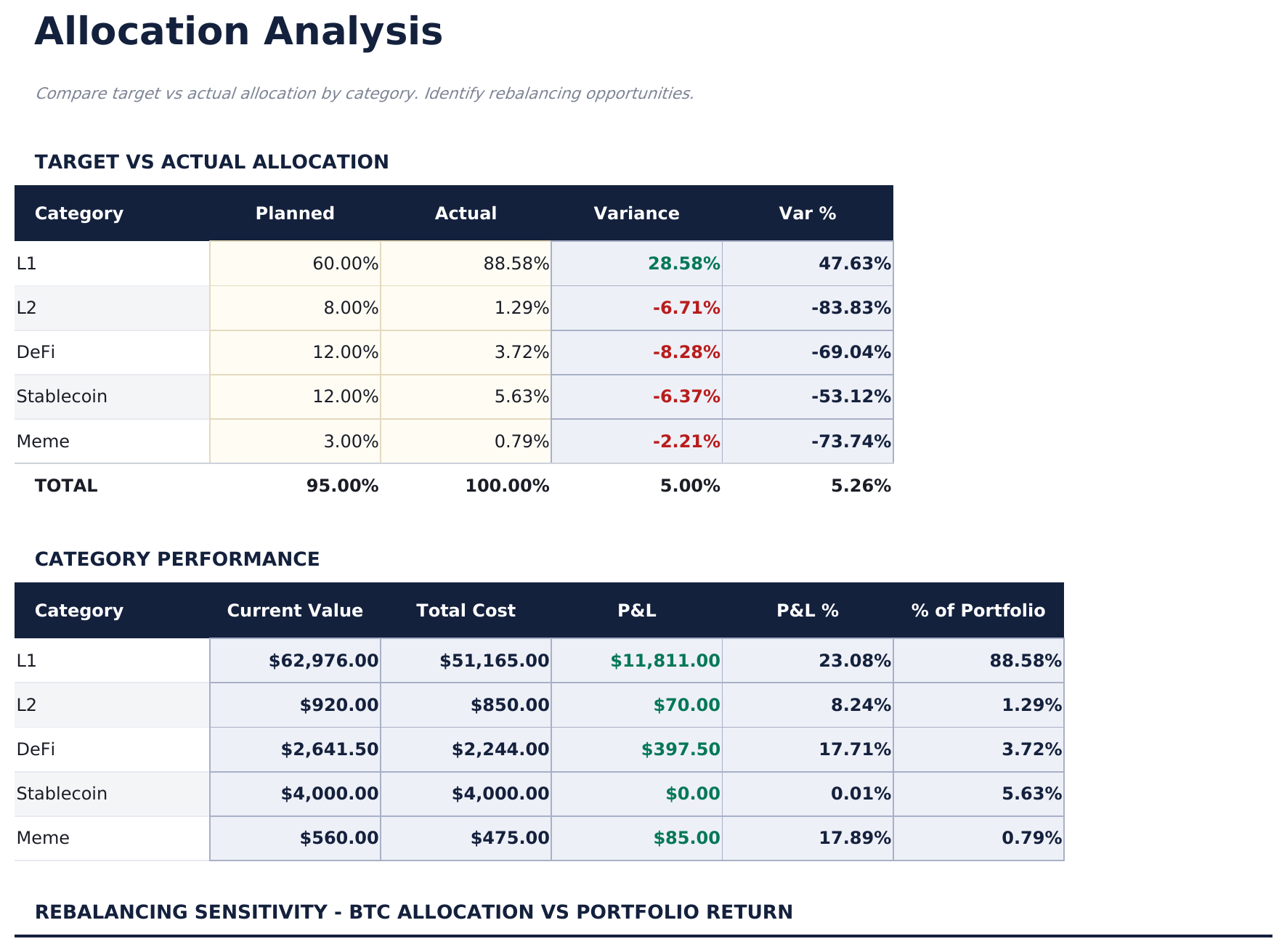
- Allocation Analysis showing portfolio weight by coin and by blockchain network with target allocation comparison
- Conditional formatting highlights gains in green and losses in red across Holdings and Transaction Log
- Works in Microsoft Excel, Google Sheets, and LibreOffice Calc with no macros required
Preview
See what's inside this template
How to Use This Template
Enter your holdings
Go to the Holdings sheet and add each cryptocurrency with coin name, network, wallet or exchange, quantity held, and current price. Gain/loss and portfolio weight calculate automatically.
Log all transactions
In the Transaction Log, record every buy, sell, transfer, and reward event with date, coin, transaction type, quantity, and price per coin.
Track your DCA
The DCA Tracker shows how your average cost basis changes as you add purchases over time. Update it whenever you add a new buy to the transaction log.
Review allocation and taxes
Use the Allocation Analysis sheet to check portfolio concentration. Review the Tax Lot Tracking sheet at year end for realized gain/loss information for tax reporting.
Built by Claude AI. Perfected by us.
We use Claude AI to draft each template, after a deep research. Then our team steps in. We refine the layout, stress-test every formula, fix edge cases, and polish the design until it feels like something we would actually use ourselves. The AI gets us 80% there. The last 20% is all human judgment.
One-time purchase. No subscription. Works in Excel & Google Sheets.
Frequently Asked Questions
How many holdings can I track?
Up to 50 individual cryptocurrency holdings - more than three times the free version. Holdings can span any blockchain or wallet address.
How does DCA tracking work?
The DCA Tracker takes all buy transactions for a coin from the Transaction Log and calculates a running average cost basis as each purchase is added. This shows how your average entry price changes over time as you accumulate.
How does tax lot tracking work?
The Tax Lot Tracking sheet applies FIFO cost basis methodology. When you sell, it matches the sale against the oldest purchase lots first and calculates the gain or loss on each lot. This is one of the common tax accounting methods for crypto - consult a tax professional for your situation.
Can I track staking rewards and airdrops?
Yes. The Transaction Log has transaction types for Buy, Sell, Transfer, Staking Reward, Airdrop, and Other. Income events like staking rewards are separated from purchase transactions.
Does it connect to exchanges automatically?
No. All data is entered manually from your exchange or wallet records. This keeps your data private and offline.
What do I get after purchase?
You receive an Excel file (.xlsx) that works in Microsoft Excel, Google Sheets, and LibreOffice Calc. Download it immediately after purchase - no signup or account required.
Is there a free version?
Yes. The free version of this template is available with basic features. The Pro version adds advanced analysis, more capacity, and additional sheets.
What if it does not work for me?
Contact us and we will help troubleshoot. The template works in Microsoft Excel, Google Sheets, and LibreOffice Calc with no macros required.
Looking for more Pro templates?
We offer Pro versions of our most popular spreadsheet templates with advanced features, more capacity, and deeper analysis.