Capital Gains Calculator Pro
Comprehensive tax lot tracking with 50 transactions, tax bracket sensitivity analysis, 3-scenario comparison, wash sale detection, and detailed annual tax summary.
Free vs Pro
- Track up to 20 tax lots with asset, dates, cost basis, and proceeds
- Dashboard with total gains, short-term vs long-term breakdown
- Automatic holding period classification
- Works in Excel and Google Sheets
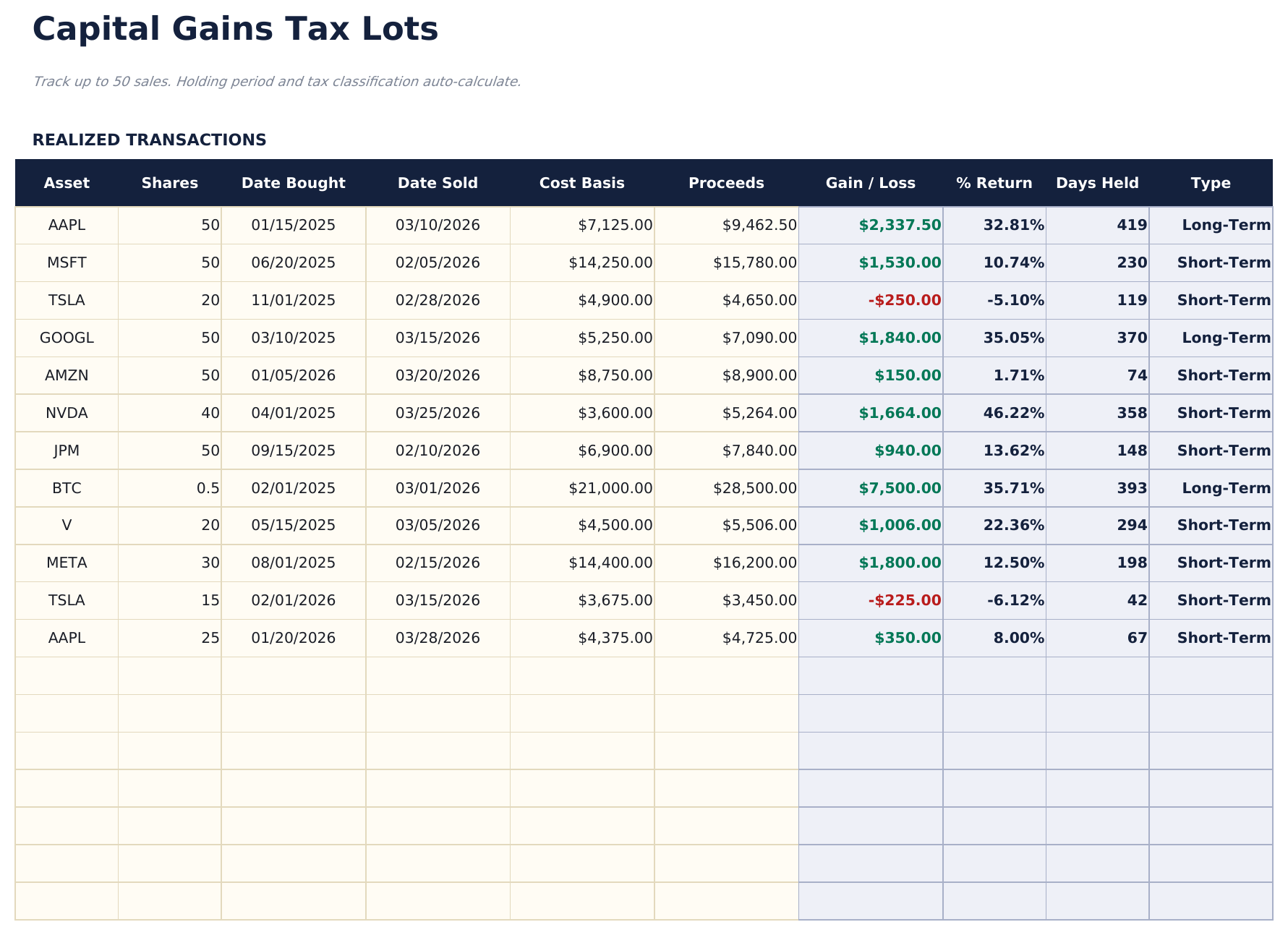
- Track up to 50 realized transactions with asset, shares, dates bought and sold, cost basis, and proceeds
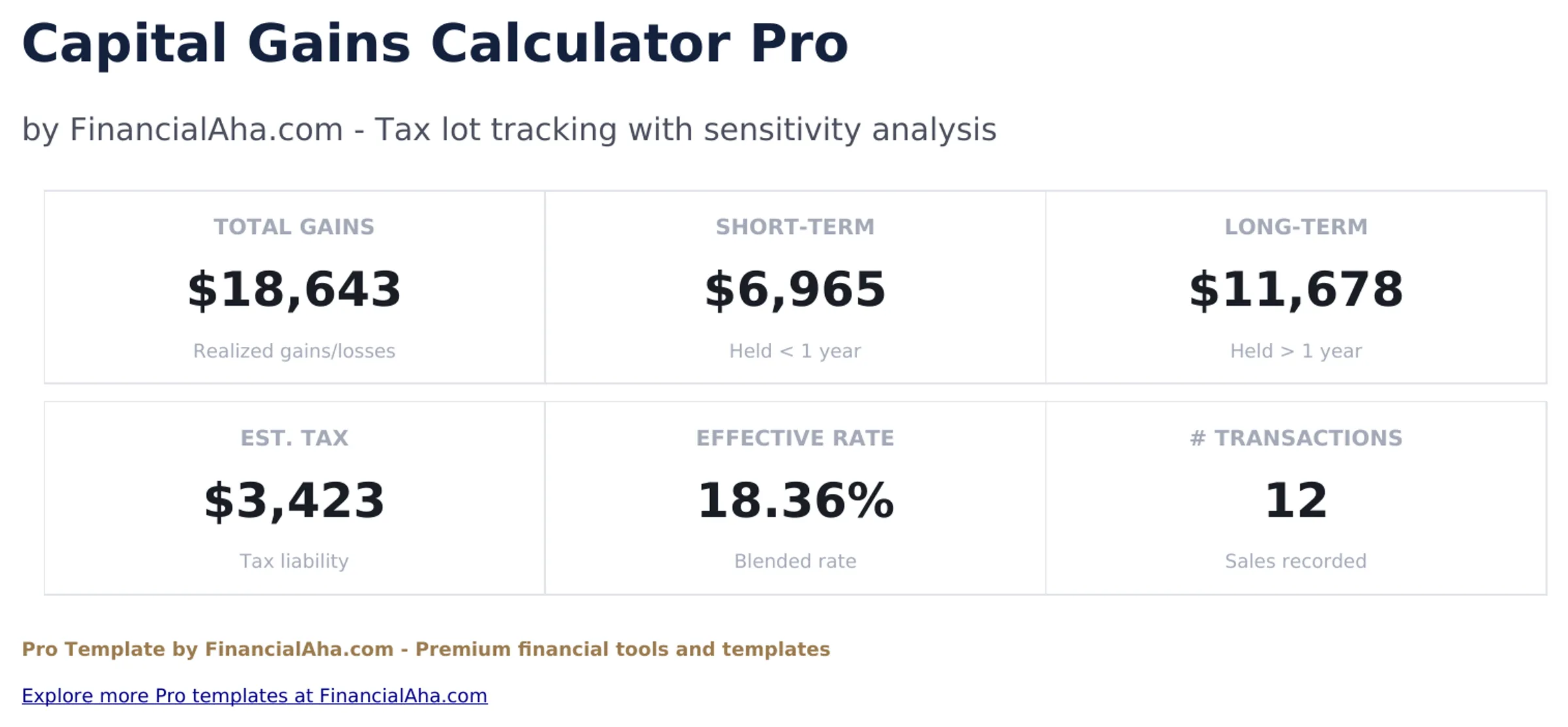
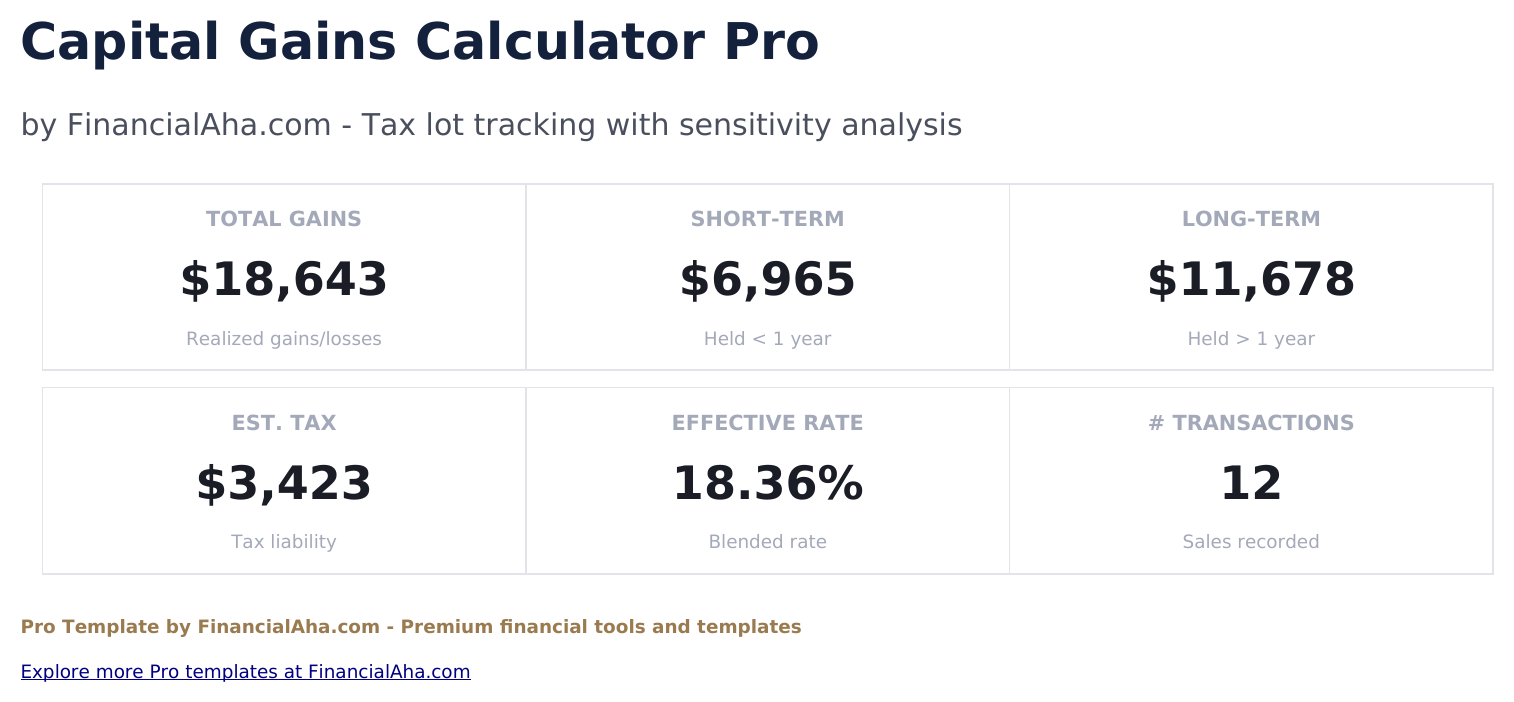
- Dashboard with 6 KPIs: total gains, short-term gains, long-term gains, estimated tax, effective rate, and transaction count
- Automatic short-term vs long-term classification based on holding period (over 365 days = long-term)
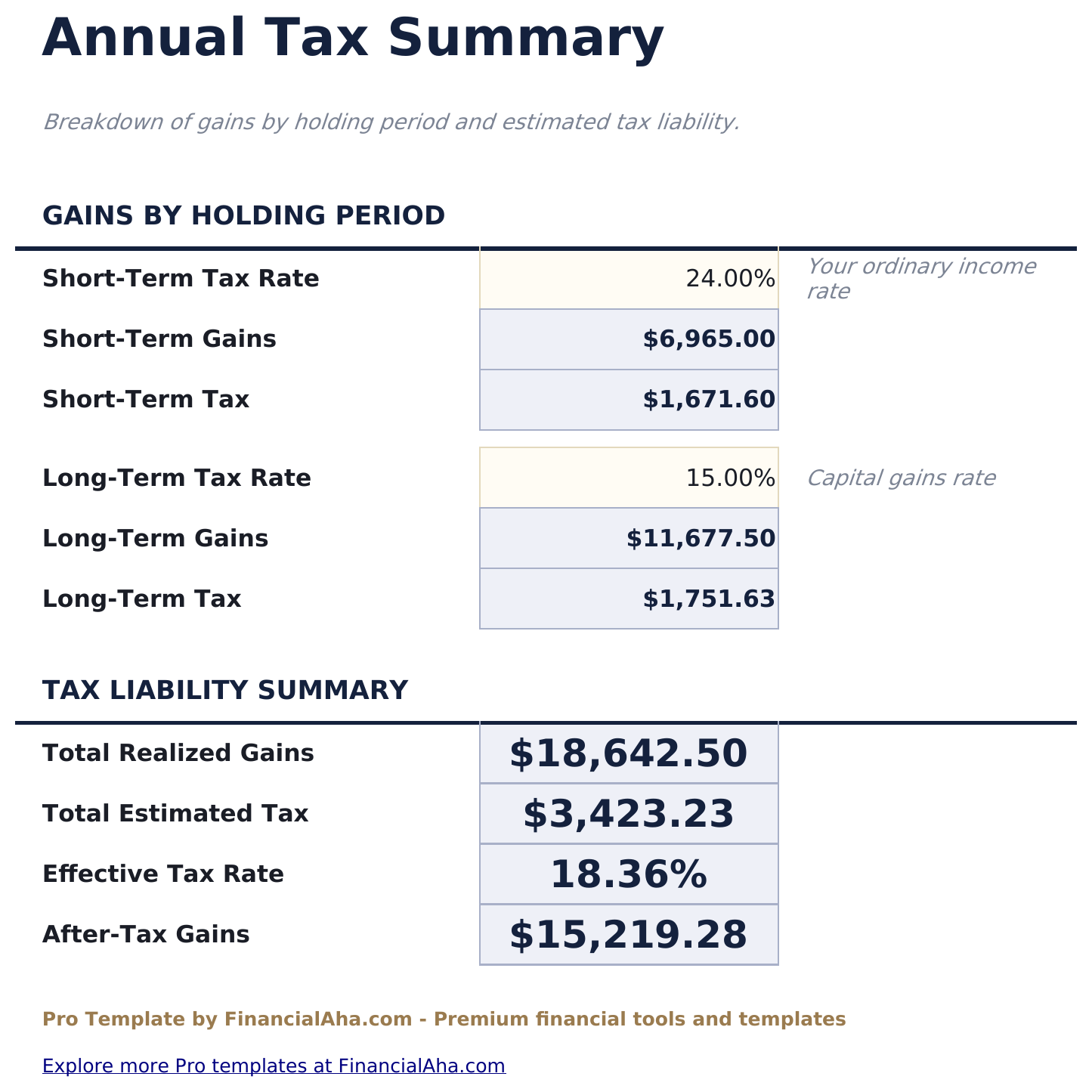
- Tax Summary with editable short-term and long-term tax rates, broken down by holding period with after-tax gains calculation
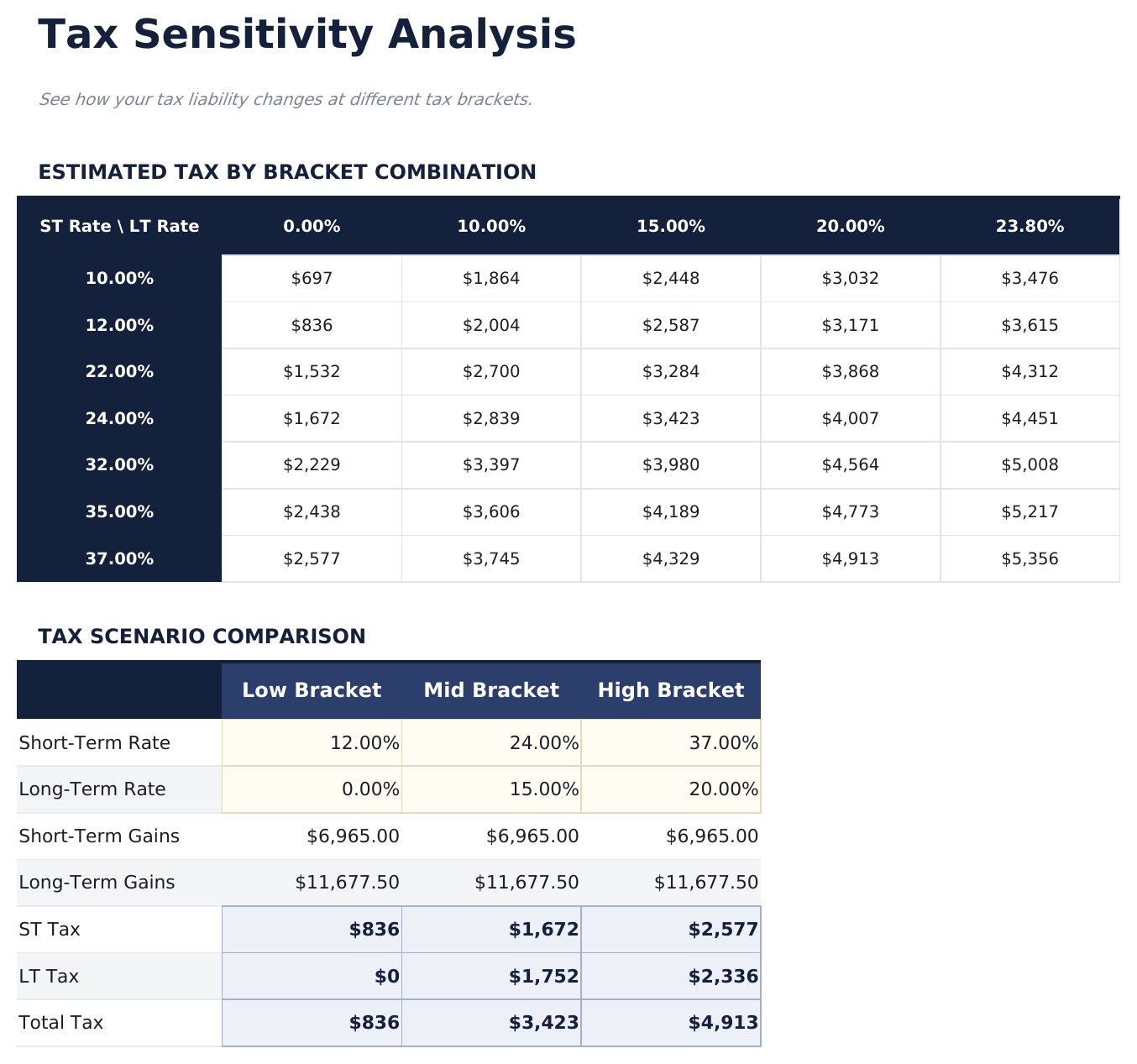
- Sensitivity analysis grid showing estimated tax at 7 short-term rates crossed with 5 long-term rates (35 scenarios)
- 3-scenario tax comparison: Low Bracket, Mid Bracket, and High Bracket side by side
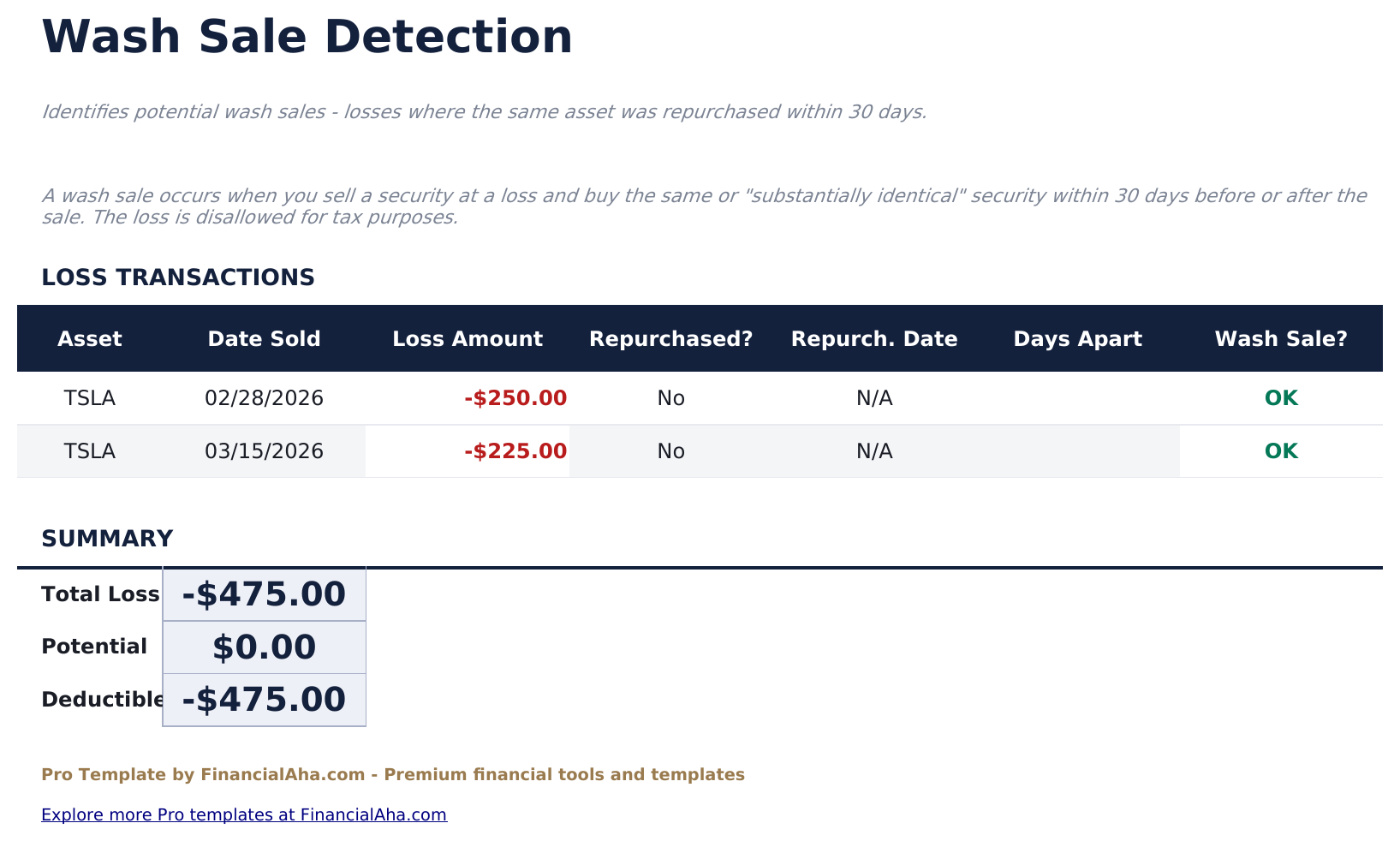
- Wash Sale Tracker that flags losses where the same asset was repurchased within 30 days, with deductible loss calculation
- Works in Microsoft Excel, Google Sheets, and LibreOffice Calc with no macros required
Preview
See what's inside this template
How to Use This Template
Enter your transactions
Go to Tax Lots and enter each realized sale: asset name, shares, date bought, date sold, cost basis, and proceeds. Gain/loss and holding period calculate automatically.
Set your tax rates
In the Tax Summary, enter your short-term and long-term tax rates. The estimated tax liability updates instantly.
Run sensitivity analysis
The Sensitivity sheet shows your tax at different bracket combinations. The 3-scenario comparison shows Low, Mid, and High bracket outcomes side by side.
Check for wash sales
The Wash Sale Tracker automatically flags loss transactions where you repurchased the same asset within 30 days.
Built by Claude AI. Perfected by us.
We use Claude AI to draft each Pro template after deep research. Then our team steps in - refining the layout, stress-testing every formula, fixing edge cases, and polishing the design. The AI gets us 80% there. The last 20% is all human judgment.
One-time purchase. No subscription. Works in Excel & Google Sheets.
Frequently Asked Questions
How many transactions can I track?
The Pro version supports 50 realized transactions - 2.5 times the free version. Each entry includes shares, dates, cost basis, proceeds, and automatic gain/loss calculation.
How does the sensitivity analysis work?
The grid shows your estimated tax liability at every combination of 7 short-term tax rates (10% to 37%) and 5 long-term rates (0% to 23.8%). Useful for year-end tax planning and estimating quarterly payments.
What is the wash sale tracker?
It automatically identifies losses where you sold a security and repurchased the same asset within 30 days. These losses may be disallowed for tax purposes. The tracker shows the loss amount, repurchase date, days apart, and whether it qualifies as a wash sale.
Can I set my own tax rates?
Yes. The Tax Summary sheet has editable cells for both short-term (ordinary income) and long-term (capital gains) tax rates. All calculations update automatically when you change the rates.
Does this constitute tax advice?
No. This template provides calculations for informational purposes only. Tax situations vary widely. Consult a qualified tax professional for advice specific to your situation.
What do I get after purchase?
You receive an Excel file (.xlsx) that works in Microsoft Excel, Google Sheets, and LibreOffice Calc. Download it immediately after purchase - no signup or account required.
Is there a free version?
Yes. The free version of this template is available with basic features. The Pro version adds advanced analysis, more capacity, and additional sheets.
What if it does not work for me?
Contact us and we will help troubleshoot. The template works in Microsoft Excel, Google Sheets, and LibreOffice Calc with no macros required.
Looking for more Pro templates?
We offer Pro versions of our most popular spreadsheet templates with advanced features, more capacity, and deeper analysis.