Debt Payoff Calculator Pro
Multi-debt payoff planning with up to 20 accounts, snowball vs avalanche comparison, monthly payment schedule, interest savings analysis, and debt-free date projections.
Free vs Pro
- Track multiple debts with balance, rate, and minimum payment
- Dashboard with payoff timeline overview
- Snowball and avalanche comparison
- Works in Excel and Google Sheets
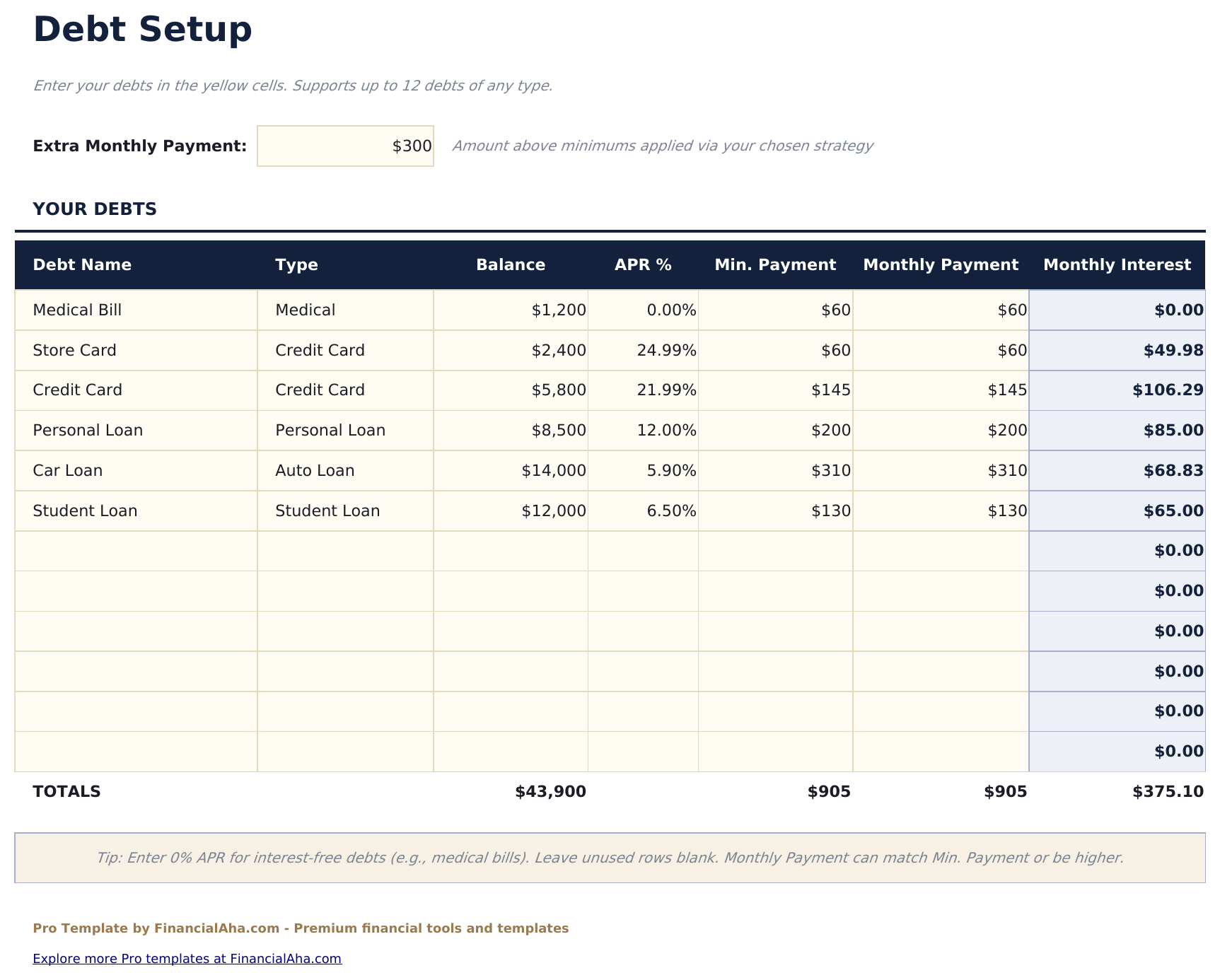
- Track up to 20 debt accounts with name, balance, interest rate, minimum payment, and creditor details
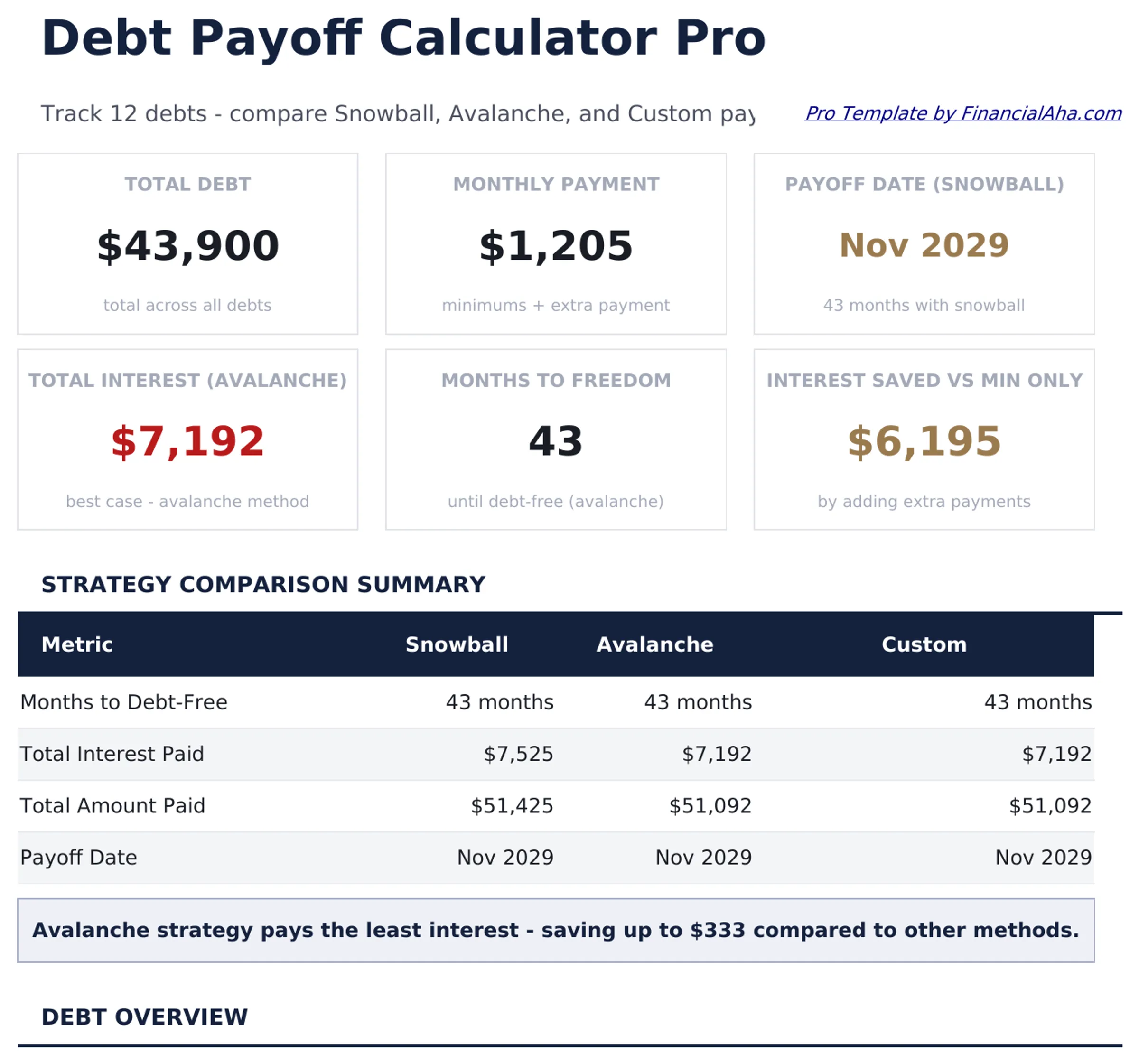
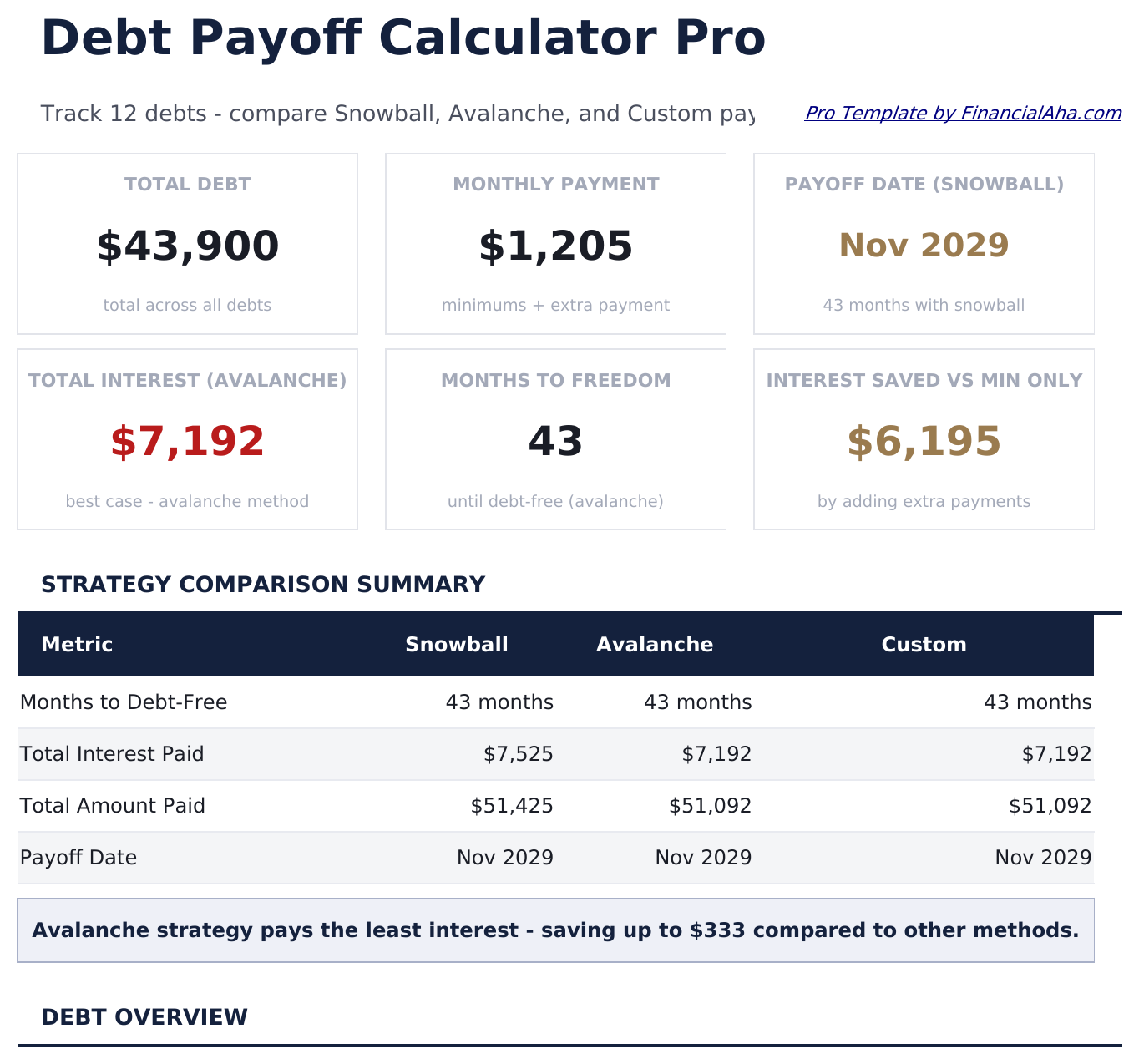
- Dashboard with 6 KPIs: total debt, monthly payment total, projected debt-free date, total interest, debts remaining, and highest-rate account
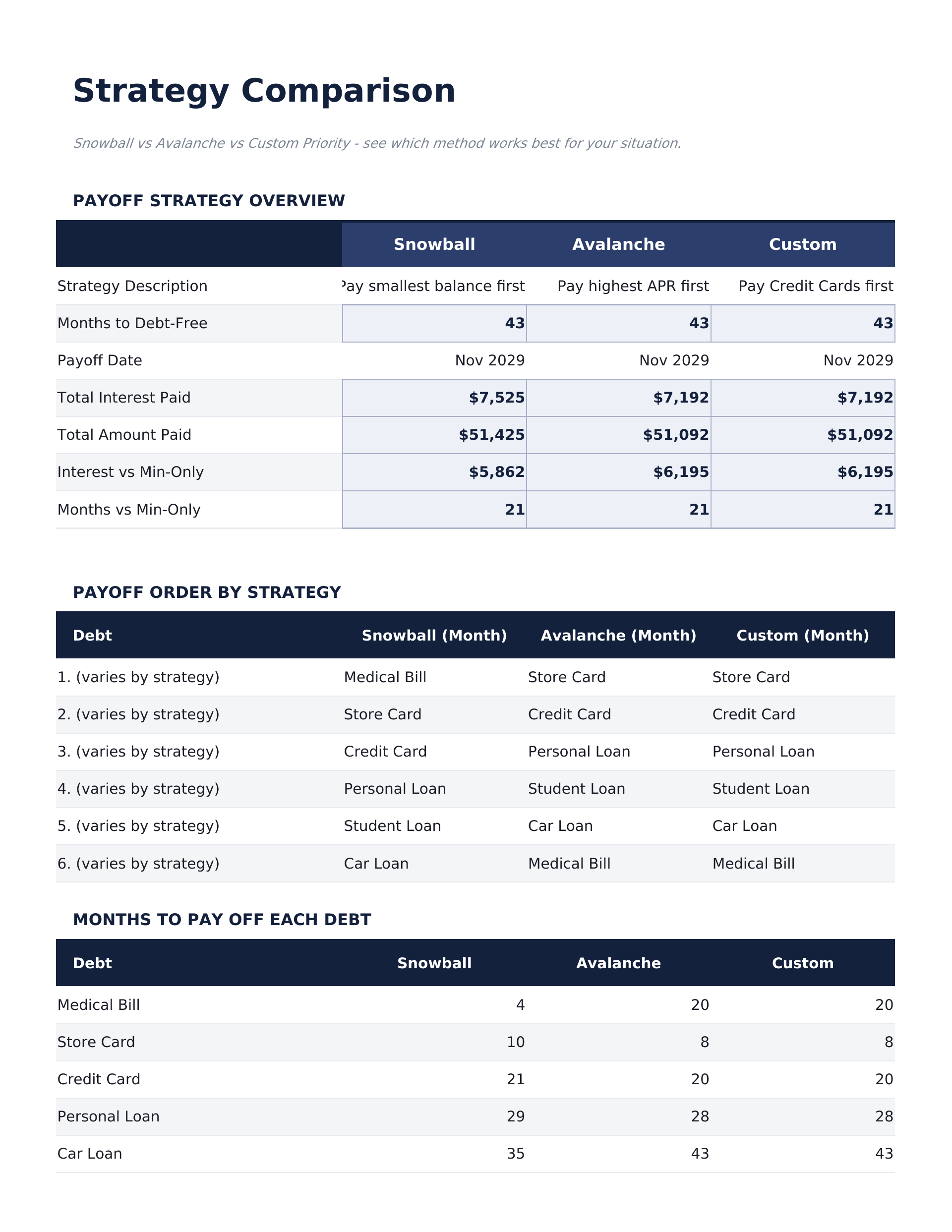
- Side-by-side snowball vs avalanche comparison showing payoff timeline and total interest for each strategy
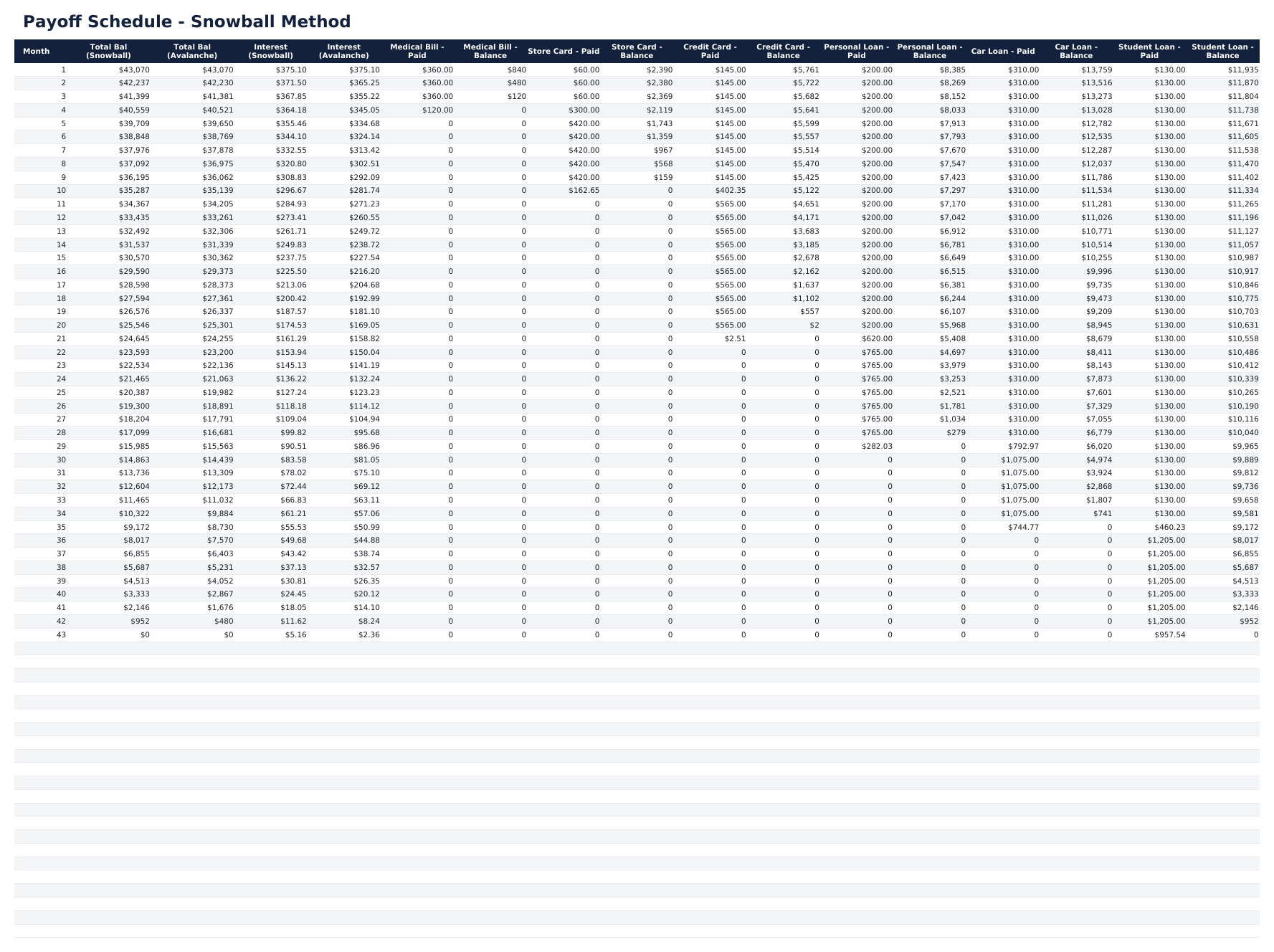
- Month-by-month payoff schedule with payment allocation, principal reduction, interest charged, and remaining balance per account
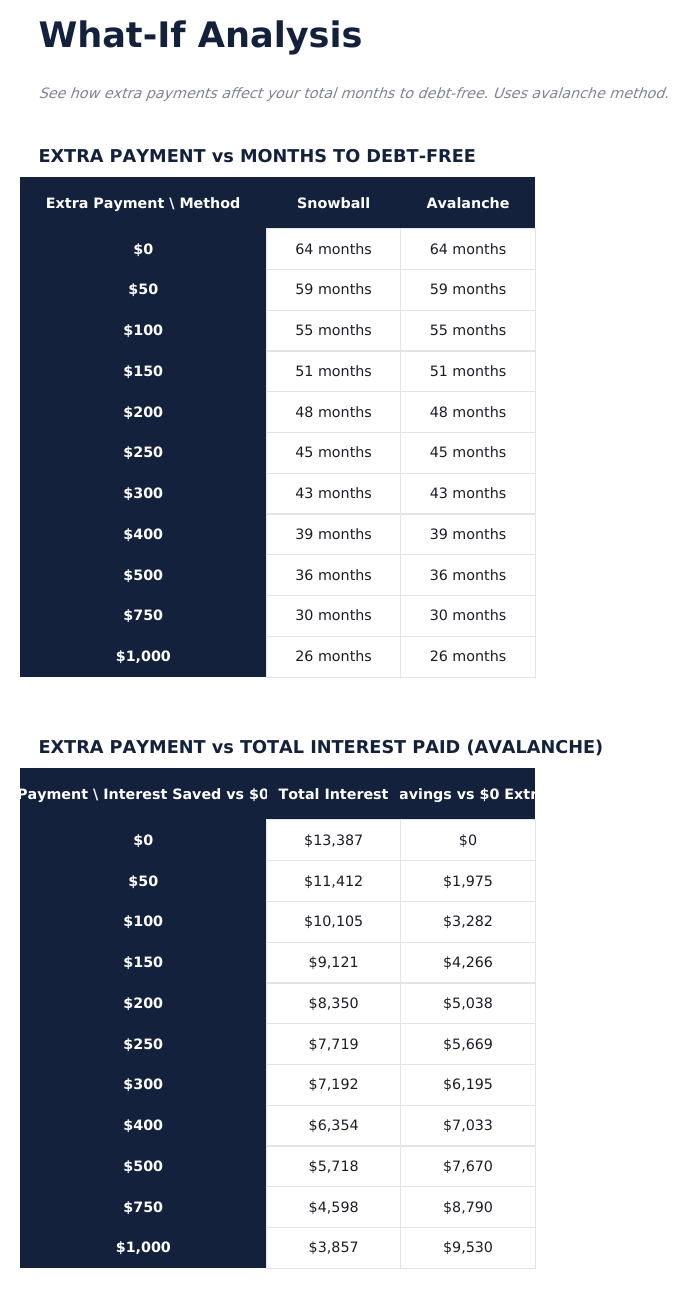
- Extra payment modeling showing how additional monthly amounts accelerate payoff and reduce total interest
- Interest savings summary comparing minimum-only payments to your chosen strategy with dollars and months saved
- Conditional formatting highlights paid-off debts in green and highest-interest accounts in red
- Works in Microsoft Excel, Google Sheets, and LibreOffice Calc with no macros required
Preview
See what's inside this template
How to Use This Template
Enter all debts
Go to Debt Setup and enter each account with name, current balance, interest rate, and minimum payment.
Set extra payment amount
Enter any additional monthly payment beyond minimums. The calculator distributes it according to your chosen strategy.
Compare strategies
The Strategy Comparison sheet shows snowball vs avalanche side by side with total interest and payoff timeline for each.
Review the payoff schedule
The month-by-month schedule shows how each debt declines over time with payment allocation details.
Built by Claude AI. Perfected by us.
We use Claude AI to draft each Pro template after deep research. Then our team steps in - refining the layout, stress-testing every formula, fixing edge cases, and polishing the design. The AI gets us 80% there. The last 20% is all human judgment.
One-time purchase. No subscription. Works in Excel & Google Sheets.
Frequently Asked Questions
How many debts can I track?
The Pro version supports up to 20 separate debt accounts - credit cards, student loans, auto loans, medical debt, and any other obligations.
How does the strategy comparison work?
The template calculates the full payoff timeline for both snowball (smallest balance first) and avalanche (highest rate first) strategies side by side, showing total interest and months to debt-free for each.
Can I add extra payments?
Yes. Enter any additional monthly amount beyond minimums. The schedule recalculates showing how the extra payment accelerates payoff and reduces total interest paid.
Does it show a debt-free date?
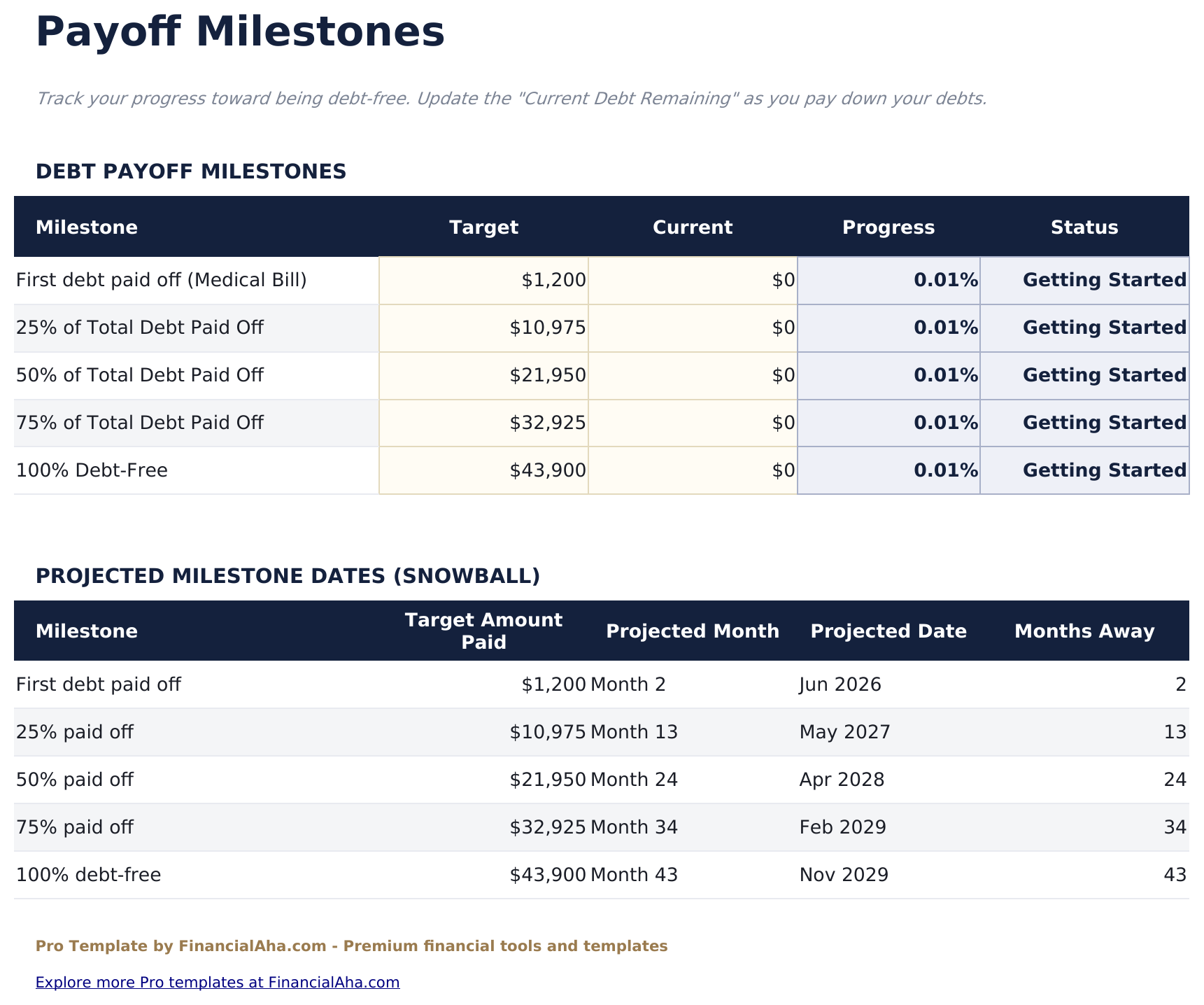
Yes. The dashboard projects the exact month and year when all debts will be paid off under your chosen strategy and payment amount.
Can I change strategies mid-plan?
Yes. Switch between snowball and avalanche at any time. Update current balances and the schedule recalculates from the new starting point.
What do I get after purchase?
You receive an Excel file (.xlsx) that works in Microsoft Excel, Google Sheets, and LibreOffice Calc. Download it immediately after purchase - no signup or account required.
Is there a free version?
Yes. The free version of this template is available with basic features. The Pro version adds advanced analysis, more capacity, and additional sheets.
What if it does not work for me?
Contact us and we will help troubleshoot. The template works in Microsoft Excel, Google Sheets, and LibreOffice Calc with no macros required.
Looking for more Pro templates?
We offer Pro versions of our most popular spreadsheet templates with advanced features, more capacity, and deeper analysis.