Small Business Bookkeeping Pro
Full small business bookkeeping with 200 transactions, chart of accounts, monthly profit and loss, balance sheet, and bank reconciliation.
Free vs Pro
- Log up to 50 transactions with account and type dropdowns
- Dashboard with revenue, expenses, and net income
- Monthly expense summary by account category
- Works in Excel and Google Sheets
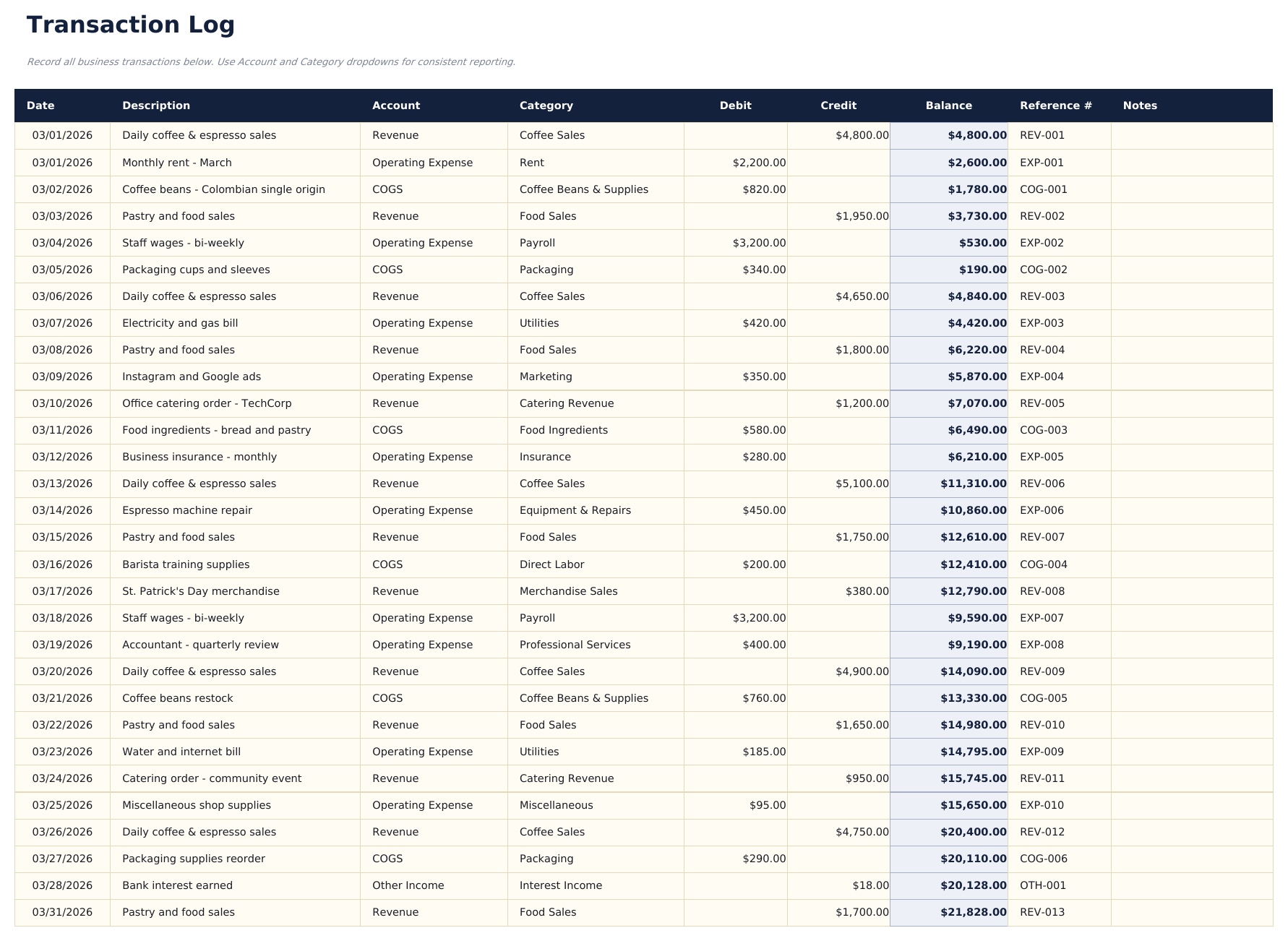
- Log up to 200 transactions per month with date, description, account, type, debit, credit, and memo fields
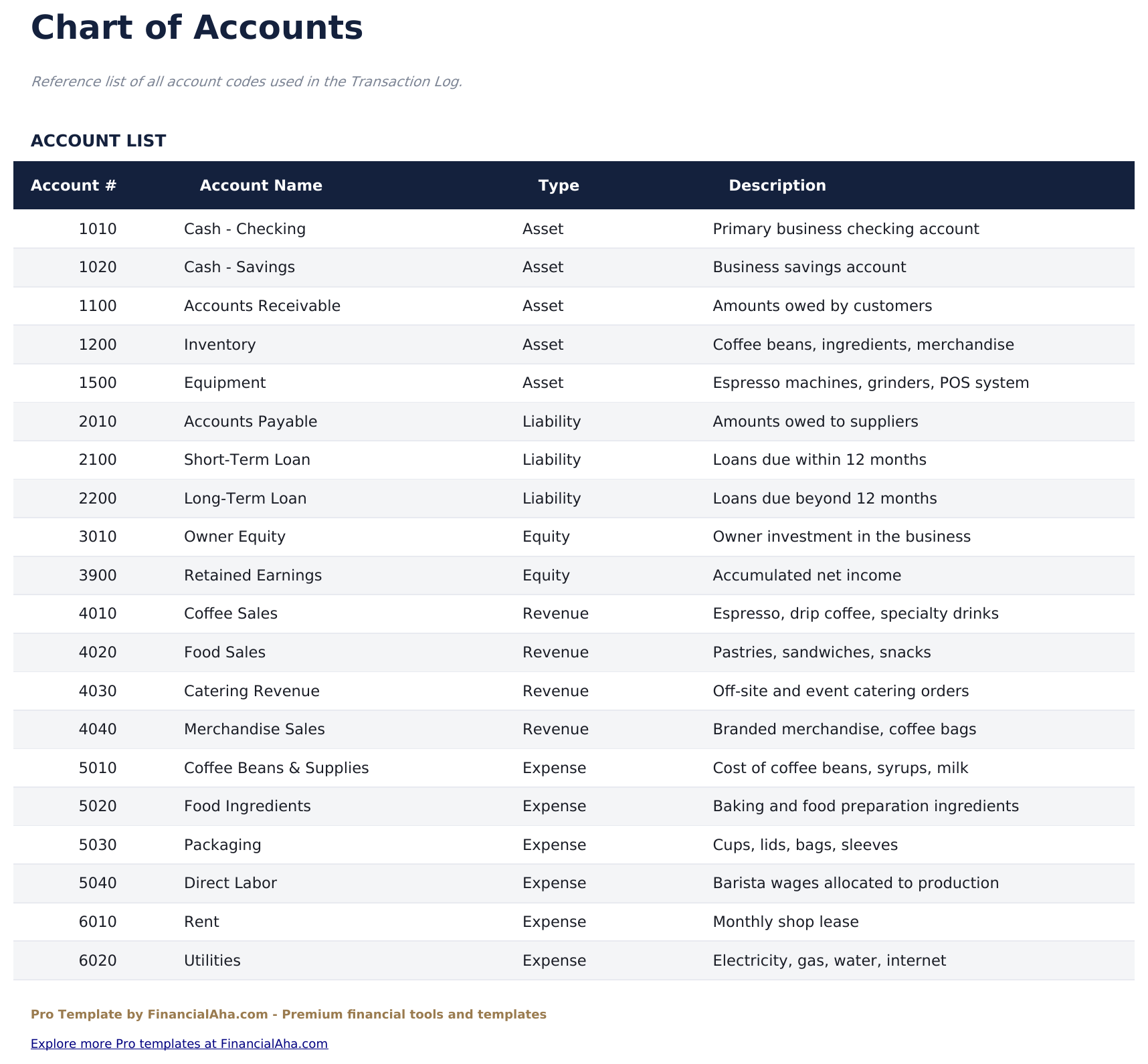
- Chart of Accounts with assets, liabilities, equity, revenue, and expense account codes - fully editable to match your business
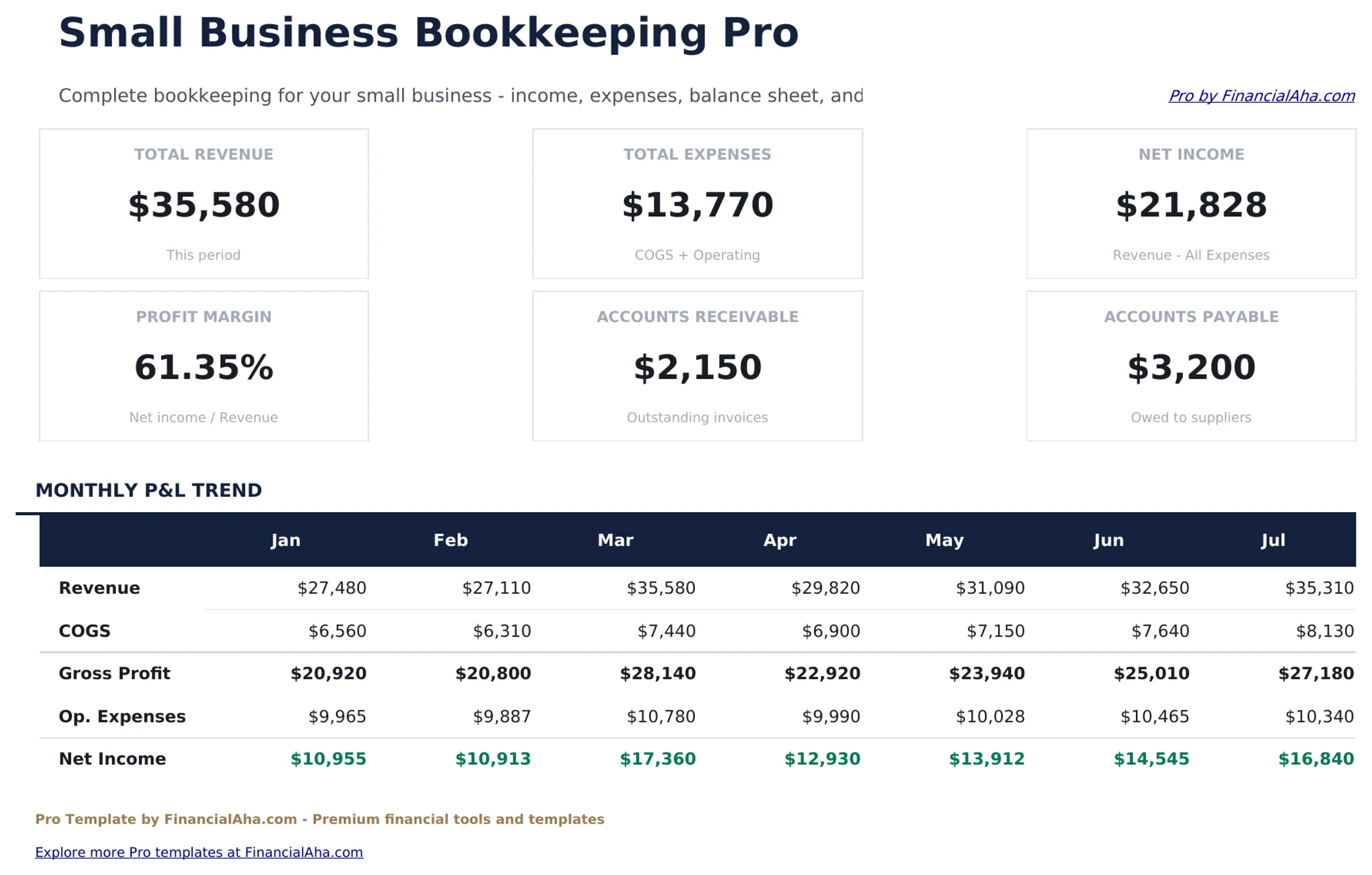
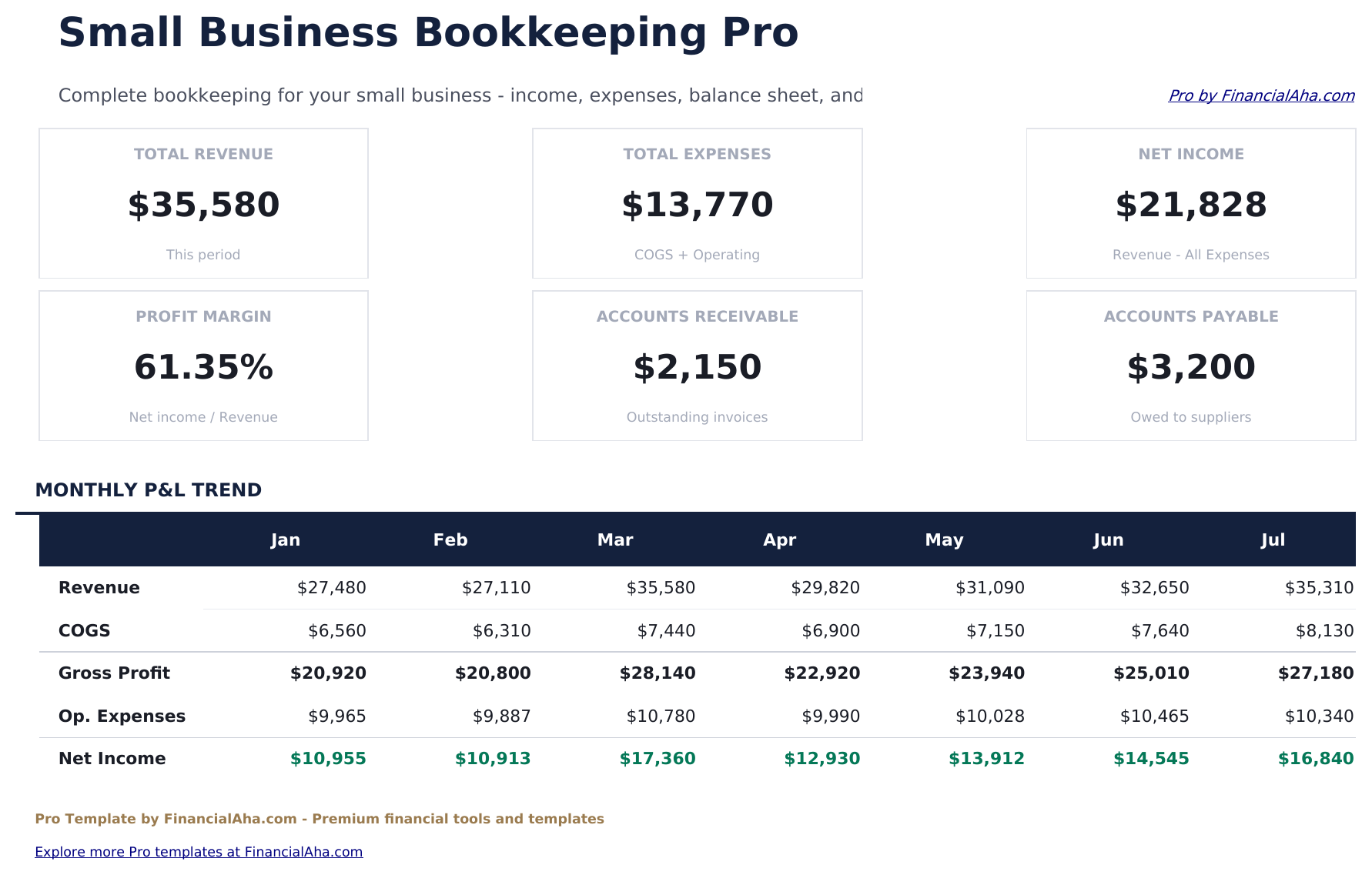
- Dashboard with 6 KPI cards: total revenue, total expenses, net income, total assets, total liabilities, and current cash balance
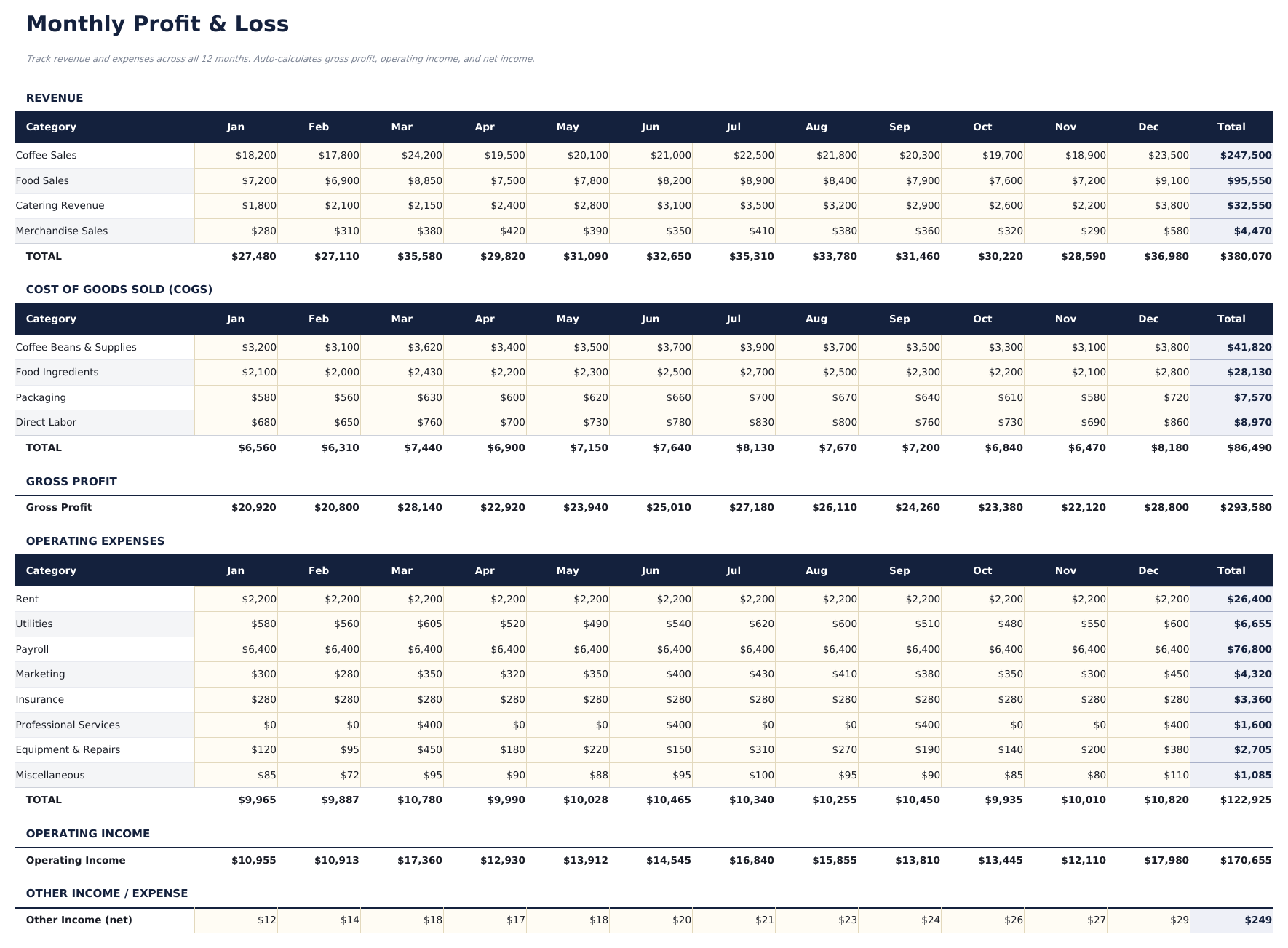
- Monthly P&L statement with revenue and expense accounts grouped by category, gross profit, and net income line
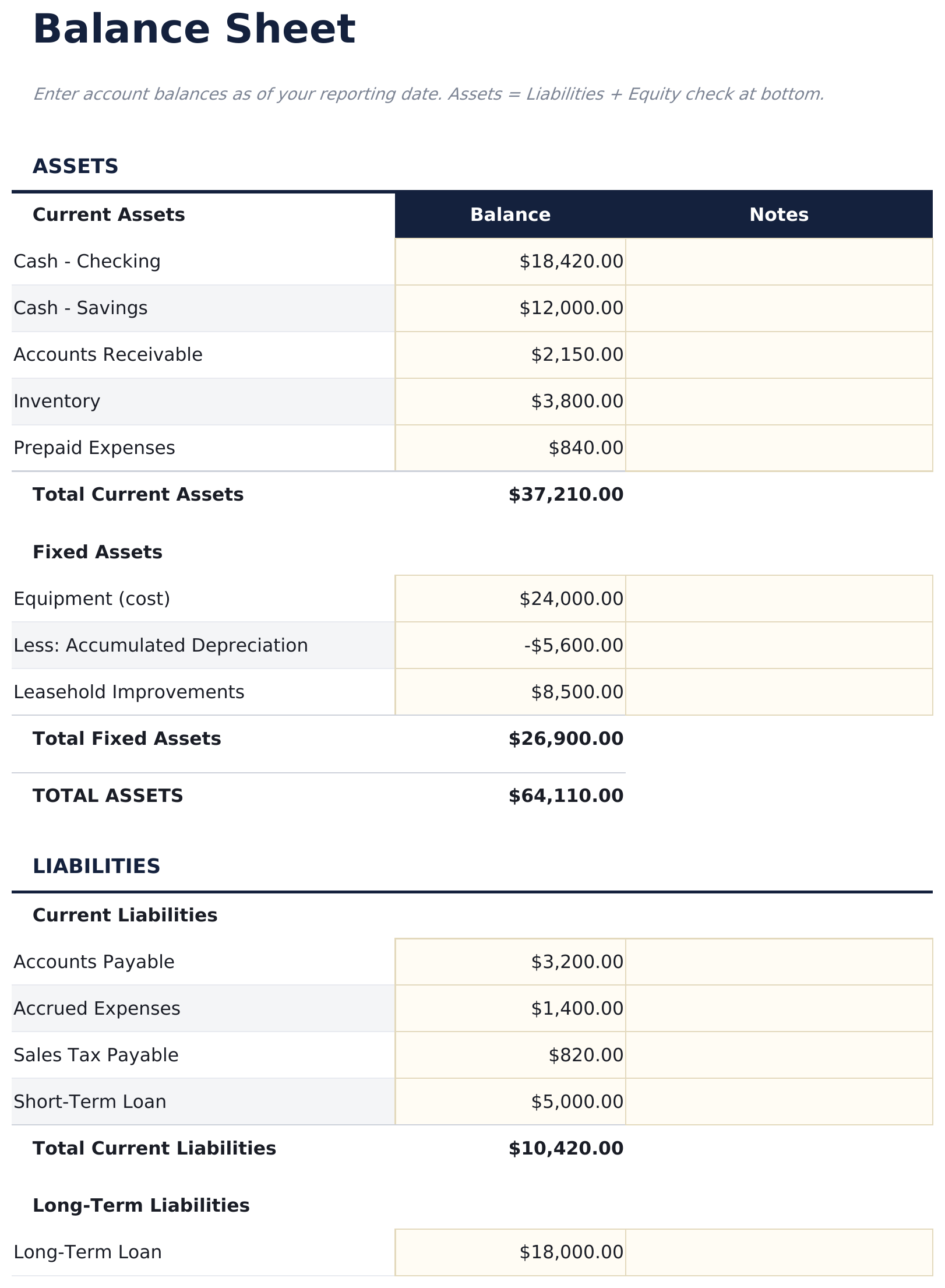
- Balance sheet showing assets, liabilities, and equity with automated totals pulling from the transaction log
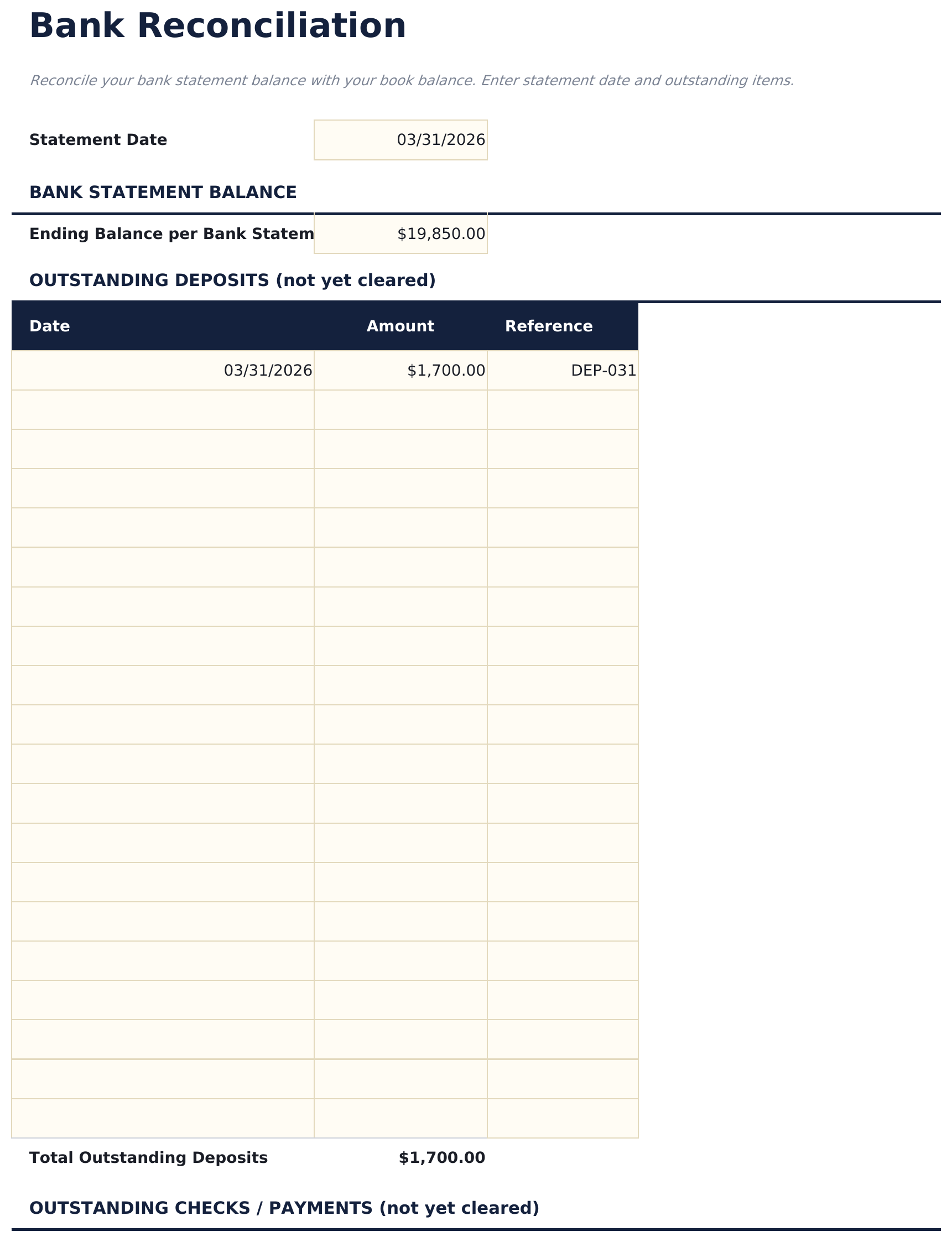
- Bank Reconciliation sheet with statement balance, outstanding deposits and checks, and adjusted book balance calculation
- Account dropdowns on the transaction log pull from the Chart of Accounts for consistent coding
- Works in Microsoft Excel, Google Sheets, and LibreOffice Calc with no macros required
Preview
See what's inside this template
How to Use This Template
Set up your chart of accounts
Go to the Chart of Accounts sheet and review or edit the account codes and names to match your business. Add any accounts specific to your industry.
Log transactions
In the Transaction Log, enter each transaction with date, description, account (dropdown), transaction type, debit amount, and credit amount.
Review monthly financials
The Monthly P&L and Balance Sheet update automatically from the transaction log. Review these at month end for a complete picture of business performance.
Reconcile your bank account
At month end, enter your bank statement balance in the Bank Reconciliation sheet and list any outstanding items to confirm your books match the bank.
Built by Claude AI. Perfected by us.
We use Claude AI to draft each Pro template after deep research. Then our team steps in - refining the layout, stress-testing every formula, fixing edge cases, and polishing the design. The AI gets us 80% there. The last 20% is all human judgment.
One-time purchase. No subscription. Works in Excel & Google Sheets.
Frequently Asked Questions
How many transactions can I track?
The Pro version supports 200 transactions - four times the free version. Each row uses account dropdowns linked to the Chart of Accounts for consistent coding.
Can I customize the chart of accounts?
Yes. The Chart of Accounts sheet lists all account codes and names. Edit or add rows to match your business structure. The transaction log dropdowns update automatically.
How does the balance sheet work?
The balance sheet pulls asset, liability, and equity account balances from the transaction log. Total assets equal total liabilities plus equity when entries are coded correctly.
What does the bank reconciliation sheet do?
Enter your bank statement ending balance, list outstanding deposits and outstanding checks, and the sheet calculates your adjusted book balance. The difference column shows any remaining discrepancy.
Is this a replacement for accounting software?
This template is suitable for simple small business bookkeeping. Businesses with complex inventory, payroll, or multi-entity needs may require dedicated accounting software.
What do I get after purchase?
You receive an Excel file (.xlsx) that works in Microsoft Excel, Google Sheets, and LibreOffice Calc. Download it immediately after purchase - no signup or account required.
Is there a free version?
Yes. The free version of this template is available with basic features. The Pro version adds advanced analysis, more capacity, and additional sheets.
What if it does not work for me?
Contact us and we will help troubleshoot. The template works in Microsoft Excel, Google Sheets, and LibreOffice Calc with no macros required.
Looking for more Pro templates?
We offer Pro versions of our most popular spreadsheet templates with advanced features, more capacity, and deeper analysis.