Sales Forecast Pro
Full sales pipeline management with 50 deals, stage-based probability weighting, monthly forecast, forecast vs actual tracking, and scenario planning.
Free vs Pro
- Track up to 20 deals with stage, probability, and expected close date
- Dashboard with total pipeline and weighted forecast
- Basic pipeline summary by stage
- Works in Excel and Google Sheets
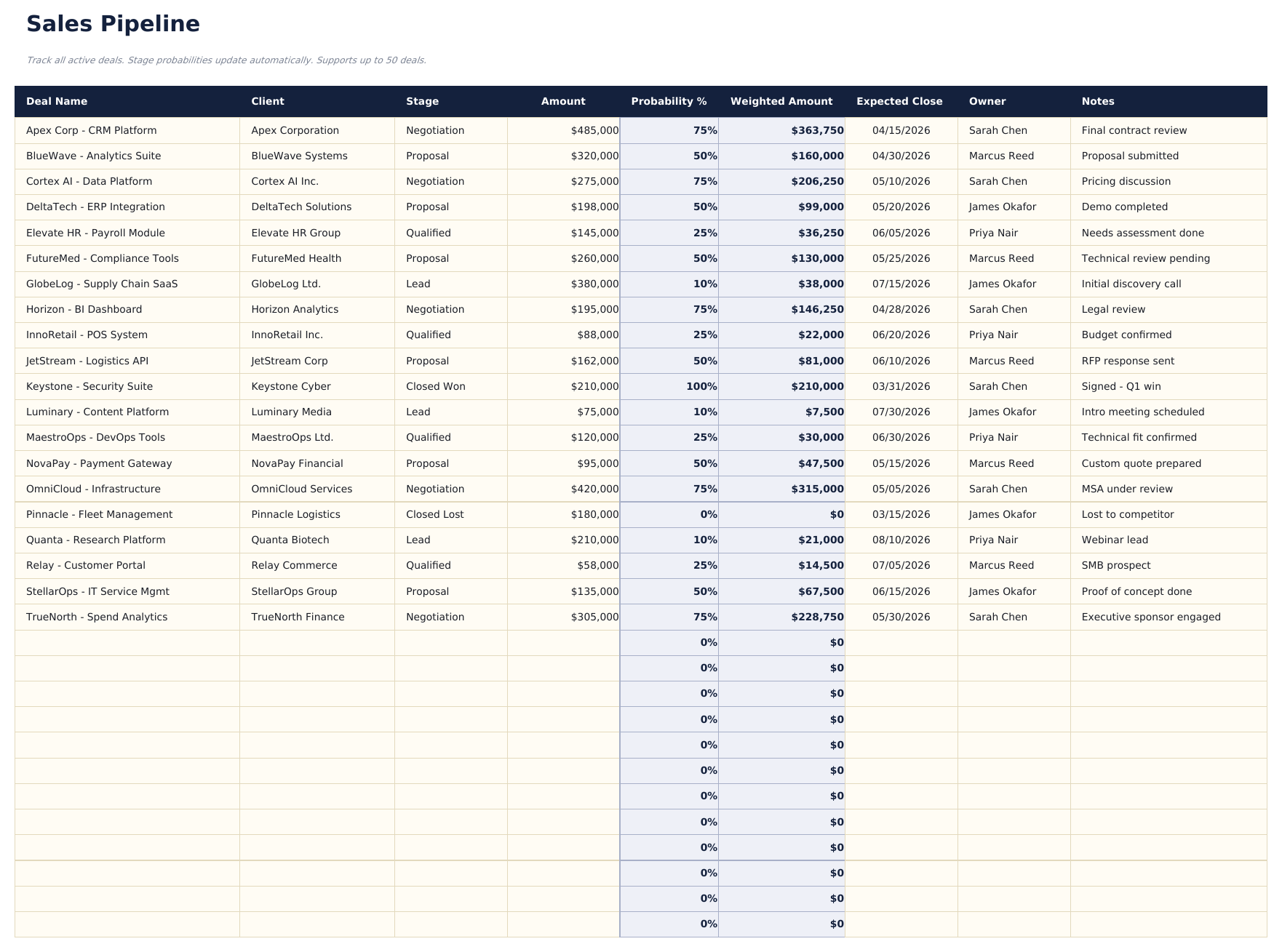
- Track up to 50 active deals with company, contact, deal size, stage, probability, expected close date, and owner
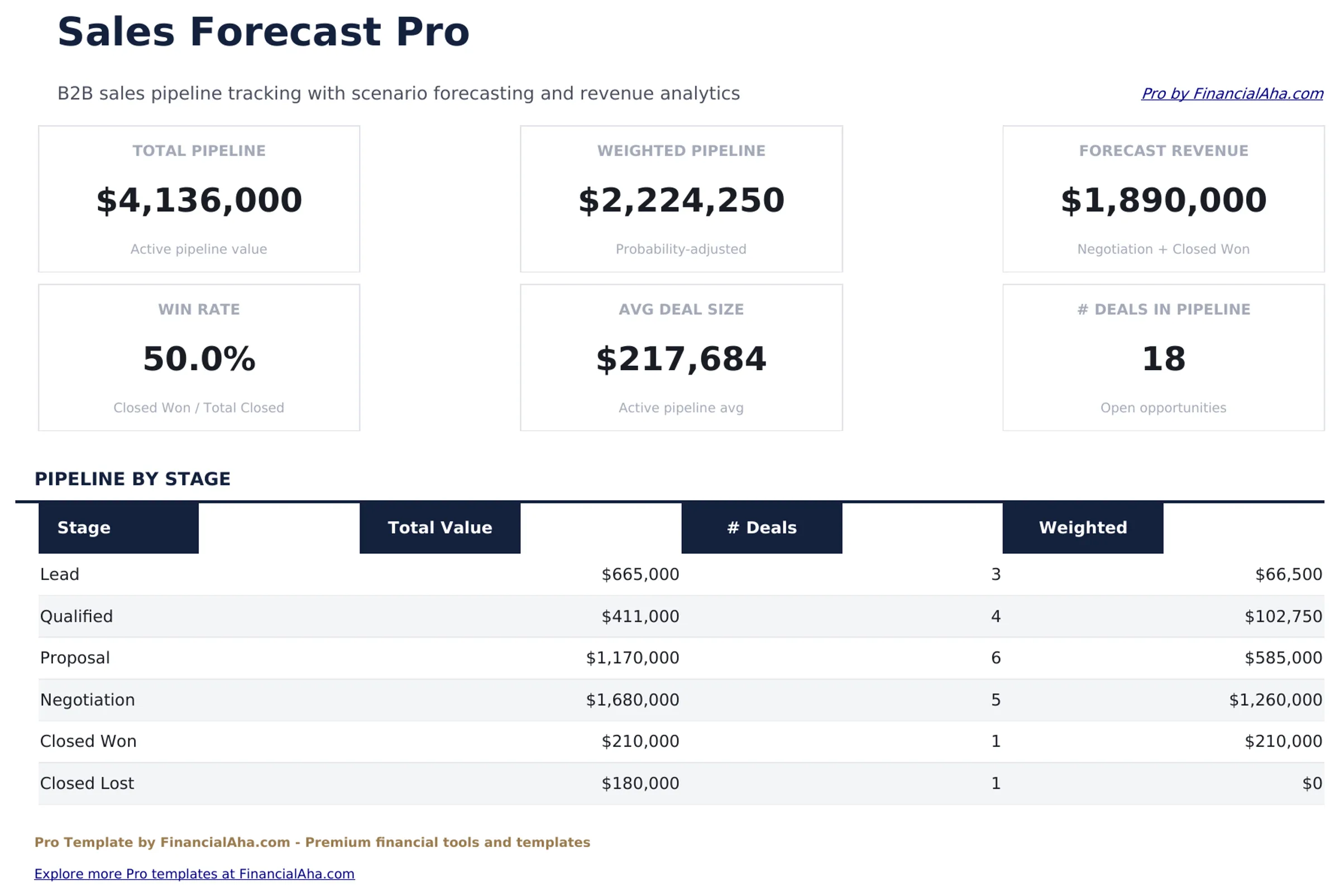
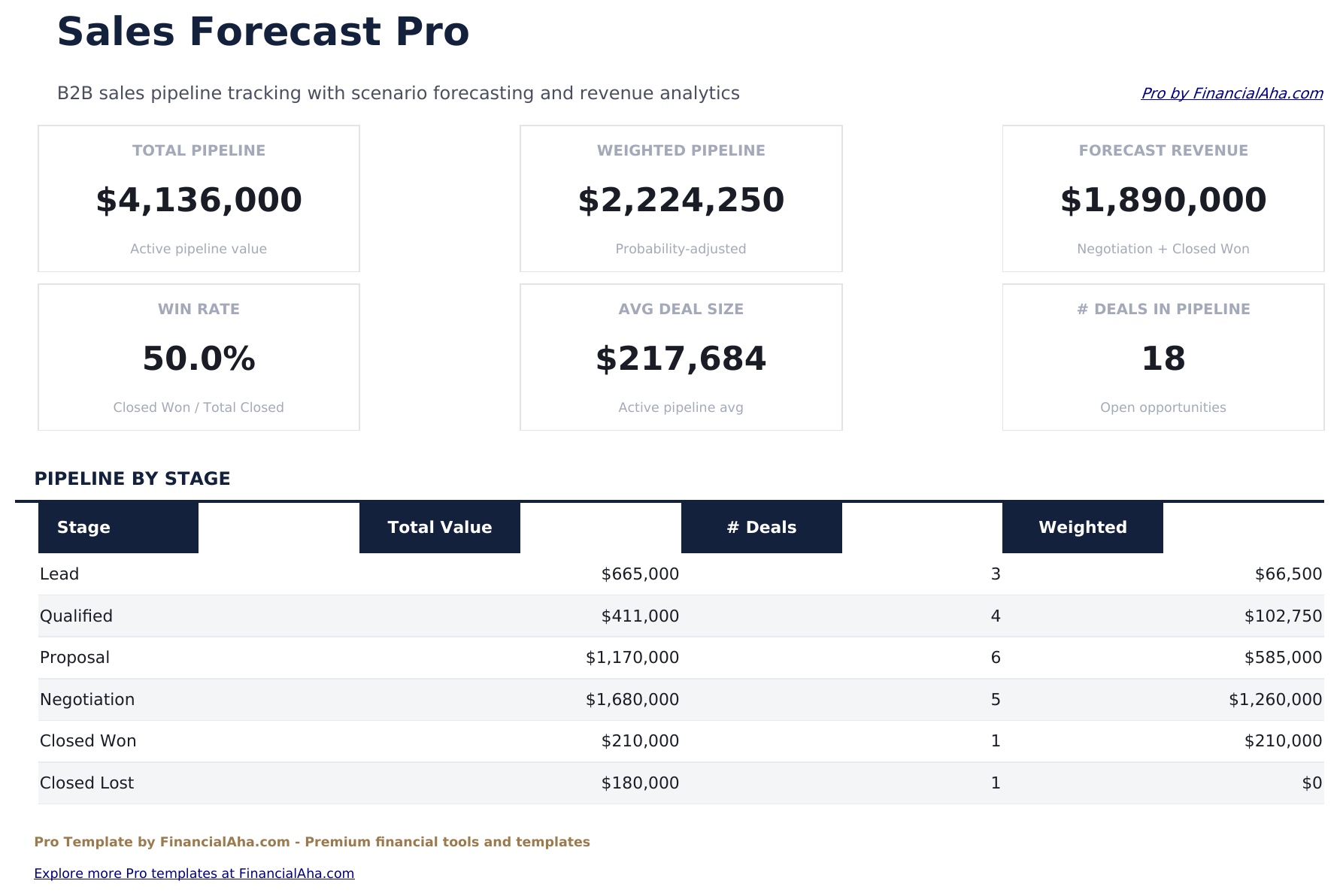
- Dashboard with 6 KPI cards: total pipeline value, weighted pipeline, deals in pipeline, average deal size, win rate, and forecast this month
- Pipeline sheet with stage-based probability weighting that automatically calculates weighted forecast value per deal
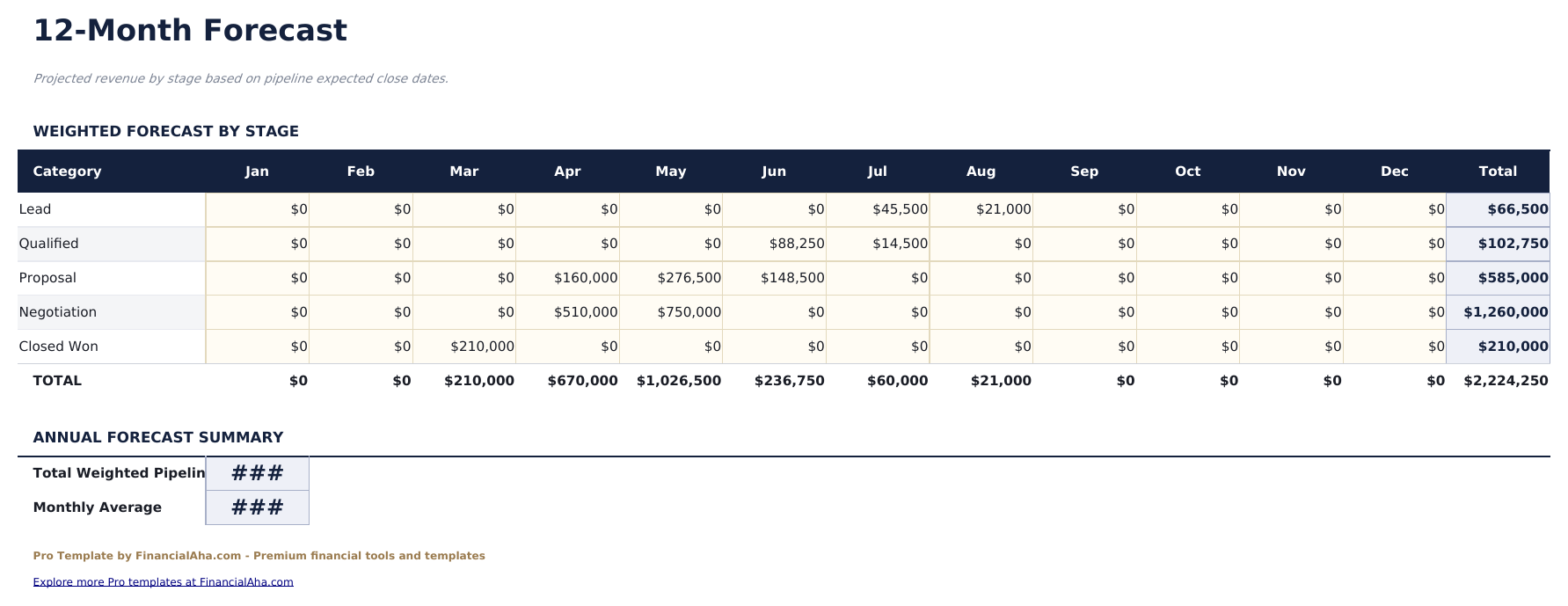
- Monthly Forecast sheet projecting expected bookings by month based on close dates and weighted deal values
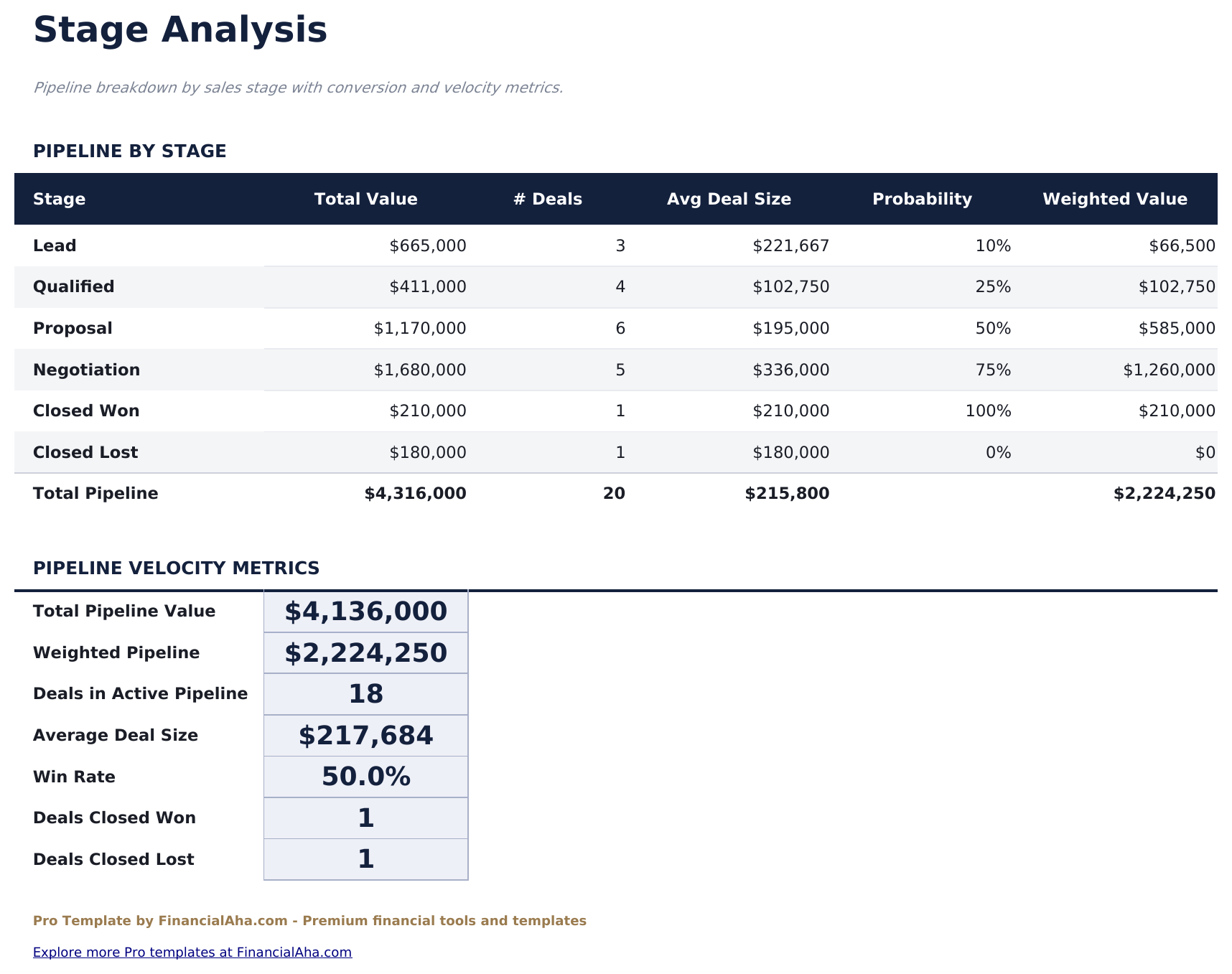
- Stage Analysis sheet showing deal count, total value, average size, and weighted value per pipeline stage
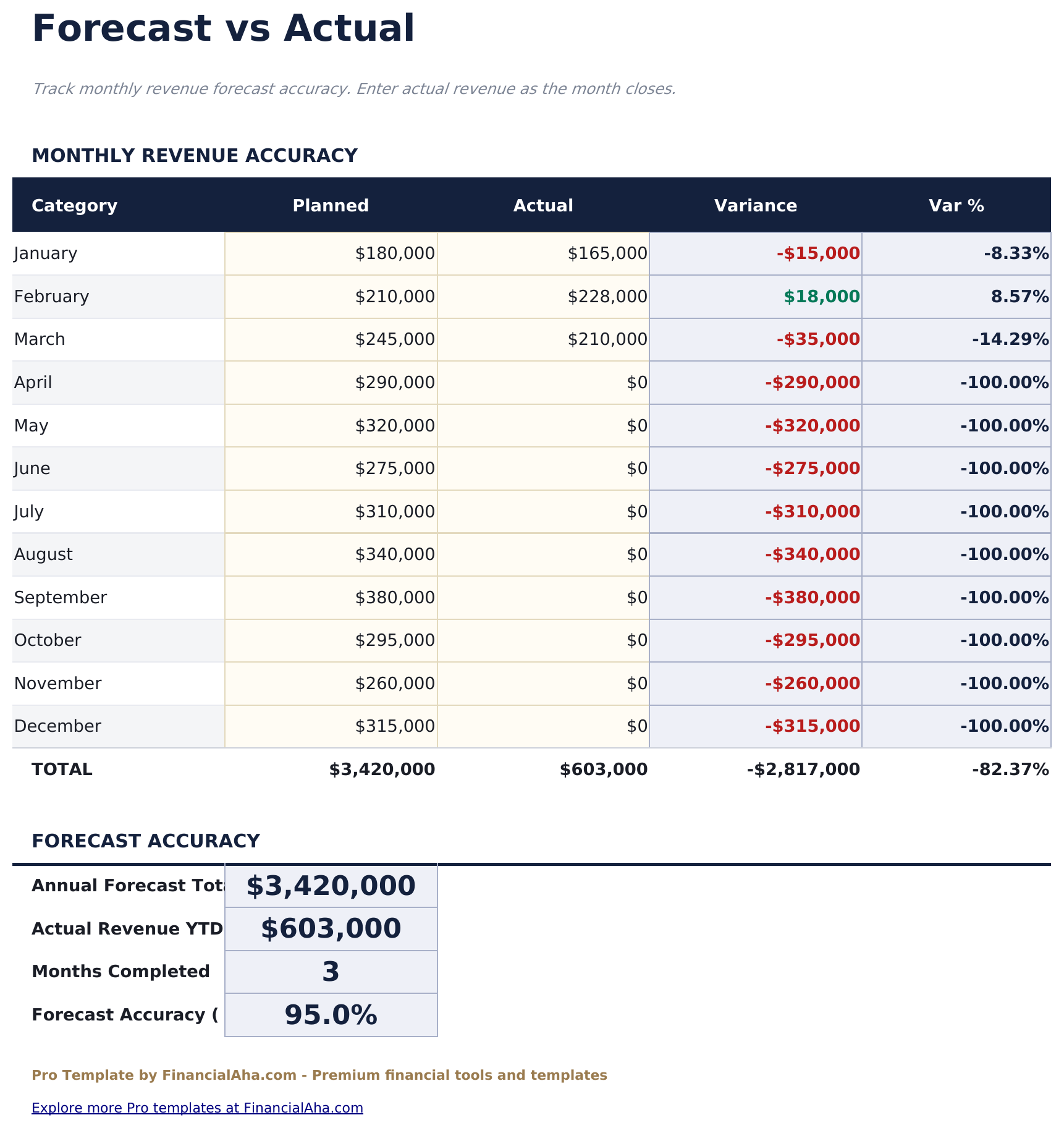
- Forecast vs Actual sheet comparing monthly booked revenue against forecast with variance and running accuracy score
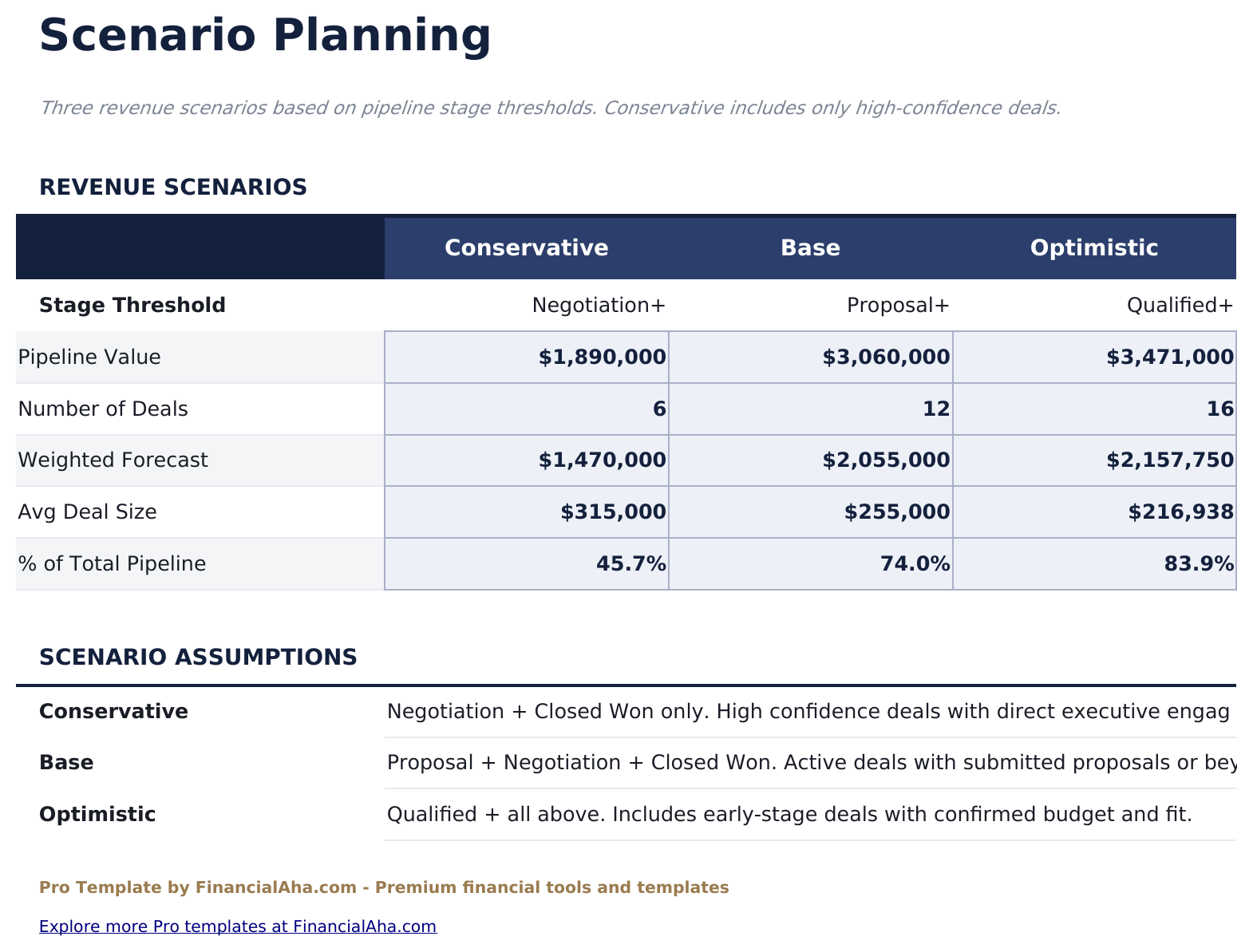
- Scenario Planning with Best Case, Base Case, and Worst Case projections based on editable win rate assumptions
- Works in Microsoft Excel, Google Sheets, and LibreOffice Calc with no macros required
Preview
See what's inside this template
How to Use This Template
Enter your pipeline
Go to the Pipeline sheet and add each active deal with company, contact name, deal size, current stage (dropdown), probability, expected close date, and owner.
Review stage analysis
The Stage Analysis sheet shows deal count, total value, and weighted value per stage automatically. Use it to identify where deals are stalling.
Track forecast accuracy
As deals close, log the actual booked revenue in the Forecast vs Actual sheet each month to build a track record of forecast accuracy.
Plan for different outcomes
Go to Scenario Planning and set win rate assumptions for Best Case, Base Case, and Worst Case to see projected annual bookings under each scenario.
Built by Claude AI. Perfected by us.
We use Claude AI to draft each Pro template after deep research. Then our team steps in - refining the layout, stress-testing every formula, fixing edge cases, and polishing the design. The AI gets us 80% there. The last 20% is all human judgment.
One-time purchase. No subscription. Works in Excel & Google Sheets.
Frequently Asked Questions
How many deals can I track?
The Pro version supports up to 50 active deals - 2.5 times the free version. Each deal row includes company, contact, deal size, stage, probability, expected close date, and assigned owner.
How does weighted pipeline work?
Each pipeline stage has a default close probability (for example, Proposal = 50%, Negotiation = 75%). The weighted forecast value multiplies deal size by the stage probability. You can edit the stage probabilities to match your sales process.
What does the forecast vs actual sheet show?
It compares your forecasted monthly bookings against deals that actually closed. The variance column and running accuracy score help assess forecast reliability over time.
How does scenario planning work?
Enter a win rate assumption for each of three scenarios: Best Case, Base Case, and Worst Case. The sheet applies each rate to the full pipeline to project total closed revenue under each scenario.
Can multiple salespeople use this?
Yes. The Pipeline sheet has an Owner column. The Stage Analysis sheet can be filtered by owner in Excel or Google Sheets to see individual pipeline health.
What do I get after purchase?
You receive an Excel file (.xlsx) that works in Microsoft Excel, Google Sheets, and LibreOffice Calc. Download it immediately after purchase - no signup or account required.
Is there a free version?
Yes. The free version of this template is available with basic features. The Pro version adds advanced analysis, more capacity, and additional sheets.
What if it does not work for me?
Contact us and we will help troubleshoot. The template works in Microsoft Excel, Google Sheets, and LibreOffice Calc with no macros required.
Looking for more Pro templates?
We offer Pro versions of our most popular spreadsheet templates with advanced features, more capacity, and deeper analysis.