Rental Property Cash Flow Pro
Multi-property rental analysis for up to 5 properties with monthly cash flow tracking, ROI calculations, and sensitivity analysis on key variables.
Free vs Pro
- Track a single rental property with income and expense inputs
- Dashboard with monthly cash flow, NOI, and cap rate
- Annual income and expense summary
- Works in Excel and Google Sheets
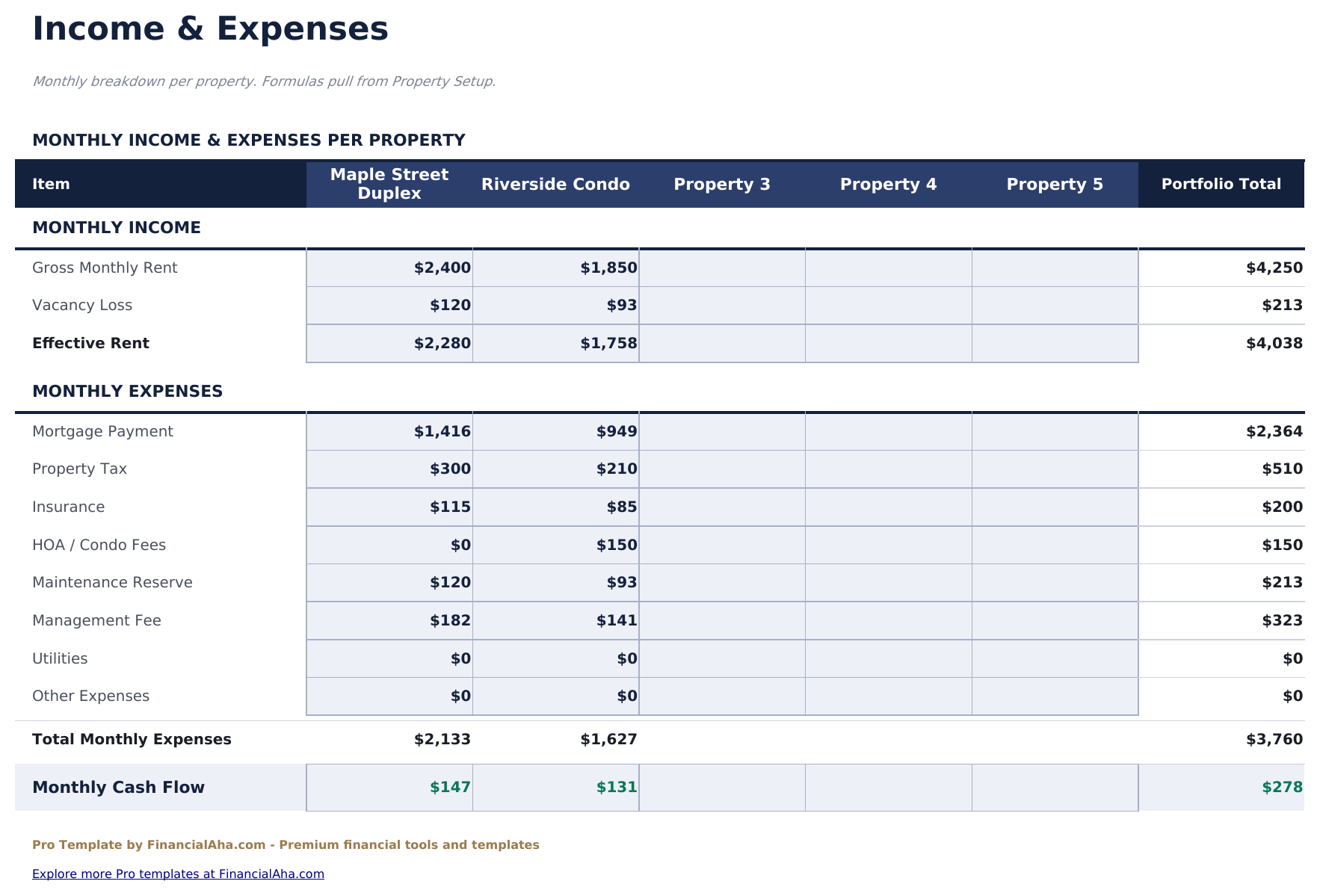
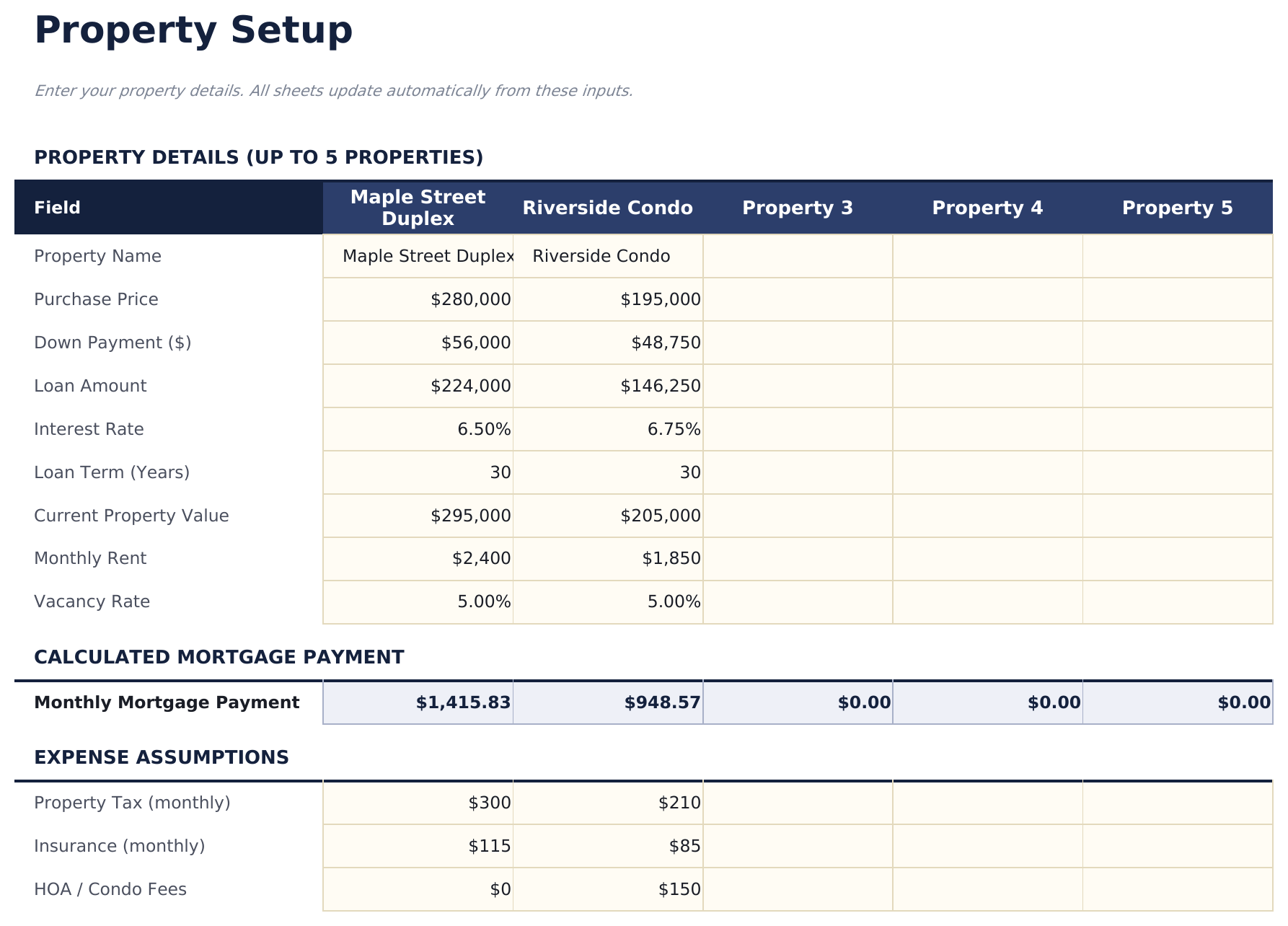
- Track up to 5 rental properties with purchase price, mortgage, taxes, insurance, HOA, maintenance, and management fee details
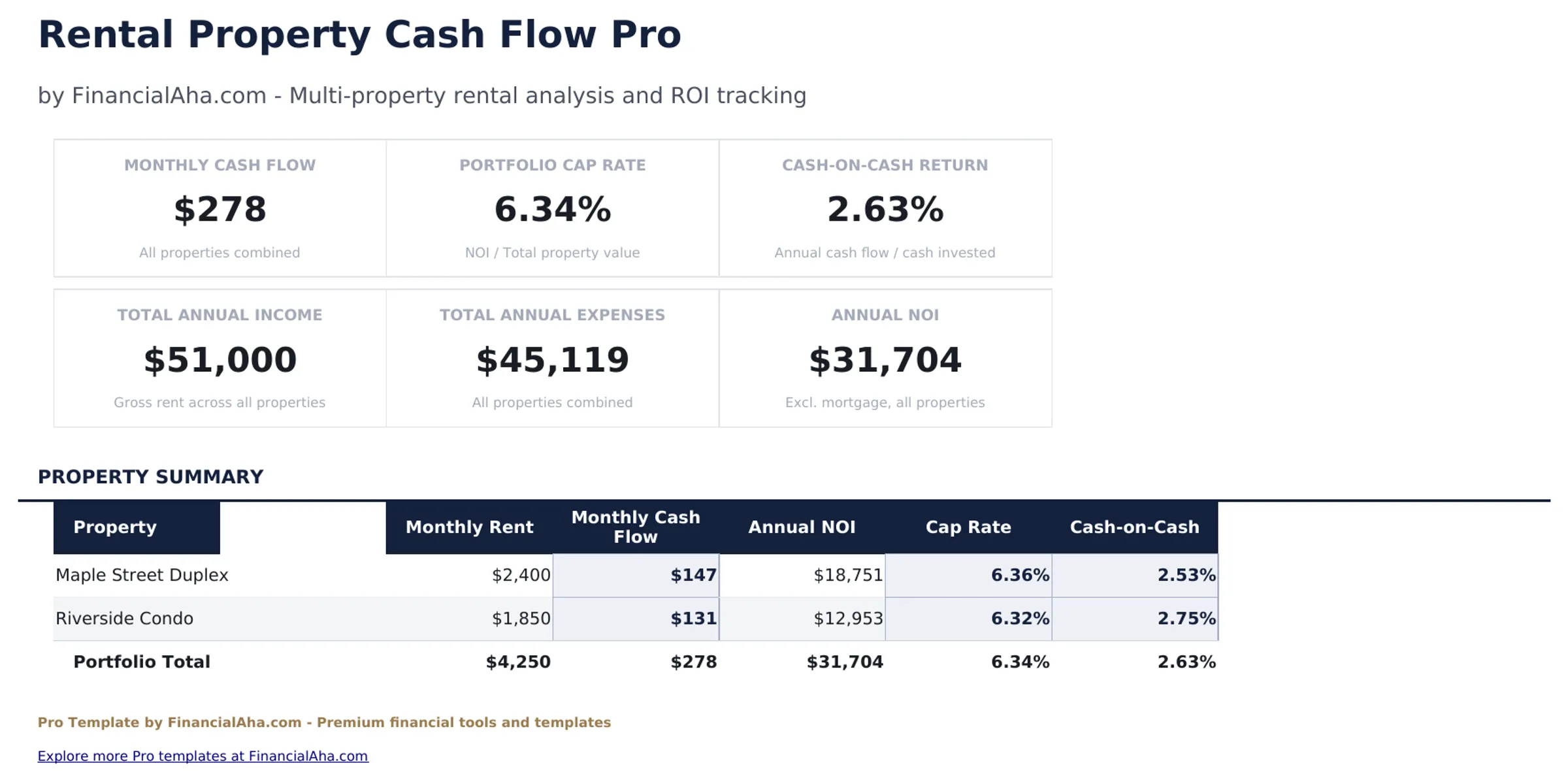
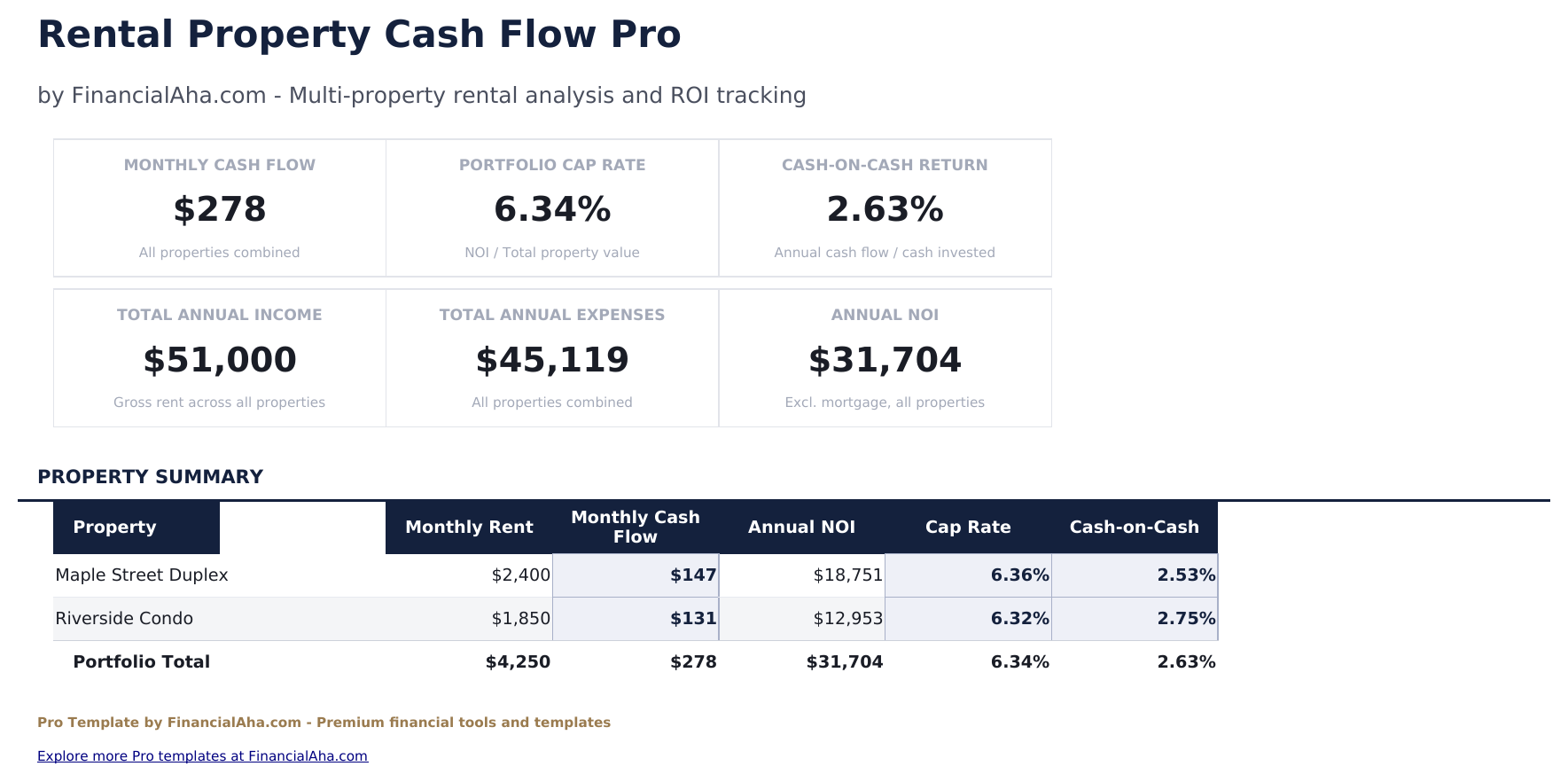
- Dashboard with 6 KPI cards: total monthly cash flow, total properties, gross rental income, total expenses, net operating income, and average cap rate
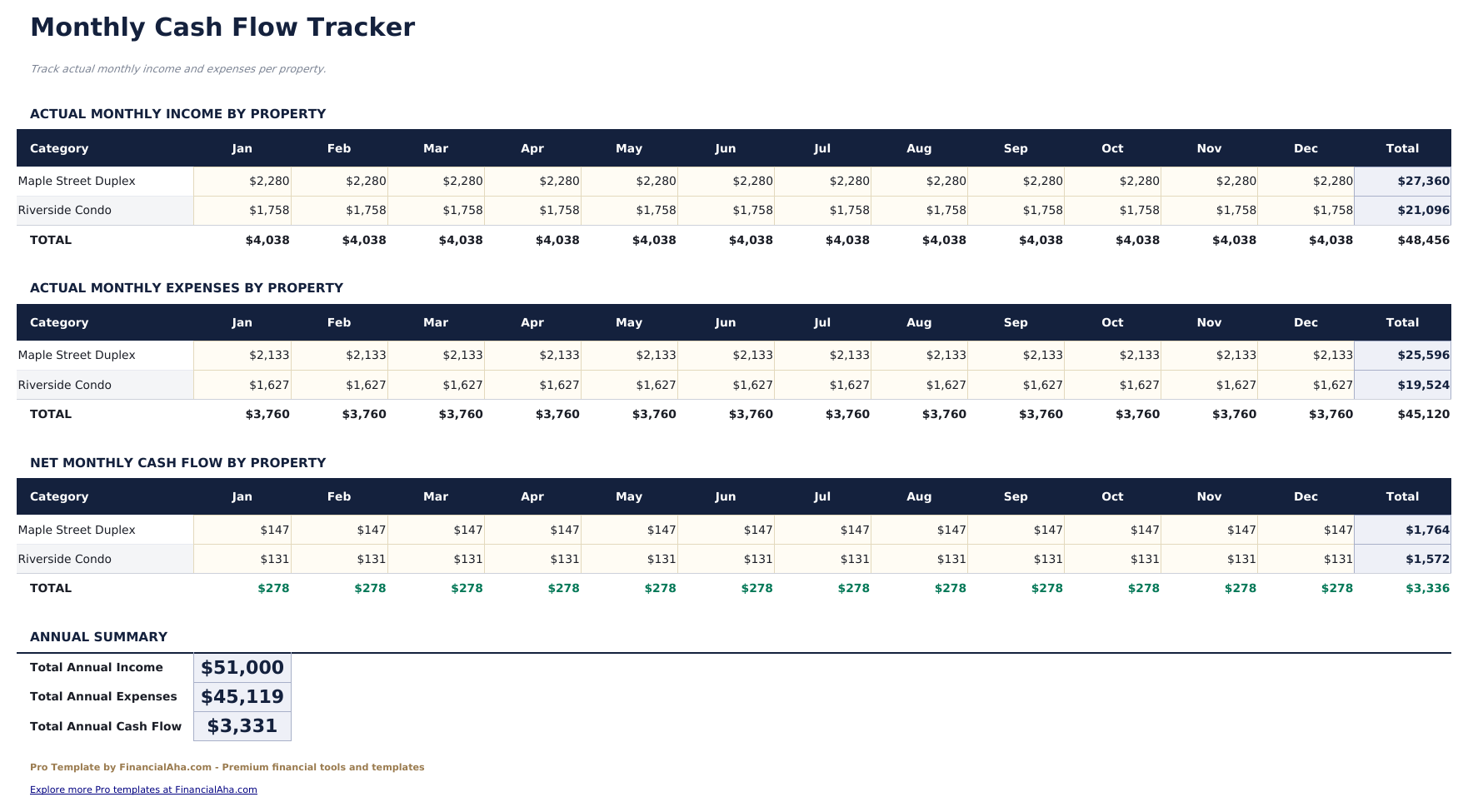
- Monthly cash flow sheet tracking income and expenses per property across 12 months with running totals and annual summary
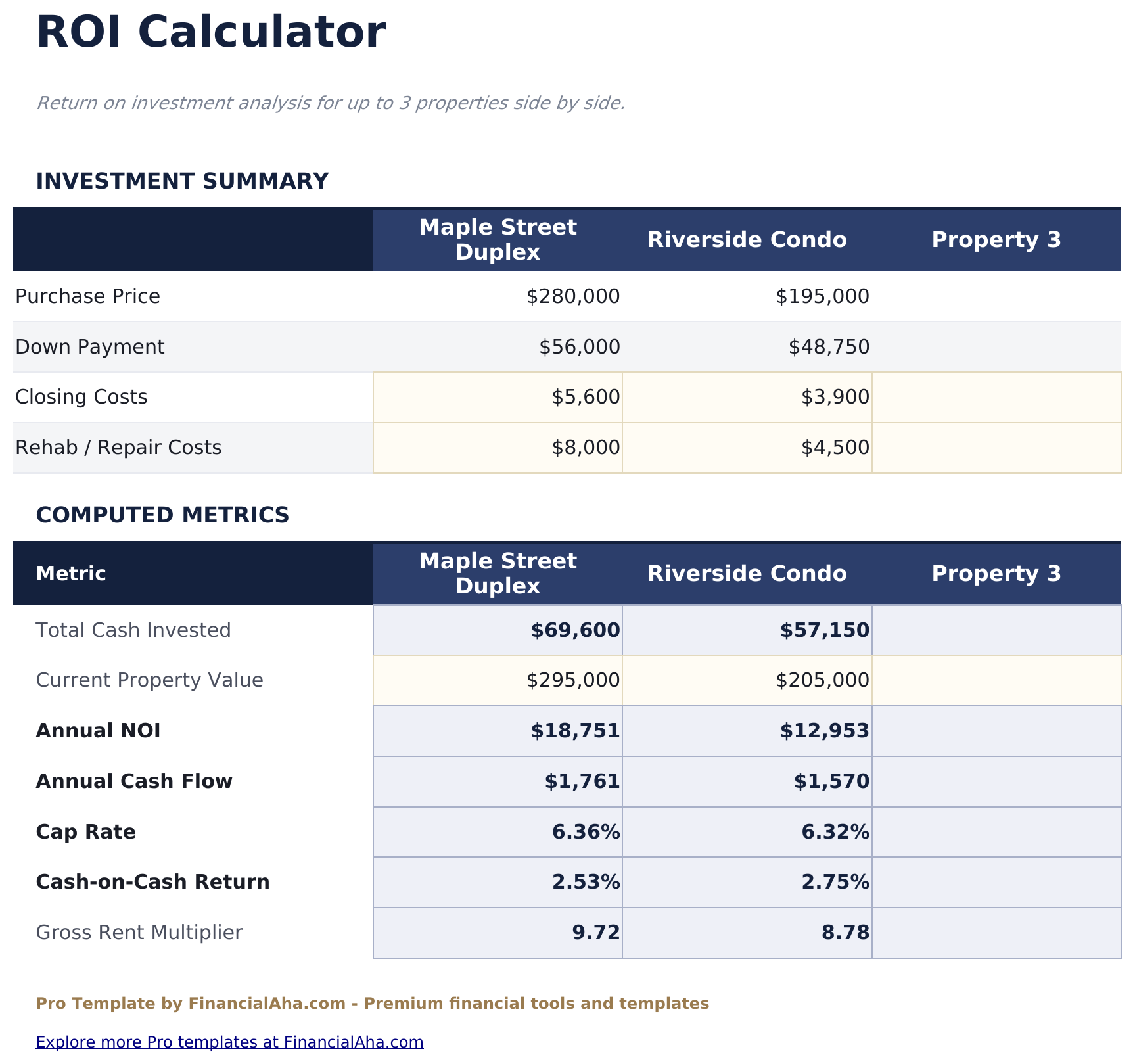
- ROI Calculator showing cash-on-cash return, cap rate, gross yield, and total return per property and across the portfolio
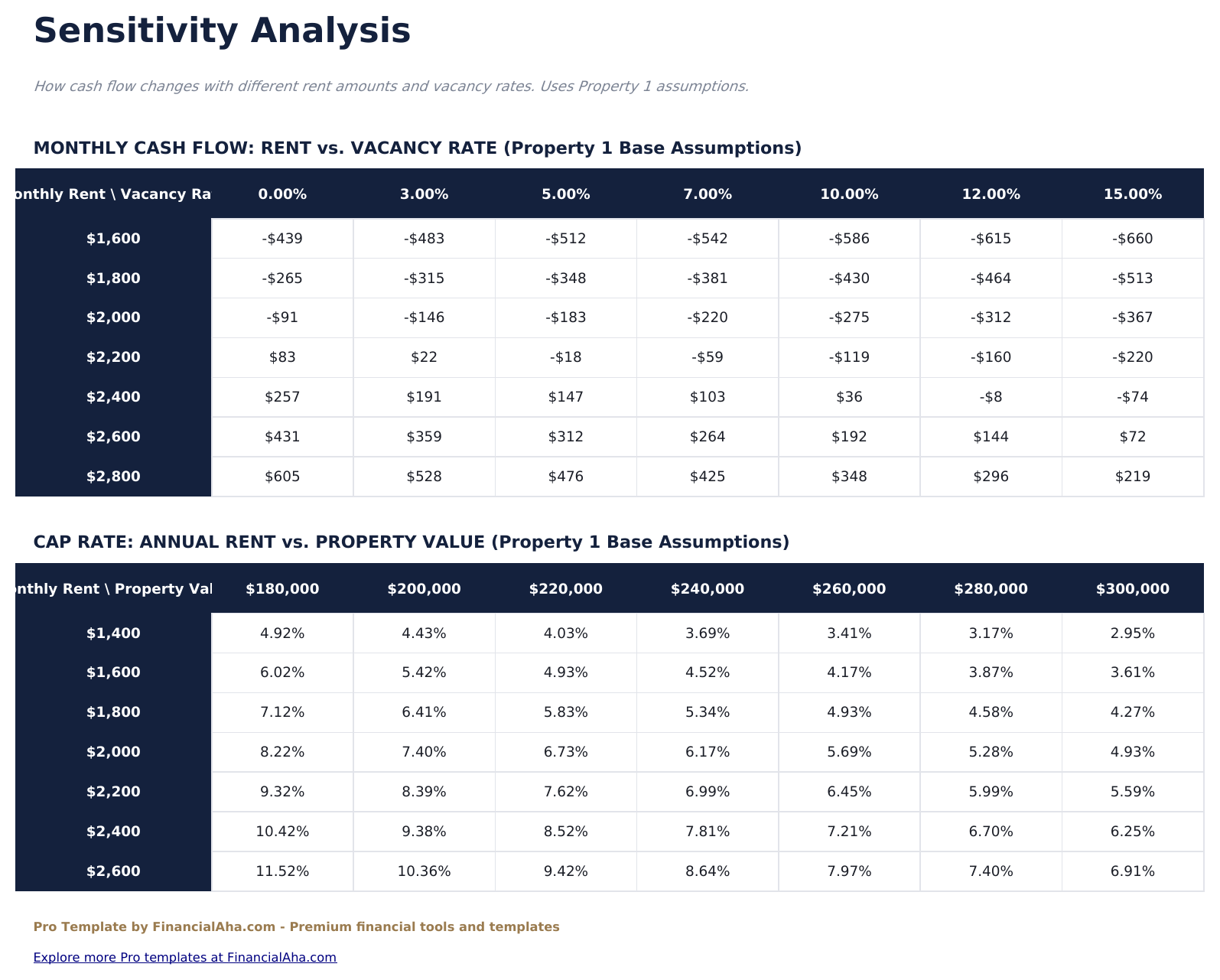
- Sensitivity analysis grid showing how net cash flow changes as vacancy rate and rent price vary across 25 combinations
- Property Setup sheet capturing all fixed and variable cost inputs that feed automatically into all other sheets
- Conditional formatting highlights positive cash flow in green and negative in red across all sheets
- Works in Microsoft Excel, Google Sheets, and LibreOffice Calc with no macros required
Preview
See what's inside this template
How to Use This Template
Set up your properties
Go to the Property Setup sheet and enter each property with address, purchase price, monthly rent, vacancy rate, mortgage payment, taxes, insurance, HOA, maintenance, and management fee.
Review monthly cash flow
The Monthly Cash Flow sheet shows income and expenses per property across 12 months. Update actual figures each month to track performance against projections.
Analyze returns
The ROI Calculator compares all properties side by side on cash-on-cash return, cap rate, and gross yield using the data entered in Property Setup.
Run sensitivity scenarios
Use the Sensitivity Analysis sheet to see how cash flow changes as rent and vacancy rate vary - useful for stress-testing assumptions before making purchase decisions.
Built by Claude AI. Perfected by us.
We use Claude AI to draft each Pro template after deep research. Then our team steps in - refining the layout, stress-testing every formula, fixing edge cases, and polishing the design. The AI gets us 80% there. The last 20% is all human judgment.
One-time purchase. No subscription. Works in Excel & Google Sheets.
Frequently Asked Questions
How many properties can I track?
The Pro version supports up to 5 properties. Each property is set up in the Property Setup sheet and feeds automatically into the monthly cash flow, ROI, and sensitivity sheets.
How does the sensitivity analysis work?
The sensitivity grid varies vacancy rate (0% to 20%) and monthly rent (±20% from your base rent) across 25 combinations. Each cell shows the resulting monthly net cash flow, helping identify break-even points.
What does the ROI Calculator include?
For each property it calculates cash-on-cash return (annual cash flow divided by total cash invested), cap rate (NOI divided by purchase price), gross yield, and total return including estimated appreciation.
Can I track different property types?
Yes. The Property Setup sheet accepts any residential or commercial property. You can label each property by type - single family, duplex, condo, or commercial unit.
Does it account for vacancy?
Yes. Each property has a vacancy rate input in the Property Setup sheet that reduces effective rental income across all calculations automatically.
What do I get after purchase?
You receive an Excel file (.xlsx) that works in Microsoft Excel, Google Sheets, and LibreOffice Calc. Download it immediately after purchase - no signup or account required.
Is there a free version?
Yes. The free version of this template is available with basic features. The Pro version adds advanced analysis, more capacity, and additional sheets.
What if it does not work for me?
Contact us and we will help troubleshoot. The template works in Microsoft Excel, Google Sheets, and LibreOffice Calc with no macros required.
Looking for more Pro templates?
We offer Pro versions of our most popular spreadsheet templates with advanced features, more capacity, and deeper analysis.