Freelancer Finance Tracker Pro
Complete freelance business finance tracking with income and expense logs, client profitability analysis, quarterly tax estimates, and annual profit and loss statement.
Free vs Pro
- Log up to 50 income and expense entries per month
- Dashboard with total revenue, expenses, and net profit
- Monthly income and expense summary by category
- Works in Excel and Google Sheets
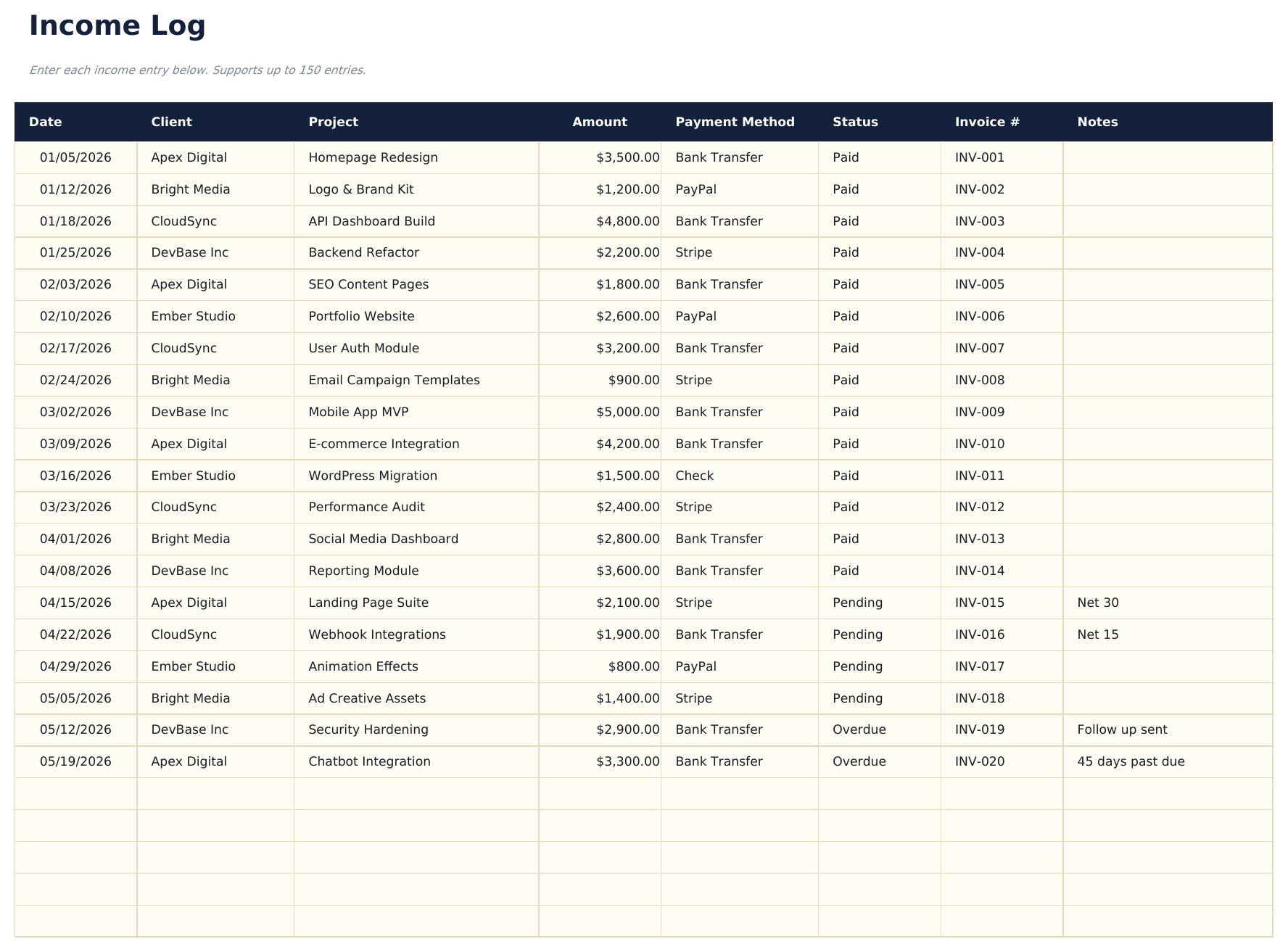
- Log unlimited income entries with date, client, project, invoice number, amount, and payment status
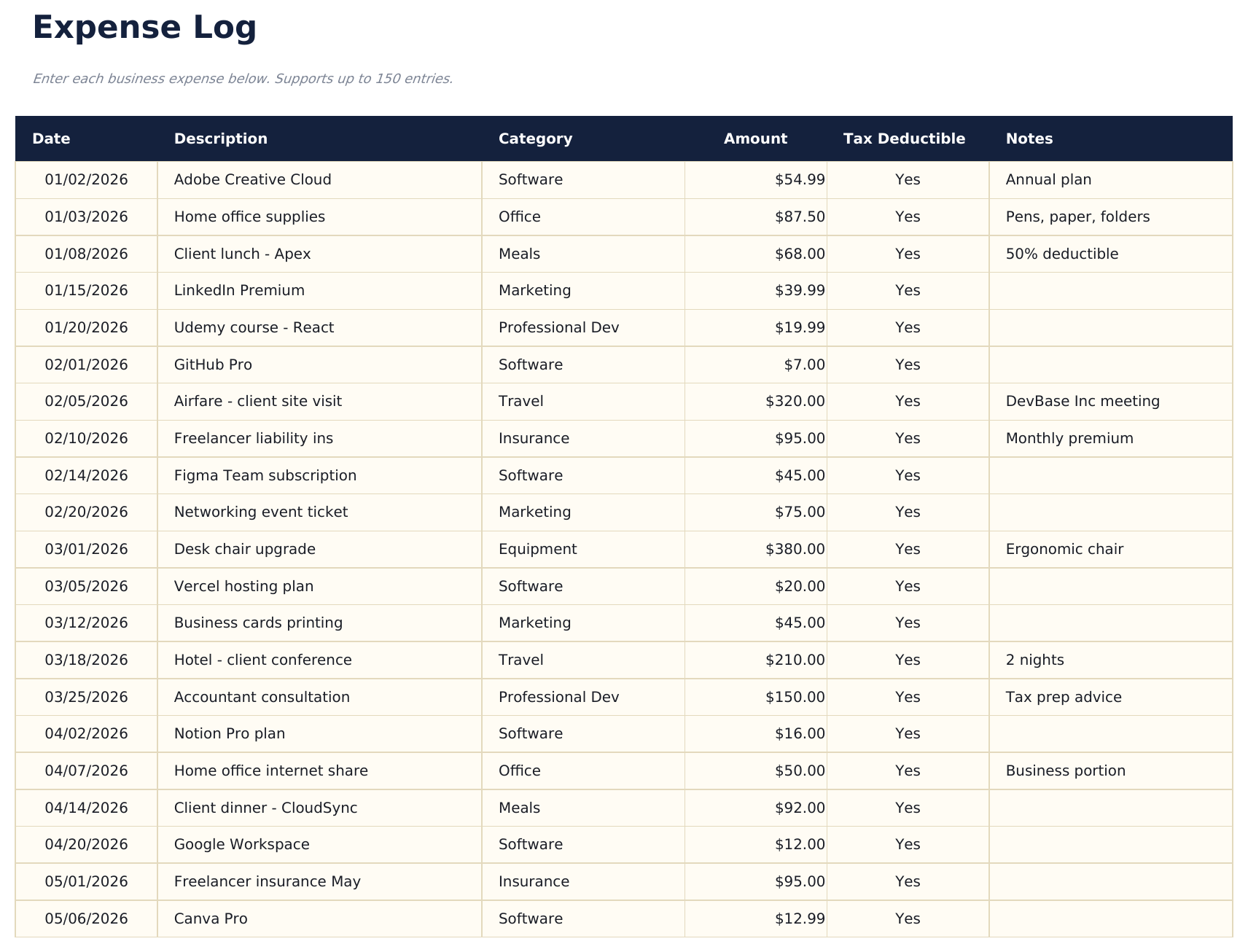
- Log unlimited expenses with date, vendor, category, amount, payment method, and tax-deductible flag
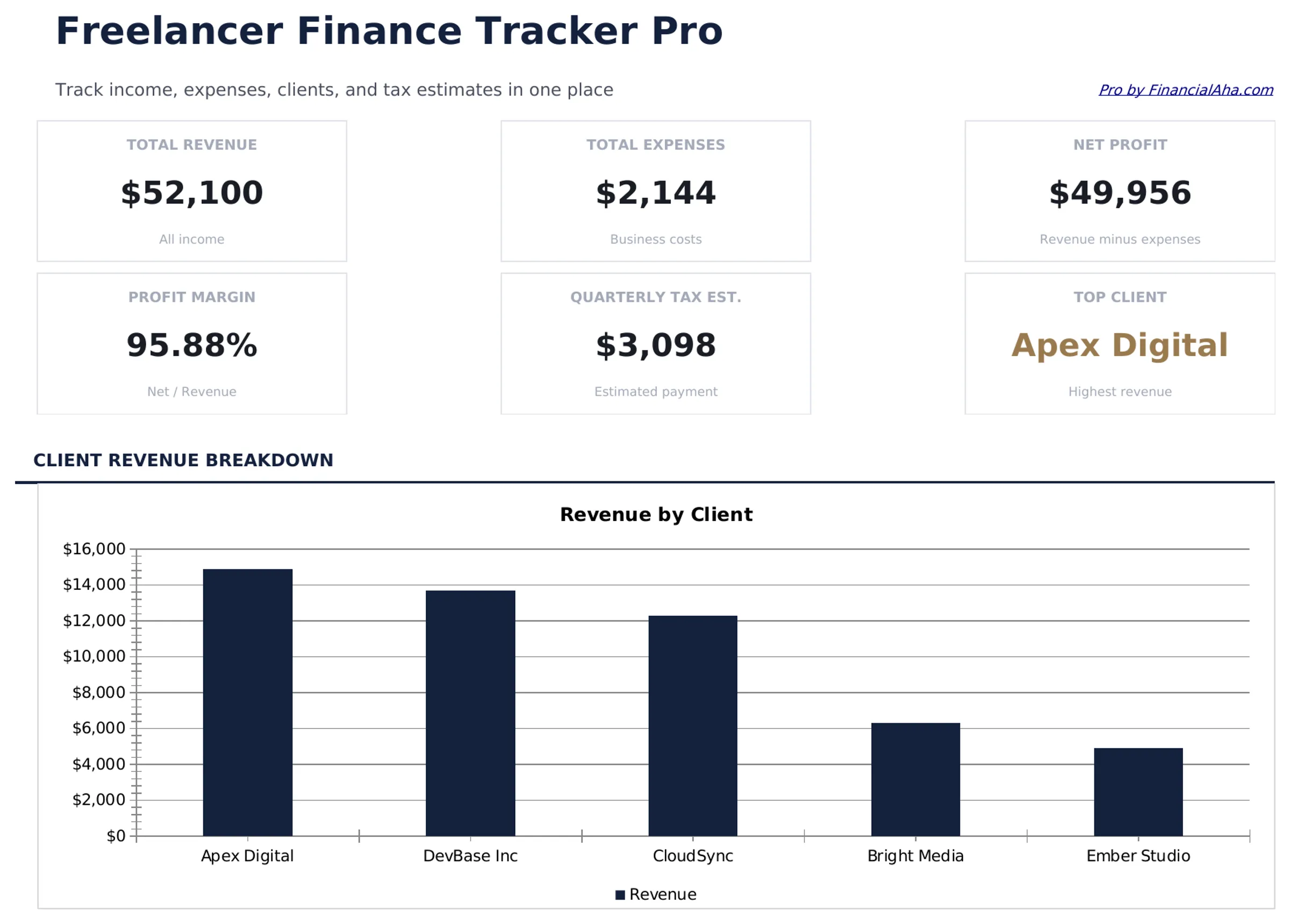
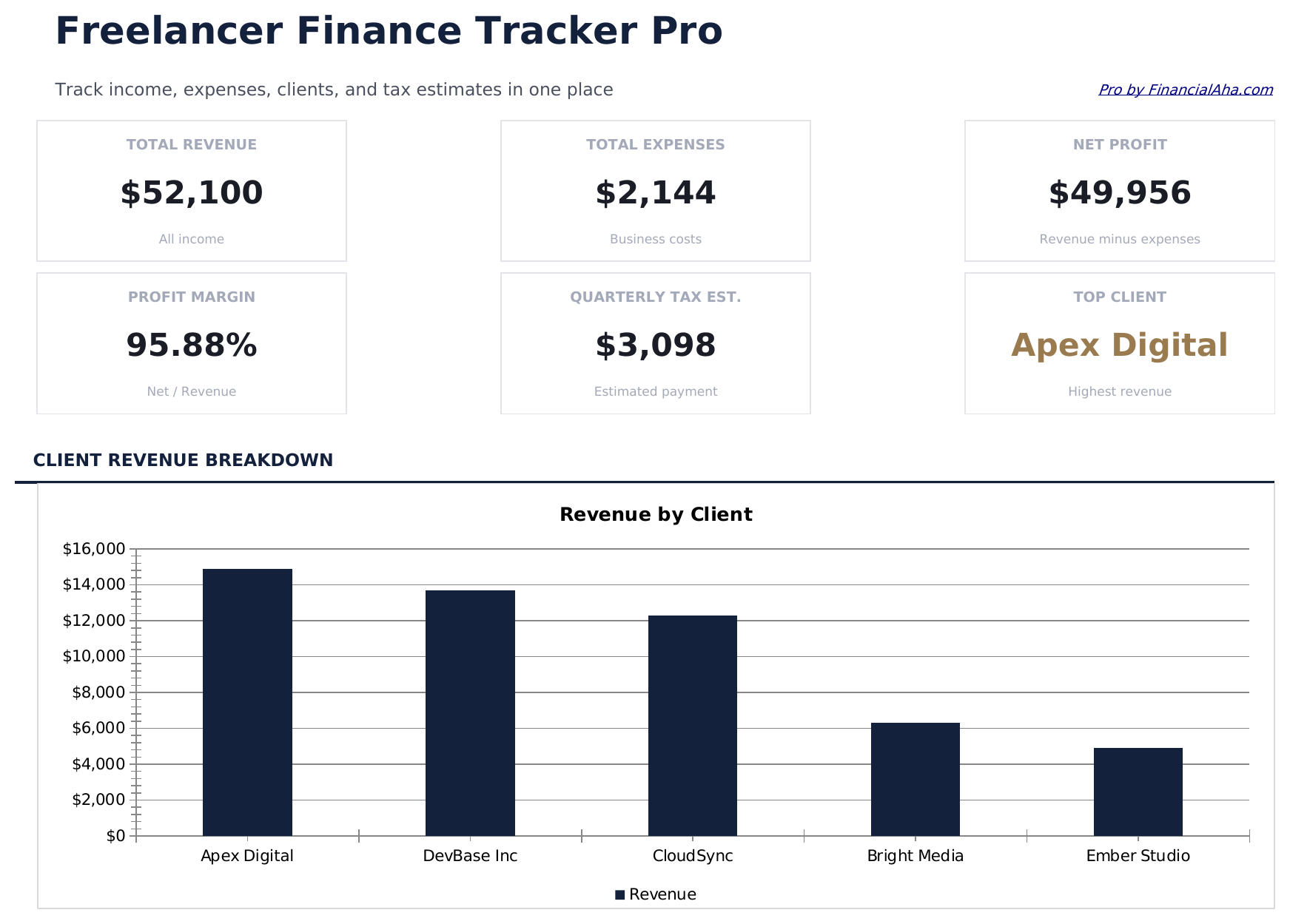
- Dashboard with 6 KPI cards: total revenue, total expenses, net profit, profit margin, outstanding invoices, and YTD tax estimate
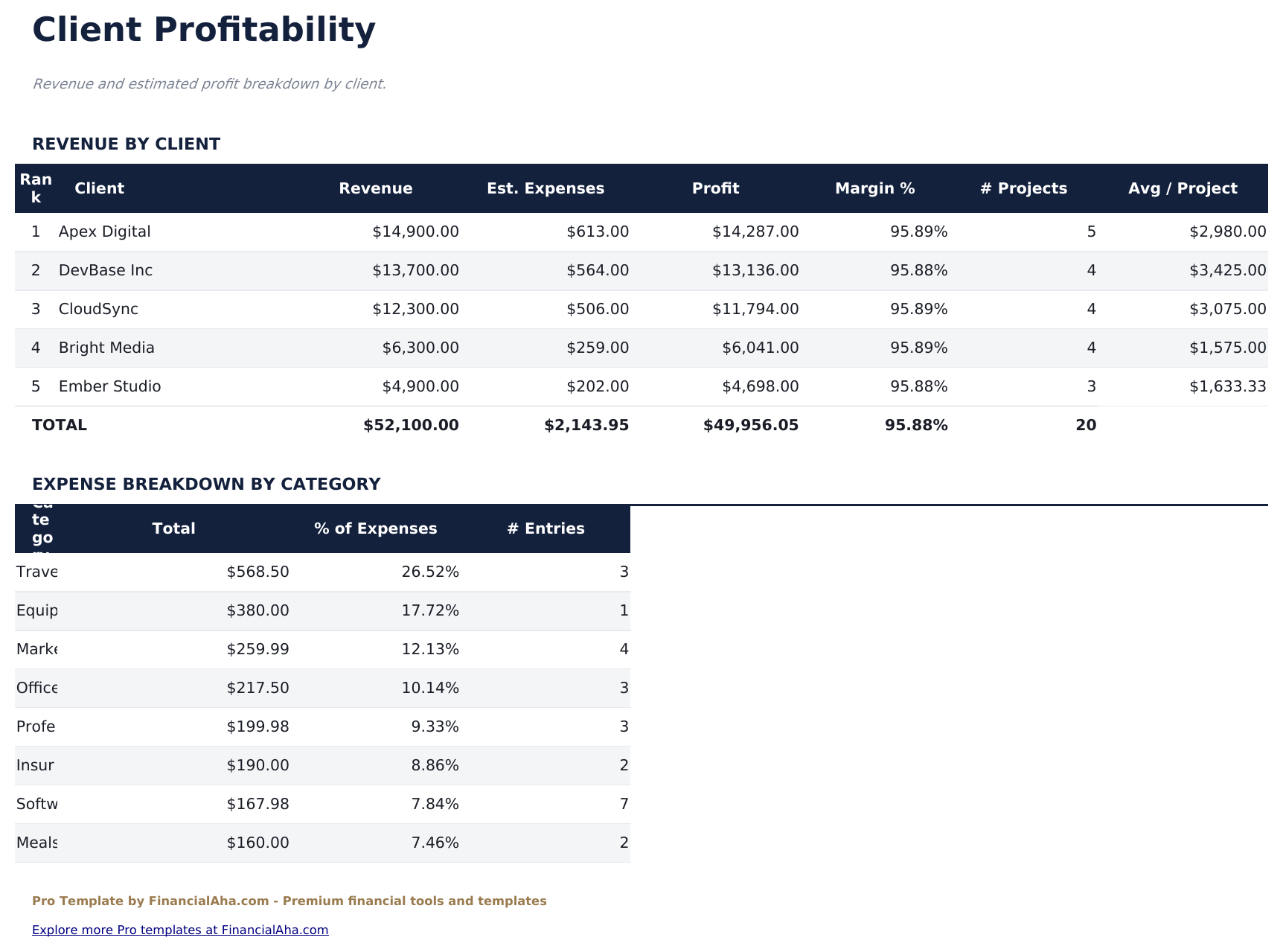
- Client Profitability sheet ranking clients by revenue, hours billed, and effective hourly rate with profit contribution percentage
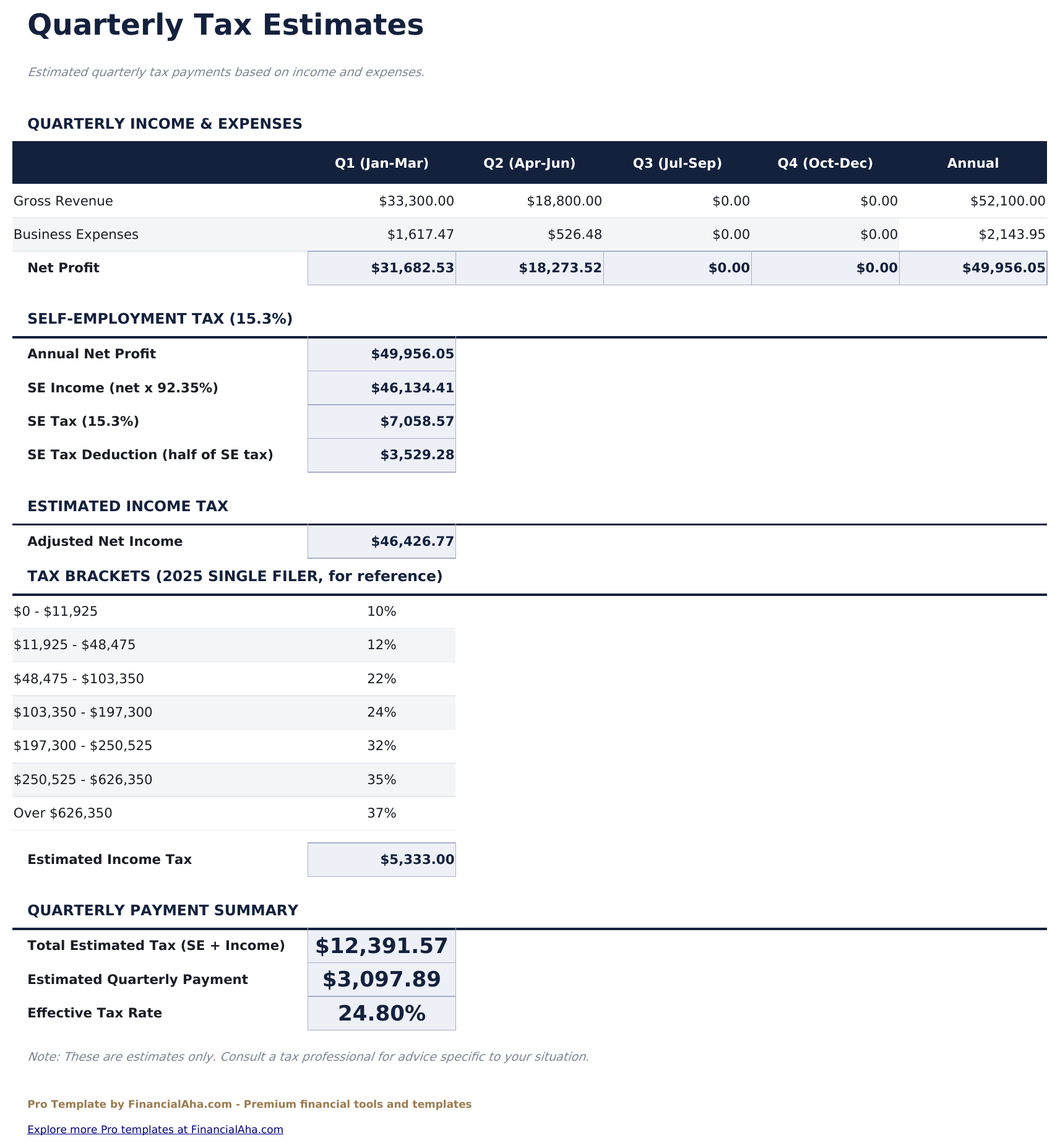
- Quarterly tax estimator calculating self-employment tax and income tax liability based on net profit and editable tax rates
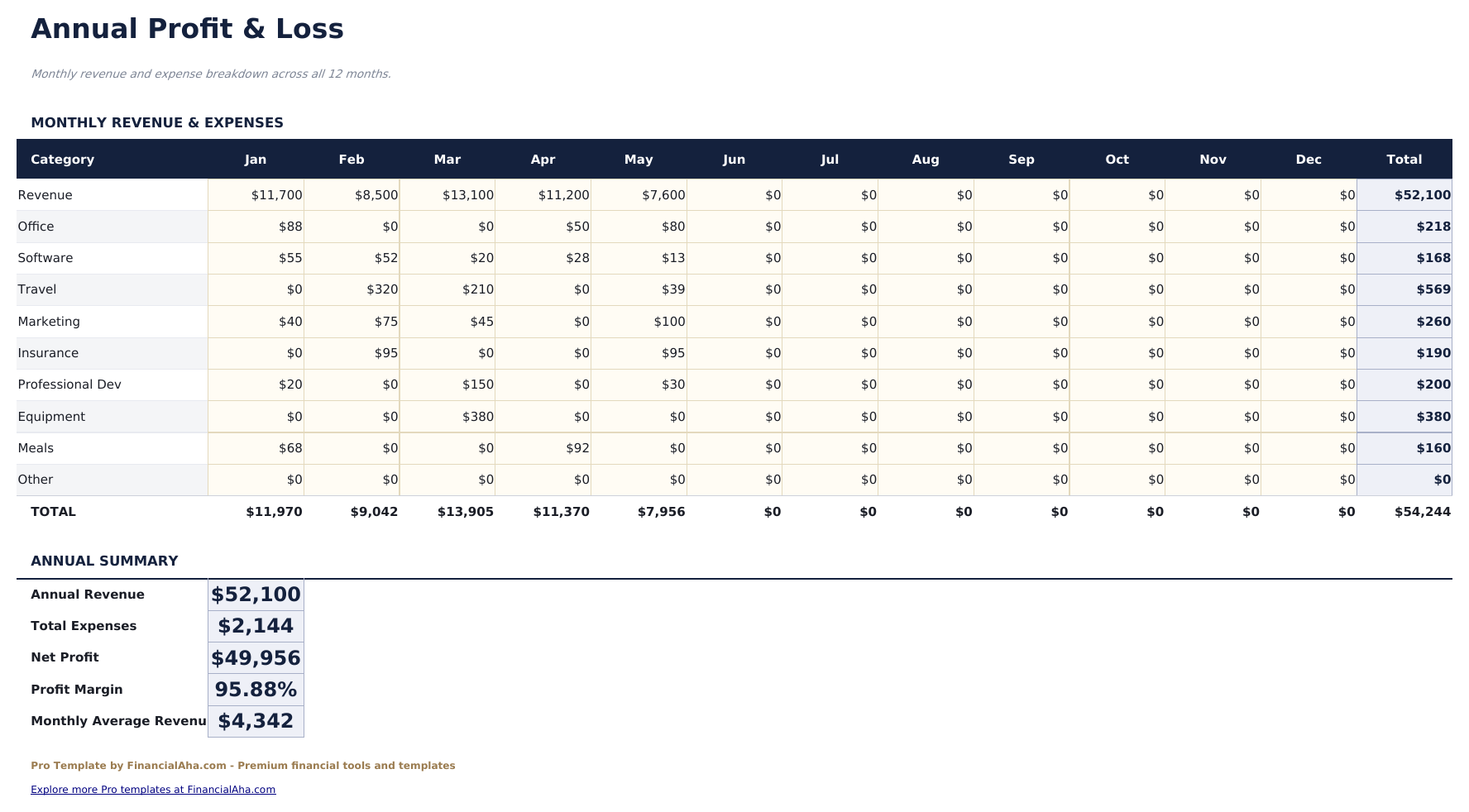
- Annual P&L statement with monthly columns showing revenue, expense categories, gross profit, and net profit across the full year
- Expense categories include Software, Equipment, Travel, Marketing, Office, Professional Services, and Other with dropdown selection
- Works in Microsoft Excel, Google Sheets, and LibreOffice Calc with no macros required
Preview
See what's inside this template
How to Use This Template
Log your income
Go to the Income Log and enter each payment received with date, client name, project description, invoice number, amount, and payment status.
Log your expenses
In the Expense Log, enter each business expense with date, vendor, category (dropdown), amount, payment method, and whether it is tax deductible.
Review client profitability
The Client Profitability sheet ranks clients by revenue and effective rate automatically. Update it any time to see which clients contribute most to your bottom line.
Estimate quarterly taxes
Set your tax rates in the Quarterly Tax sheet. It calculates your estimated payment for each quarter based on actual net profit logged so far.
Built by Claude AI. Perfected by us.
We use Claude AI to draft each Pro template after deep research. Then our team steps in - refining the layout, stress-testing every formula, fixing edge cases, and polishing the design. The AI gets us 80% there. The last 20% is all human judgment.
One-time purchase. No subscription. Works in Excel & Google Sheets.
Frequently Asked Questions
How does the client profitability analysis work?
The Client Profitability sheet pulls all income entries and groups them by client. For each client it shows total revenue, number of projects, hours billed (if tracked), effective hourly rate, and percentage of total revenue.
How does the quarterly tax estimator work?
Enter your estimated income tax rate and self-employment tax rate. The estimator calculates quarterly estimated tax payments based on year-to-date net profit. Figures update automatically as you log more income and expenses.
Can I track which expenses are tax deductible?
Yes. Each expense row has a Tax Deductible checkbox. The Annual P&L and quarterly estimator use only the flagged entries as deductible business expenses.
What does the annual P&L show?
A 12-column statement with one column per month. Rows cover revenue, major expense categories, gross profit, total operating expenses, and net profit. Useful for spotting seasonal income patterns.
Can I track invoice payment status?
Yes. The Income Log has a Status column with Paid, Pending, and Overdue options. The Dashboard KPI card for outstanding invoices sums all Pending and Overdue entries automatically.
What do I get after purchase?
You receive an Excel file (.xlsx) that works in Microsoft Excel, Google Sheets, and LibreOffice Calc. Download it immediately after purchase - no signup or account required.
Is there a free version?
Yes. The free version of this template is available with basic features. The Pro version adds advanced analysis, more capacity, and additional sheets.
What if it does not work for me?
Contact us and we will help troubleshoot. The template works in Microsoft Excel, Google Sheets, and LibreOffice Calc with no macros required.
Looking for more Pro templates?
We offer Pro versions of our most popular spreadsheet templates with advanced features, more capacity, and deeper analysis.