Etsy Seller Spreadsheet Pro
Complete Etsy shop management with 150 sales, product profitability analysis, inventory tracking, monthly sales trends, and Etsy fee calculator.
Free vs Pro
- Log up to 40 sales with product, price, and Etsy fee fields
- Dashboard with total revenue, fees, and net income
- Monthly revenue and fee summary
- Works in Excel and Google Sheets
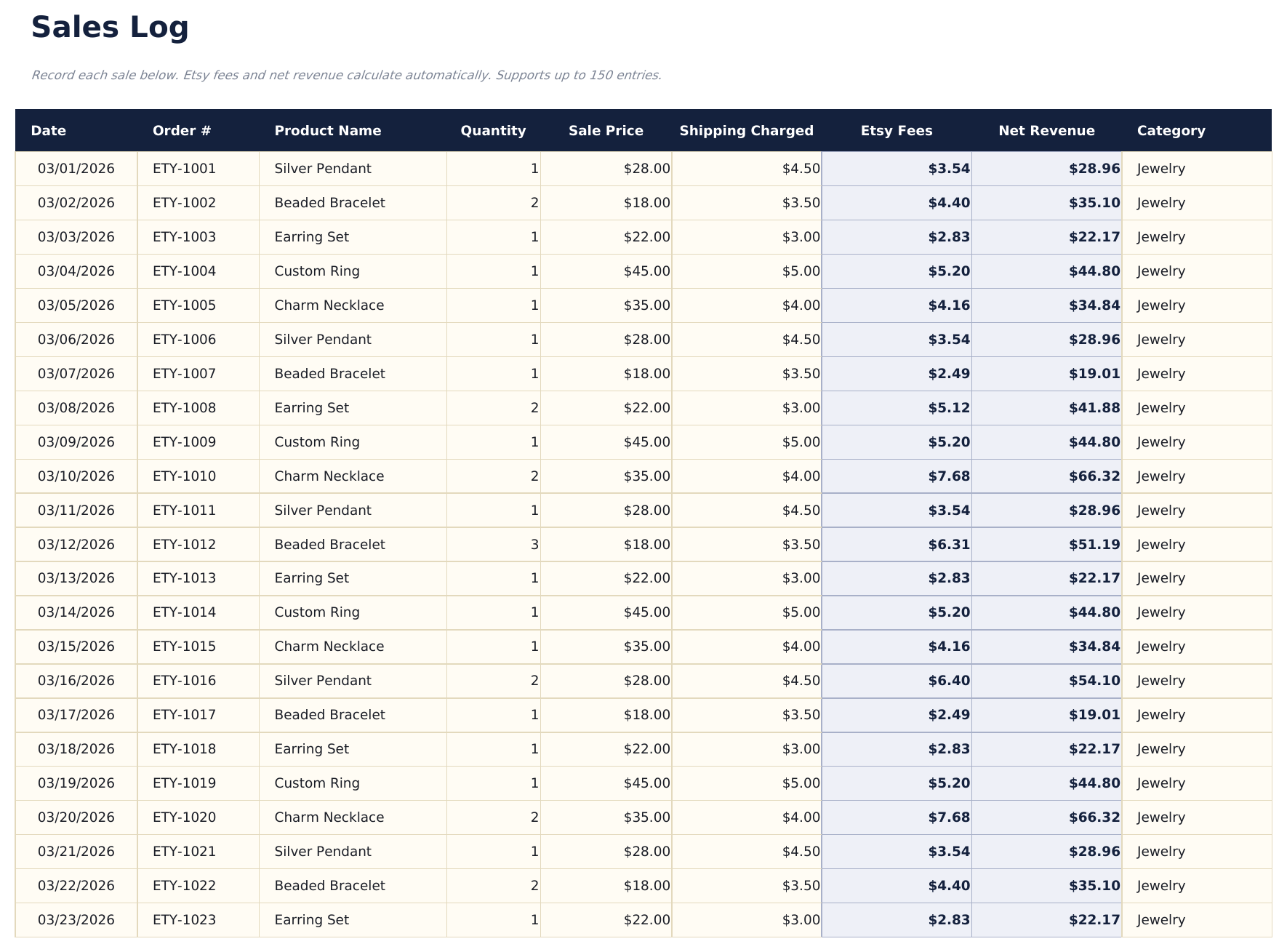
- Log up to 150 sales with date, order number, product, quantity, sale price, shipping charged, Etsy fees, and COGS
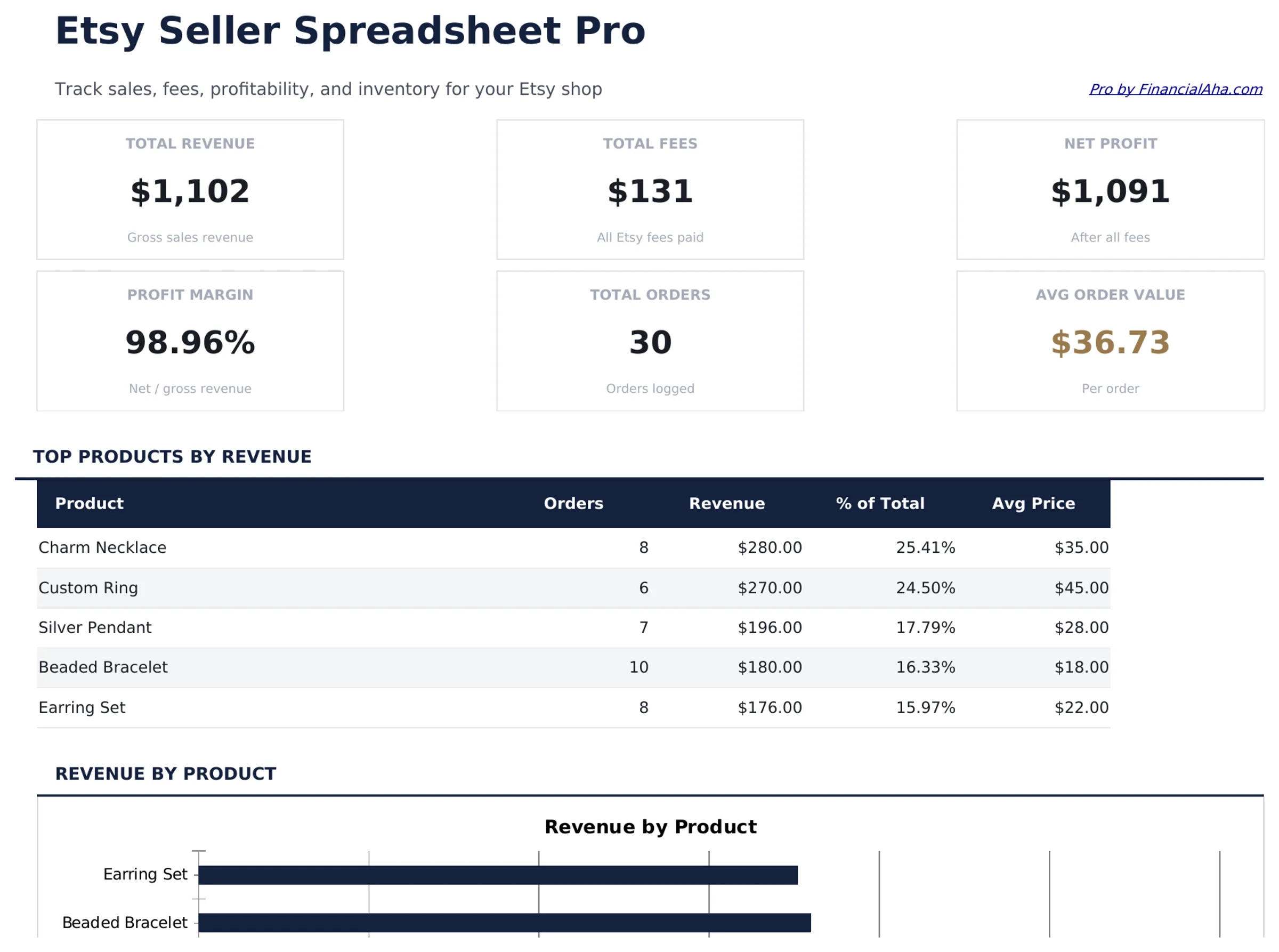
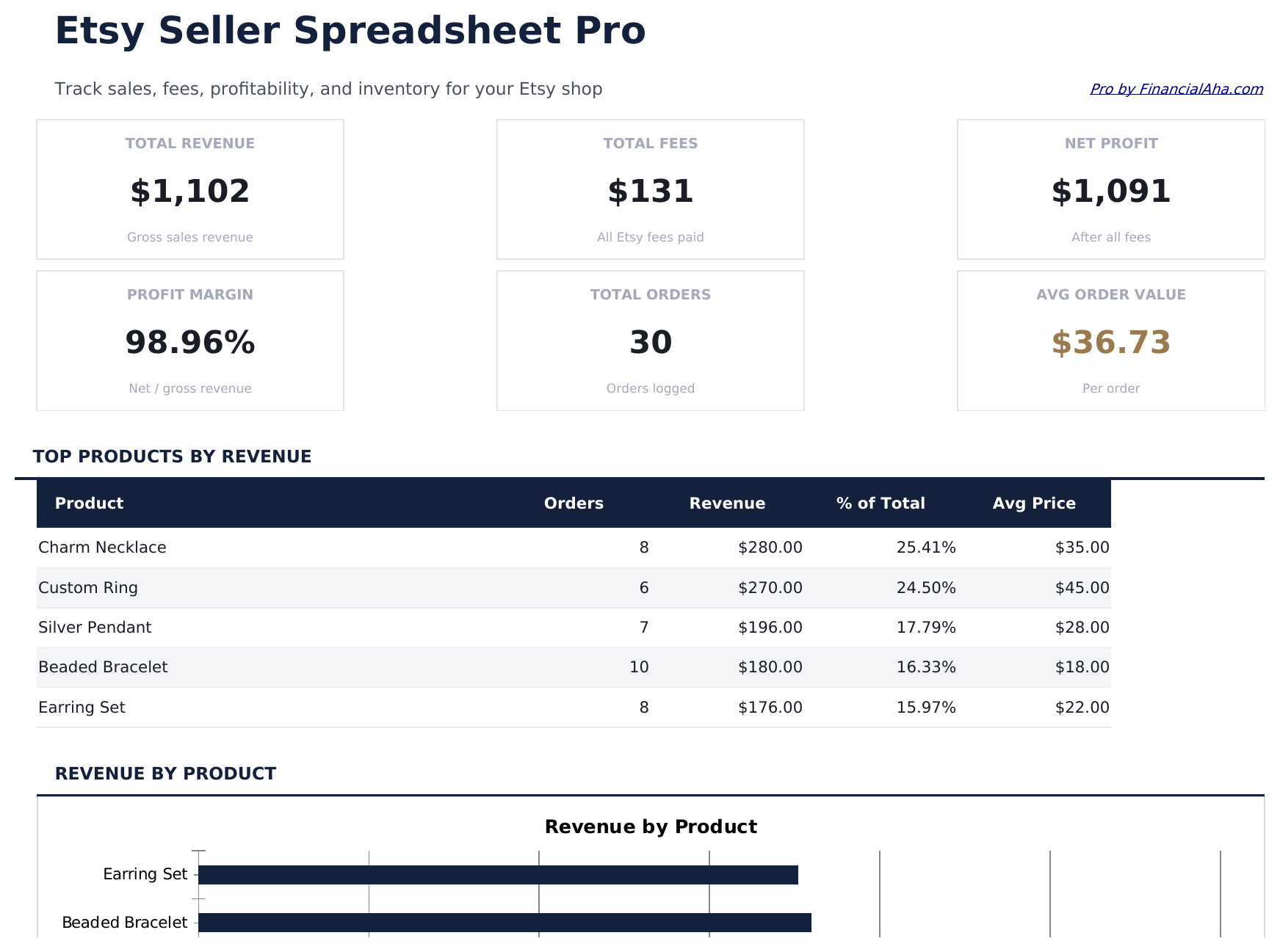
- Dashboard with 6 KPI cards: total revenue, total profit, profit margin, total orders, average order value, and top product
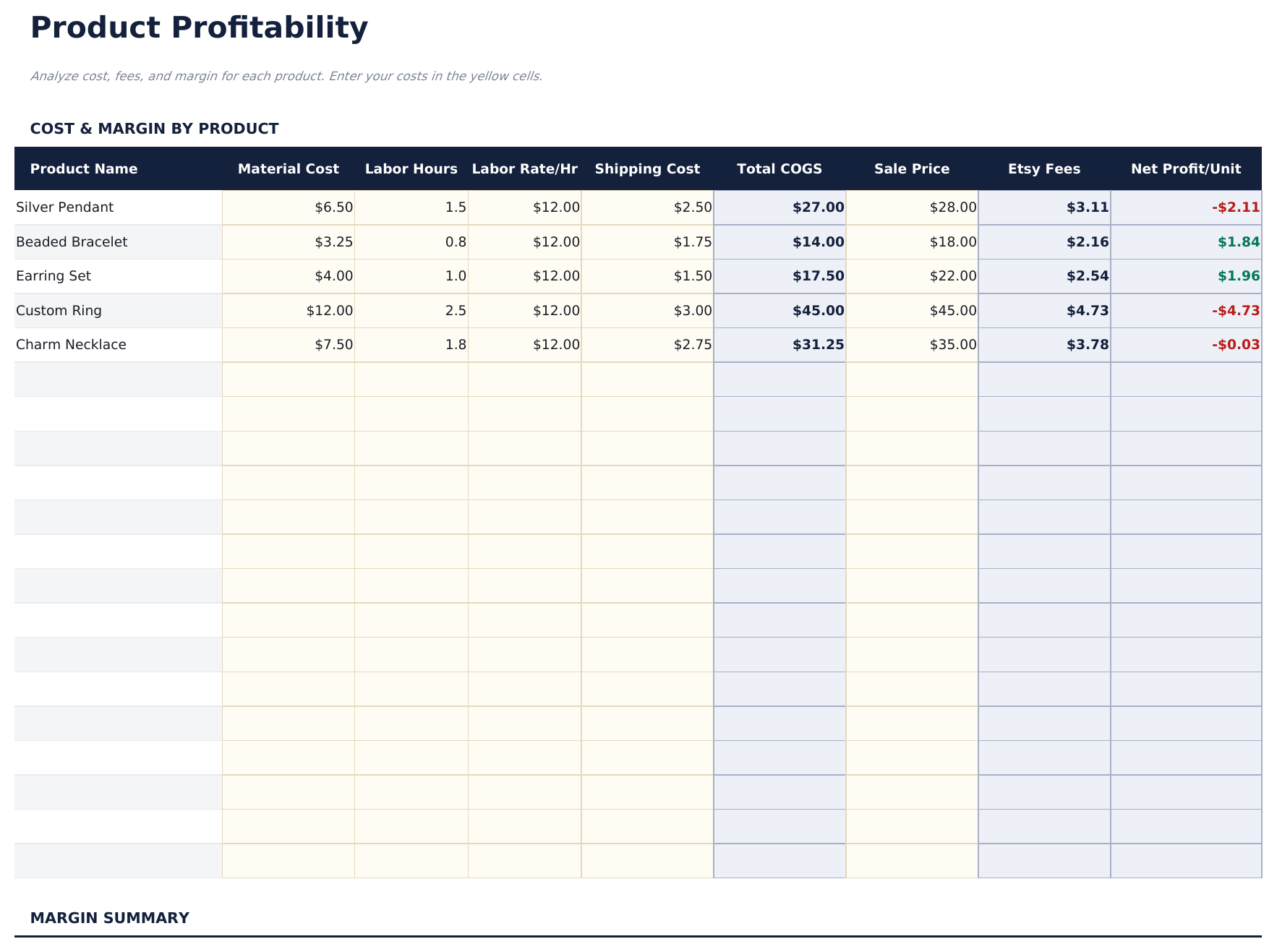
- Product Profitability sheet showing revenue, COGS, gross profit, margin, and units sold per product
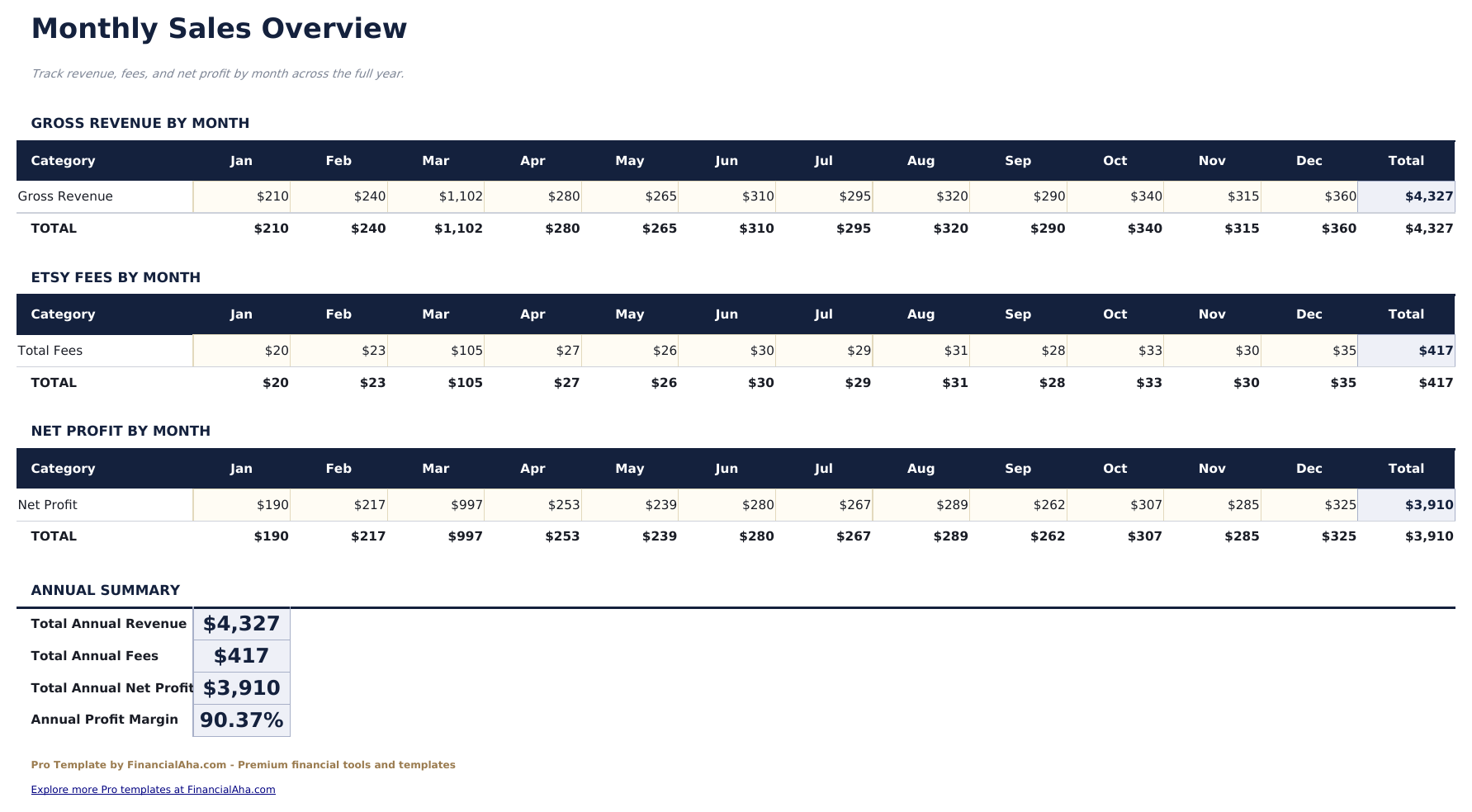
- Monthly Sales sheet tracking revenue, orders, average order value, and profit across all 12 months with trend data
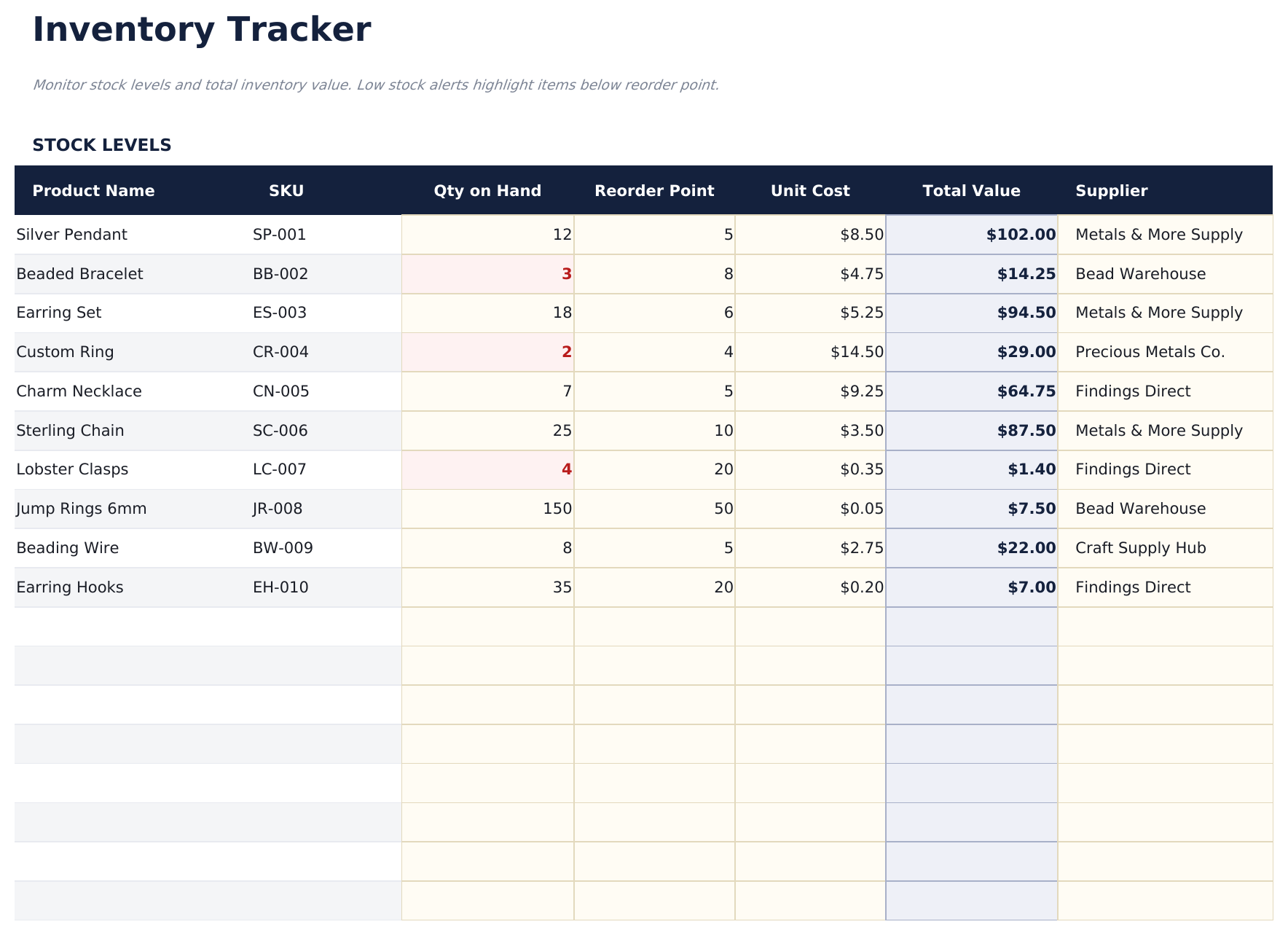
- Inventory Tracker with product list, units on hand, reorder point, reorder quantity, and stock status flag
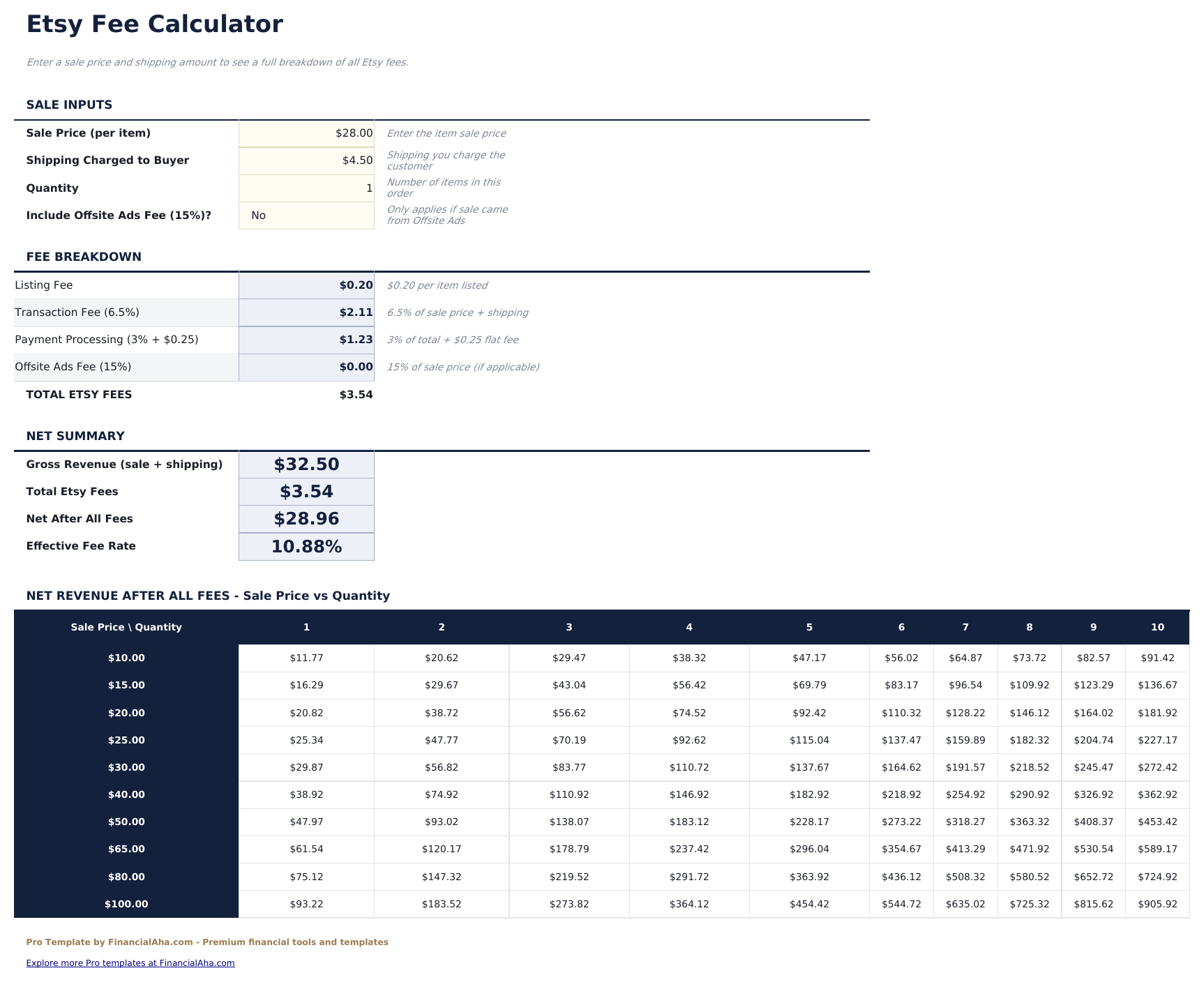
- Fee Calculator breaking down listing fees, transaction fees, payment processing fees, and advertising fees per sale and in total
- Product dropdown on the sales log links to the product list for consistent naming across all sheets
- Works in Microsoft Excel, Google Sheets, and LibreOffice Calc with no macros required
Preview
See what's inside this template
How to Use This Template
Add your products
Start in the Product Profitability sheet by listing all your products. These populate the dropdown in the sales log and link to the inventory tracker.
Log each sale
Go to the Sales Log and enter each completed order with date, order number, product (dropdown), quantity, sale price, shipping charged, Etsy fees, and cost of goods.
Track inventory
Update the Inventory Tracker with current stock levels. The Status column flags low or out-of-stock products based on your reorder points.
Review performance
Check the Dashboard for overall KPIs, the Product Profitability sheet for margin analysis, and the Monthly Sales sheet for revenue trends across the year.
Built by Claude AI. Perfected by us.
We use Claude AI to draft each Pro template after deep research. Then our team steps in - refining the layout, stress-testing every formula, fixing edge cases, and polishing the design. The AI gets us 80% there. The last 20% is all human judgment.
One-time purchase. No subscription. Works in Excel & Google Sheets.
Frequently Asked Questions
How many sales can I log?
The Pro version supports up to 150 sales - nearly four times the free version. Each entry captures order number, product, quantity, sale price, shipping, Etsy fees, and cost of goods sold.
How does the product profitability sheet work?
It groups all sales by product and calculates total revenue, total COGS, gross profit, profit margin, and units sold. Products with low margins are easy to spot at a glance.
What does the fee calculator include?
It breaks down the four main Etsy fee types: listing fees ($0.20 per item), transaction fees (6.5% of sale price plus shipping), payment processing fees (3% plus $0.25), and optional Etsy Ads spend.
How does the inventory tracker work?
Enter each product with current units on hand and a reorder point. The Status column automatically flags products as In Stock, Low Stock, or Out of Stock based on the reorder threshold.
Can I track digital products alongside physical ones?
Yes. For digital products, set COGS to zero and leave shipping fields blank. The profitability calculations still work correctly.
What do I get after purchase?
You receive an Excel file (.xlsx) that works in Microsoft Excel, Google Sheets, and LibreOffice Calc. Download it immediately after purchase - no signup or account required.
Is there a free version?
Yes. The free version of this template is available with basic features. The Pro version adds advanced analysis, more capacity, and additional sheets.
What if it does not work for me?
Contact us and we will help troubleshoot. The template works in Microsoft Excel, Google Sheets, and LibreOffice Calc with no macros required.
Looking for more Pro templates?
We offer Pro versions of our most popular spreadsheet templates with advanced features, more capacity, and deeper analysis.