Cash Flow Statement Pro
Complete business cash flow tracking with operating, investing, and financing activities, monthly cash flow summary, and runway analysis.
Free vs Pro
- Track operating and investing activities for a single quarter
- Dashboard with net cash flow and ending balance
- Basic three-section cash flow structure
- Works in Excel and Google Sheets
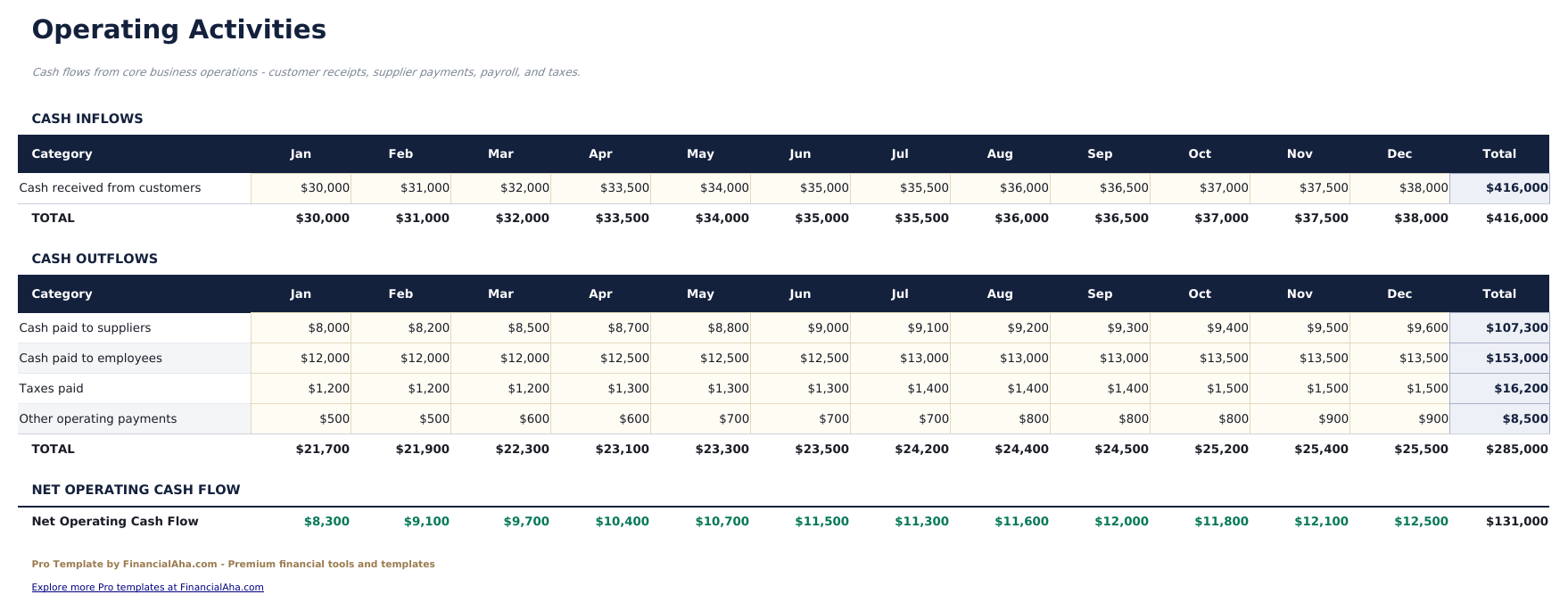
- Operating Activities sheet covering cash receipts, cash payments to suppliers and employees, and other operating items with monthly columns
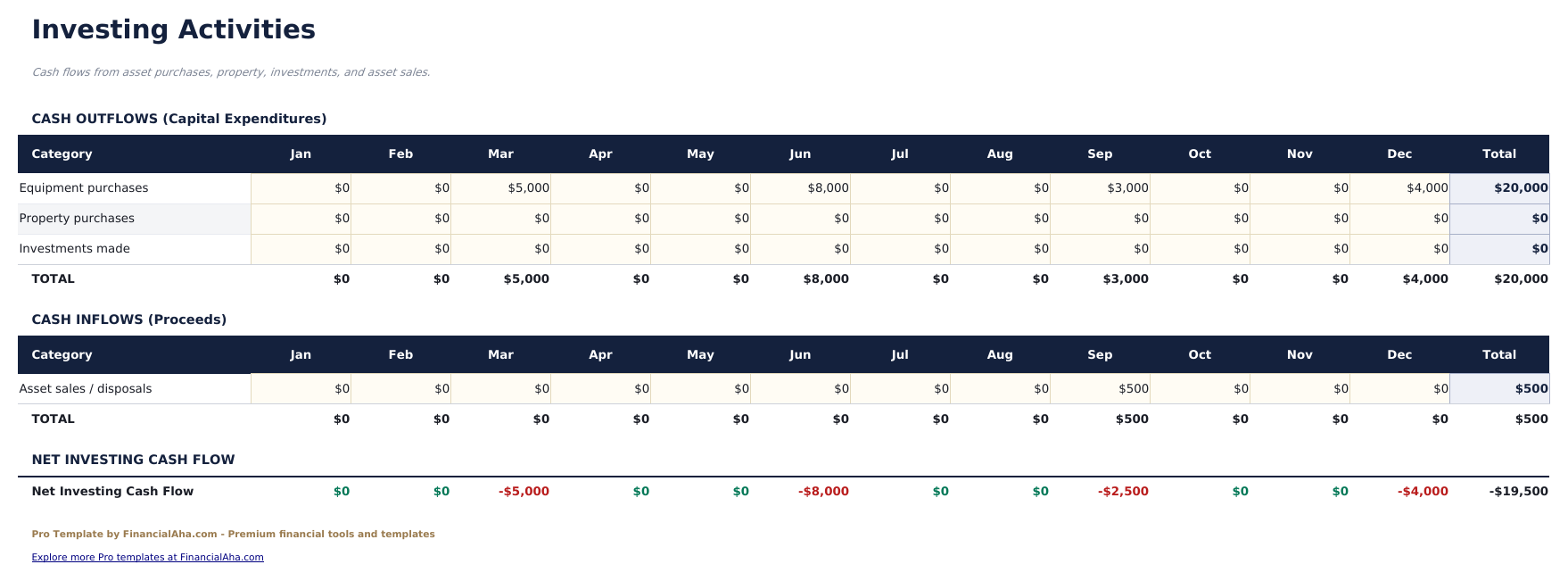
- Investing Activities sheet tracking capital expenditures, asset purchases, asset sales, and investment transactions by month
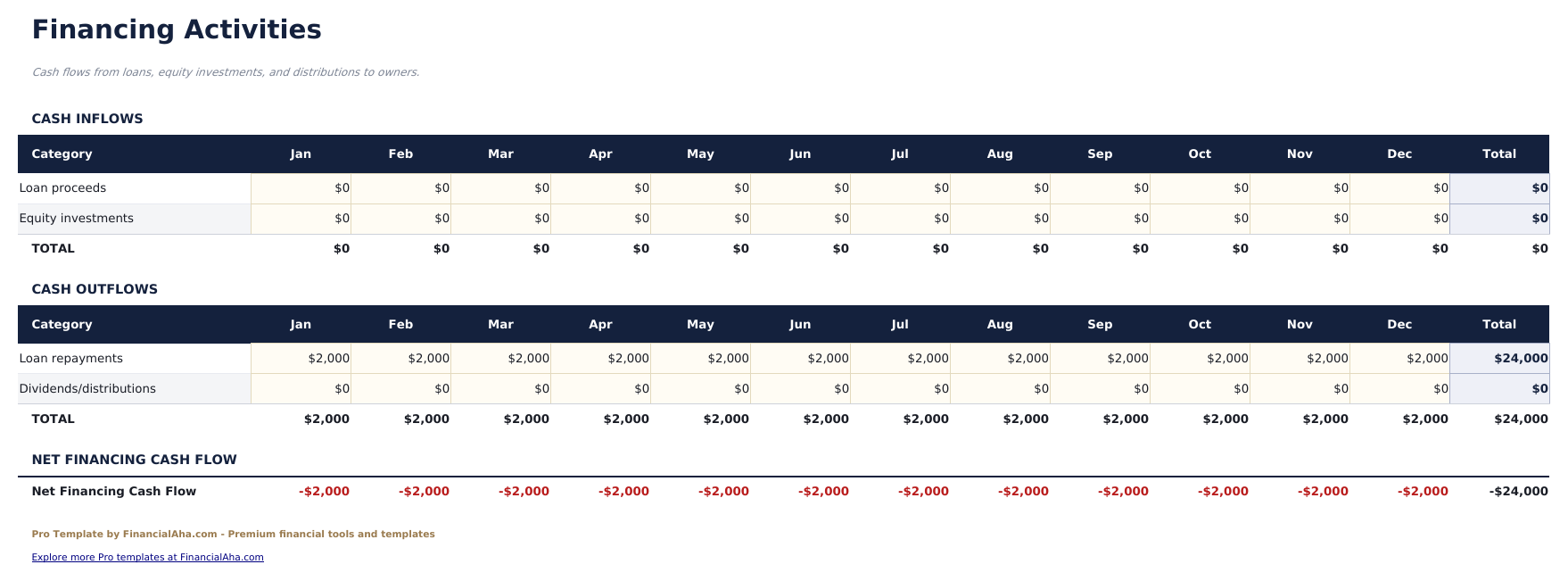
- Financing Activities sheet logging loan proceeds, loan repayments, equity investments, and dividend payments by month
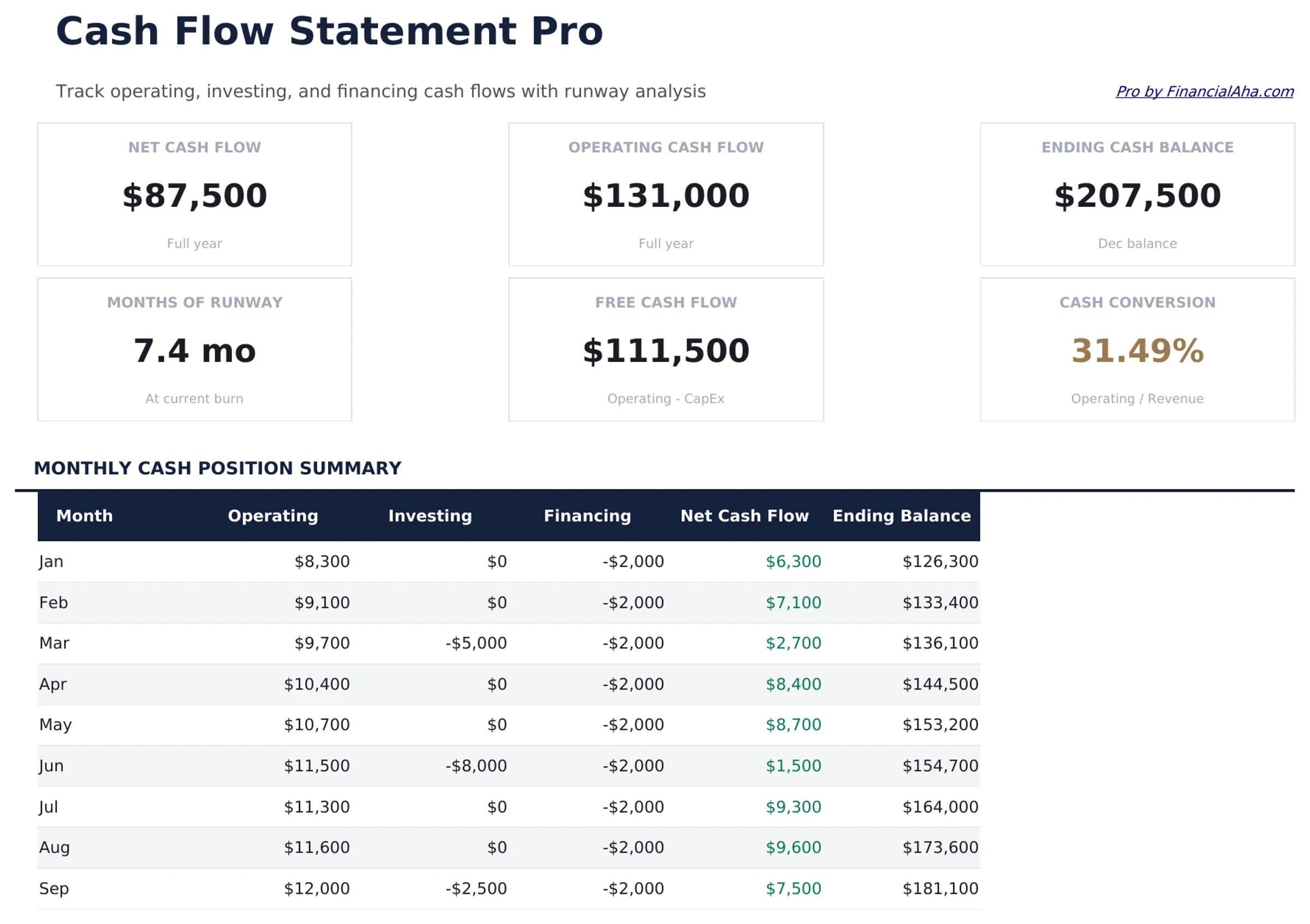
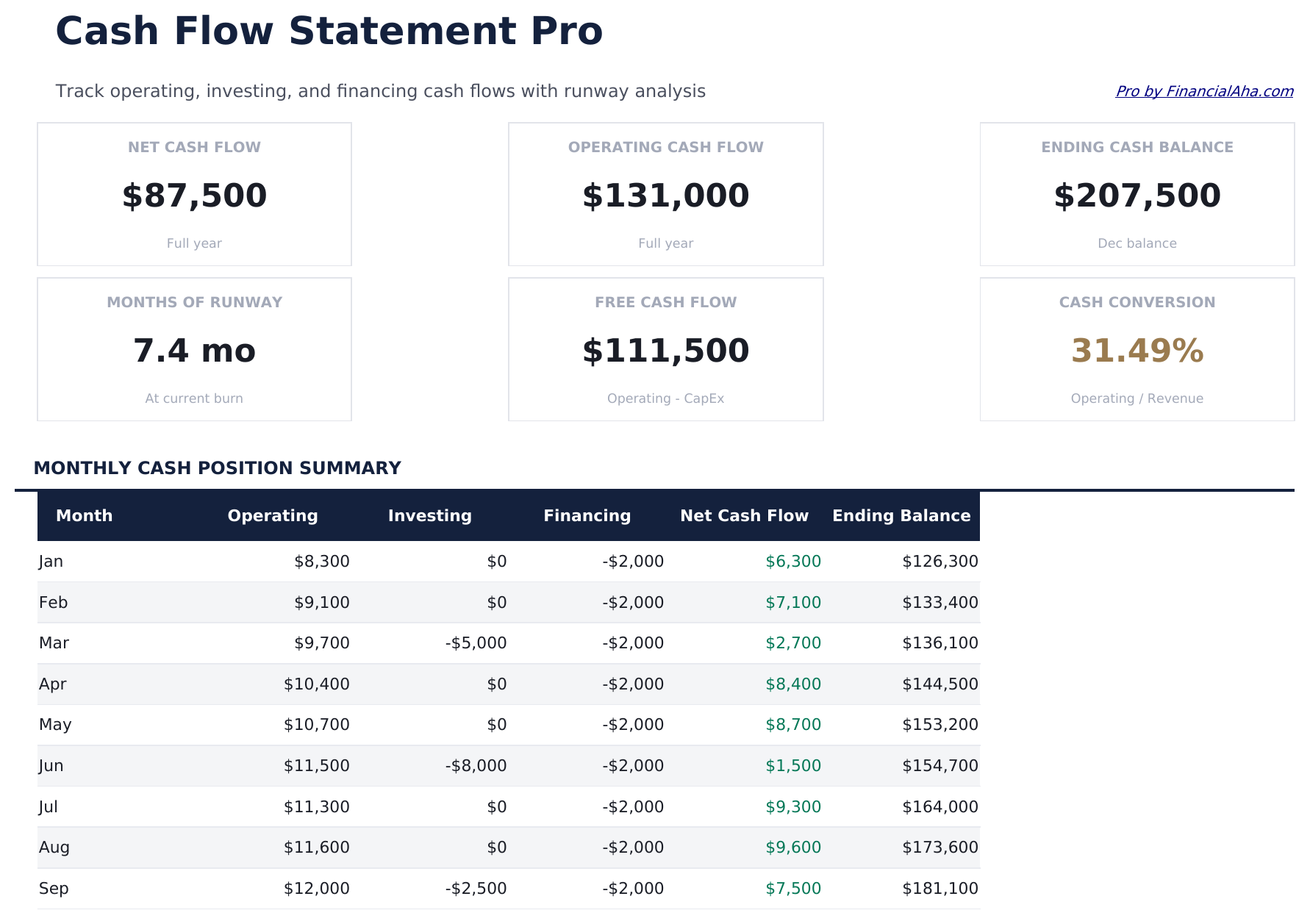
- Dashboard with 6 KPI cards: net operating cash flow, net investing cash flow, net financing cash flow, total net cash, ending cash balance, and months of runway
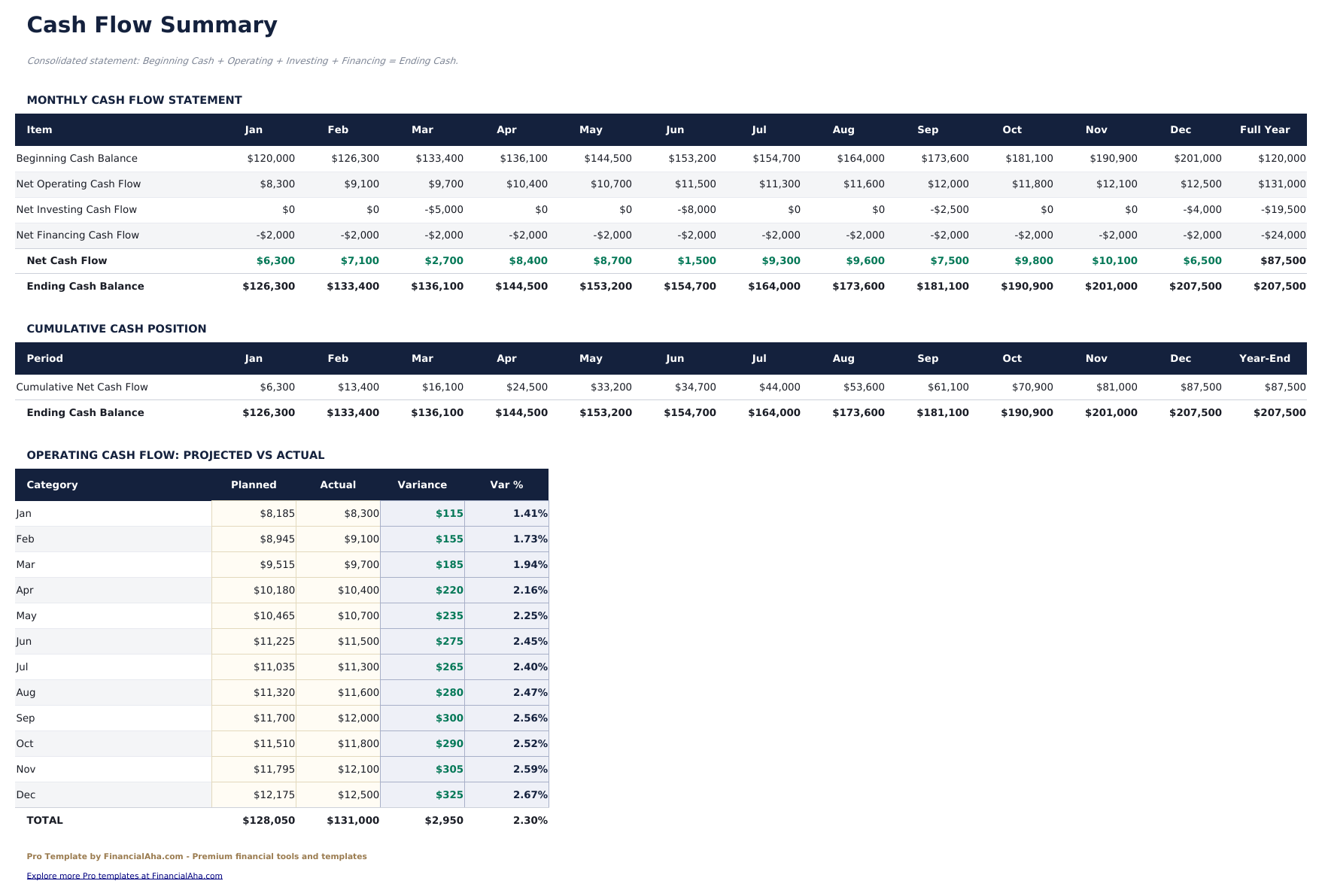
- Cash Flow Summary consolidating all three activity sections into a single statement with beginning balance, net change, and ending balance by month
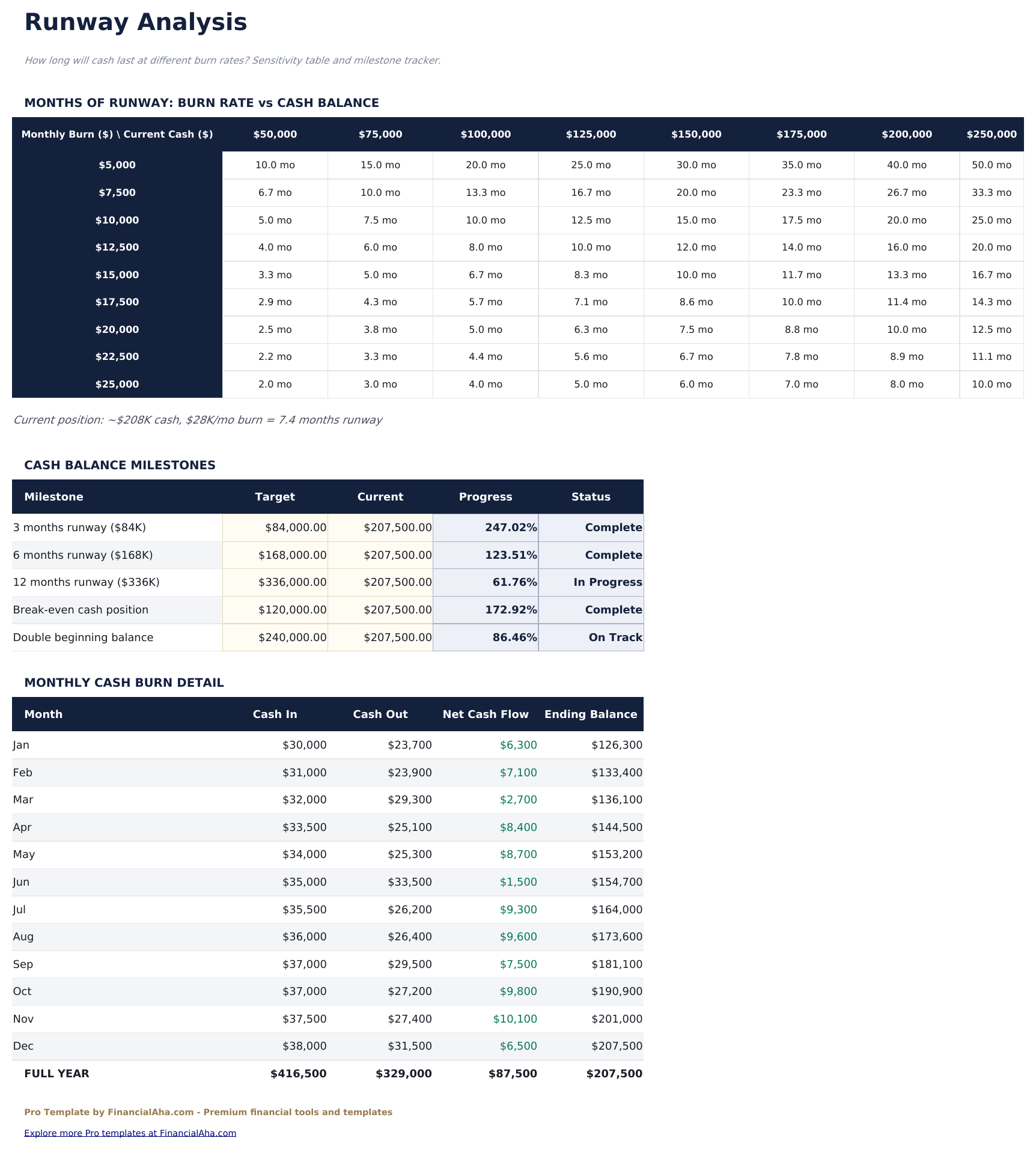
- Runway Analysis calculating months of cash remaining at current burn rate, with a chart showing projected cash balance over time
- 12-month view across all sheets with annual totals and monthly averages for trend analysis
- Works in Microsoft Excel, Google Sheets, and LibreOffice Calc with no macros required
Preview
See what's inside this template
How to Use This Template
Enter operating cash flows
Go to the Operating Activities sheet and enter monthly cash receipts from customers and cash payments to suppliers, employees, and for other operating items.
Enter investing and financing flows
Fill in the Investing Activities sheet with capital expenditures and asset transactions, and the Financing Activities sheet with loan and equity movements.
Review the cash flow summary
The Cash Flow Summary consolidates all three sections monthly. Check that beginning and ending balances reconcile to your actual bank balance.
Monitor runway
The Runway Analysis sheet shows months of cash remaining at your current burn rate and charts the projected cash balance over time.
Built by Claude AI. Perfected by us.
We use Claude AI to draft each Pro template after deep research. Then our team steps in - refining the layout, stress-testing every formula, fixing edge cases, and polishing the design. The AI gets us 80% there. The last 20% is all human judgment.
One-time purchase. No subscription. Works in Excel & Google Sheets.
Frequently Asked Questions
What is the difference between the three activity types?
Operating activities cover day-to-day business cash flows like customer receipts and supplier payments. Investing activities cover buying or selling long-term assets. Financing activities cover debt and equity transactions like loans and investor funding.
How does the runway analysis work?
Enter your current cash balance and the template calculates average monthly burn rate from your operating and investing outflows. Runway is shown in months, with a chart projecting when cash reaches zero at the current rate.
Can I use this for an established business or just startups?
Both. The runway analysis is particularly useful for startups tracking burn, but the full cash flow statement applies to any business that wants to understand cash sources and uses.
How does the cash flow summary work?
It consolidates net cash from all three activity sections each month, then calculates the net change in cash, beginning balance, and ending balance. The ending balance of one month becomes the beginning balance of the next.
Does this use the direct or indirect method?
The template uses the direct method, listing actual cash receipts and payments rather than starting from net income. This gives a clearer view of actual cash movements.
What do I get after purchase?
You receive an Excel file (.xlsx) that works in Microsoft Excel, Google Sheets, and LibreOffice Calc. Download it immediately after purchase - no signup or account required.
Is there a free version?
Yes. The free version of this template is available with basic features. The Pro version adds advanced analysis, more capacity, and additional sheets.
What if it does not work for me?
Contact us and we will help troubleshoot. The template works in Microsoft Excel, Google Sheets, and LibreOffice Calc with no macros required.
Looking for more Pro templates?
We offer Pro versions of our most popular spreadsheet templates with advanced features, more capacity, and deeper analysis.