Lease vs Buy Calculator Pro
5-year lease vs buy comparison with scenario analysis and break-even modeling to explore how different assumptions change the outcome.
Free vs Pro
- Basic lease vs buy input and monthly payment comparison
- Dashboard with monthly payment difference and 3-year summary
- Simple total cost comparison
- Works in Excel and Google Sheets
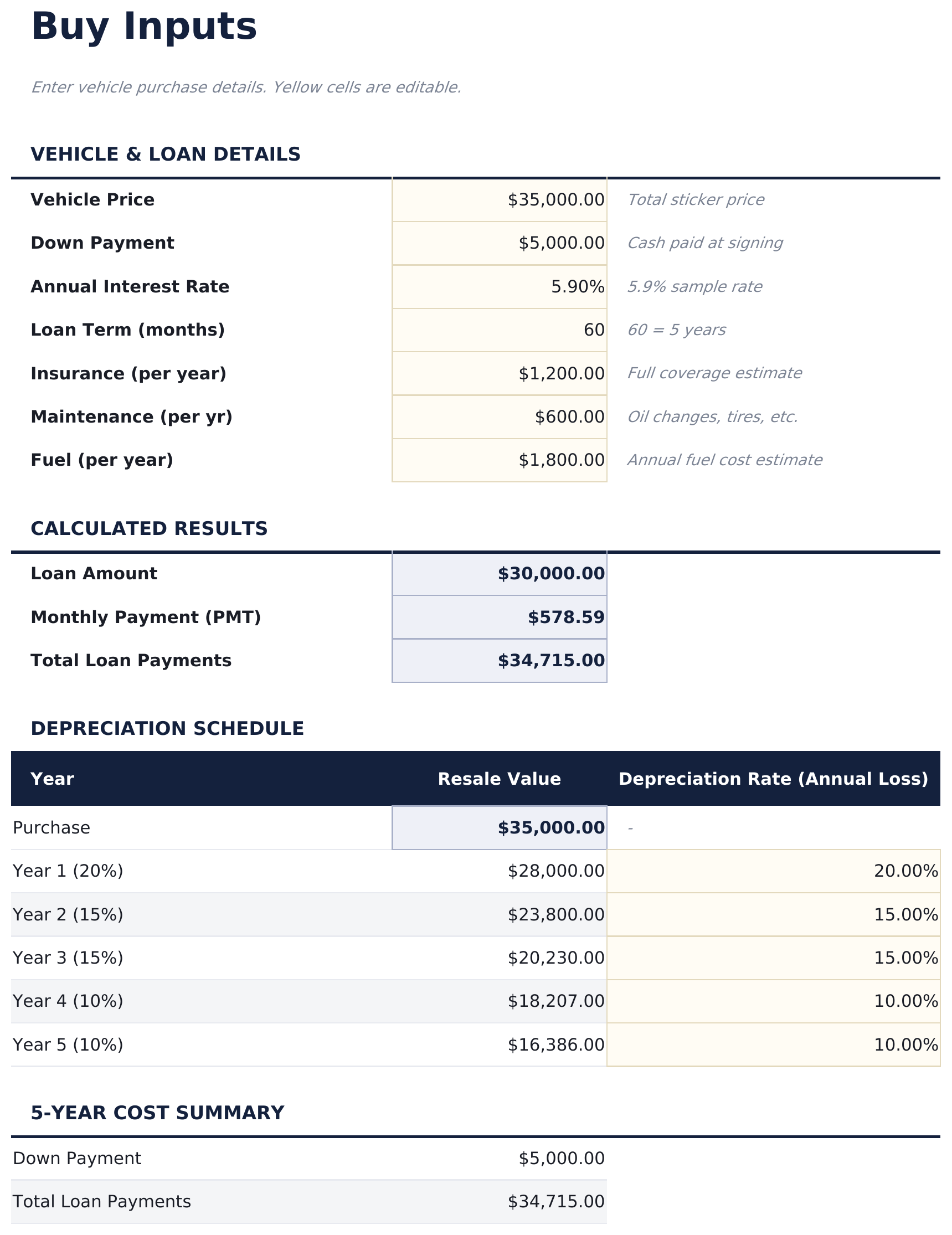
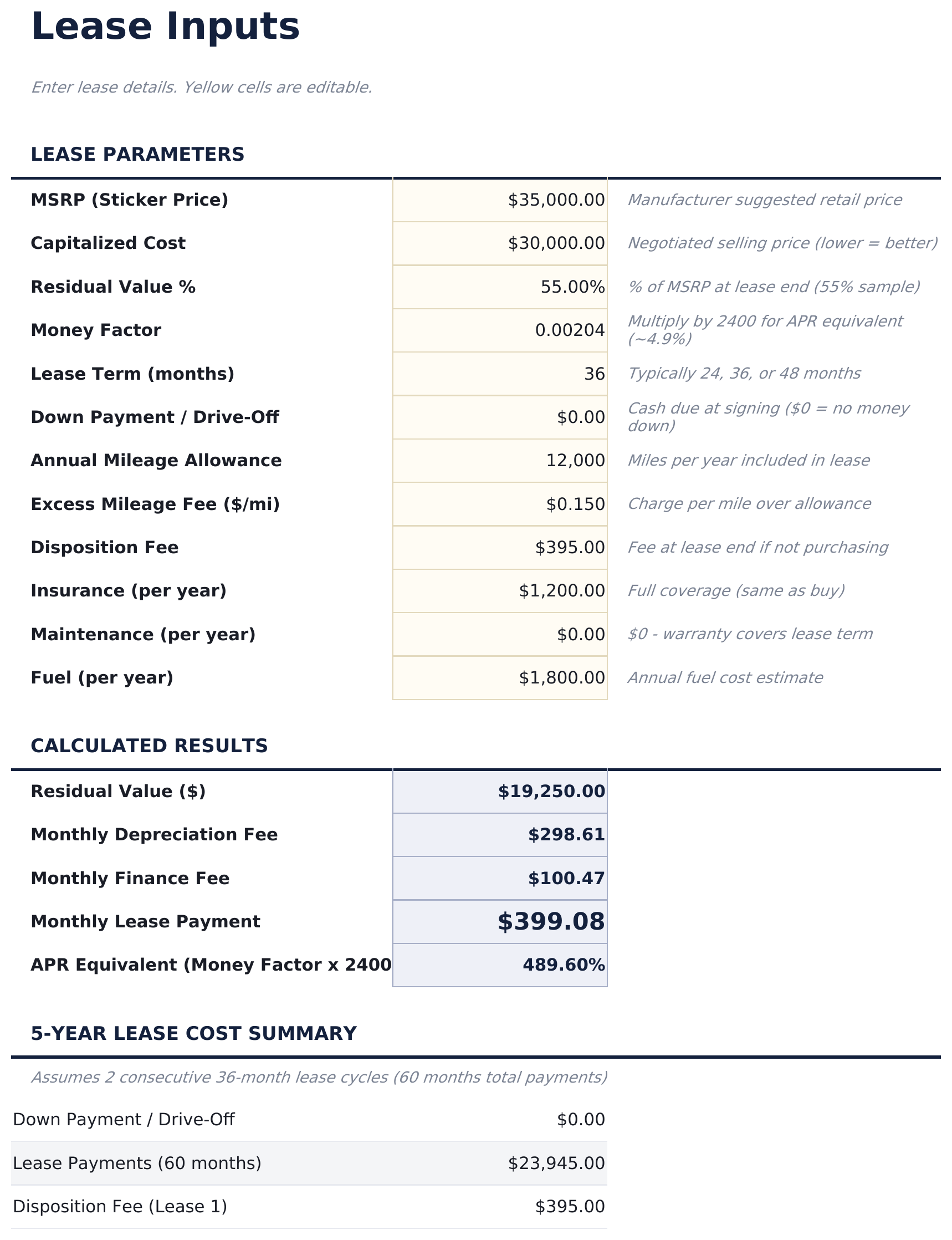
- Separate input sheets for buying (price, down payment, rate, term, residual) and leasing (cap cost, money factor, residual, term, fees)
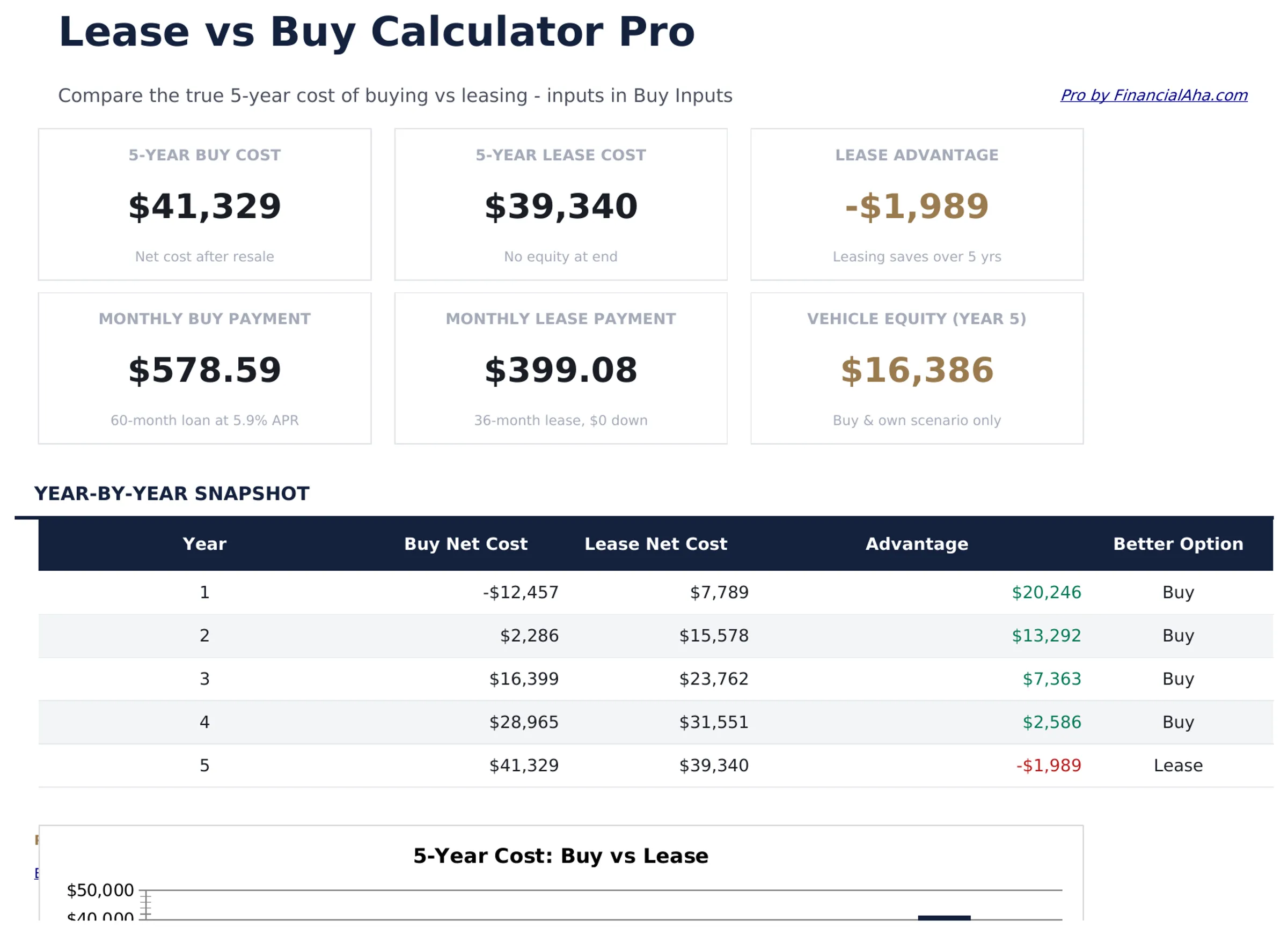
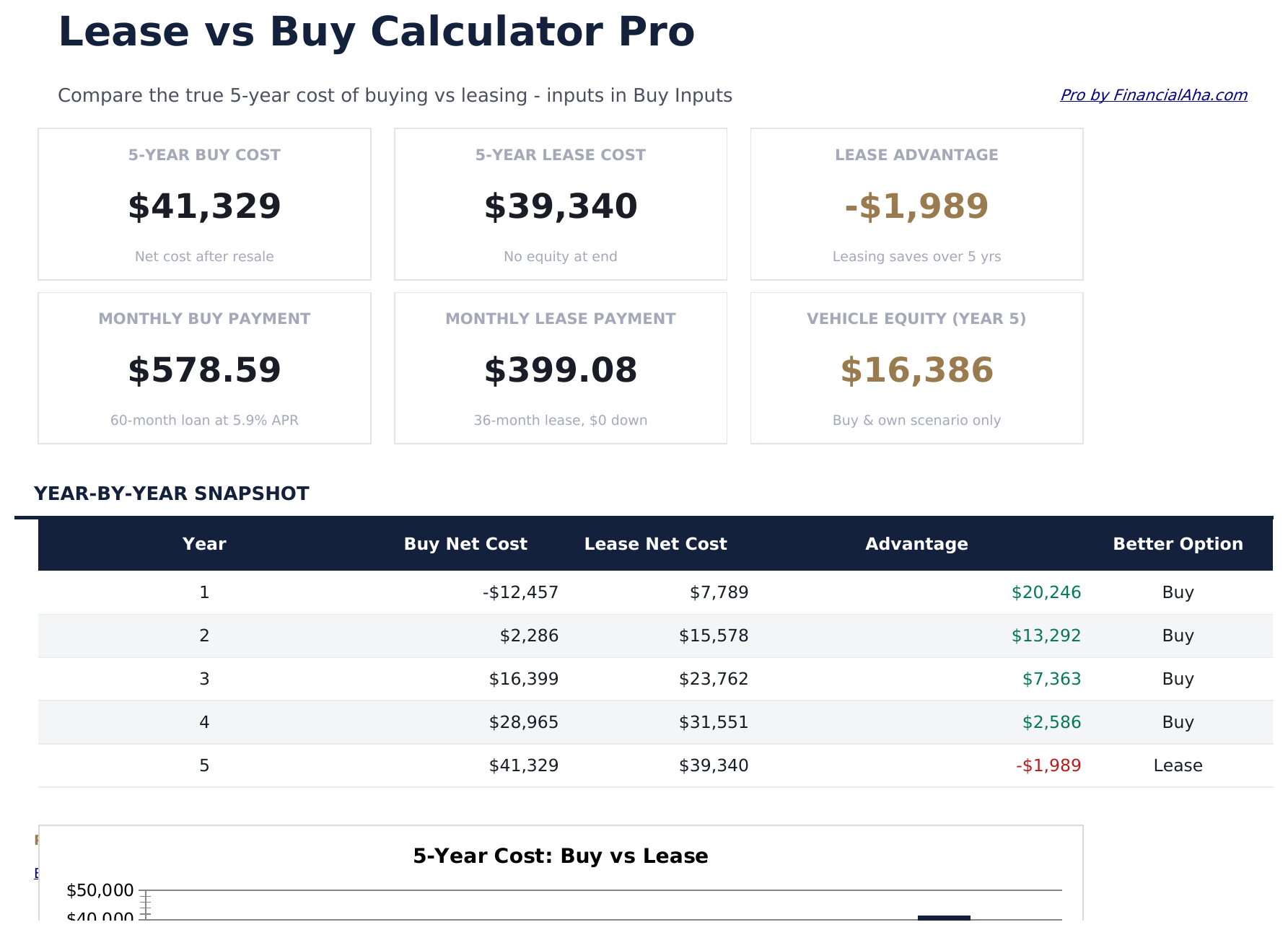
- Dashboard with 6 KPI cards: 5-year buying cost, 5-year leasing cost, net advantage, monthly payment comparison, down payment required, and break-even year
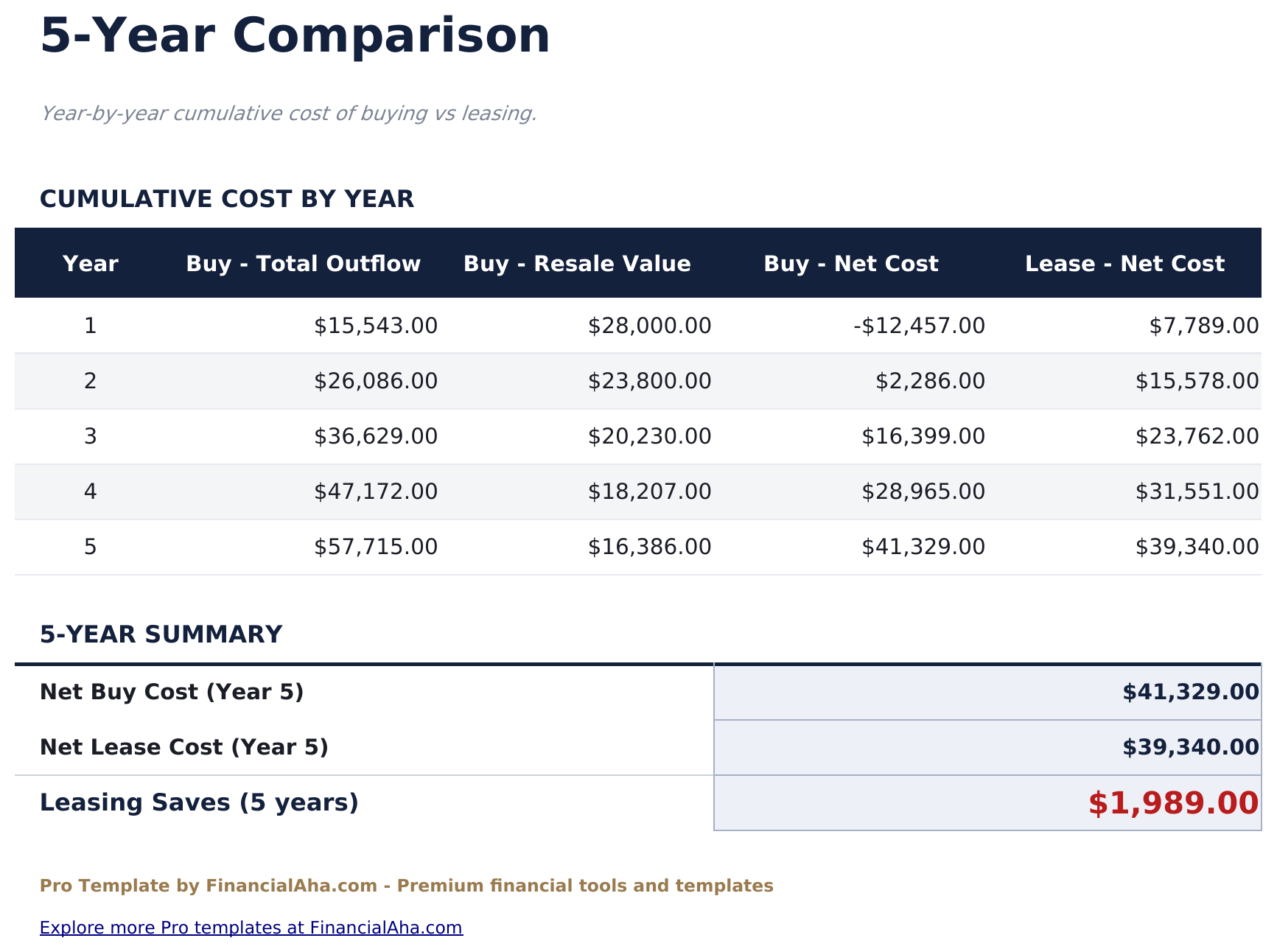
- 5-year comparison table showing cumulative costs for buying vs leasing year by year with net difference each year
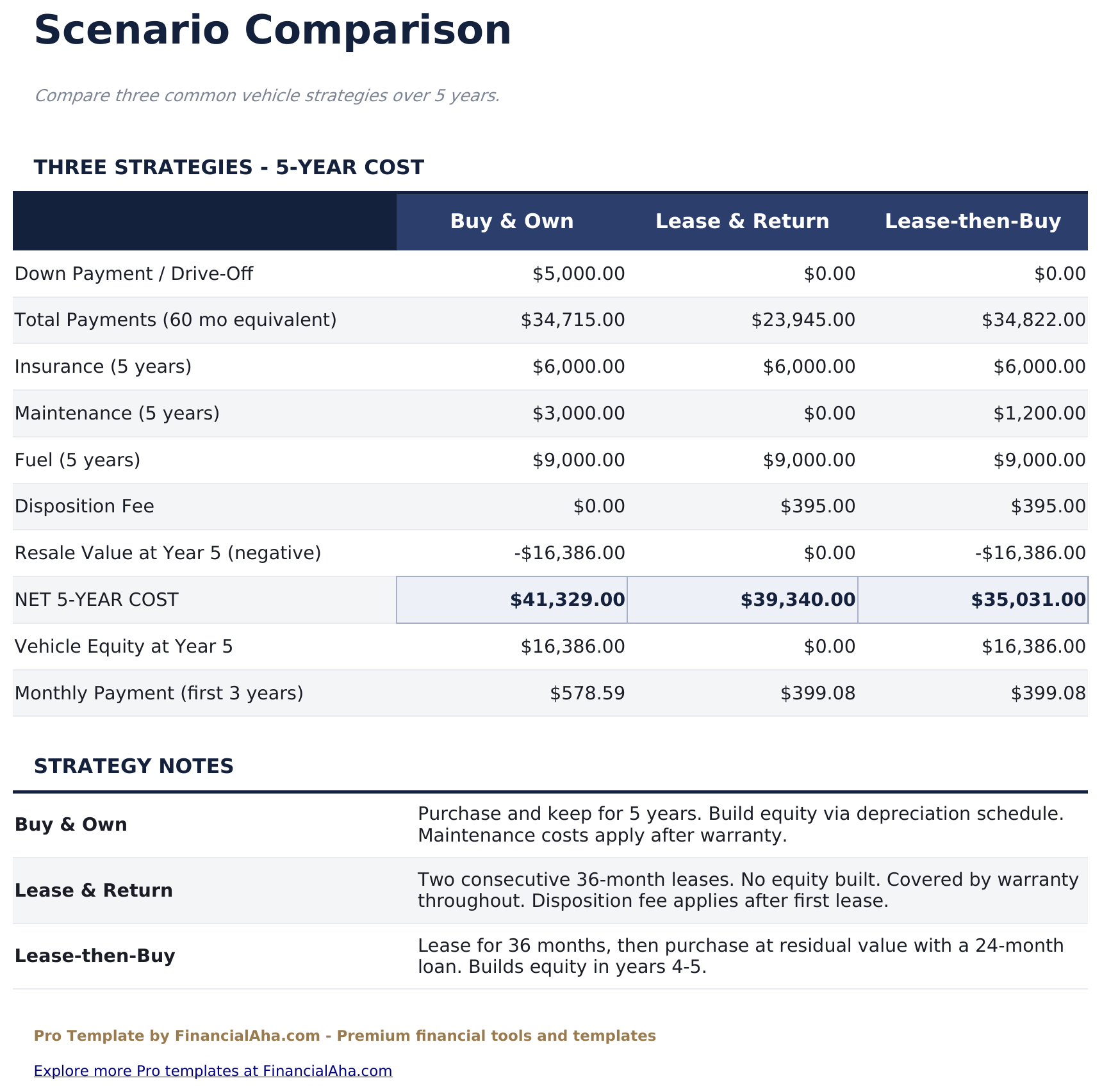
- Scenario comparison with 3 presets - Low Mileage, Average Use, and High Mileage - showing how usage affects the total cost of each option
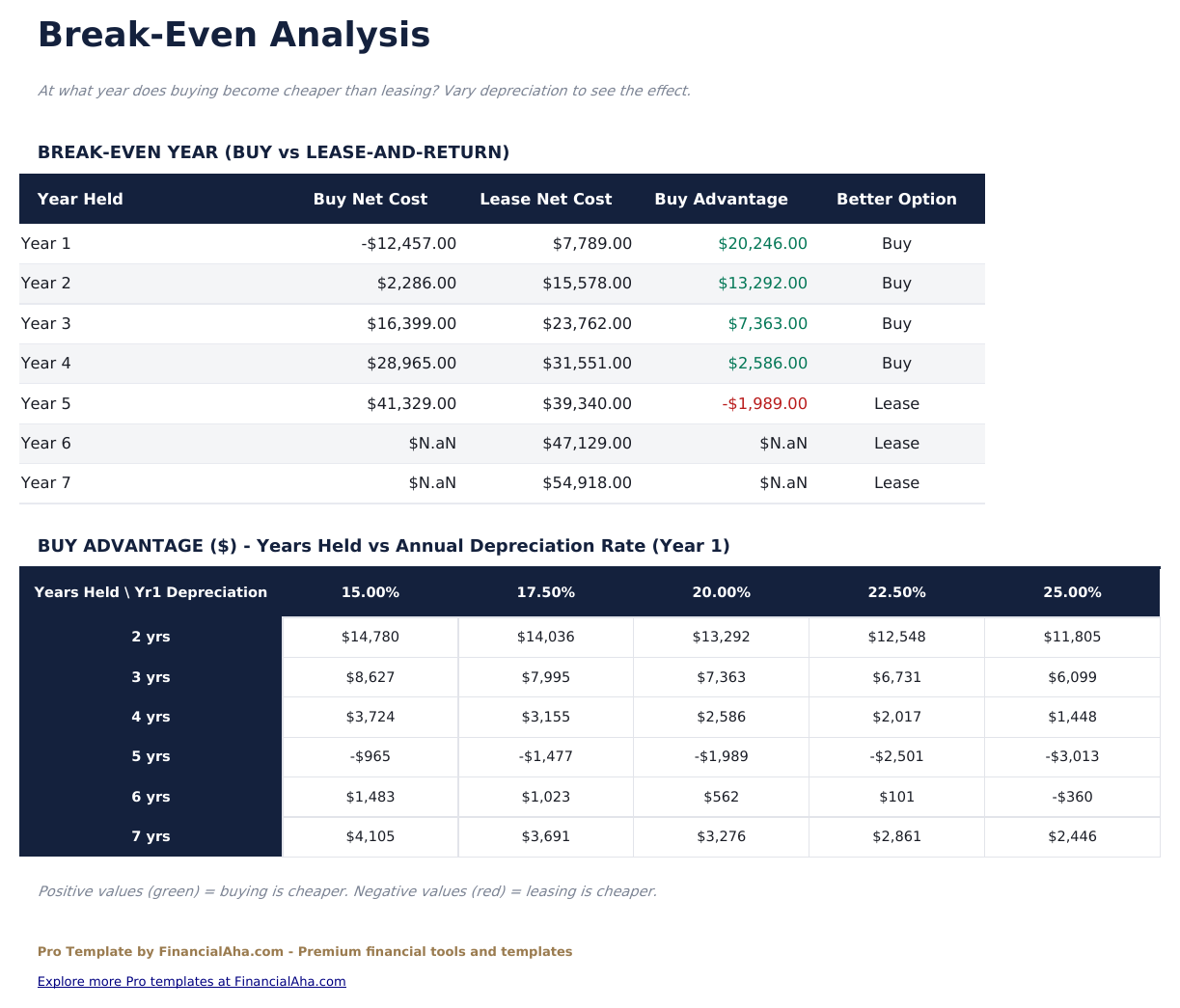
- Break-even analysis identifying when buying becomes less expensive than leasing on a cumulative cost basis
- Buying side factors in depreciation, equity built, insurance difference, and opportunity cost of down payment
- Leasing side factors in monthly payments, disposition fee, excess mileage charges, and upfront costs
- Works in Microsoft Excel, Google Sheets, and LibreOffice Calc with no macros required
Preview
See what's inside this template
How to Use This Template
Enter buying details
Fill in the Buy Inputs sheet with vehicle price, down payment, loan rate, term, and estimated annual depreciation rate.
Enter lease details
Fill in the Lease Inputs sheet with cap cost, money factor, residual value, lease term, upfront fees, and annual mileage allowance.
Review the 5-year comparison
The 5-Year Comparison sheet shows cumulative costs for both options year by year with the net difference.
Explore scenarios and break-even
Use the Scenario Comparison to see how different mileage levels change the outcome, and the Break-Even sheet to find when buying becomes the lower-cost option.
Built by Claude AI. Perfected by us.
We use Claude AI to draft each Pro template after deep research. Then our team steps in - refining the layout, stress-testing every formula, fixing edge cases, and polishing the design. The AI gets us 80% there. The last 20% is all human judgment.
One-time purchase. No subscription. Works in Excel & Google Sheets.
Frequently Asked Questions
What costs are included on the buying side?
Purchase price minus down payment, loan interest, insurance (above lease equivalent), registration, maintenance, and depreciation. The equity built each year reduces the net cost of buying over time.
What costs are included on the leasing side?
Monthly lease payments, upfront fees (first payment, acquisition fee, security deposit), excess mileage charges if applicable, and the disposition fee at lease end.
How does the break-even analysis work?
It tracks cumulative costs for both options year by year. The break-even year is when buying becomes cheaper on a total-cost basis, accounting for the equity built by owning.
What are the 3 scenarios?
Low Mileage, Average Use, and High Mileage. Mileage affects depreciation for buying and excess mileage charges for leasing, changing which option comes out ahead. All 3 scenarios show 5-year outcomes side by side.
What is the money factor on a lease?
The money factor is the financing charge on a lease, equivalent to an interest rate. Multiply it by 2,400 to get the approximate annual percentage rate. It appears on lease quotes from dealers.
What do I get after purchase?
You receive an Excel file (.xlsx) that works in Microsoft Excel, Google Sheets, and LibreOffice Calc. Download it immediately after purchase - no signup or account required.
Is there a free version?
Yes. The free version of this template is available with basic features. The Pro version adds advanced analysis, more capacity, and additional sheets.
What if it does not work for me?
Contact us and we will help troubleshoot. The template works in Microsoft Excel, Google Sheets, and LibreOffice Calc with no macros required.
Looking for more Pro templates?
We offer Pro versions of our most popular spreadsheet templates with advanced features, more capacity, and deeper analysis.