Auto Loan Calculator Pro
Compare 3 loan offers with full amortization, total cost analysis including insurance and fuel, and a depreciation tracker.
Free vs Pro
- Single loan setup with monthly payment and total interest calculation
- Dashboard with payment, total interest, and total cost
- Basic amortization schedule
- Works in Excel and Google Sheets
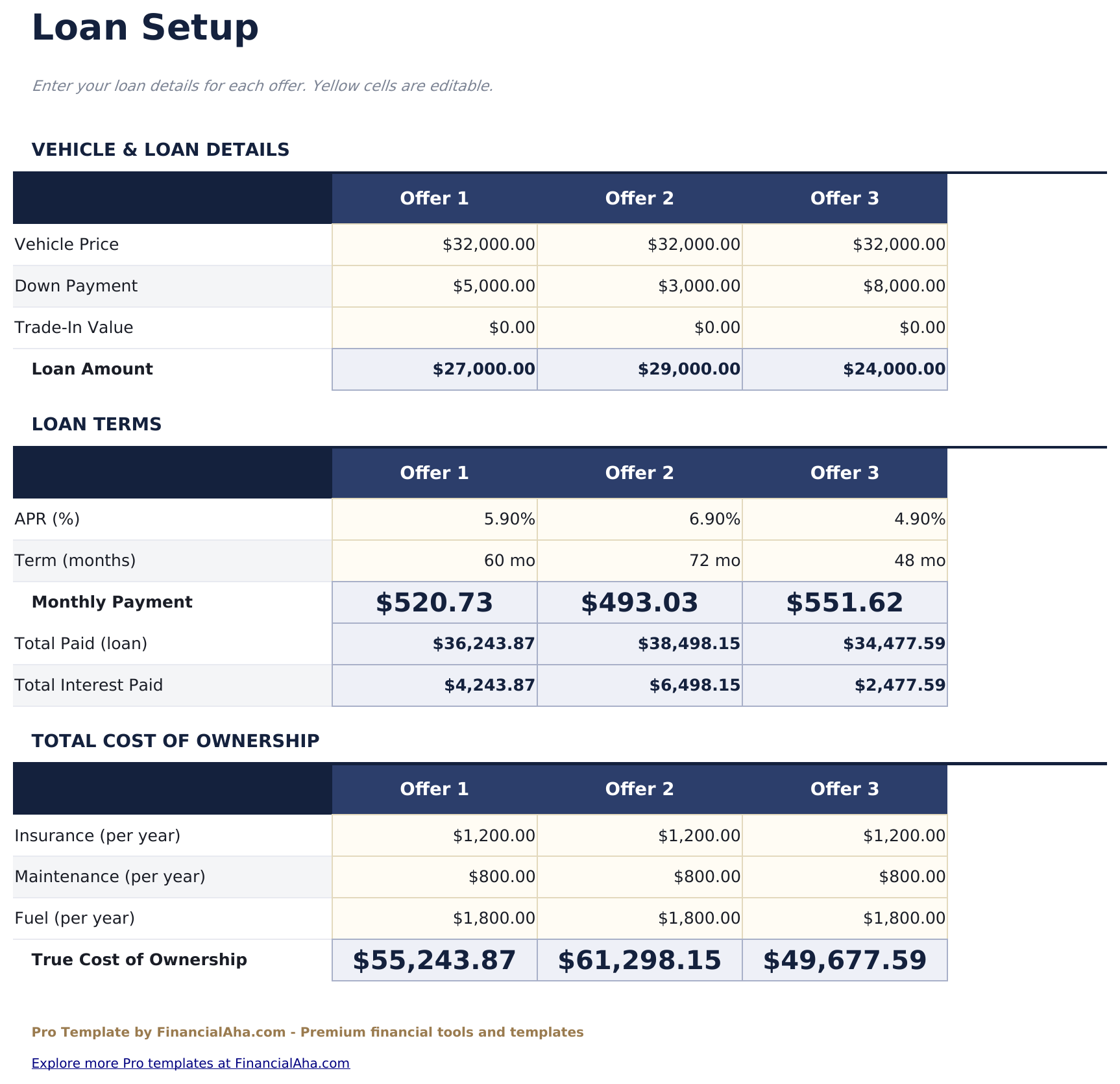
- Set up and compare 3 auto loan offers side by side with vehicle price, down payment, trade-in, interest rate, and term
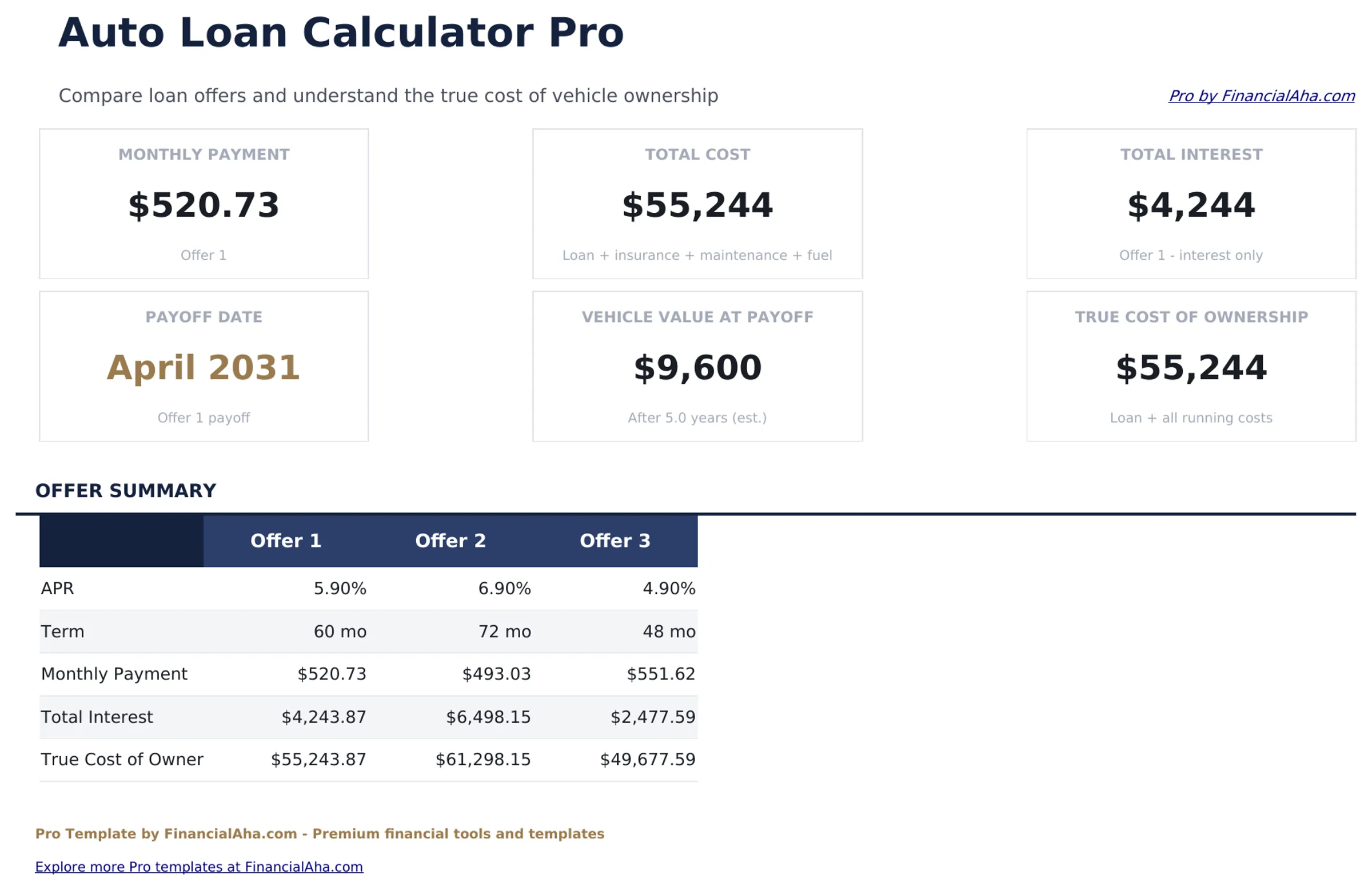
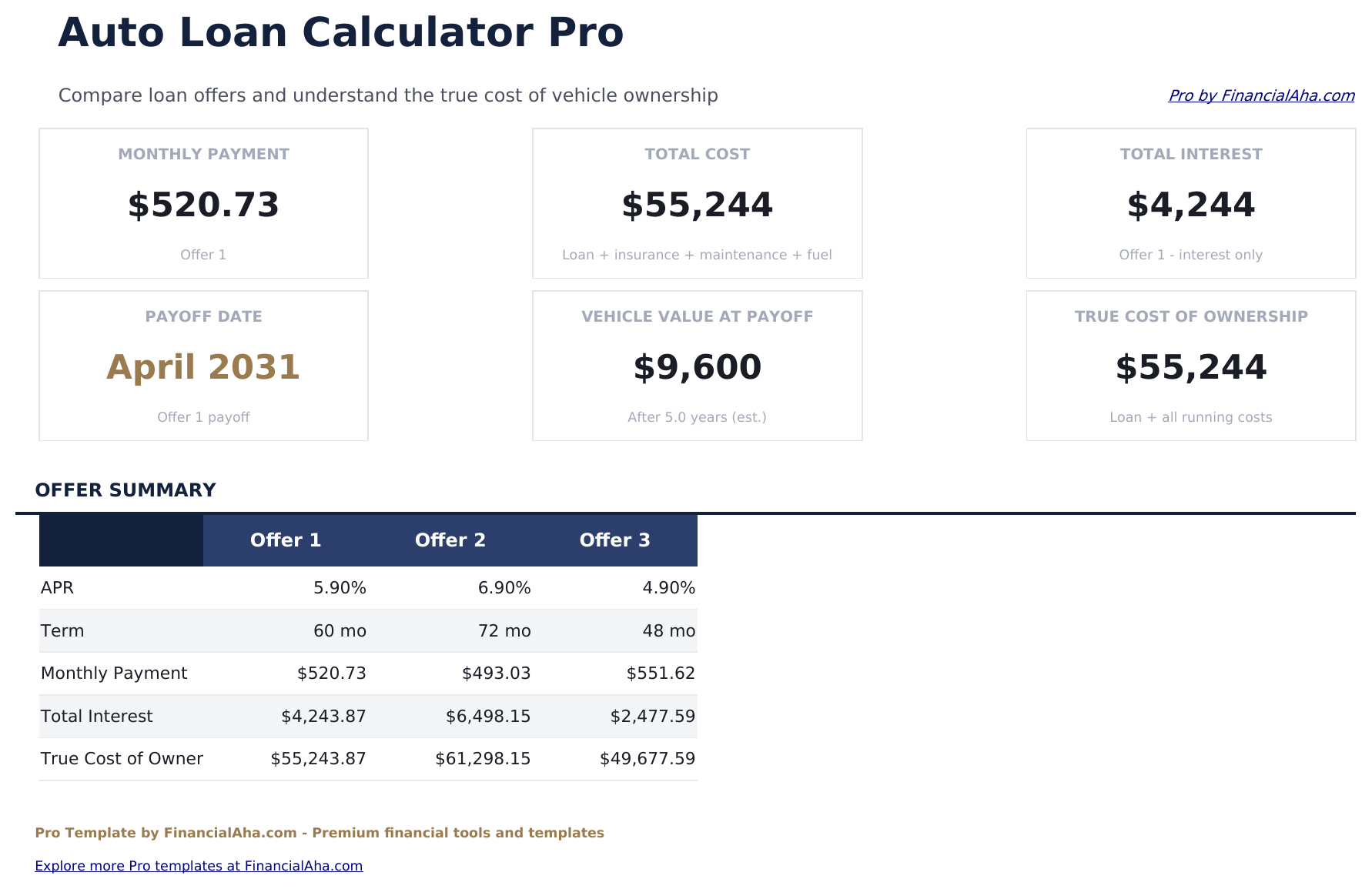
- Dashboard with 6 KPI cards: best monthly payment, best total interest, best total cost, loan count, lowest rate, and down payment required
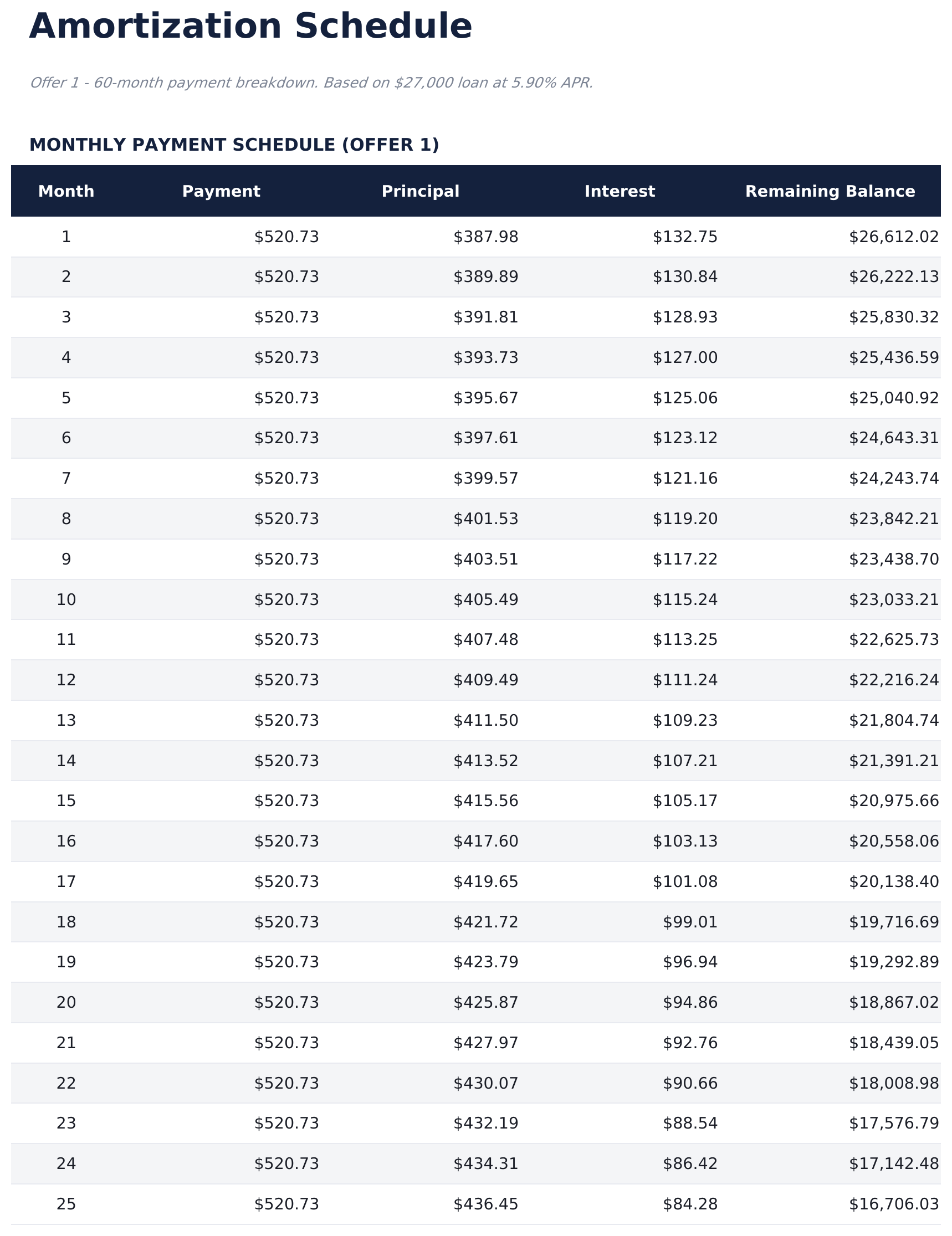
- Full amortization schedule with payment number, date, payment amount, principal, interest, and remaining balance for each payment
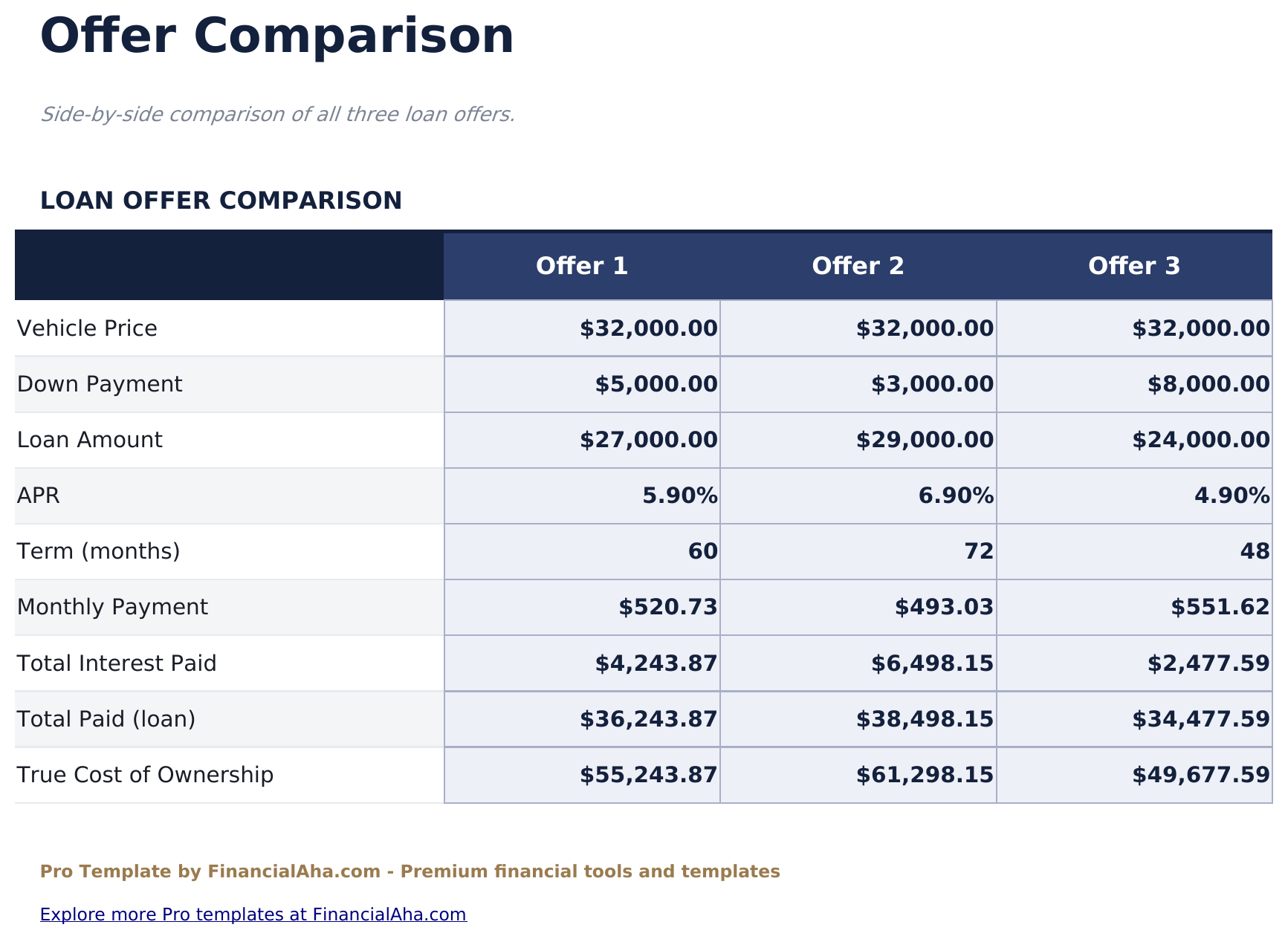
- Offer comparison sheet ranking all 3 loans on monthly payment, total interest, total cost, and net vehicle price
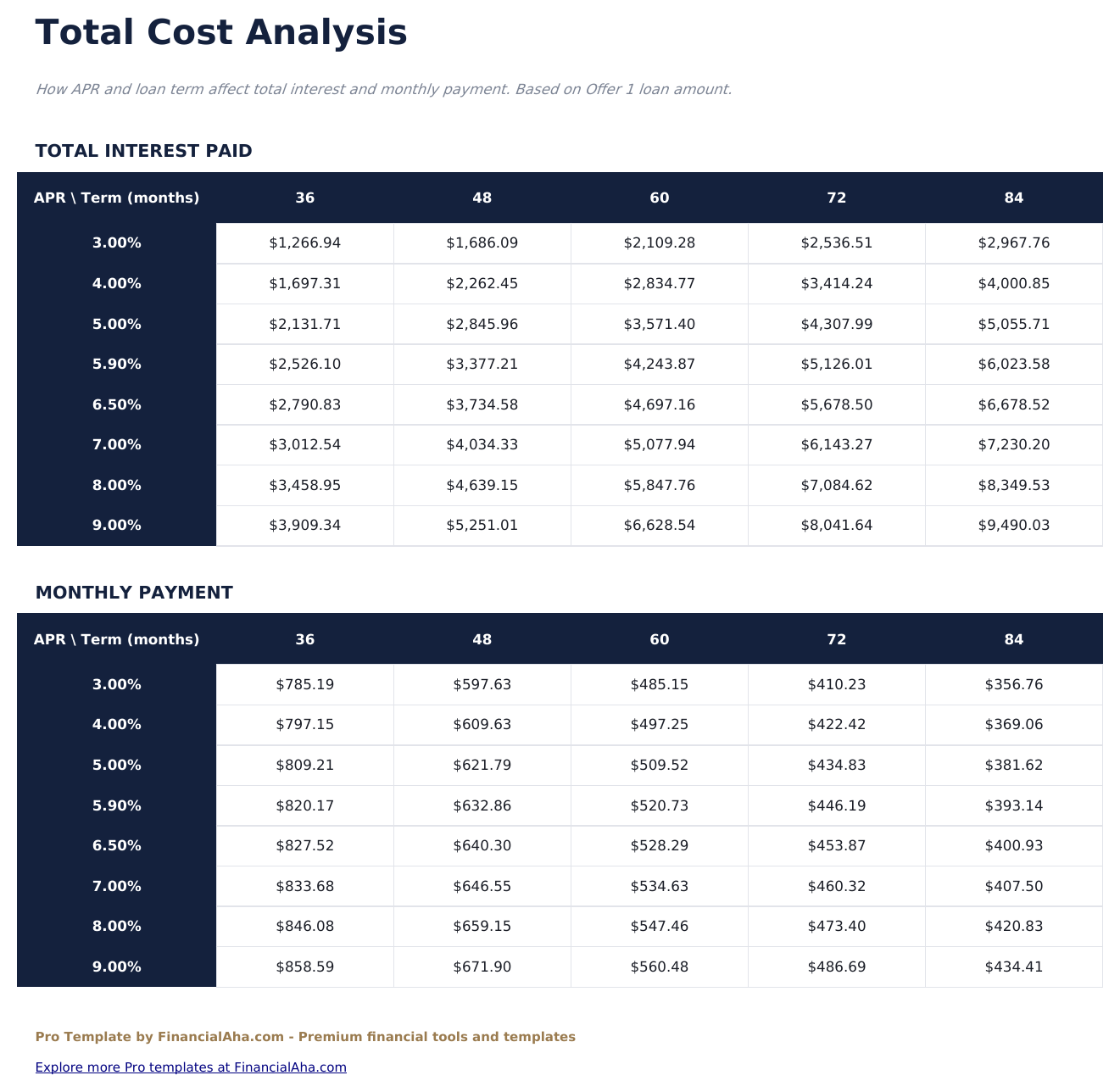
- Total cost analysis including estimated insurance, fuel, maintenance, and registration costs over the loan term for each offer
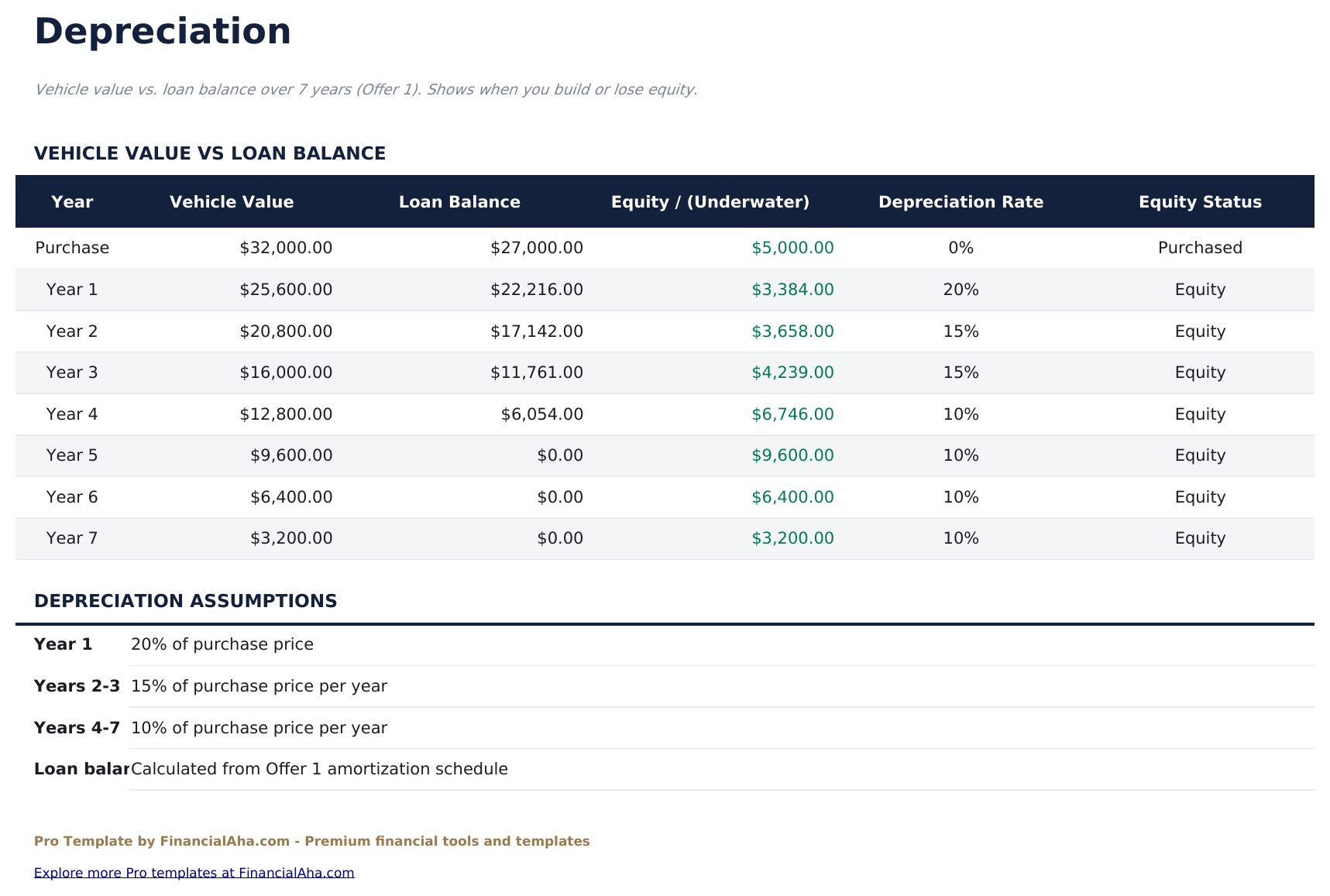
- Depreciation tracker showing estimated vehicle value by year using a configurable annual depreciation rate with equity vs balance comparison
- Conditional formatting highlights the lowest-cost offer in each comparison row
- Works in Microsoft Excel, Google Sheets, and LibreOffice Calc with no macros required
Preview
See what's inside this template
How to Use This Template
Enter your loan offers
Go to the Loan Setup sheet and fill in details for up to 3 offers: vehicle price, down payment, trade-in value, interest rate, and term in months.
Compare offers
The Offer Comparison sheet shows all 3 loans ranked by monthly payment, total interest, and total cost. Conditional formatting highlights the best option in each row.
Review total ownership cost
In the Total Cost Analysis sheet, enter estimated annual insurance, fuel, and maintenance to see the full cost of ownership for each offer.
Check depreciation and equity
The Depreciation sheet shows your estimated vehicle value vs loan balance each year so you can see when you build positive equity.
Built by Claude AI. Perfected by us.
We use Claude AI to draft each Pro template after deep research. Then our team steps in - refining the layout, stress-testing every formula, fixing edge cases, and polishing the design. The AI gets us 80% there. The last 20% is all human judgment.
One-time purchase. No subscription. Works in Excel & Google Sheets.
Frequently Asked Questions
How many loan offers can I compare?
The Pro version supports 3 offers - for example, dealer financing, your bank, and a credit union. The Offer Comparison sheet ranks them by monthly payment, total interest, and total cost.
What does total cost analysis include?
Beyond loan payments and interest, it adds estimated insurance premiums, fuel costs, maintenance, and registration fees over the full loan term. This gives a more complete picture of what each vehicle option actually costs.
How does the depreciation tracker work?
Enter a vehicle purchase price and an annual depreciation rate (a common estimate is 15-20% per year). The tracker shows estimated market value, loan balance, and equity or underwater amount for each year of ownership.
Can I factor in a trade-in?
Yes. Each loan setup row includes a trade-in value field. This reduces the net amount financed and flows through all calculations automatically.
How long is the amortization schedule?
The amortization sheet covers up to 84 payments (7 years). It shows every payment with principal, interest, and remaining balance.
What do I get after purchase?
You receive an Excel file (.xlsx) that works in Microsoft Excel, Google Sheets, and LibreOffice Calc. Download it immediately after purchase - no signup or account required.
Is there a free version?
Yes. The free version of this template is available with basic features. The Pro version adds advanced analysis, more capacity, and additional sheets.
What if it does not work for me?
Contact us and we will help troubleshoot. The template works in Microsoft Excel, Google Sheets, and LibreOffice Calc with no macros required.
Looking for more Pro templates?
We offer Pro versions of our most popular spreadsheet templates with advanced features, more capacity, and deeper analysis.