Wisconsin
Tax Planner Template for Wisconsin
Plan your federal and Wisconsin state taxes in Google Sheets. Wisconsin has a graduated income tax with moderate to high rates.
Wisconsin
Tax Planning in Wisconsin
Wisconsin has a graduated income tax with rates that are moderately high for higher earners. The state offers some credits and deductions that can reduce the overall burden.
Graduated Income Tax
Wisconsin has a graduated income tax with four brackets. The top rate is moderately high and applies at upper income thresholds.
Standard Deduction
Wisconsin has a sliding-scale standard deduction that decreases as income increases. At higher income levels, the standard deduction phases out entirely. This is unusual compared to most states.
Retirement Income
Wisconsin does not tax Social Security benefits. The state allows a deduction for certain retirement income (military, railroad, and some government pensions). Other retirement income is generally taxable.
Property Tax Credit
Wisconsin offers a School Levy Tax Credit that reduces property taxes. A homestead credit is also available for lower-income homeowners and renters.
Get the Annual Tax Planner
Getting Started
Setting Up the Tax Planner for Wisconsin
Enter your income sources
Add all income sources - salary, freelance, investments, and other earnings. The template organizes income by type, which is useful when accounting for Wisconsin-specific tax treatment.
Review deductions and credits
Go through the deductions section and enter applicable items. Some deductions vary by state - the template provides space to track both federal and state-level deductions relevant to Wisconsin residents.
Track quarterly estimated payments
If you owe estimated taxes, use the quarterly payment tracker to plan and record payments. This is especially relevant for self-employed individuals and those with significant investment income in Wisconsin.
Review your tax summary
The dashboard provides an overview of your projected tax situation. Use it to check whether your withholdings and estimated payments are on track throughout the year.
See It In Action
What the tax planner looks like
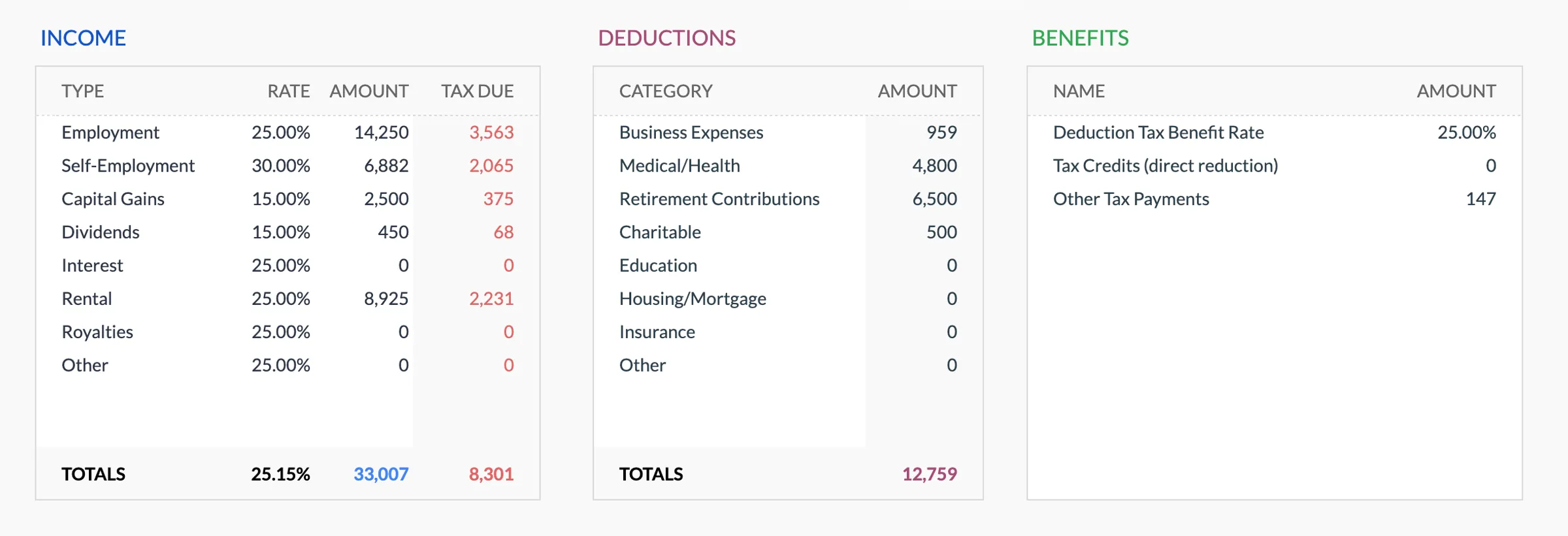
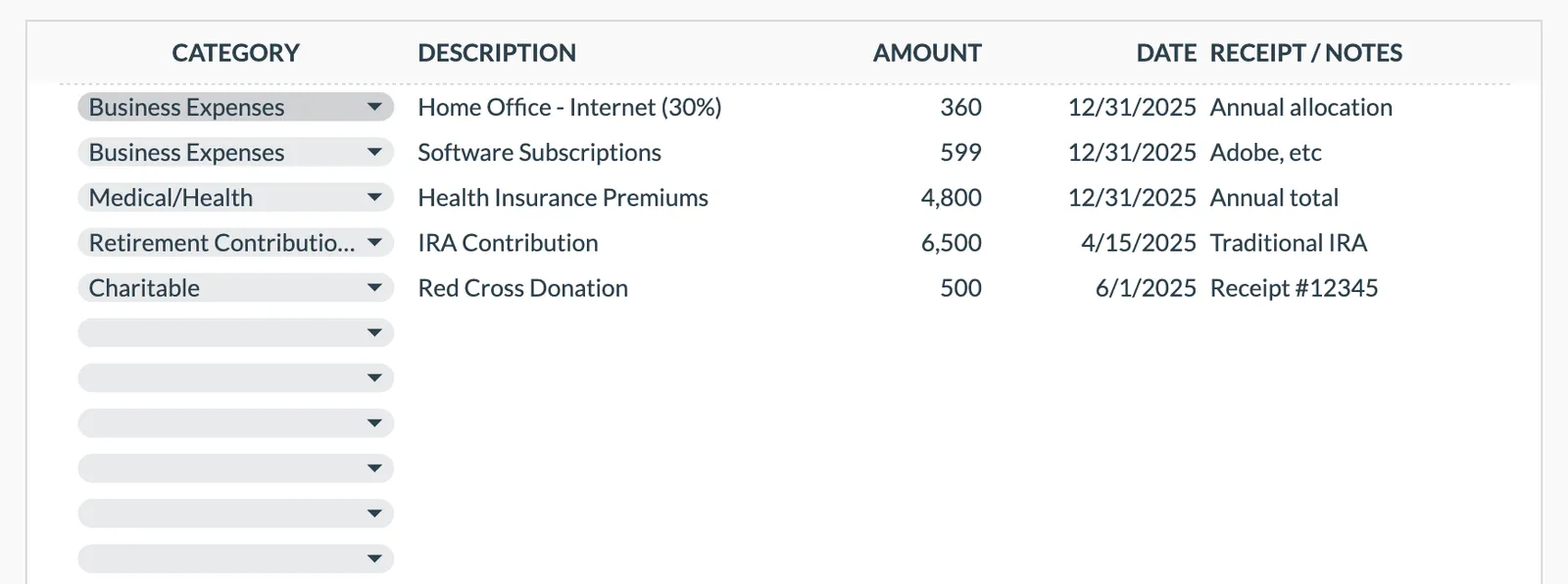
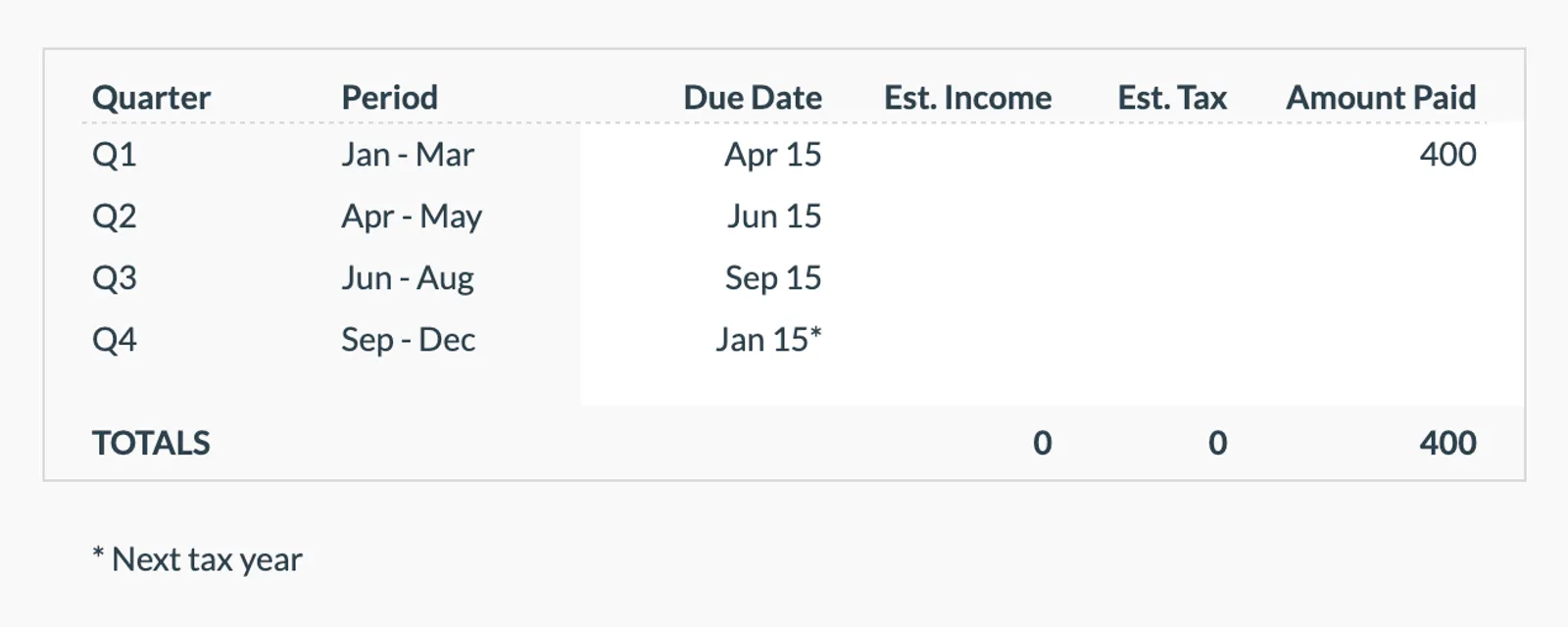
Browse through the template to see how it tracks income, deductions, credits, and estimated quarterly payments.
- Annual tax overview dashboard
- Income tracking by source
- Deductions and credits organizer
- Quarterly payment tracker
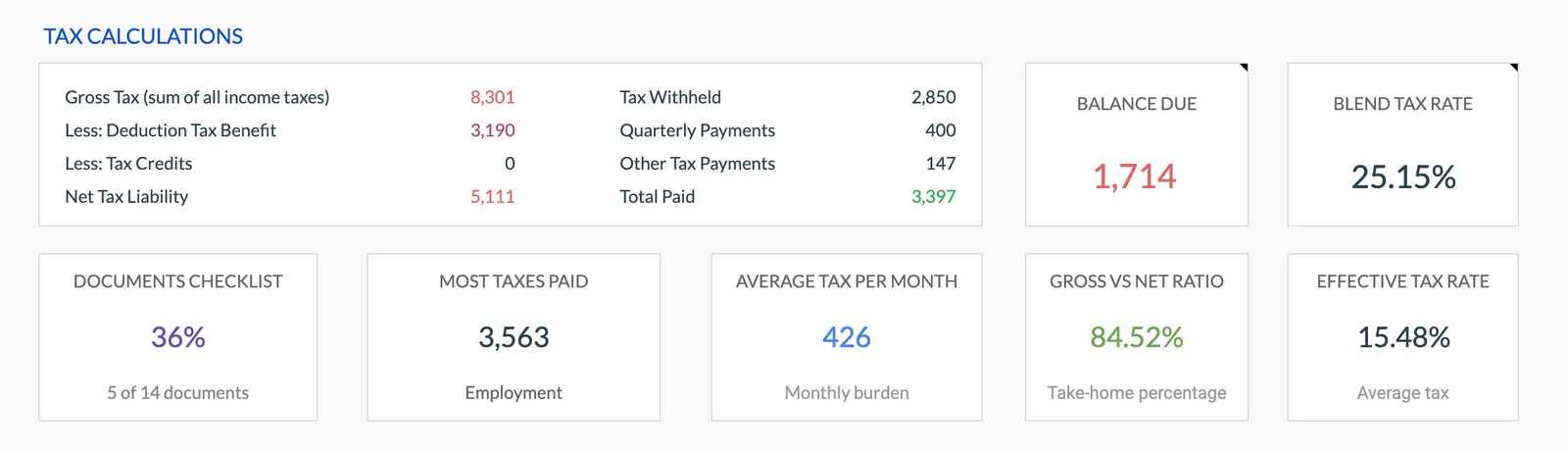
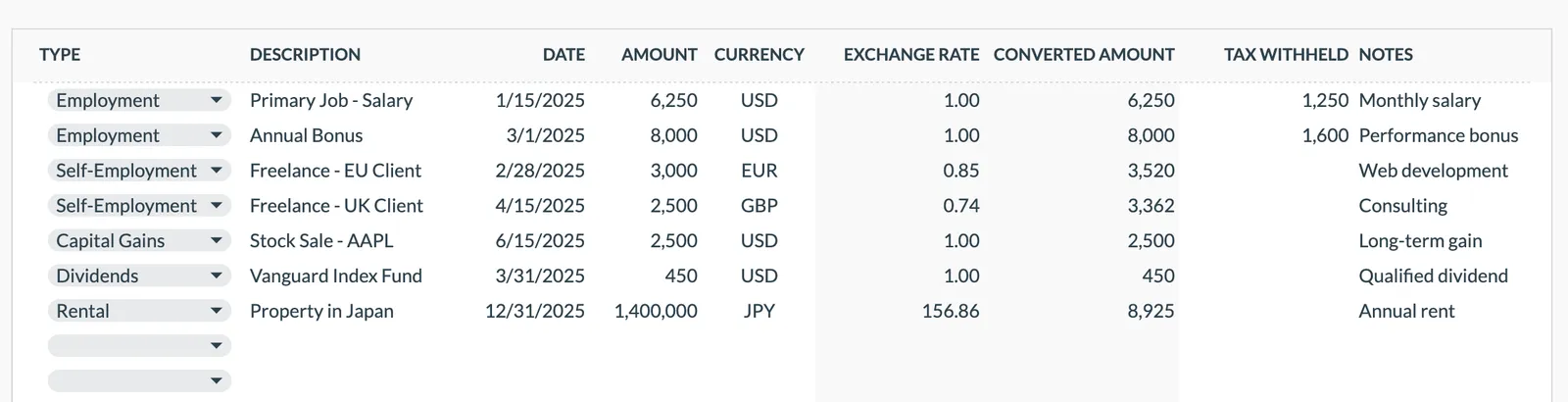
Annual tax overview with key figures
Detailed tax breakdown and projections
Track all income sources for tax purposes
Organize and track tax deductions
Plan and track quarterly estimated tax payments
Common Questions
Tax Planning in Wisconsin - FAQ
What is the state income tax structure in Wisconsin?
Wisconsin has a graduated income tax with four brackets and a moderately high top rate. Social Security is exempt, and a sliding-scale standard deduction phases out at higher incomes.
Can this template handle both federal and Wisconsin state taxes?
The template is designed for federal tax planning. You can use the notes and custom fields to track Wisconsin state tax considerations alongside your federal planning. It is especially useful for organizing income, deductions, and estimated payments.
Is this template specific to Wisconsin?
The Annual Tax Planner works for any US state. It covers federal tax planning comprehensively and provides flexibility to add state-specific notes and calculations relevant to Wisconsin.
Can I track estimated tax payments?
Yes. The template includes a quarterly estimated payment tracker. This is particularly useful for self-employed individuals or those with investment income who need to make payments throughout the year.
Does this template calculate my exact tax owed?
The template helps with tax planning and organization - tracking income, deductions, and estimated payments. It provides projections based on your inputs. For exact filing, consult a tax professional or use dedicated tax filing software.
Can't find the answer you're looking for? Contact our team
Organize your tax planning for Wisconsin
One-time purchase. No subscription. Your financial data stays in your Google Drive.