Expense Tracker Pro
Advanced expense tracking with 200 entries, budget vs effettivo variance analysis, 12 mesi spending overview, and spending trend rankings by category and payment method.
Gratuito vs Pro
- Registra fino a 50 expenses with category and payment method menu a tendinas
- Dashboard con panoramica delle spese e suddivisione per categoria
- Riepilogo mensile per categoria con totali e percentuali
- Funziona in Excel e Google Sheets
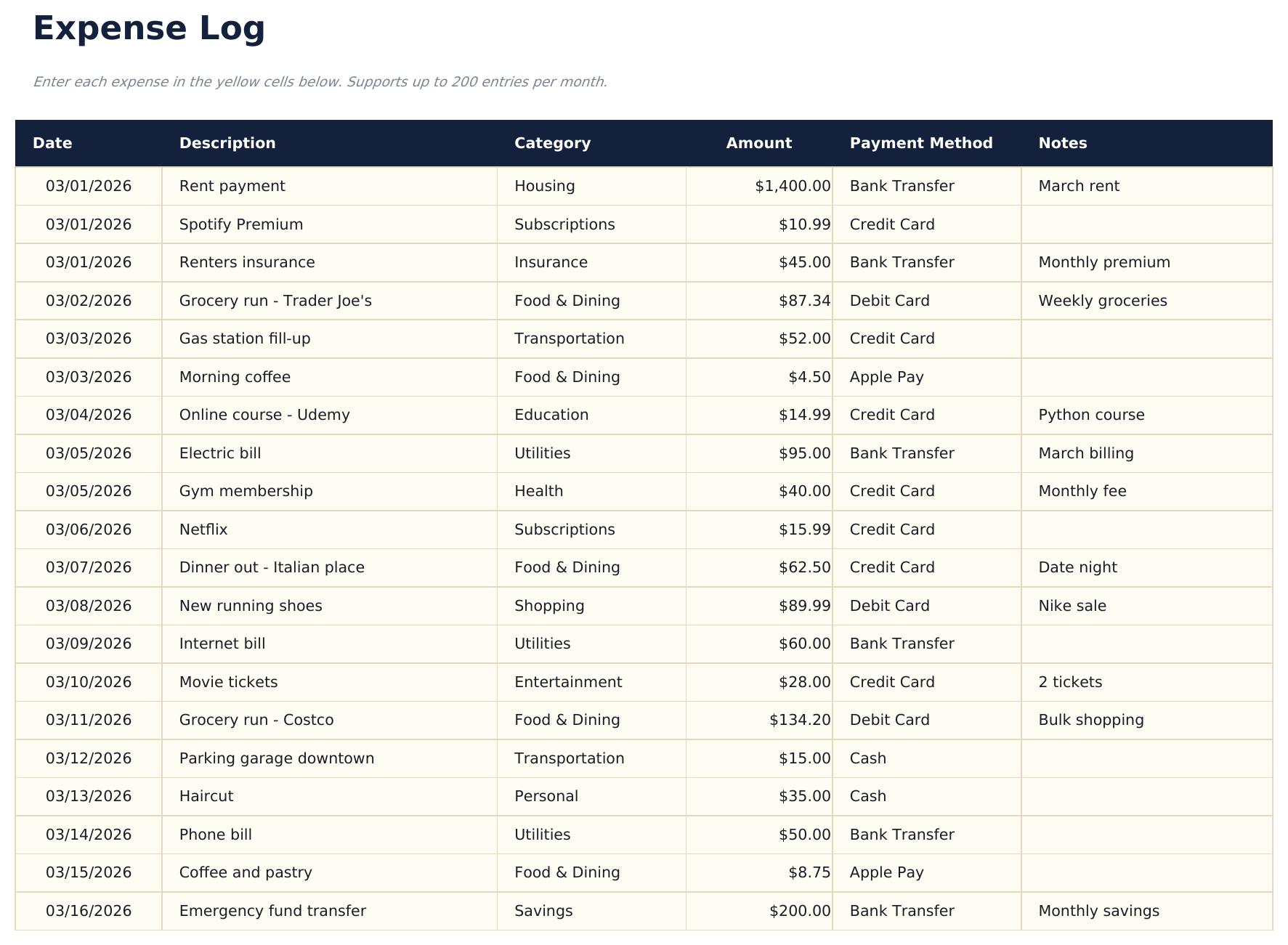
- Registra fino a 200 expenses per month with date, description, category (13 options), amount, payment method, and notes
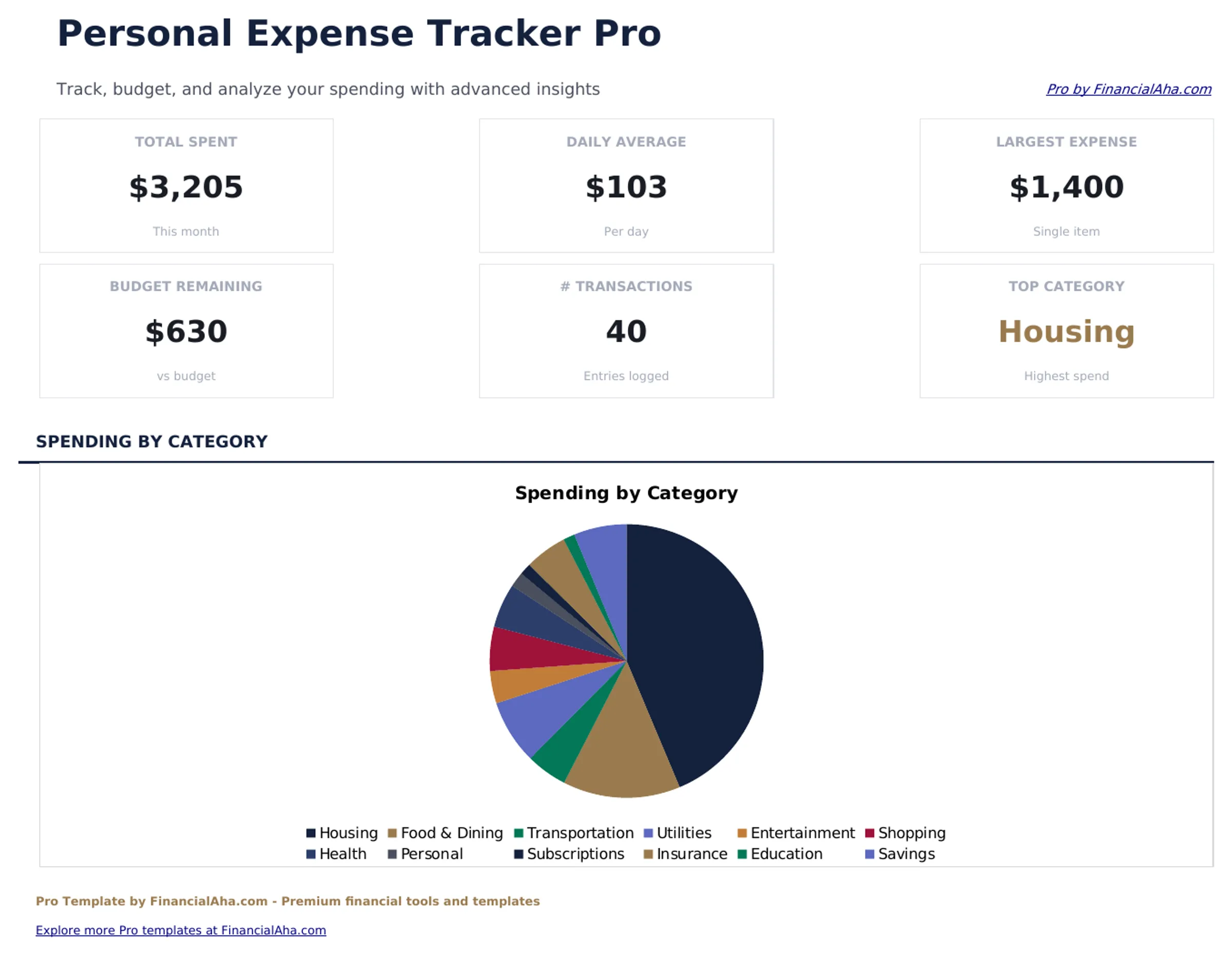
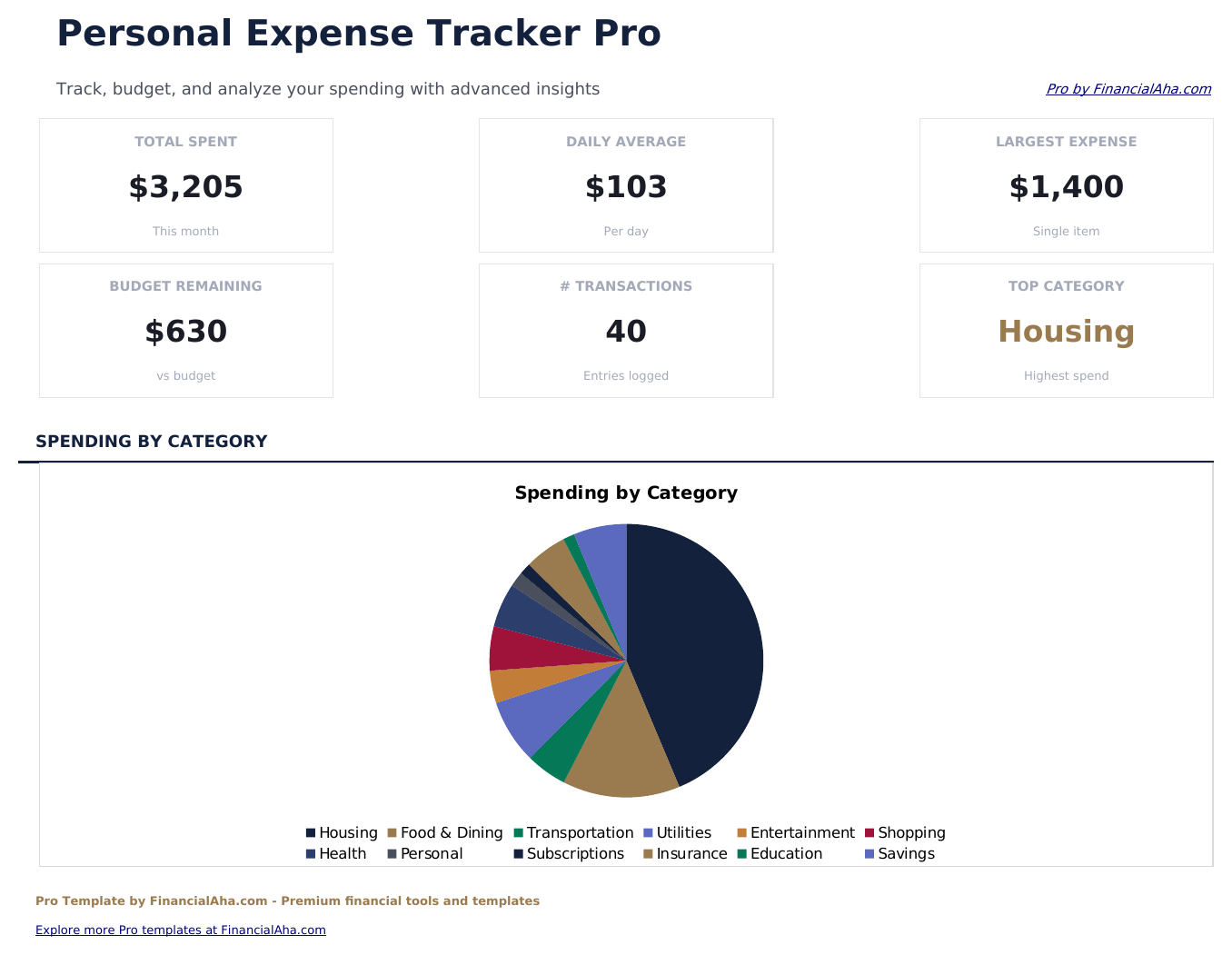
- Dashboard con 6 schede KPI: total spent, daily average, largest expense, budget remaining, transaction count, and top category
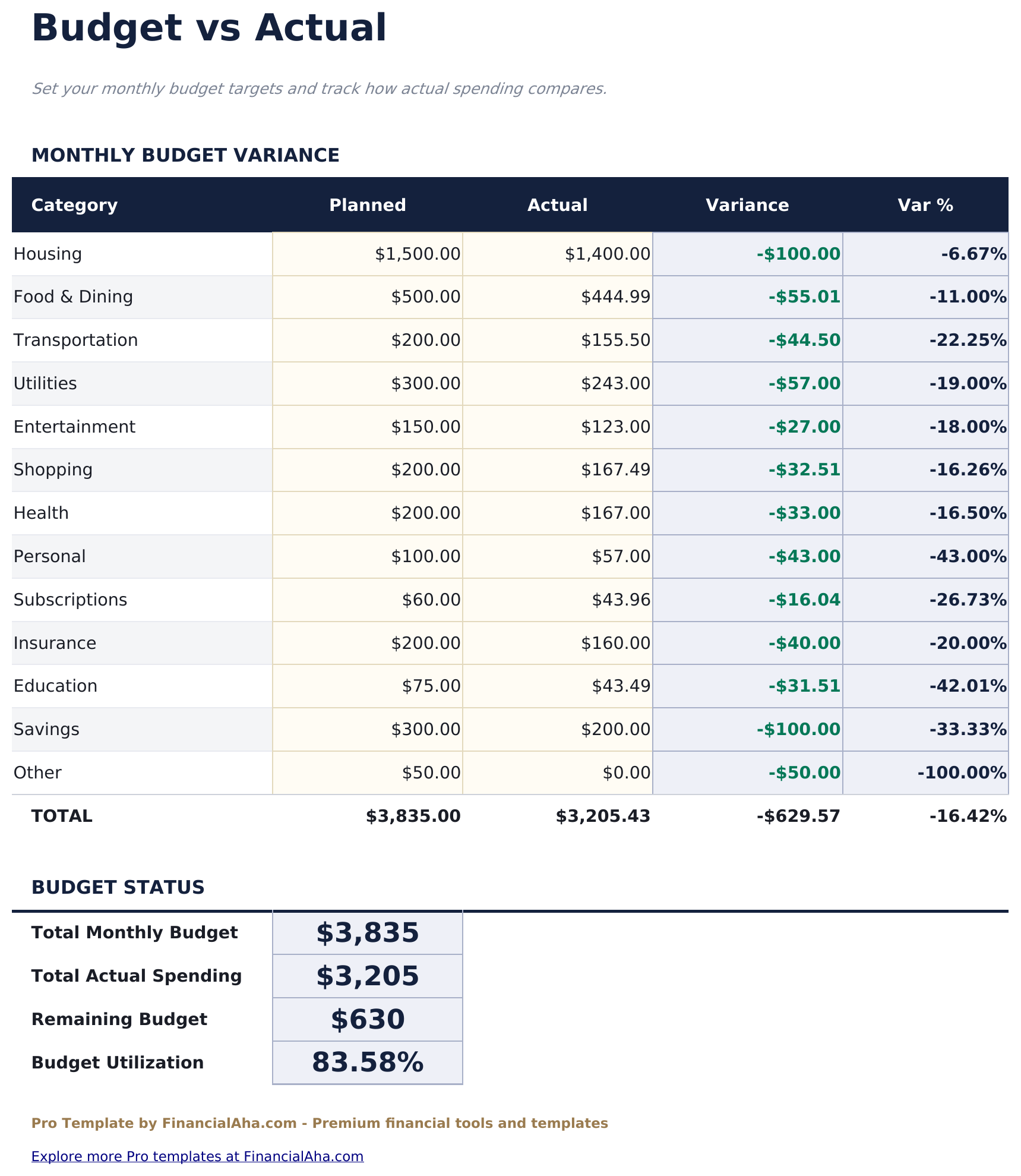
- Budget vs Effettivo variance analysis - set monthly budget targets per category and track in eccesso/in difetto spending with con codifica colore results
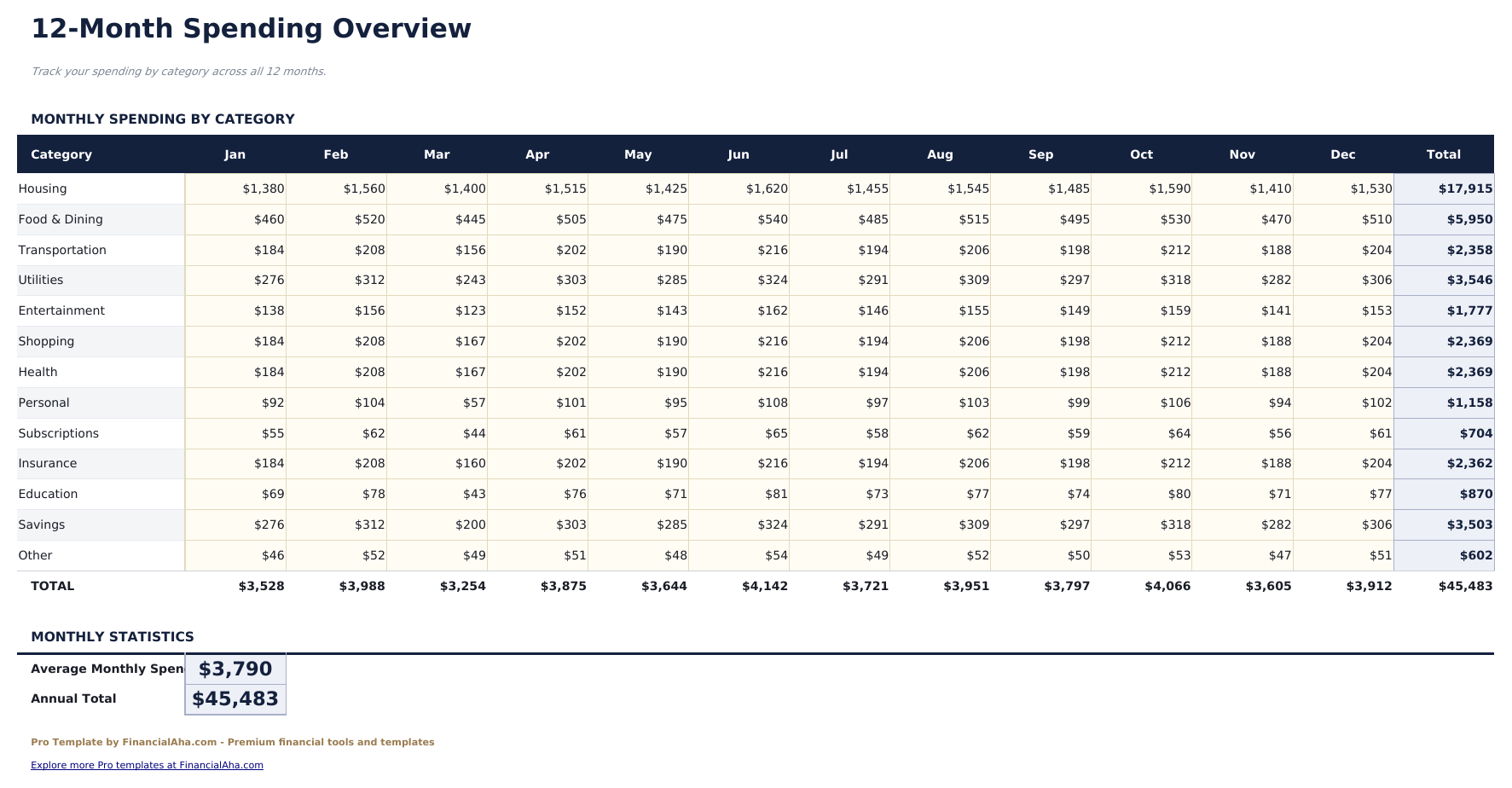
- 12 mesi spending overview grid showing spending by category across all 12 mesi with annual totals and monthly averages
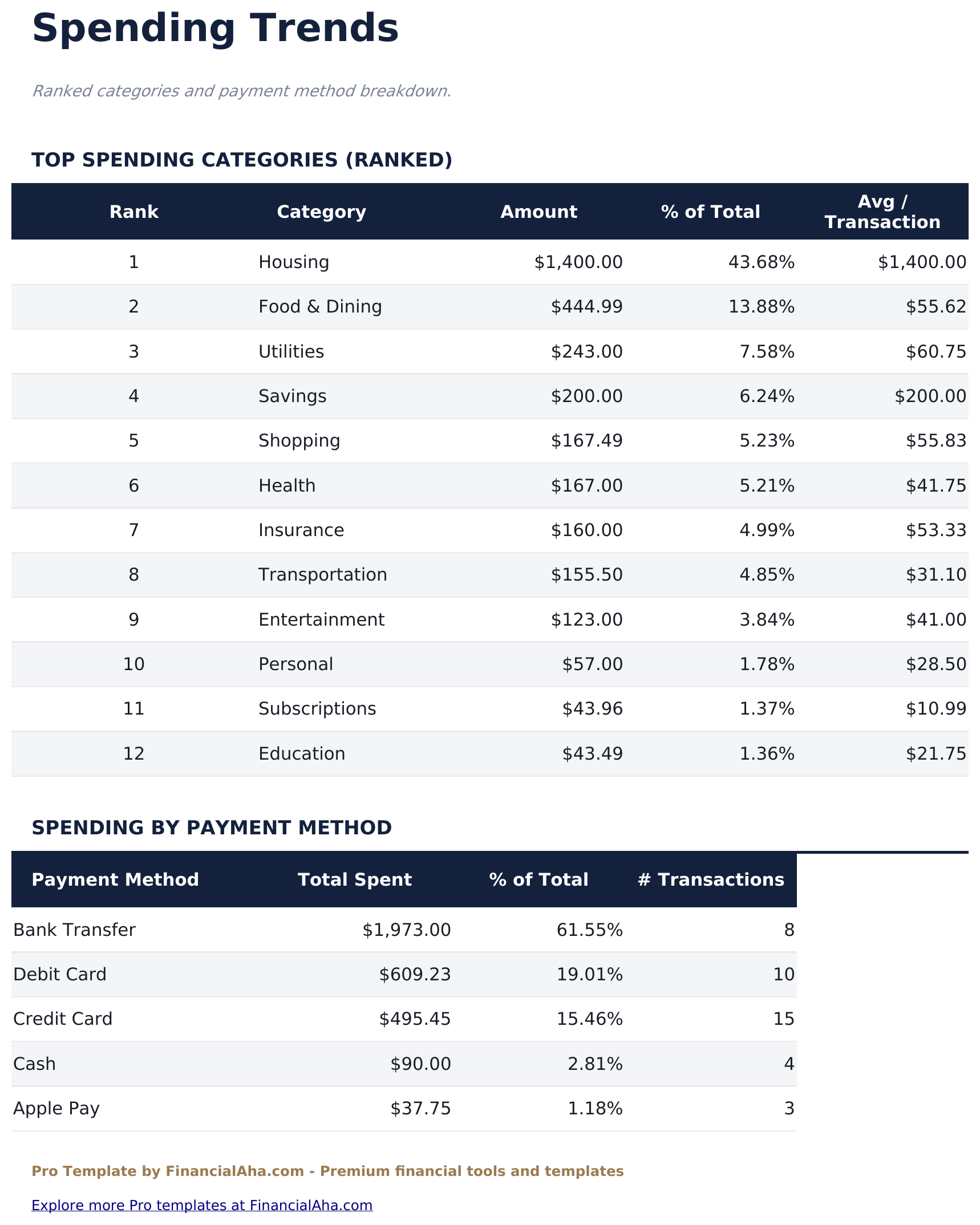
- Foglio Tendenze di Spesa che classifica le categorie per spesa totale e analizza i metodi di pagamento con il conteggio delle transazioni
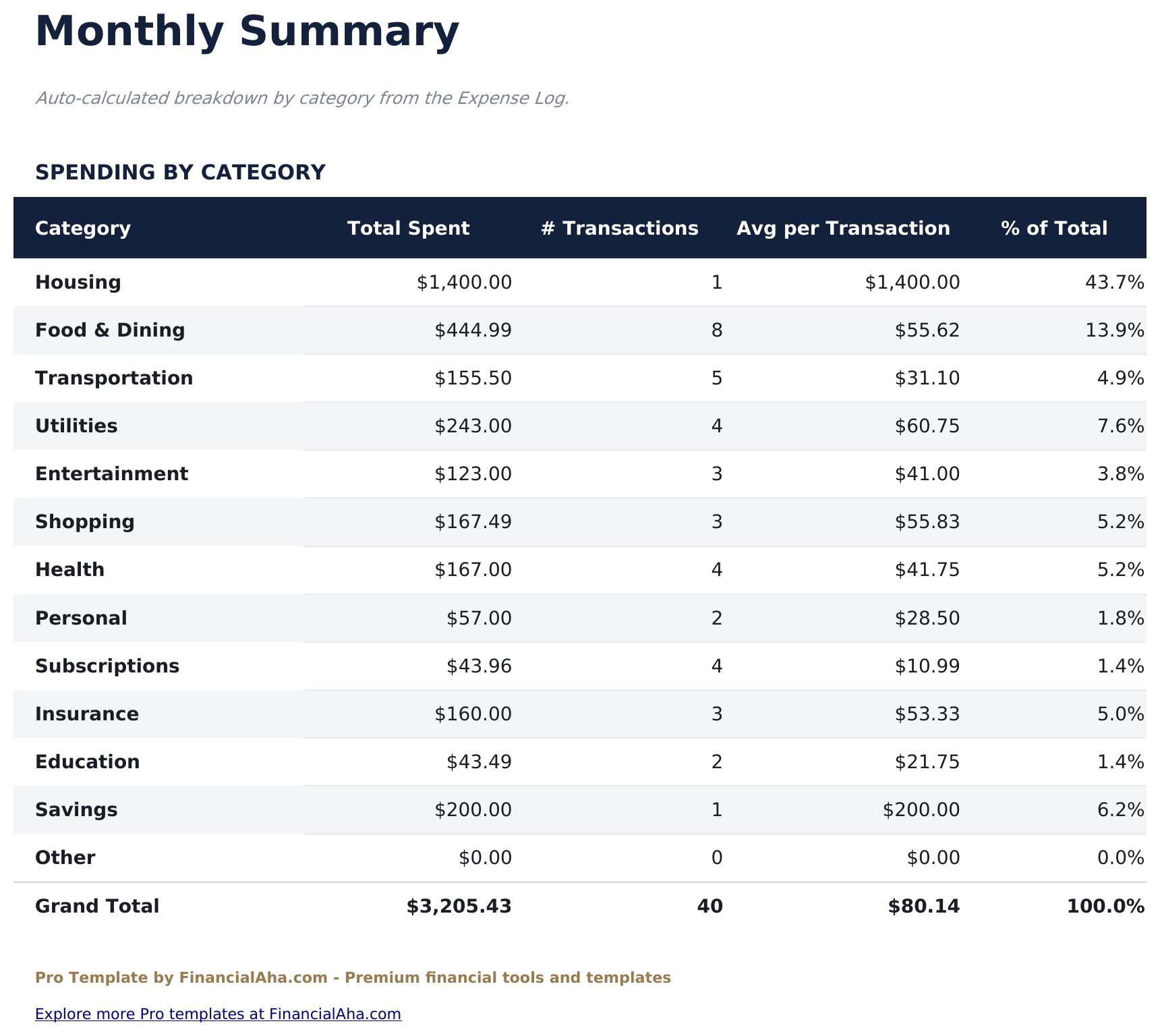
- Monthly Summary with calcolato automaticamente category totals, transaction counts, average per transaction, and percent of total
- Category and payment method menu a tendinas on every row for consistent data entry
- Funziona in Microsoft Excel, Google Sheets e LibreOffice Calc senza macro
Anteprima
Scopri cosa contiene questo modello
Come usare questo modello
Registra le tue spese
Go to il registro Expense Log and enter each transaction with date, description, category (menu a tendina), amount, payment method (menu a tendina), and notes.
Imposta i tuoi obiettivi di budget
In the Budget vs Effettivo sheet, enter your monthly budget for each category. Actual spending calculates automaticoamente from il registro Expense Log.
Monitora l'intero anno
Enter monthly totals in the 12 Mesi Overview to see annual patterns, totals, and averages across all categories.
Analizza le tendenze e i risultati
Check la Dashboard for KPIs, the Spending Trends sheet for category rankings, and the Monthly Summary for detailed breakdowns.
Creati da Claude AI. Perfezionati da noi.
Utilizziamo Claude AI per creare ogni modello, dopo una ricerca approfondita. Poi interviene il nostro team. Miglioriamo il layout, testiamo ogni formula, correggiamo i casi limite e rifiniamo il design fino a ottenere qualcosa che useremmo noi stessi. L'AI ci porta all'80%. L'ultimo 20% è tutto giudizio umano.
Acquisto una tantum. Nessun abbonamento. Funziona in Excel e Google Sheets.
Domande frequenti
Quante spese posso tracciare?
The Pro version supports 200 entries per month - 4 times the free version. Each row has menu a tendina for category and payment method.
How does the budget vs effettivo work?
Set your monthly budget target for each of 13 spending categories. Actual spending pulls automaticoamente from il registro Expense Log. The variance column shows in eccesso/in difetto budget with red (over) and green (under) codifica colore.
What does the 12 mesi overview show?
A grid of 13 categories across 12 mesi. Enter monthly spending to see annual totals and monthly averages. Useful for identifying seasonal spending patterns.
Quali categorie sono incluse?
Abitazione, Cibo e Ristorazione, Trasporti, Utenze, Intrattenimento, Shopping, Salute, Personale, Abbonamenti, Assicurazioni, Istruzione, Risparmio e Altro - coprendo tutti i tipi di spesa comuni.
Posso personalizzare le categorie?
The category list is pre-set for consistency with the menu a tendina. You can use the Other category for anything that does not fit the standard categories.
Cosa ricevo dopo l'acquisto?
Ricevi un file Excel (.xlsx) che funziona in Microsoft Excel, Google Sheets e LibreOffice Calc. Scaricalo subito dopo l'acquisto - nessuna registrazione o account richiesti.
Esiste una versione gratuita?
Sì. La versione gratuita di questo modello è disponibile con funzionalità base. La versione Pro aggiunge analisi avanzate, maggiore capacità e fogli aggiuntivi.
Cosa succede se non funziona per me?
Contattaci e ti aiuteremo a risolvere il problema. Il modello funziona in Microsoft Excel, Google Sheets e LibreOffice Calc senza macro.
Cerchi altri modelli Pro?
Offriamo versioni Pro dei nostri modelli più popolari con funzionalità avanzate, maggiore capacità e analisi approfondite.
Privato e sicuro
I tuoi dati finanziari restano sul tuo dispositivo. Non li vediamo mai.
Scopri di piu →